In the previous lesson on Cisco Catalyst Center, you saw the controller push config, read inventory, and run show commands on the devices.
But how does Catalyst Center communicate?
It uses APIs in two directions: one going up to apps, one going down to devices.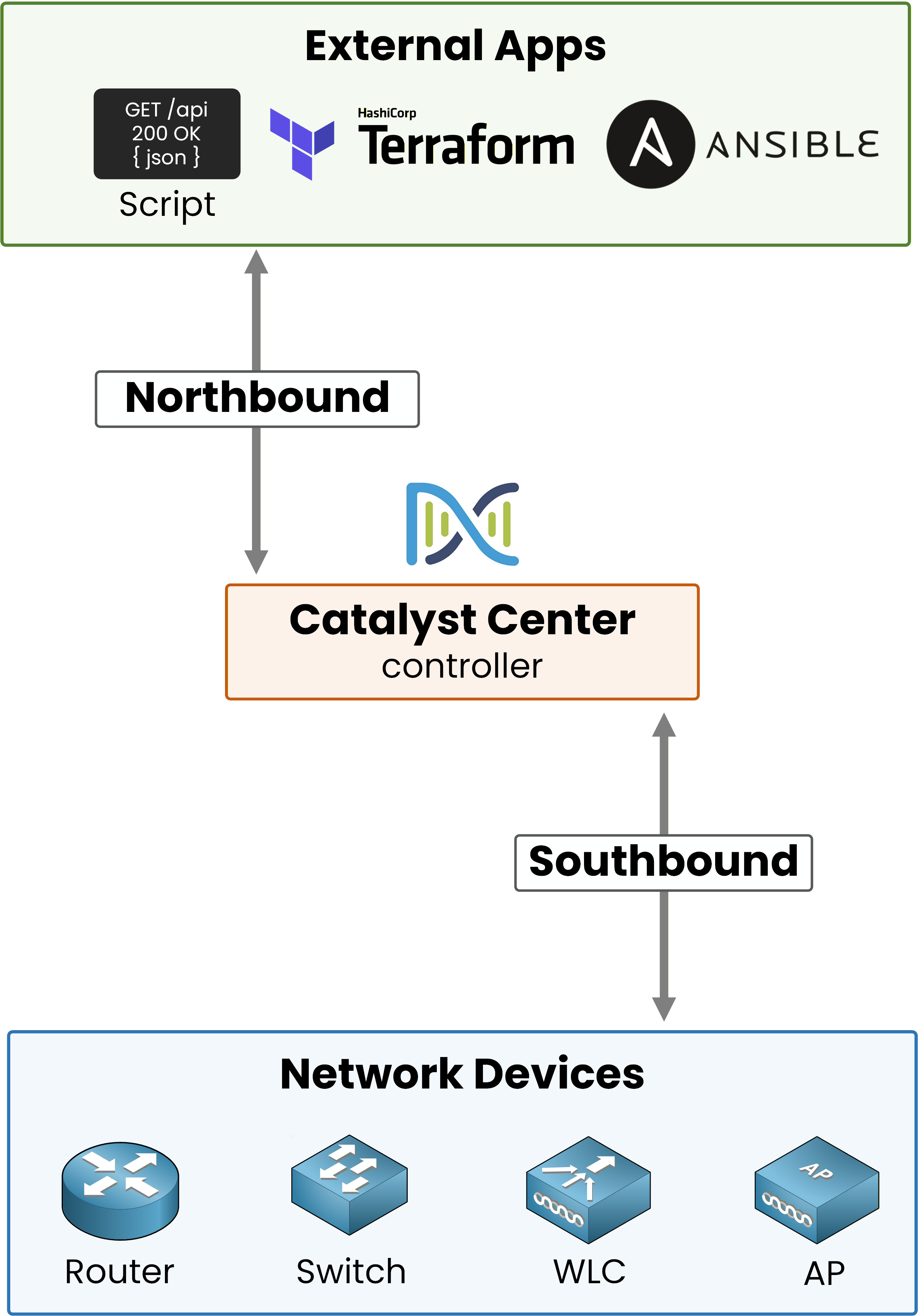
Figure 1 – Catalyst Center sits between external apps (northbound) and network devices (southbound)
Two directions, two jobs:
Northbound: apps talk to Catalyst Center
Southbound: Catalyst Center talks to the devices
Northbound
Northbound is the direction your scripts and tools use to reach Catalyst Center.
Catalyst Center exposes a REST API that exchanges JSON over HTTPS.
It uses standard verbs: GET to read, POST to create, PUT to update, DELETE to remove.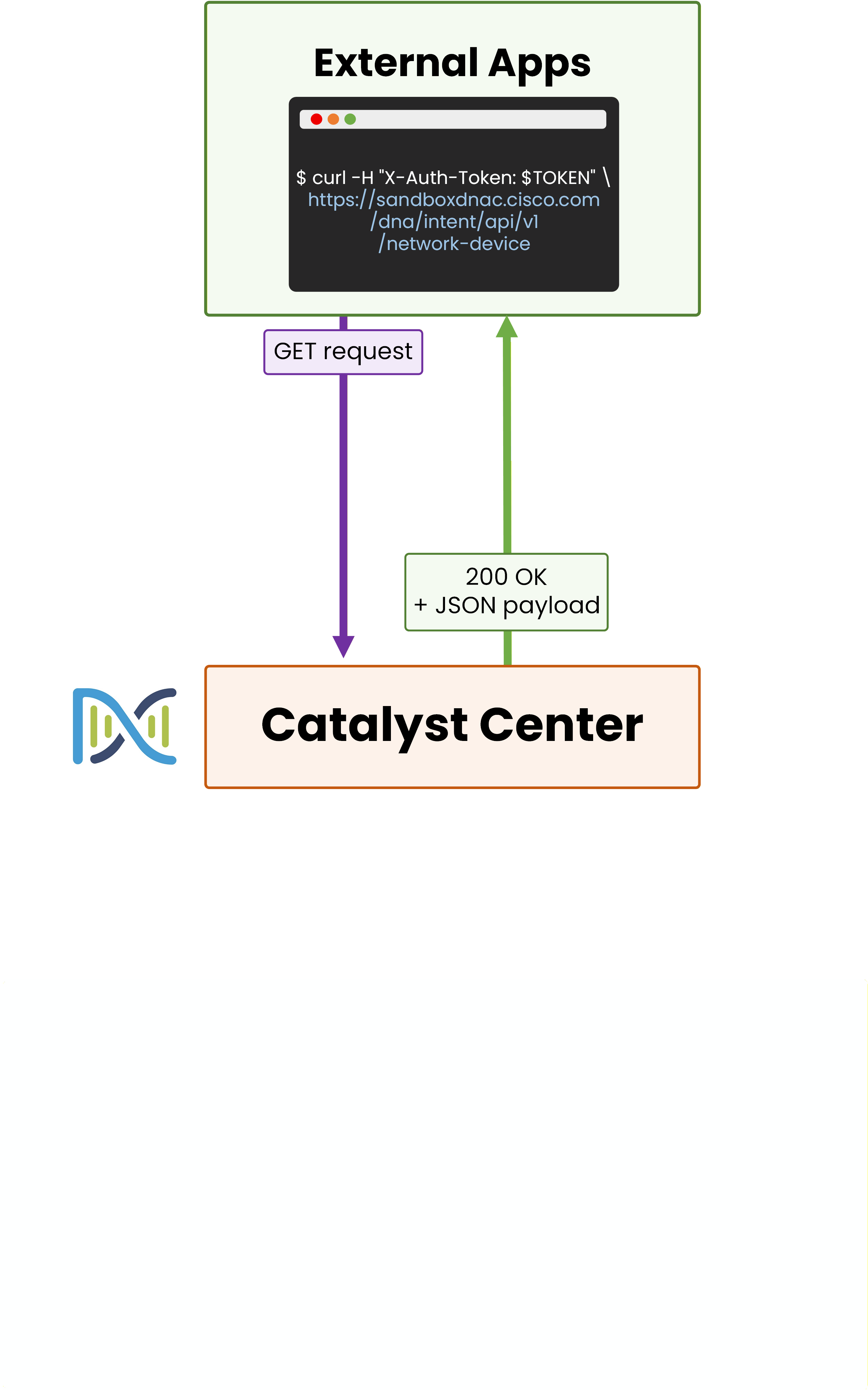
Figure 2 – A script calls Catalyst Center over HTTPS and gets JSON back
Imagine your script needs the list of every switch in the network.
Instead of opening SSH on each one, the script sendsGET /dna/intent/api/v1/network-deviceand Catalyst Center returns the inventory as JSON.That's the whole northbound idea: your script describes what it wants, Catalyst Center figures out the how.
Answer the question below
Which encoding format do Catalyst Center northbound APIs use?
Answer the question below
Which API direction is used when a script asks Catalyst Center for the list of devices?
Southbound
Southbound is the direction Catalyst Center uses to reach your devices.
It does not invent a new protocol.
It uses the ones your switches, routers, WLCs, and APs already understand.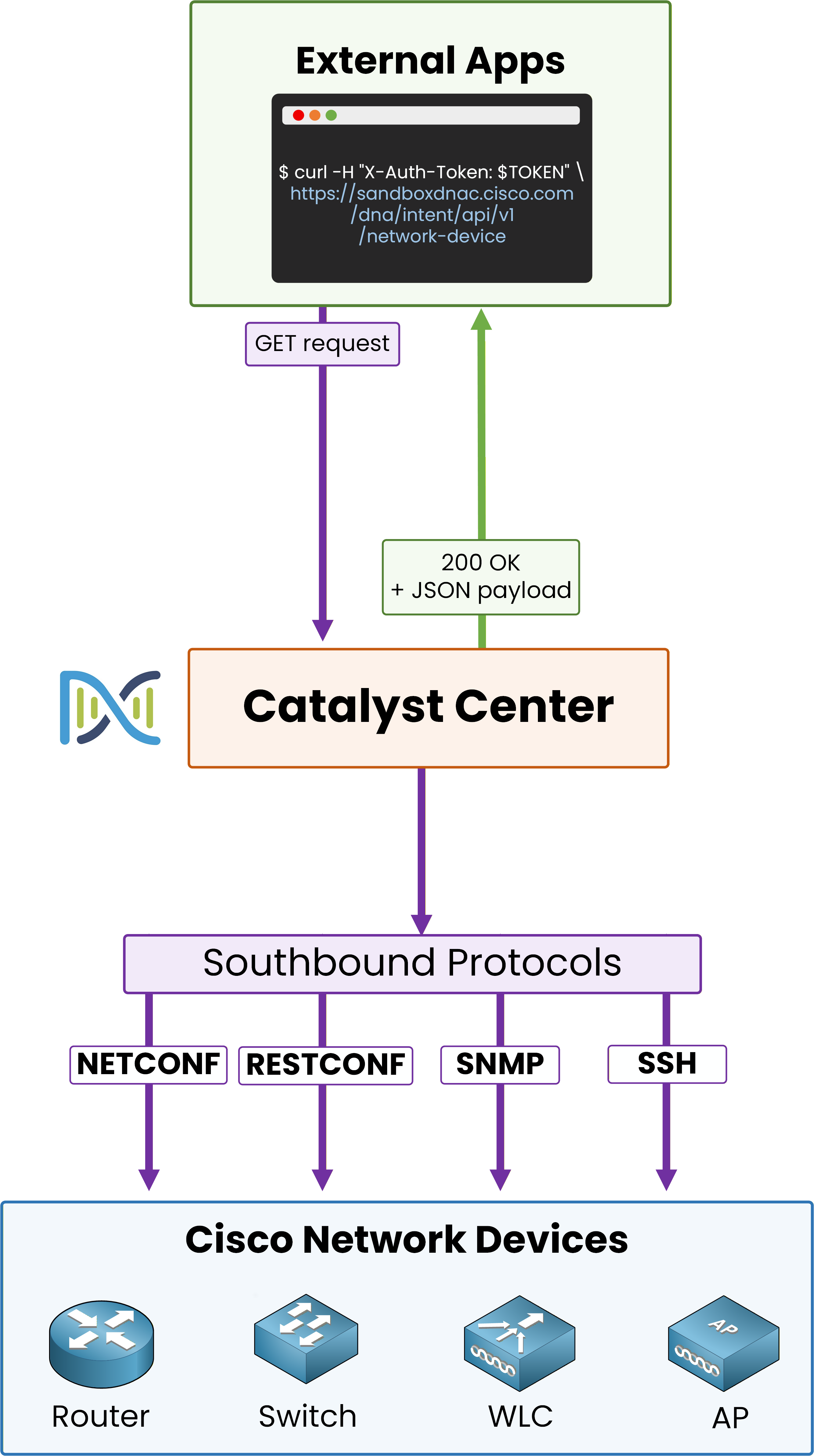
Figure 3 – Catalyst Center reaches the network through four southbound protocols
Catalyst Center speaks four southbound protocols:
NETCONF: structured config over SSH, XML payloads, YANG models
RESTCONF: same YANG models, but over HTTPS with JSON or XML
SNMP: for reading telemetry and inventory from devices
SSH: for pushing CLI commands when a device does not support NETCONF or RESTCONF
The first two are modern and structured.
SNMP and SSH cover what these newer protocols can't reach.40 % Complete: you’re making great progress
Ready to pass your CCNP exam?