Managing your network through the CLI works fine when you have a handful of devices.
You SSH into a router, type commands, read the output, and move on.
But what happens when you have 200 devices to configure at 2 AM without a single typo?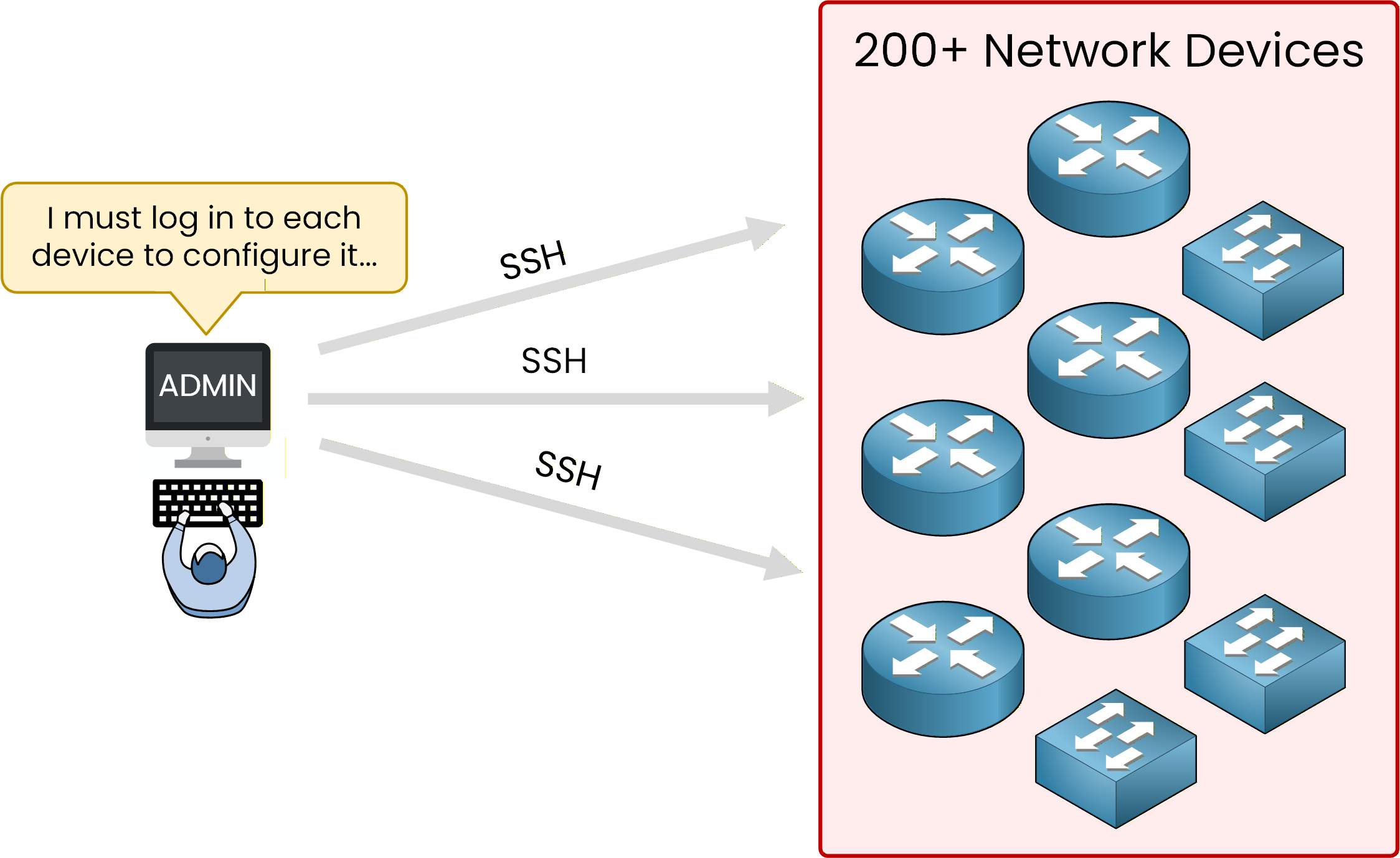
Figure 1 – Configuring 200 devices manually does not scale
The CLI Was Built for Humans
Every CLI command you type is a text string. Every output you read is unstructured text.
Your router does not return data in a format that a script can easily parse.If you want to extract the IP address of an interface from
show ip interface brief, you need complex text-parsing logic.
One minor change in the output format between IOS versions, and your script breaks.NETCONF solves this. Look at the difference:
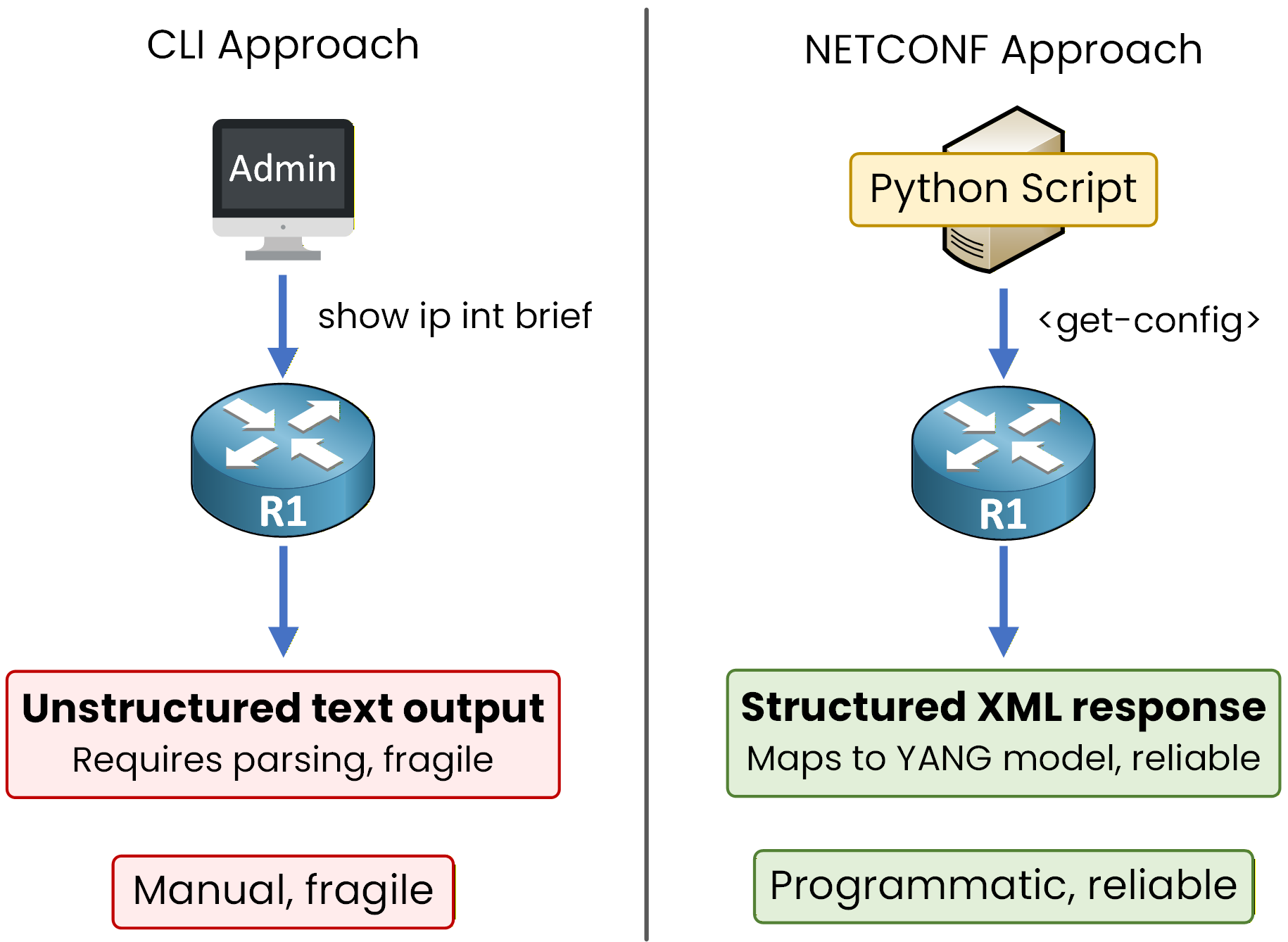
Figure 2 – CLI vs NETCONF
On the left, CLI returns raw text that your script must parse line by line.
On the right, NETCONF returns structured XML that maps directly to a data model.
No guesswork. No fragile parsing.Answer the question below
What format does NETCONF use to return data to your scripts?
What NETCONF Brings to the Table
NETCONF (Network Configuration Protocol, RFC 6241) was built from the ground up for programmatic device management.
Instead of sending CLI commands as plain text, it uses a fully structured approach:Your data is modeled by YANG (covered in the YANG lesson)
Your data is encoded in XML, a structured and machine-readable format
Your transport is SSH, the same secure channel you already use for CLI access
Before NETCONF
Before NETCONF, SNMP was the primary protocol for programmatic management.
But SNMP was designed for monitoring, not for pushing full configurations.Approach
Designed for
Data format
Configuration support
CLI
Human operators
Unstructured text
Full, but manual
SNMP
Monitoring and polling
MIB/OID (structured but rigid)
Limited and complex
NETCONF
Programmatic management
XML (structured, flexible)
Full read and write
Table 1 – CLI vs SNMP vs NETCONF
Answer the question below
What data modeling language does NETCONF rely on to define the structure of configuration data?
NETCONF has four layers, from transport at the bottom to data models at the top.
Each layer has a specific job. You need to know what they are before you start configuring.The Four Layers
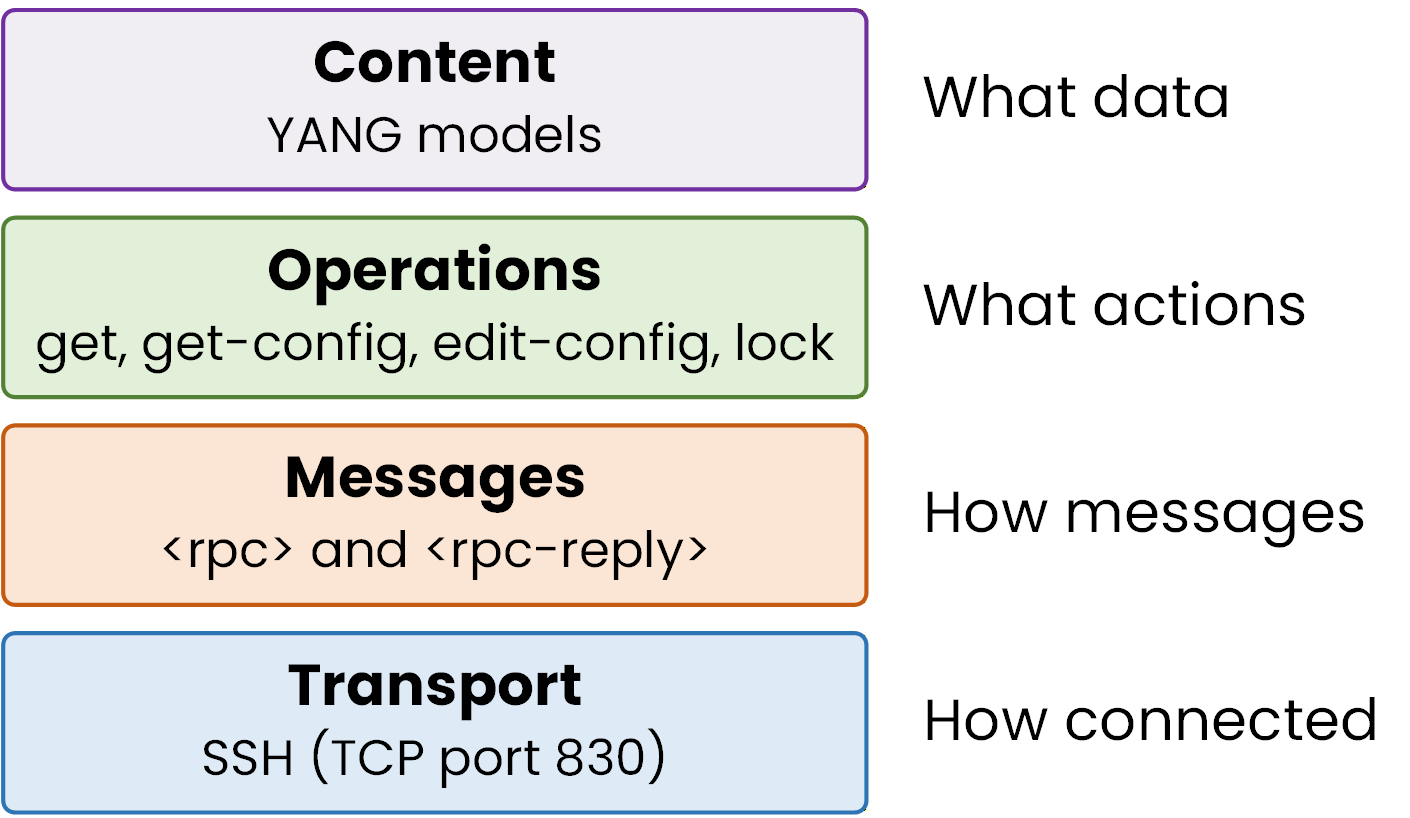
Figure 3 – The four NETCONF layers
From bottom to top:
Transport: almost always SSH. NETCONF uses TCP port 830 by default, not the standard SSH port 22.
Messages: every exchange is wrapped in an
<rpc>request and an<rpc-reply>response.Operations: the actions you can perform (get, edit, lock, commit).
Content: the YANG models that define what data your device exposes.
Session Establishment
When you connect to a device, the first thing that happens is a capabilities exchange.
Both sides send a<hello>message listing the YANG models and NETCONF features they support.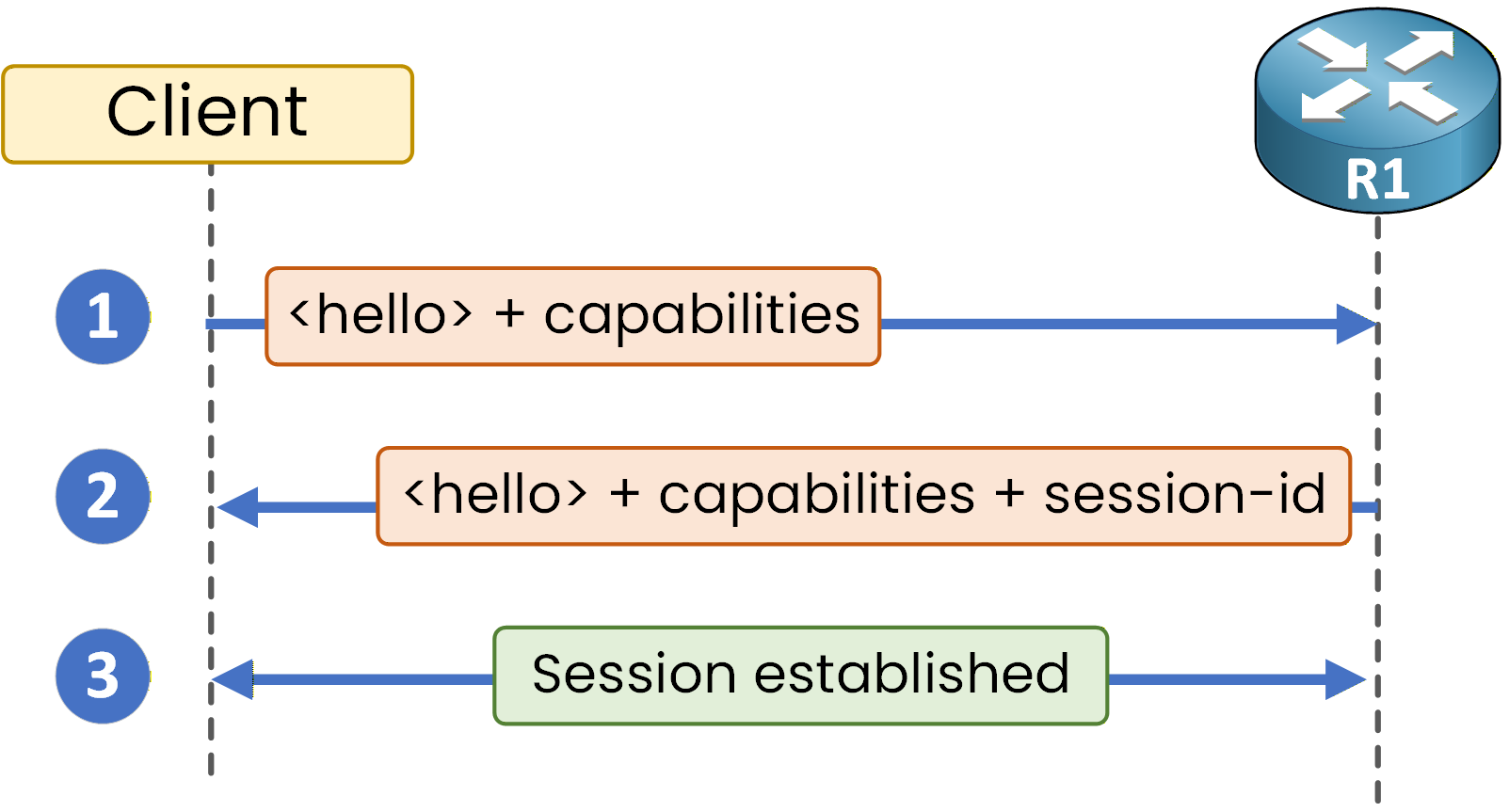
Figure 4 – Capabilities exchange
Here is a simplified example of what your device sends back:
<?xml version="1.0" encoding="UTF-8"?>
<hello xmlns="urn:ietf:params:xml:ns:netconf:base:1.0">
  <capabilities>
    <capability>urn:ietf:params:netconf:base:1.1</capability>
    <capability>urn:ietf:params:netconf:capability:candidate:1.0</capability>
    <capability>http://cisco.com/ns/yang/Cisco-IOS-XE-native</capability>
  </capabilities>
  <session-id>42</session-id>
</hello>
The
<capabilities>list tells you which YANG models the device supports. If a model is not listed, you cannot use it.
The<session-id>is a unique number assigned by the device to identify your session.Answer the question below
What type of message do both the client and device send at the beginning of a NETCONF session?
RPC Request and Reply
After the hello exchange, every interaction follows the same pattern.
You send an<rpc>containing an operation and optional filters. Your device responds with an<rpc-reply>.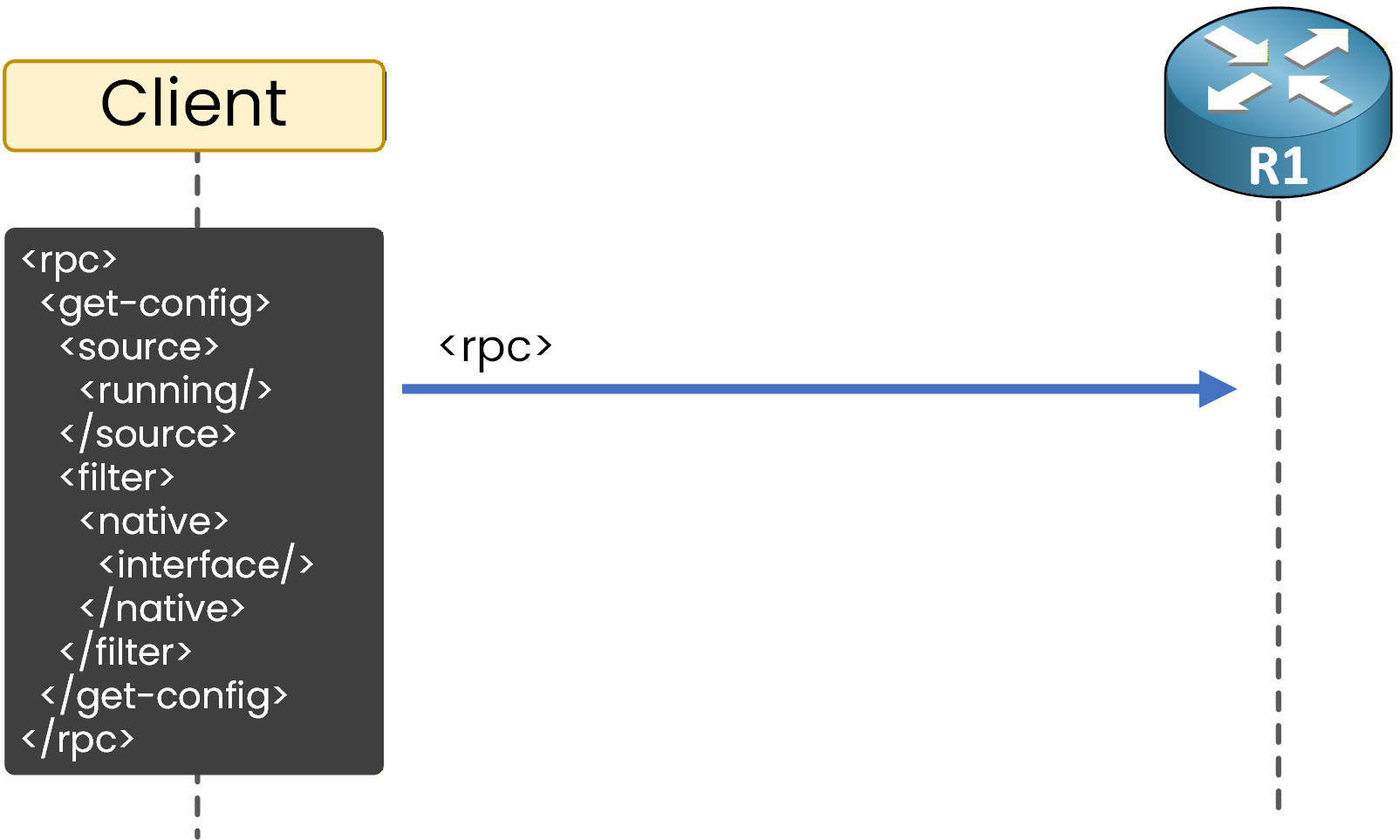
Figure 5 – RPC request with a subtree filter
The reply contains either the requested data or a status (success or error).
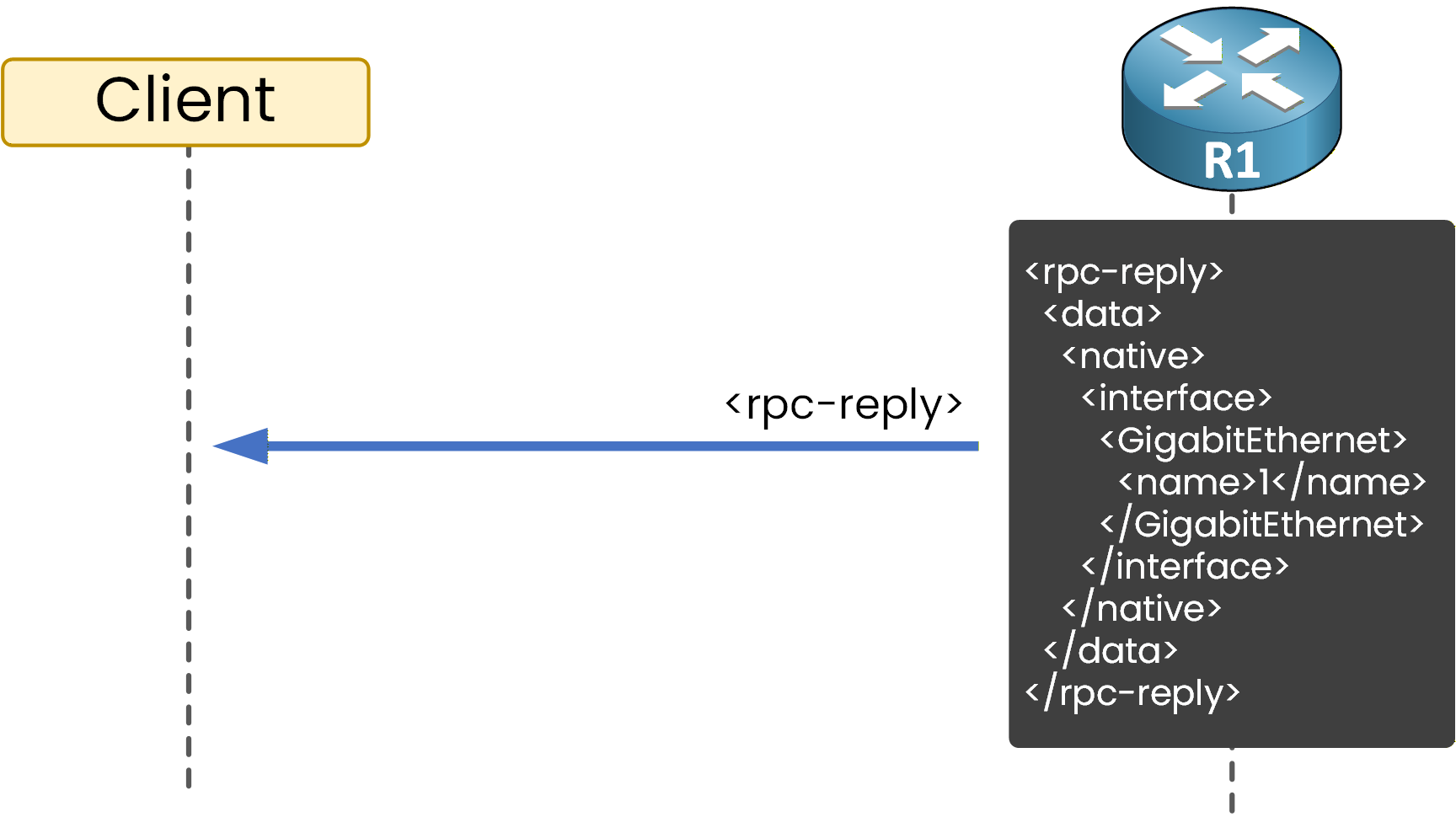
Figure 6 – RPC reply with structured XML data
This request-response model is predictable and easy to automate.
Every request gets exactly one reply. No ambiguity, no partial output to parse.Answer the question below
What is the default TCP port used by NETCONF?
Datastores and Operations
NETCONF stores your configuration in datastores. There are three of them:
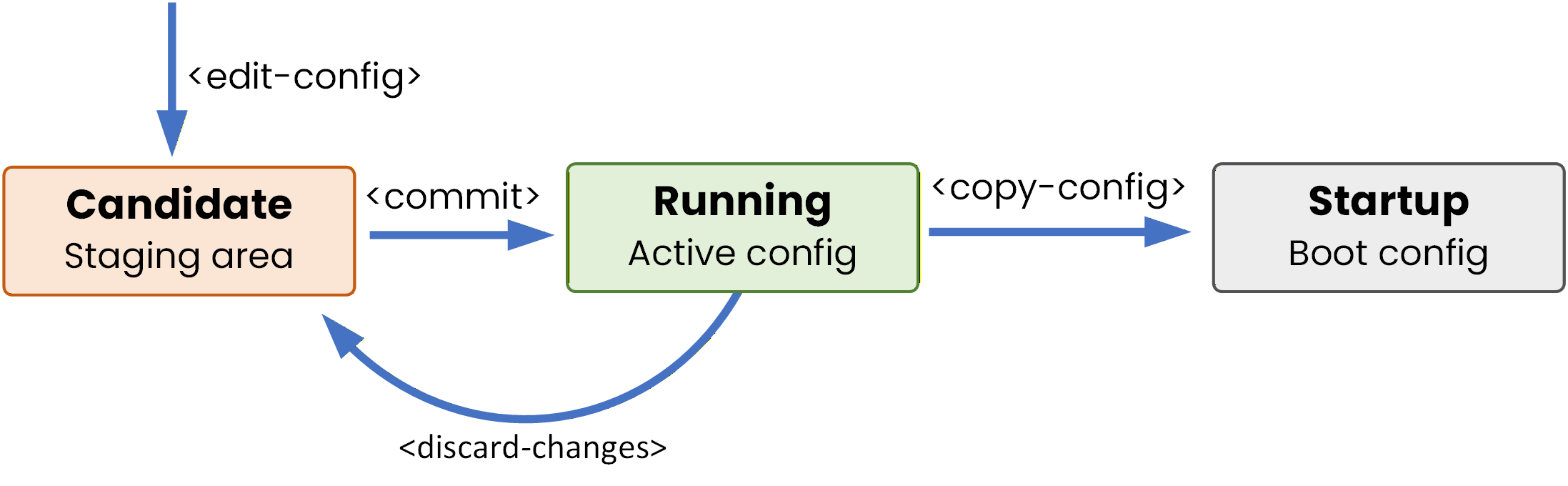
Figure 7 – NETCONF datastores
The candidate datastore is particularly useful. It lets you build a complete set of changes, validate them, and commit everything at once.
If something goes wrong, you discard the candidate and the running configuration stays untouched.40 % Complete: you’re making great progress
Ready to pass your CCNP exam?