In the previous lesson, you followed a packet from PC1 to PC3 across the SD-Access fabric.
LISP registered the user, ISE assigned the SGT, VXLAN-GPO carried the traffic, the Border Node bridged to the outside.
But one question stayed open.Who Configured the Fabric?
You never opened a CLI session.
You never typed a single command on a Fabric Edge.
So who configured all of this?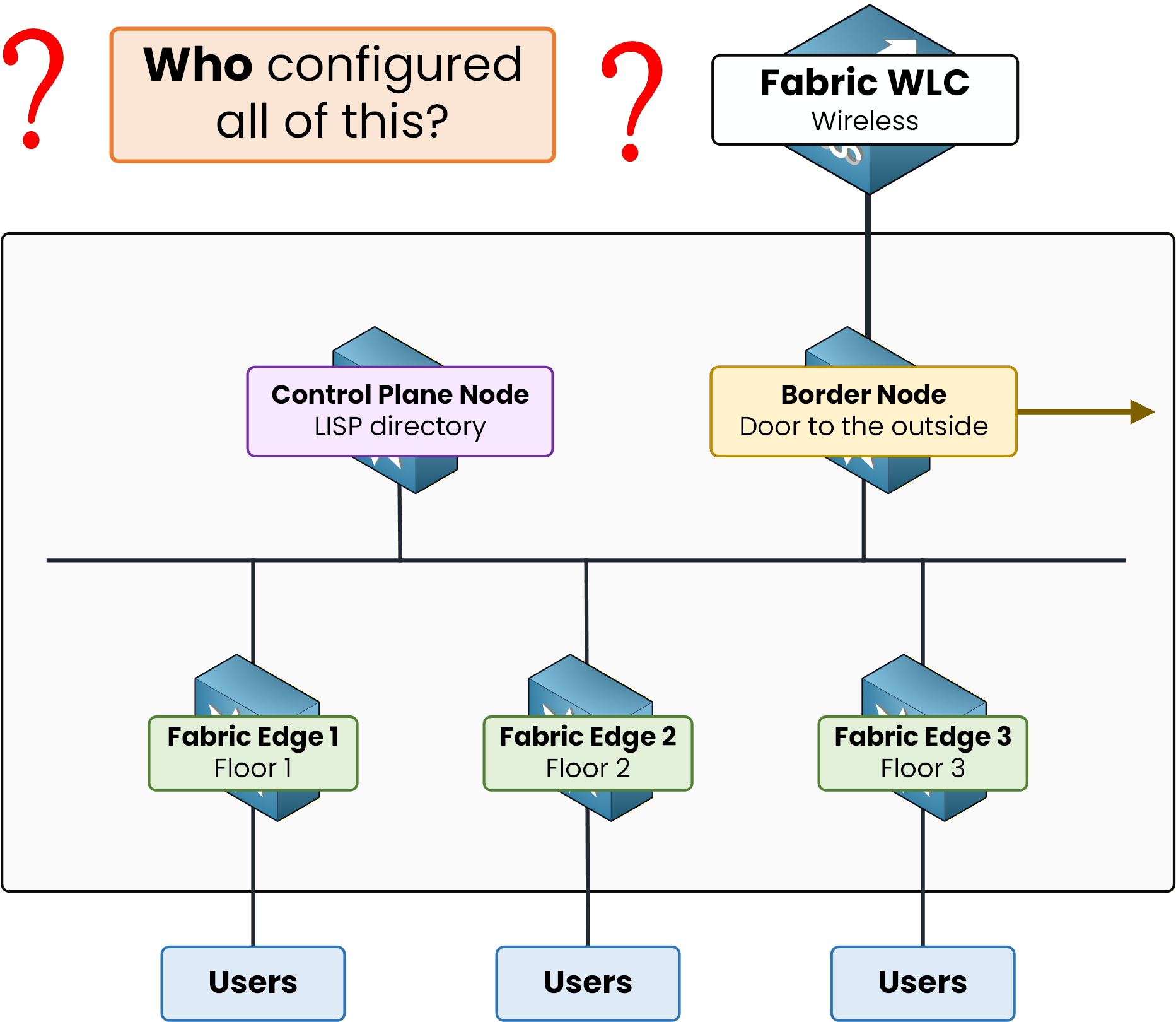
Figure 1 – The fabric works, but nobody typed a command
The Orchestrator
It is Cisco Catalyst Center.
You met it briefly in the SD-Access Architecture lesson as the fabric orchestrator.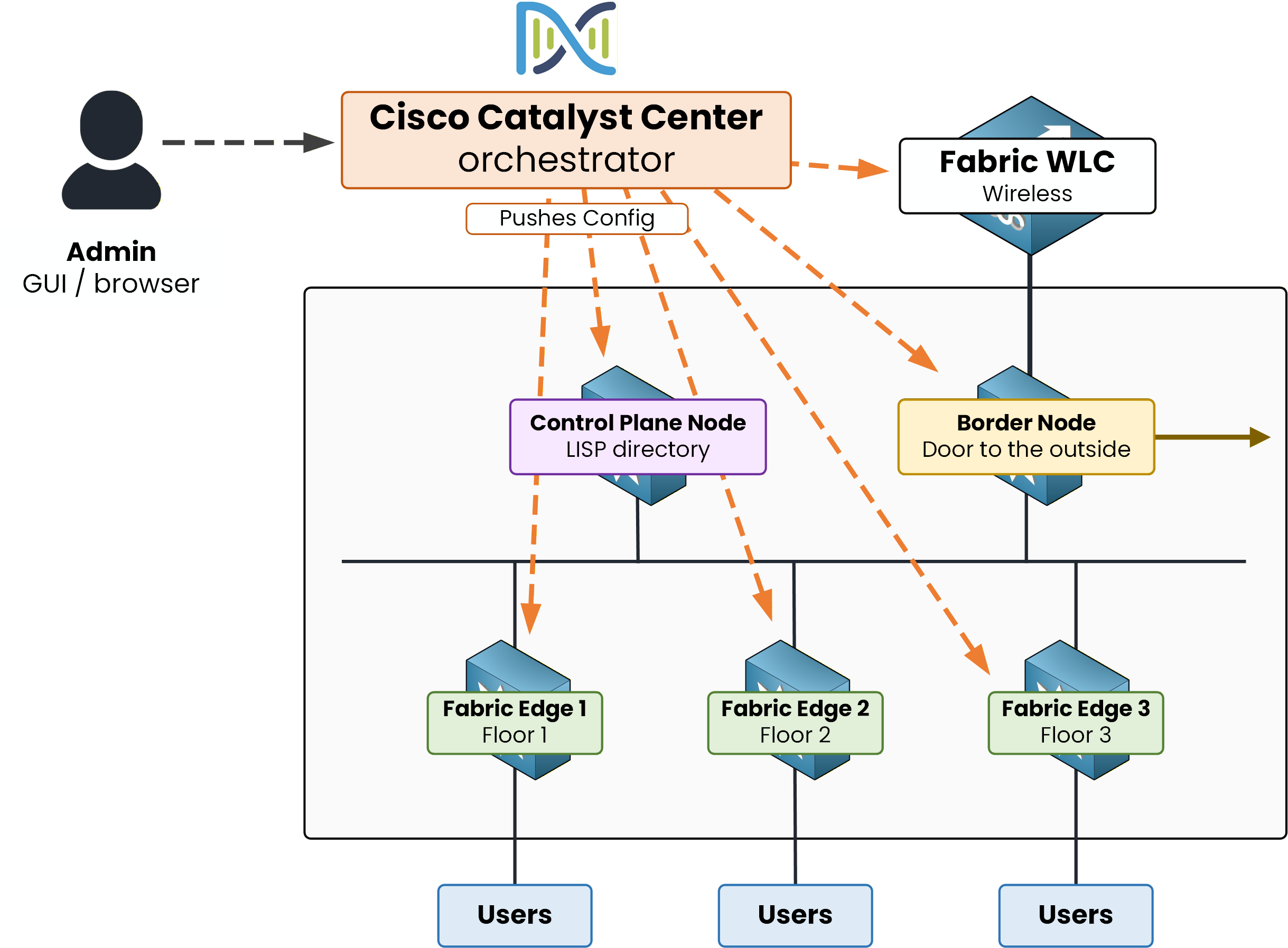
Figure 2 – Catalyst Center orchestrates every fabric device
One admin, one dashboard, pushing config down to every device.
No SSH session opened by hand.Catalyst Center also manages traditional non-fabric campuses even without SD-Access.
Note: Cisco DNA Center was renamed Cisco Catalyst Center in 2023.
The exam still uses both interchangeably.Answer the question below
What is the former name of Cisco Catalyst Center?
Answer the question below
Does Catalyst Center only manage SD-Access fabric networks?
Every action you take in Catalyst Center falls into one of four workflows.

Figure 3 – The four workflows
Design — describe the network on paper
Policy — decide who talks to whom
Provision — push the config to the devices
Assurance — watch how it behaves
Design — Describe the Network
Design is where you describe your network before touching any device.
You build a site hierarchy (Area > Building > Floor).You assign IP pools.
You set AAA servers, NTP, DNS, and SNMP for each site.
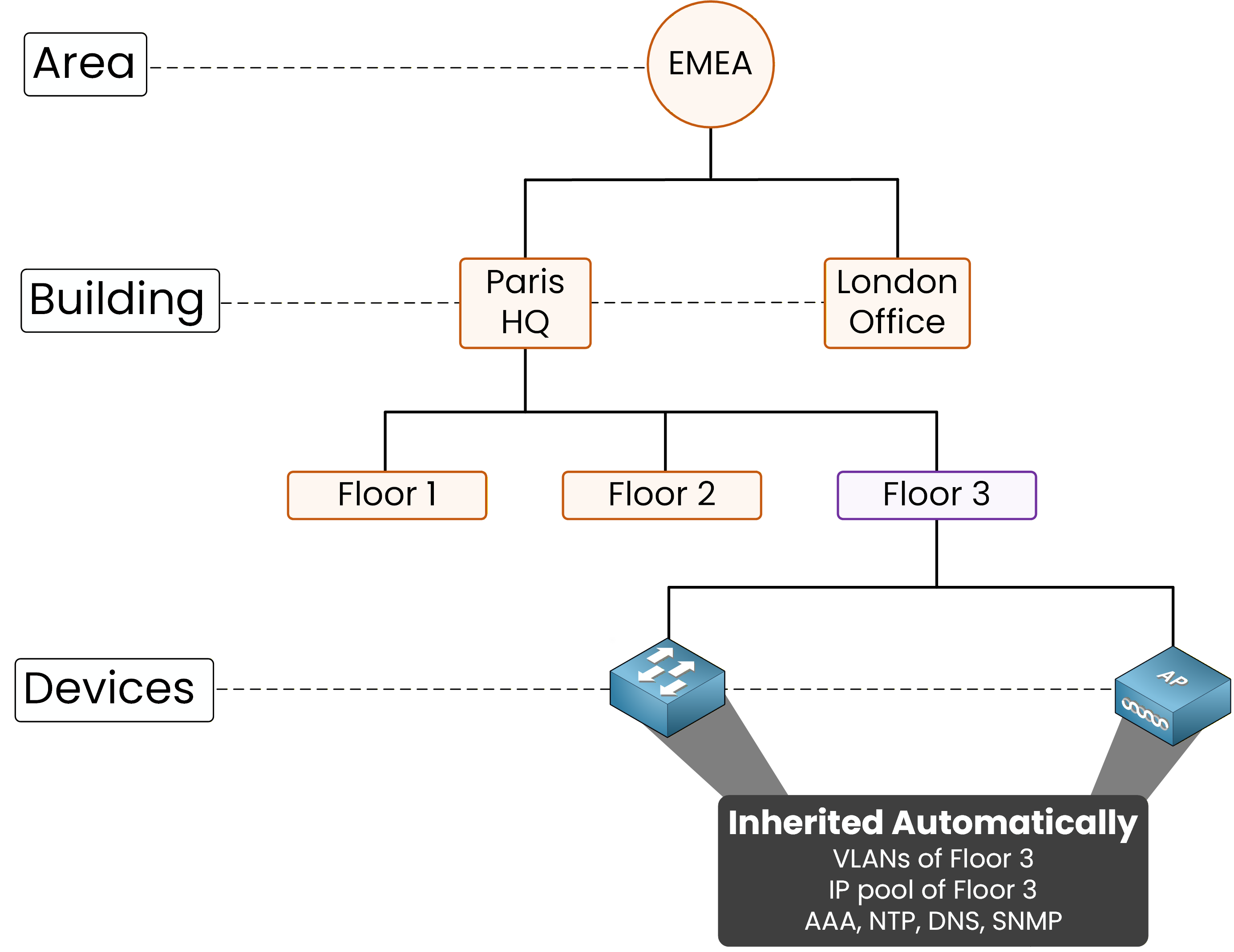
Figure 4 – A switch added to Floor 3 inherits its settings
The hierarchy is structured by location, not by role.
A device inherits the settings of the site it belongs to.Beyond the hierarchy, Design ships with the Template Editor.
One template, many devices, different values per site.Answer the question below
Under which Catalyst Center workflow do you create the site hierarchy?
Policy — Decide Who Talks to Whom
Policy is where you decide who can reach what.
You define group-based rules:Employees → data center
Contractors → Internet only
Guests → captive portal only
These groups are the same Scalable Group Tags you saw inside VXLAN-GPO.
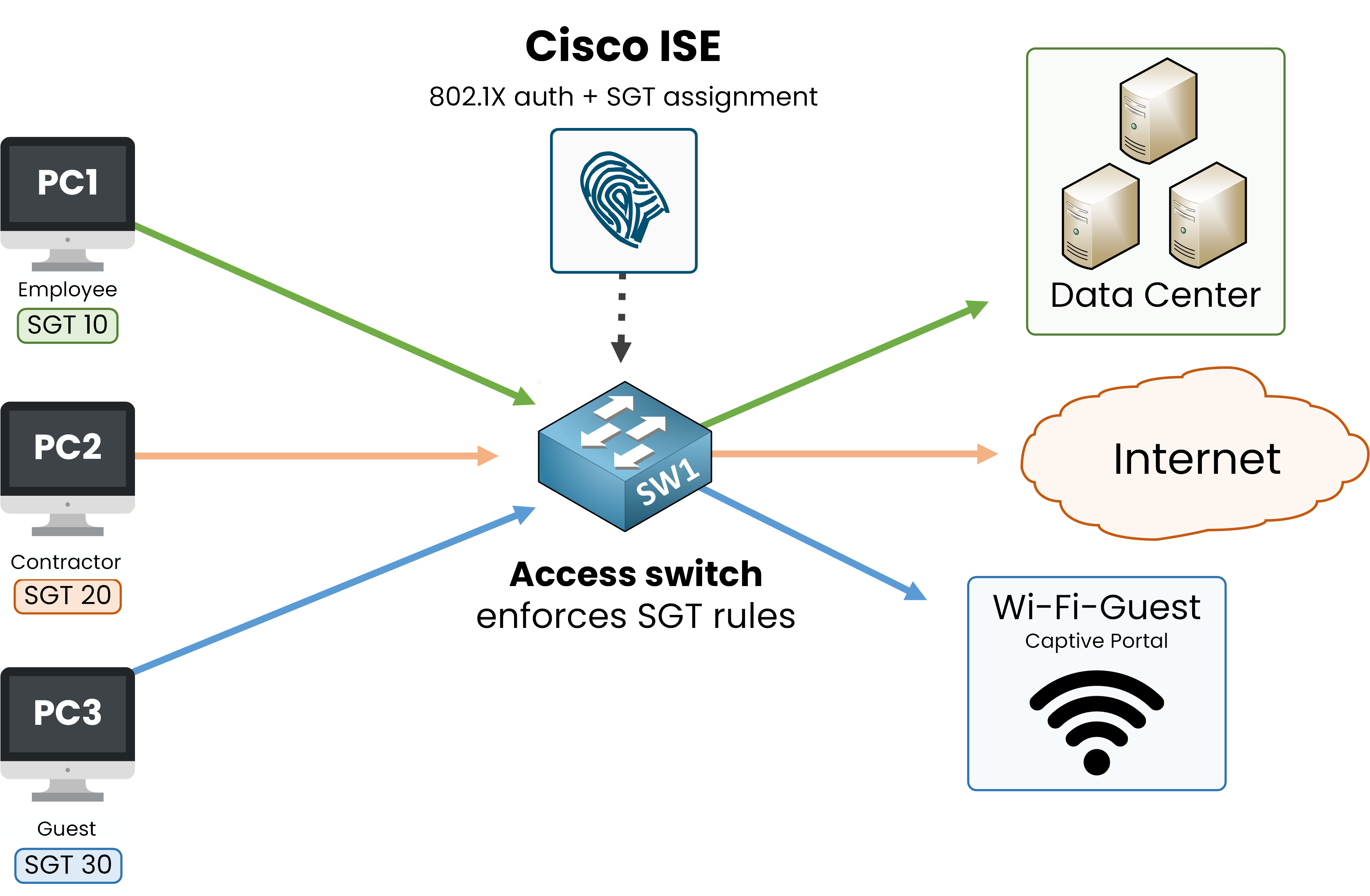
Figure 5 – Each group gets its own SGT and destinations
Catalyst Center integrates with Cisco ISE to assign users to groups dynamically.
802.1X authenticates, ISE returns the SGT, the Edge applies it.Answer the question below
Which external system does Catalyst Center rely on to assign users to groups dynamically?
Provision — Push the Config
Provision is where the configuration actually reaches the device.
Before that can happen, three things must be in place:IP connectivity between Catalyst Center and the device
Valid credentials (SSH or Telnet, plus SNMP) so Catalyst Center can log in and read the device
The device added to the inventory through Discovery
Catalyst Center also gives you the SWIM service (Software Image Management) to store device images and define a golden image per device family. SWIM is not a prerequisite, but you'll use it often to keep your fleet on the same version.
Answer the question below
Which Catalyst Center service holds the device images used for upgrades?
Even with everything in place, the device goes through four stages: three to prepare, one to push.
Stage 1 — Discovery
You give Catalyst Center an IP range to scan.
It uses CDP and LLDP to find the devices, then reads their inventory with SNMP. The credentials you provided (SSH or Telnet) let it log in if needed.40 % Complete: you’re making great progress
Ready to pass your CCNP exam?