To understand SD-Access, let me show you the traditional problems of enterprise campuses.
For decades, enterprise campuses have followed the same model.
VLANs per floor, subnets per VLAN, and ACLs based on IP addresses.This model worked when users stayed at their desks.
But modern users move, devices multiply, and policies need to follow people, not cables.Identity Tied to the Network
In a traditional campus, your identity on the network is defined by where you plug in.
Each floor has its own VLAN.
Each VLAN has its own subnet, and your IP address comes from that subnet.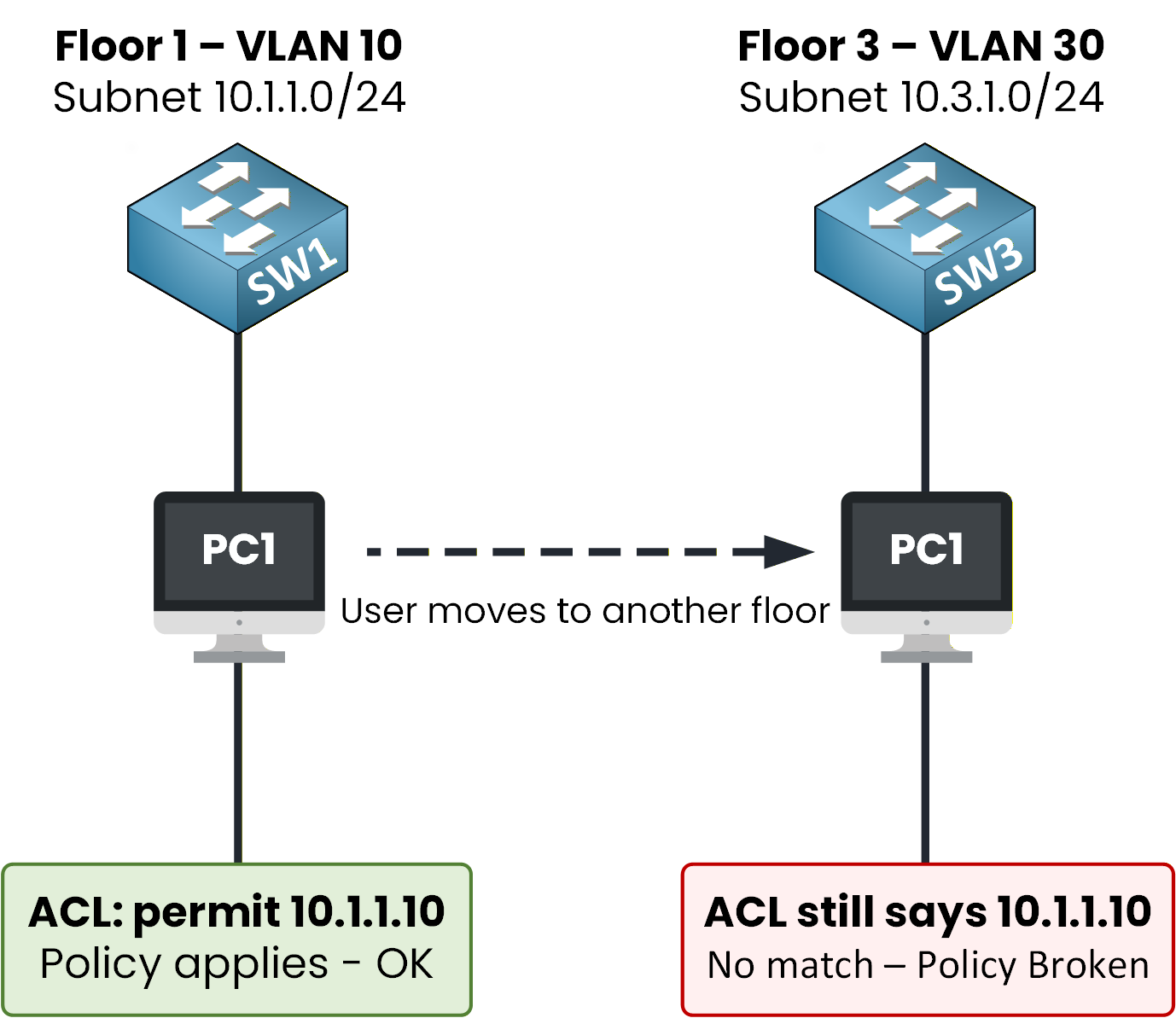
Figure 1 – Identity follows the IP, not the user
This is fine until a user moves.
An employee walks from the 1st floor to the 3rd floor.
They land on a different VLAN and get a new IP address.
Every IP-based ACL and QoS policy needs to be rewritten to recognize them.The network identifies you by your location, not by who you are.
This is the same scalability problem as traditional ACLs, solved later by Cisco TrustSec.Answer the question below
In a traditional campus, what does your identity on the network depend on?
Configuration Doesn't Scale
The second problem is operational.
In a traditional campus, every switch is configured individually through CLI.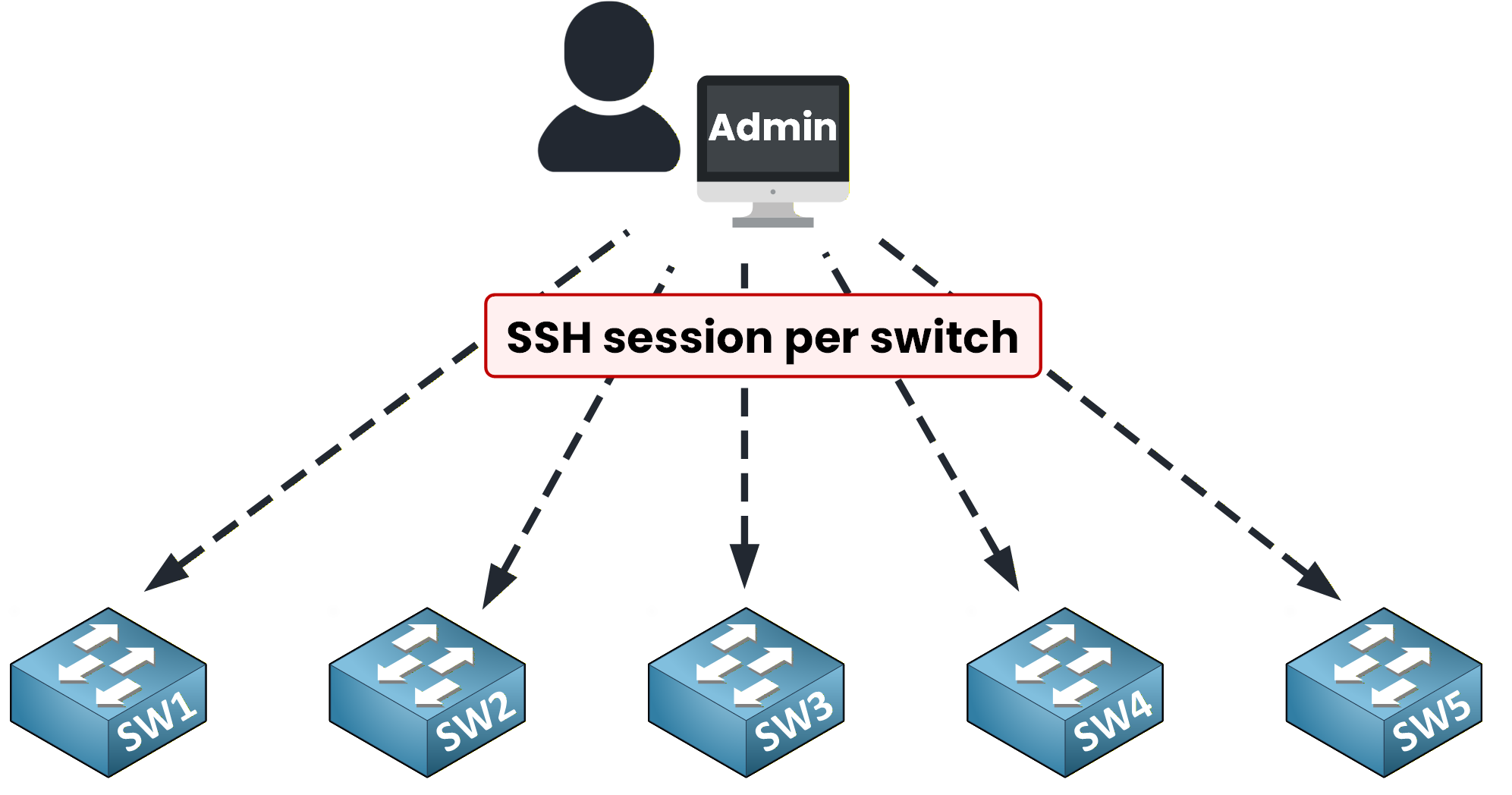
Figure 2 – One SSH session per switch
Adding a new VLAN means logging into every access switch.
You then type the same commands yourself, one device at a time.
Updating an ACL means doing it on every device that enforces it.In a campus with hundreds of switches, this approach creates errors and slows down deployments.
SD-Access exists to fix both of these problems.Answer the question below
In a traditional campus, how is each switch typically configured?
SD-Access (Software-Defined Access) solves these problems by building a fabric.
A fabric is a logical layer that turns your campus into a single managed network.
Inside this fabric, identity follows the user, and policies follow the user too.Inside the fabric, every wired device plays one of five roles.
Let's reveal them step by step.Fabric Edge — Where Users Connect
At every floor and every location, the traditional access switch is replaced.
It becomes a Fabric Edge node.
This is the device where your users plug in: laptops, IP phones, access points, printers.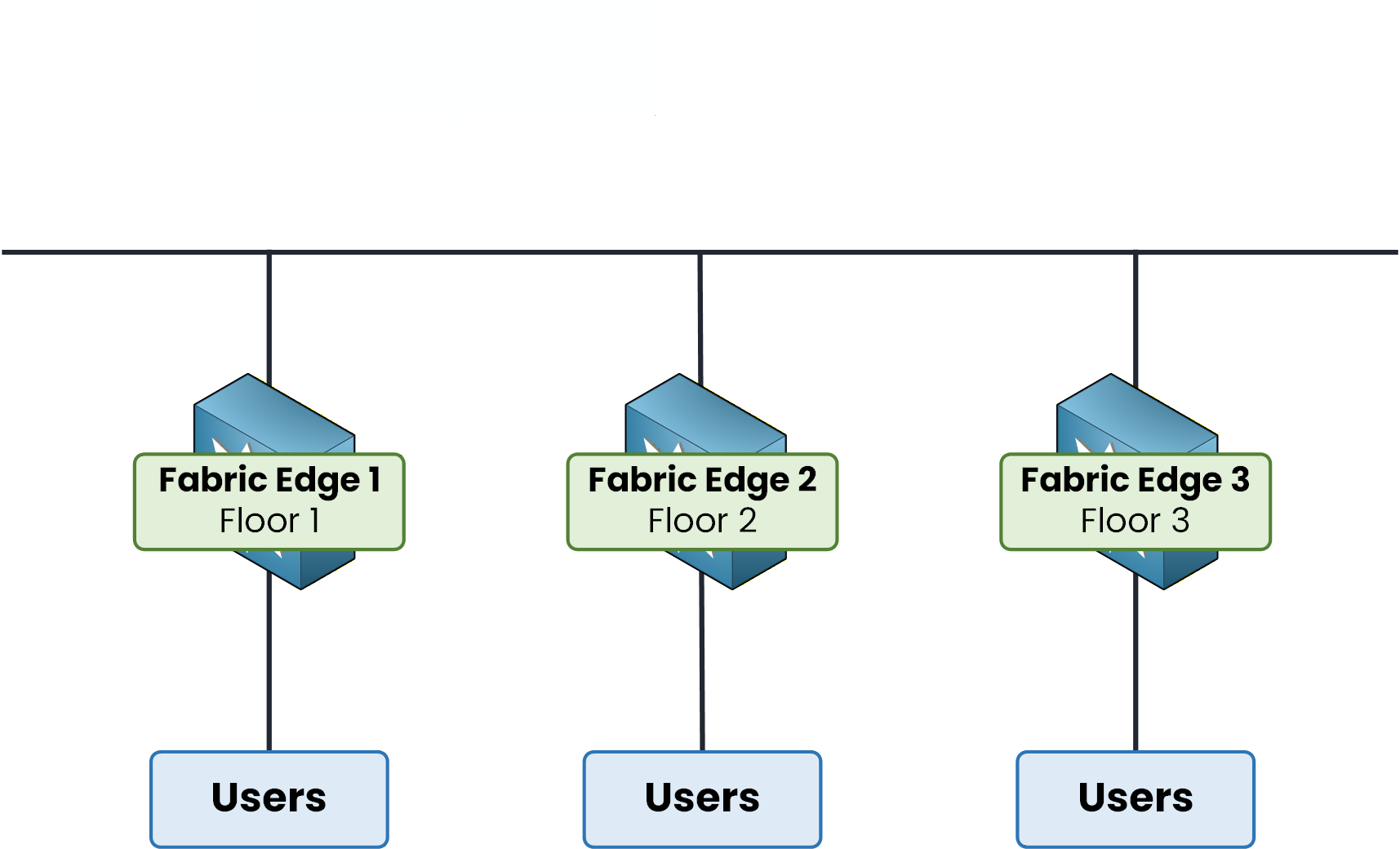
Figure 3 – Fabric Edge nodes at every access location
The Fabric Edge plays two roles.
It is the point of attachment for your users.
It is also responsible for placing their traffic into the fabric correctly.Every Fabric Edge also acts as an anycast gateway.
A user can move between floors and keep the same default gateway, as if nothing had changed.But the Fabric Edge does not know where the other users are in the fabric.
It needs something that tracks every user in real time.
So who keeps that directory?Answer the question below
What is the name of the SD-Access node where end users plug in?
Answer the question below
What kind of gateway does every Fabric Edge act as?
Control Plane Node — The Brain
The Control Plane Node is the brain of the fabric.
It maintains a real-time database of every user and device in the fabric.
It also knows where each one is attached.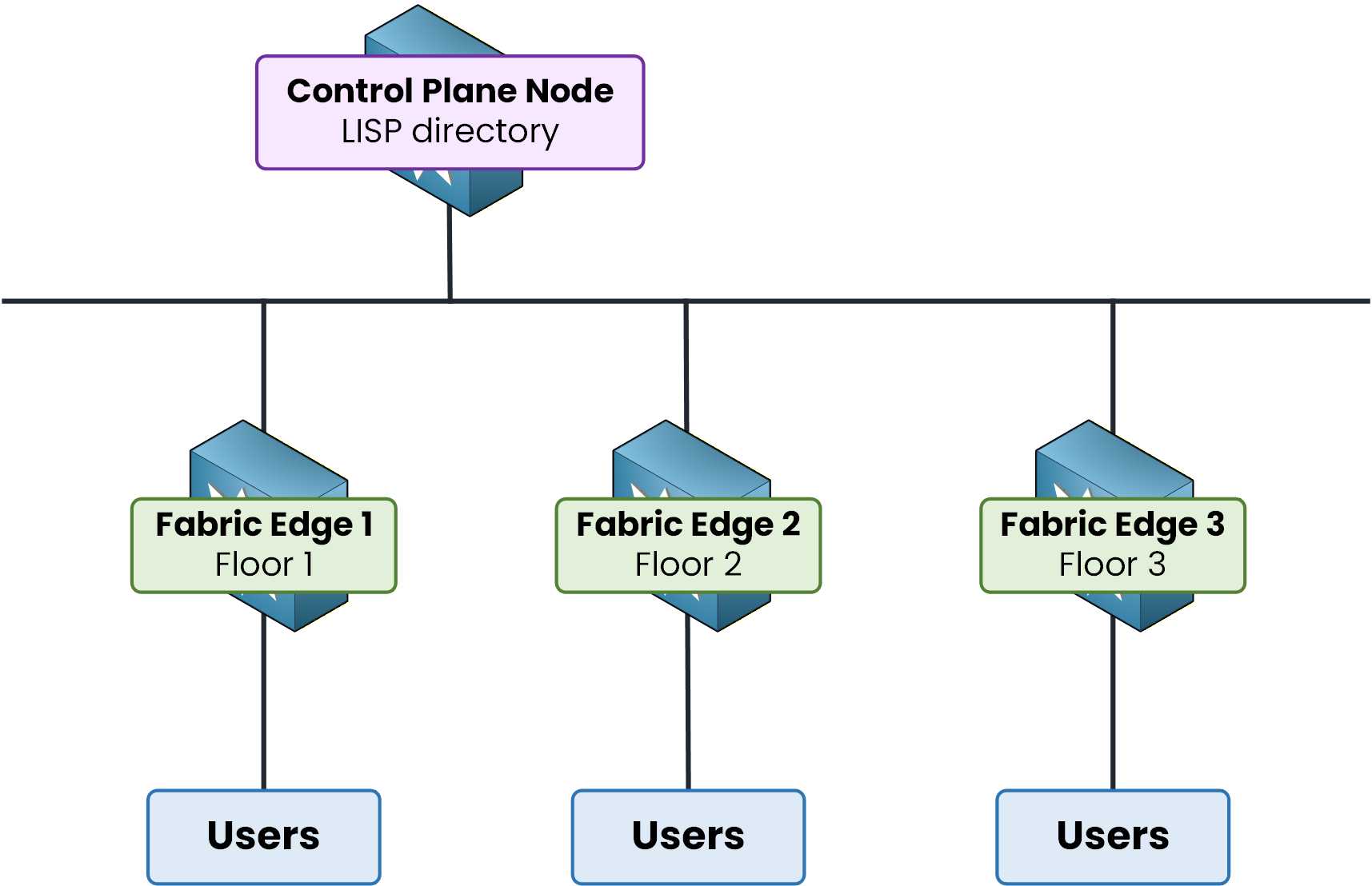
Figure 4 – Control Plane Node: the LISP directory
Internally, the Control Plane Node uses LISP (Locator/ID Separation Protocol).
Every Fabric Edge registers its connected users with it.
Each Fabric Edge then queries this directory whenever it needs to reach another user.40 % Complete: you’re making great progress
Ready to pass your CCNP exam?