The three-tier design is where enterprise hierarchy begins, and you already know it from your CCNA.
This review covers it first, then the two-tier and the spine-and-leaf, the three designs ENCOR expects you to recognize on sight.The Three Layers
The hierarchy splits the network into three layers:
Access is where users and devices plug in, mainly Layer 2.
Distribution aggregates the access switches and applies policy.
Core is the high-speed backbone between distribution blocks.

Figure 1 – The three-tier model: Access, Distribution, and Core
One access switch with its distribution forms a repeatable unit, called a switch block.
You scale the network by adding blocks, not by redesigning it.Access Layer
The Access Layer is the edge where users connect.
Laptops, IP phones, printers, and access points all plug in here.
Figure 2 – The Access Layer connects end-user devices
It runs mostly at Layer 2, forwarding by MAC address.
It also delivers edge services and security: VLANs, STP, and Port Security.Answer the question below
Which layer is the network's edge, where users plug in?
Distribution Layer
The Distribution Layer aggregates every access switch in a block.
It works at Layer 3, routing between VLANs and toward the core.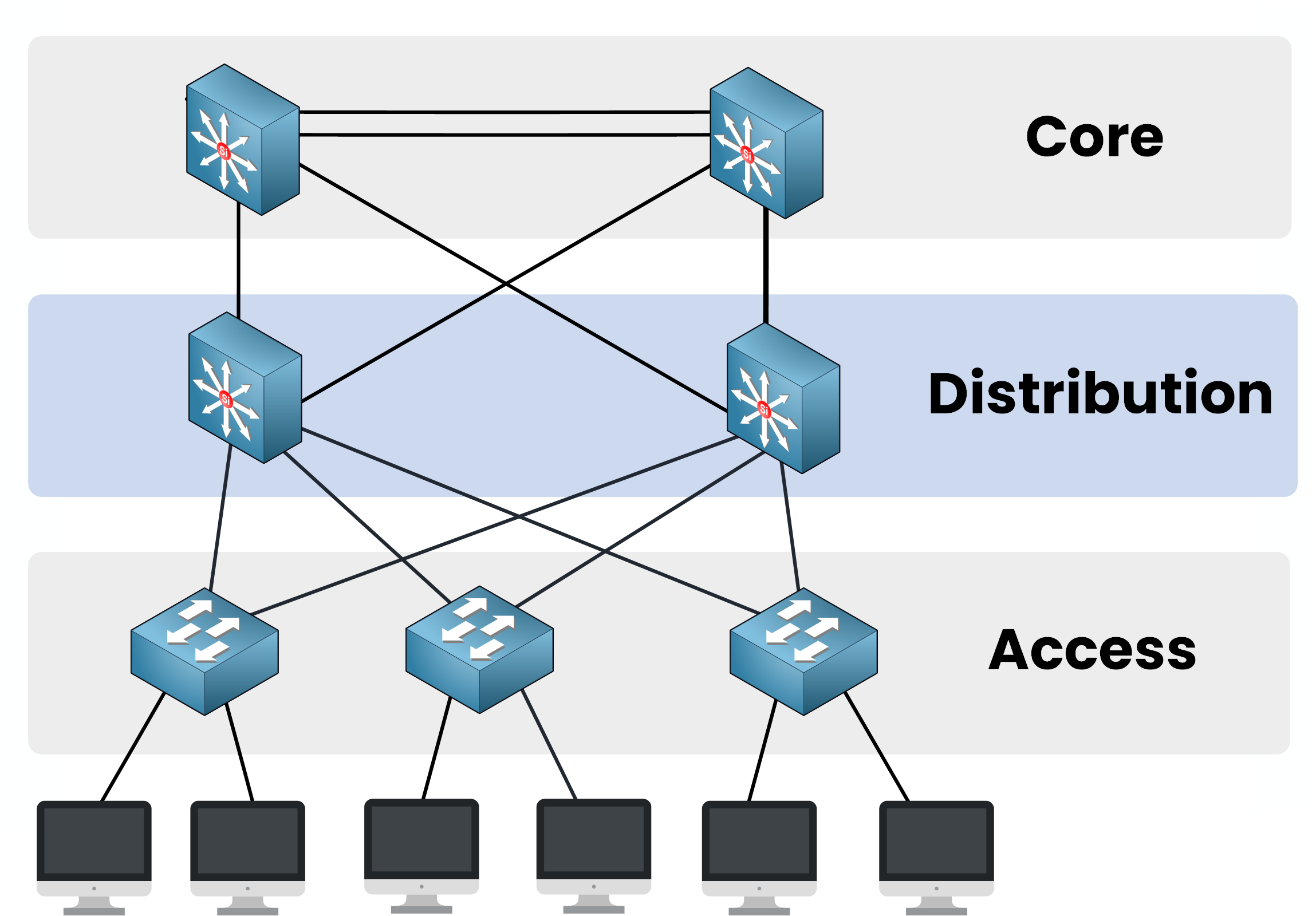
Figure 3 – The Distribution Layer aggregates and routes
This is where the Layer 2 to Layer 3 boundary sits.
Policy lives here too: ACLs, QoS, and route summarization toward the core.Core Layer
The Core Layer is the backbone.
Its only job is to move traffic between distribution blocks as fast as possible.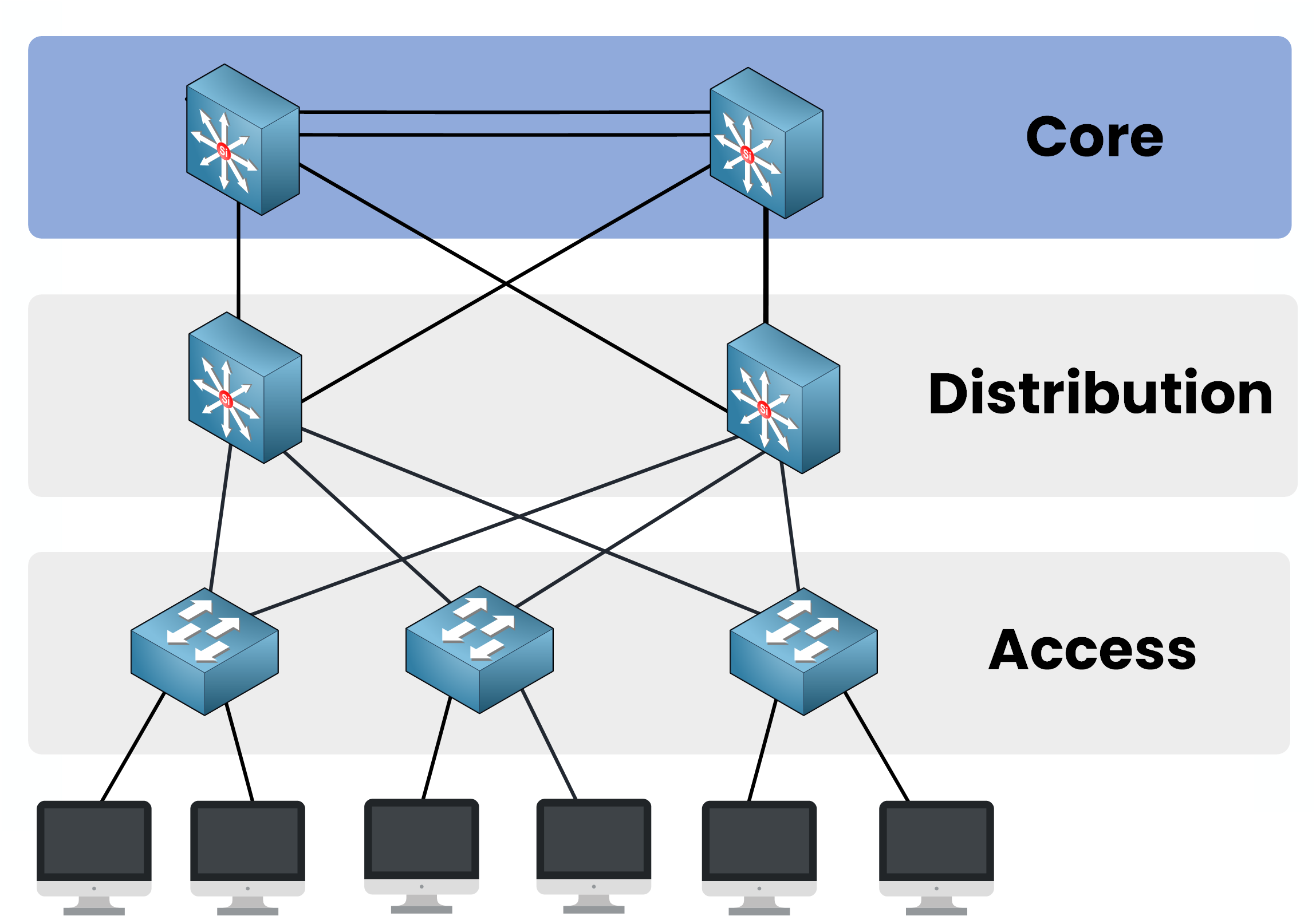
Figure 4 – The Core Layer is the high-speed backbone
Keep the core simple.
You avoid ACLs, NAT, and filtering here, because every extra operation adds latency to traffic passing through.In a multi-building campus, each building keeps its own access and distribution.
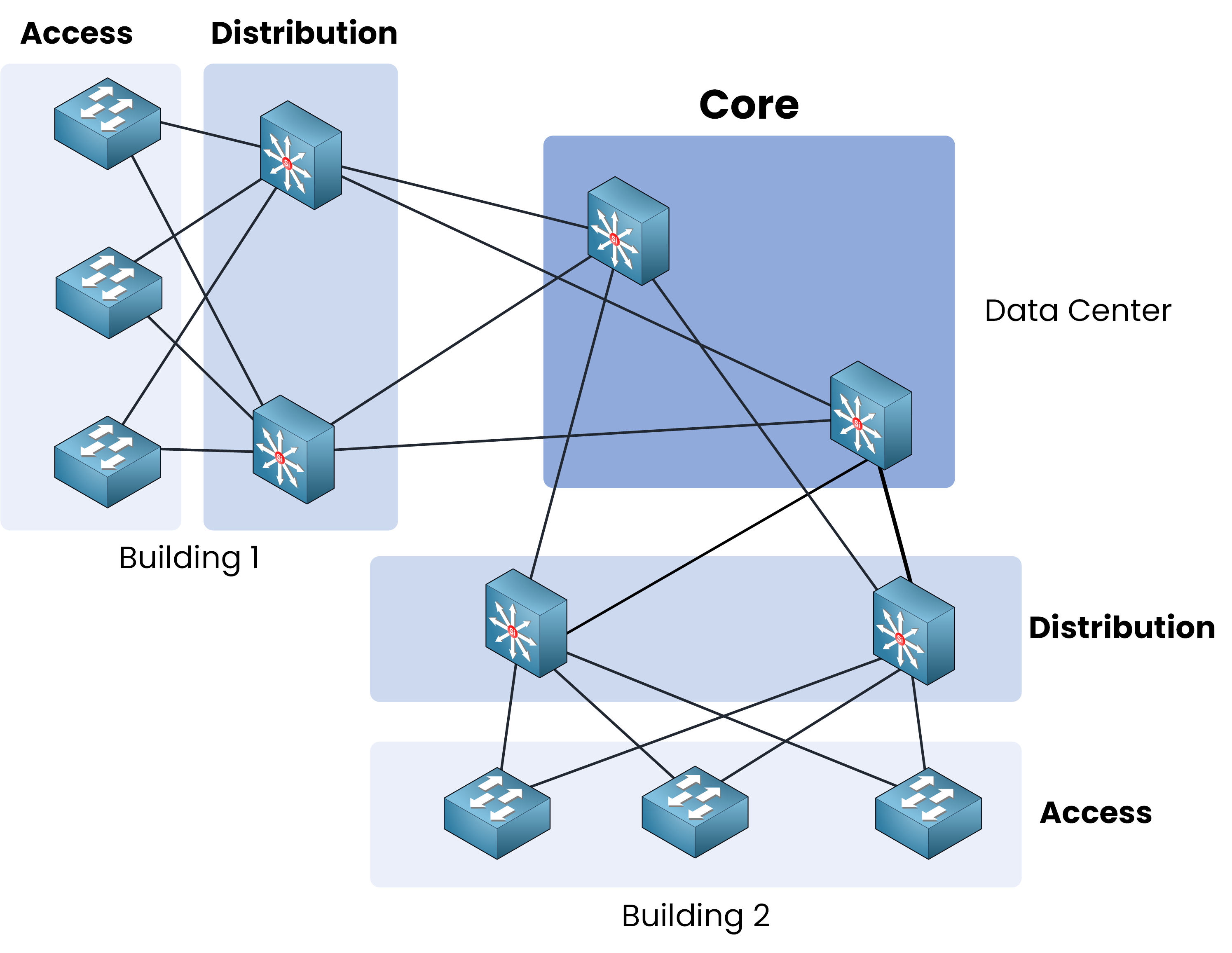
Figure 5 – Multiple buildings interconnected through a centralized core
The core sits in the data center and links every block through redundant high-speed paths, usually fiber with EtherChannel.
Here are the three layers side by side:
Layer
Main Function
OSI Layer
Key Technologies
Access
Connects end devices (PCs, IP phones, printers, APs)
Layer 2
VLANs, PoE, STP, Port Security, DHCP Snooping
Distribution
Aggregates access, routes between VLANs, applies policy
Layer 3
L3 switches, Inter-VLAN routing, ACLs, QoS
Core
High-speed backbone between distribution blocks
Layer 3
Fiber, 10/40/100/400 Gbps, EtherChannel
Table 1 – Three-tier roles and technologies
Answer the question below
Which layer should stay free of ACLs and filtering?
Now shrink the three-tier.
In smaller sites, a dedicated core is wasted hardware, so you merge two layers into one.40 % Complete: you’re making great progress
Ready to pass your CCNP exam?