You built every ACL type in the ACLs module of the CCNA path: standard and extended, numbered or named.
Here you rebuild both, apply them, and prove they work.
First, how your router reads that list.Top-Down, First Match Wins
An ACL is an ordered list of Access Control Entries (ACEs).
IOS numbers each ACE automatically in steps of 10.
Your router reads them top to bottom and stops the moment one matches: the first match wins.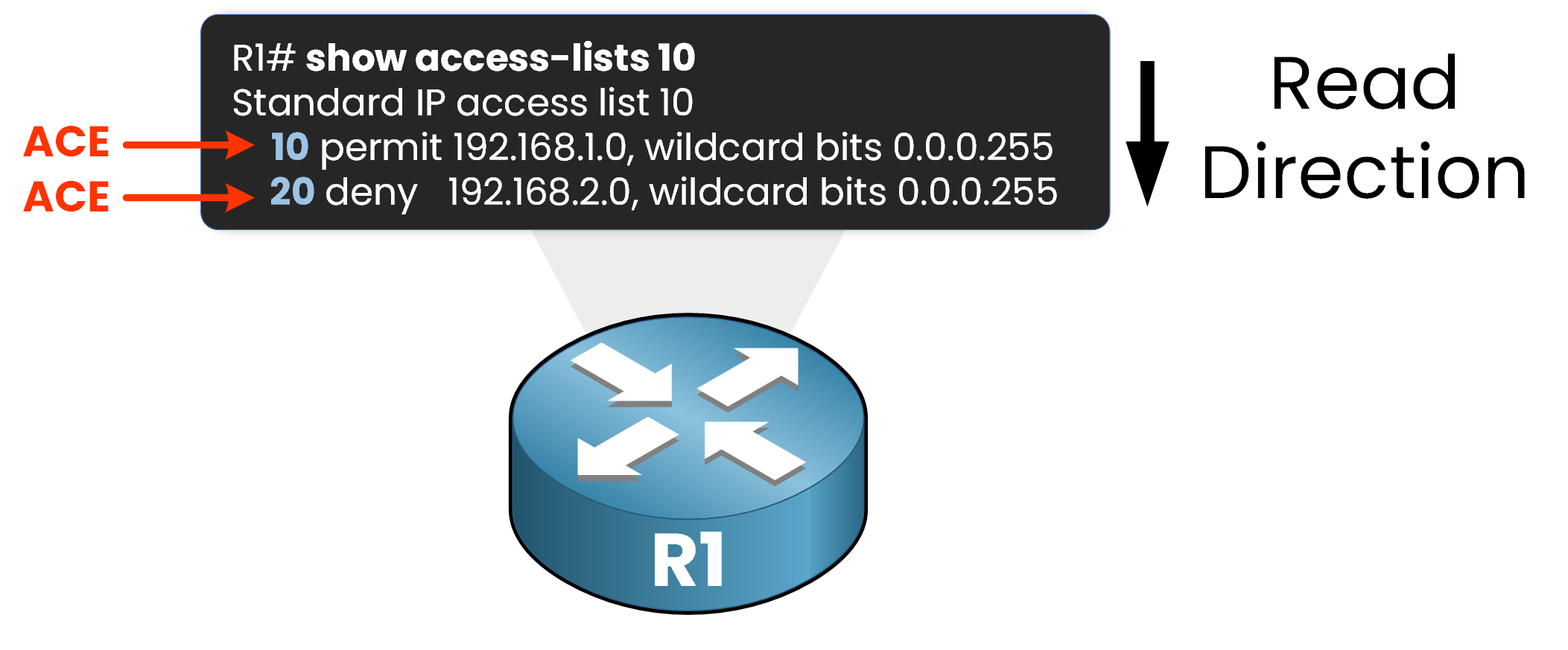
Figure 1 – An ACL is read top to bottom, one ACE at a time
A deny placed above a permit blocks traffic you meant to allow.
Now follow a packet through that list.
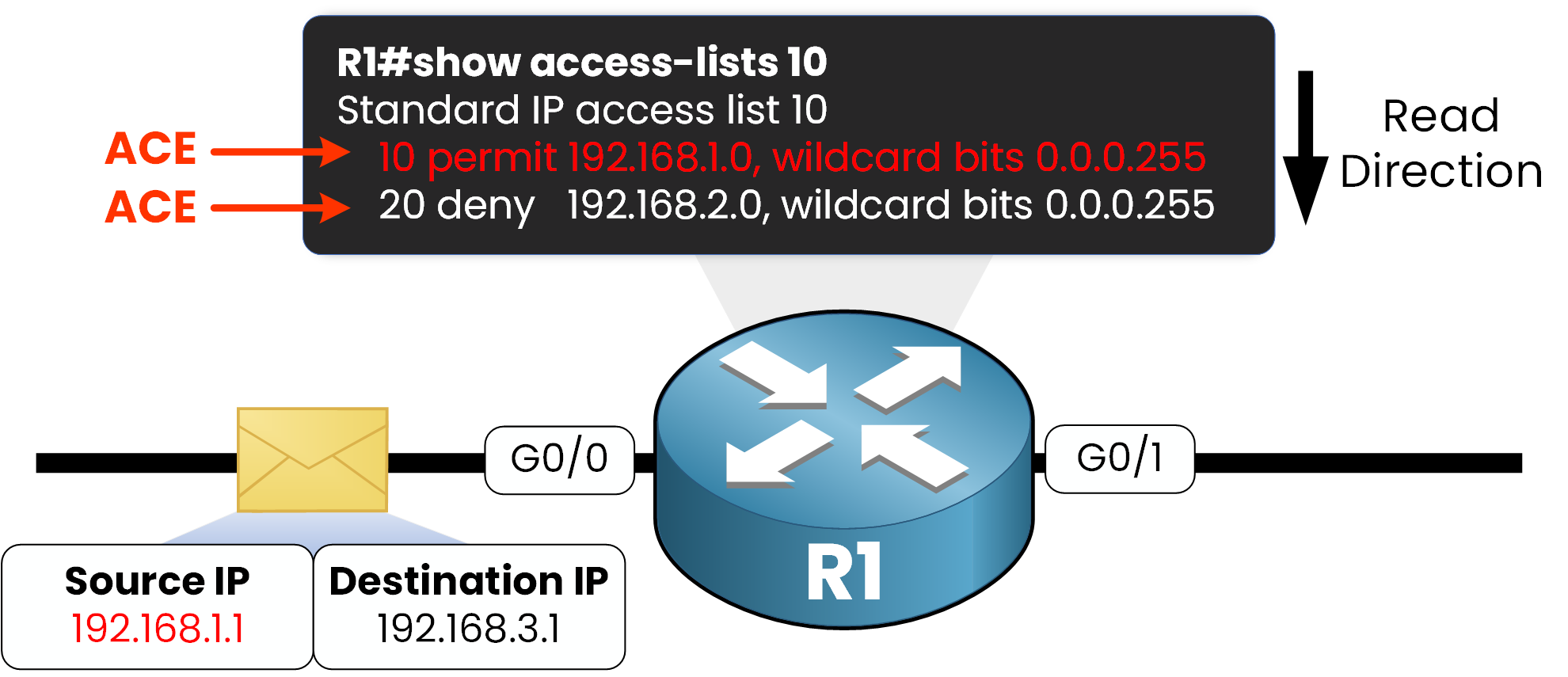
Figure 2 – A packet from 192.168.1.1 matches ACE 10, so the router never checks ACE 20
If source 192.168.1.1 matches the permit on line 10, the packet is forwarded at once.
Line 20 and everything below it are never evaluated.Answer the question below
True or false: once an ACE matches, the router keeps checking the lines below.
The Implicit Deny
Every ACL ends with an invisible deny any.
You never see it in the running config, but it is always there.
A packet that matches no ACE is dropped.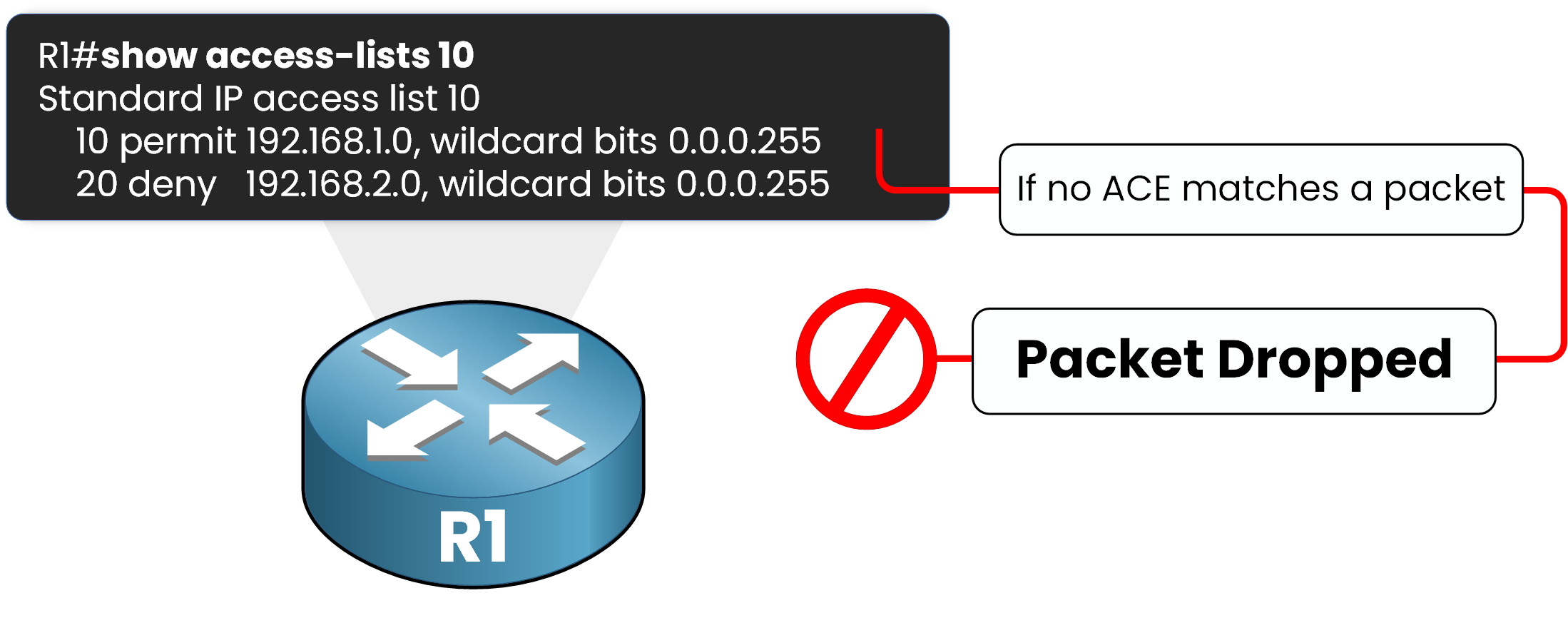
Figure 3 – A packet that matches no ACE is dropped by the implicit deny
So you must permit valid traffic explicitly.
Forget one permit and you lock out users by accident.Answer the question below
What happens to a packet that matches no ACE?
Wildcard Masks
ACLs match addresses with wildcard masks.
A wildcard is the inverse of a subnet mask: a 0 bit must match exactly, a 1 bit is ignored.Subnet mask
Wildcard mask
Matches
255.255.255.0
0.0.0.255
Every host in a /24
255.255.255.255
0.0.0.0
One exact host
Table 1 – Subnet mask compared to wildcard mask
The same logic works for any subnet, not just a /24: a /26 (mask 255.255.255.192) becomes wildcard 0.0.0.63.
Answer the question below
What mask type does an ACL use?
The two types differ by how much of the packet they inspect.
That difference decides where you place them.Standard vs Extended
A standard ACL filters on the source IP address only, using numbers 1 to 99 or 1300 to 1999.
An extended ACL goes further: it also filters on destination, protocol, and port, using numbers 100 to 199 or 2000 to 2699.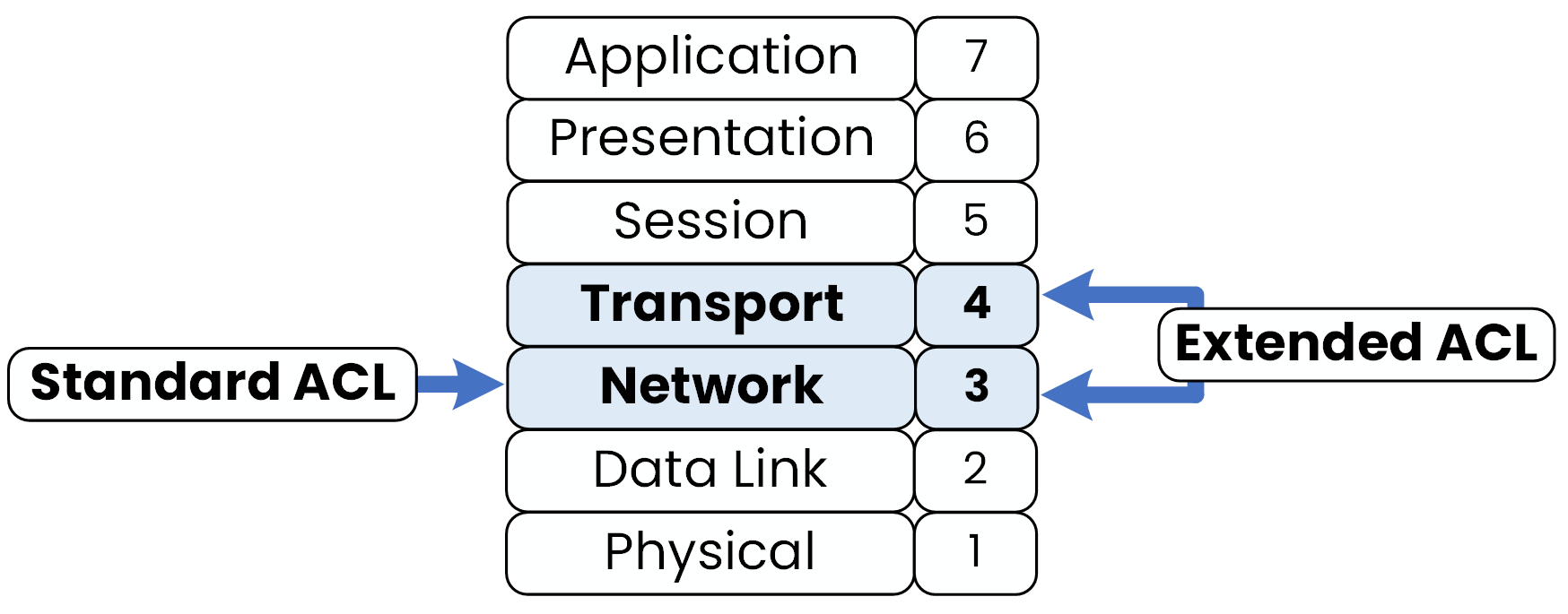
Figure 4 – Standard ACLs act at Layer 3, extended ACLs at Layers 3 and 4
Here is the full comparison:
Feature
Standard
Extended
Source IP
Yes
Yes
Destination IP
No
Yes
Protocol and port
No
Yes
Number range
1-99 / 1300-1999
100-199 / 2000-2699
Best placement
Close to destination
Close to source
Table 2 – Standard compared to extended ACLs
Answer the question below
Which ACL type can filter by port?
Direction and Placement
You apply an ACL in a direction.
That direction decides when the router checks the packet.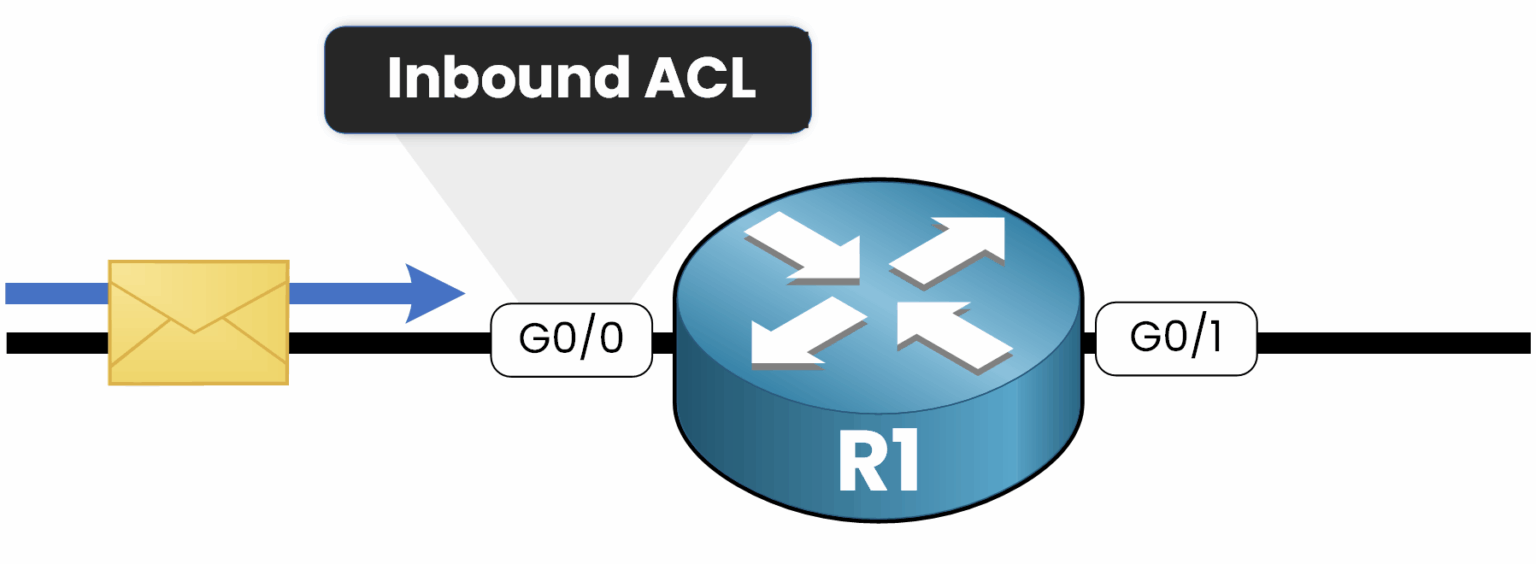
Figure 5 – Inbound: the ACL checks the packet as it enters, before routing
An inbound ACL drops a denied packet before it ever reaches the routing table.
Outbound is the reverse: the router routes first, then filters on the way out.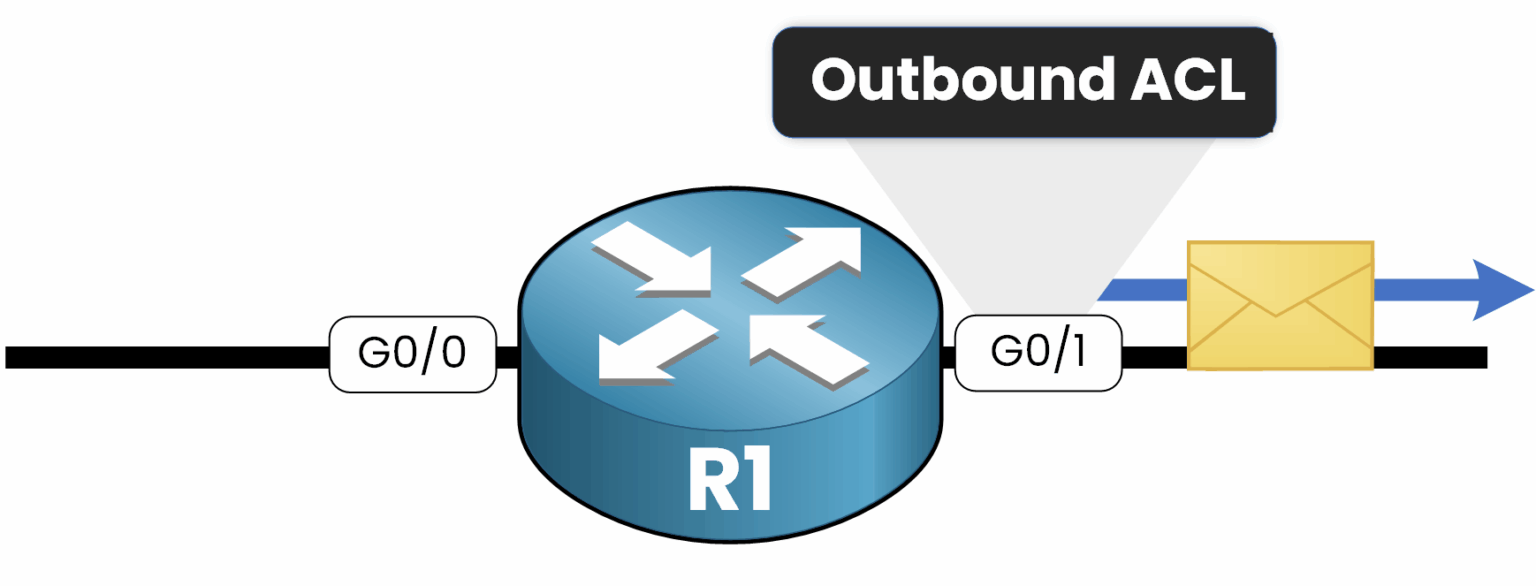
Figure 6 – Outbound: the ACL checks the packet after routing, before it leaves
Where you place each ACL depends on what it can see.
A standard ACL only sees the source, so you place it close to the destination
to avoid blocking traffic toward other networks.
An extended ACL sees the whole header, so you place it close to the source
and drop unwanted packets before they cross the network.Answer the question below
An extended ACL is best placed close to the what?
A standard ACL fits when the decision depends only on the source.
Your job on R1: let the Legal LAN 192.168.1.0/24 reach the Legal server, and keep the HR LAN 192.168.2.0/24 out.40 % Complete: you’re making great progress
Ready to pass your CCNP exam?