Unlike PAgP or LACP, Static EtherChannel does not require any negotiation between switches.
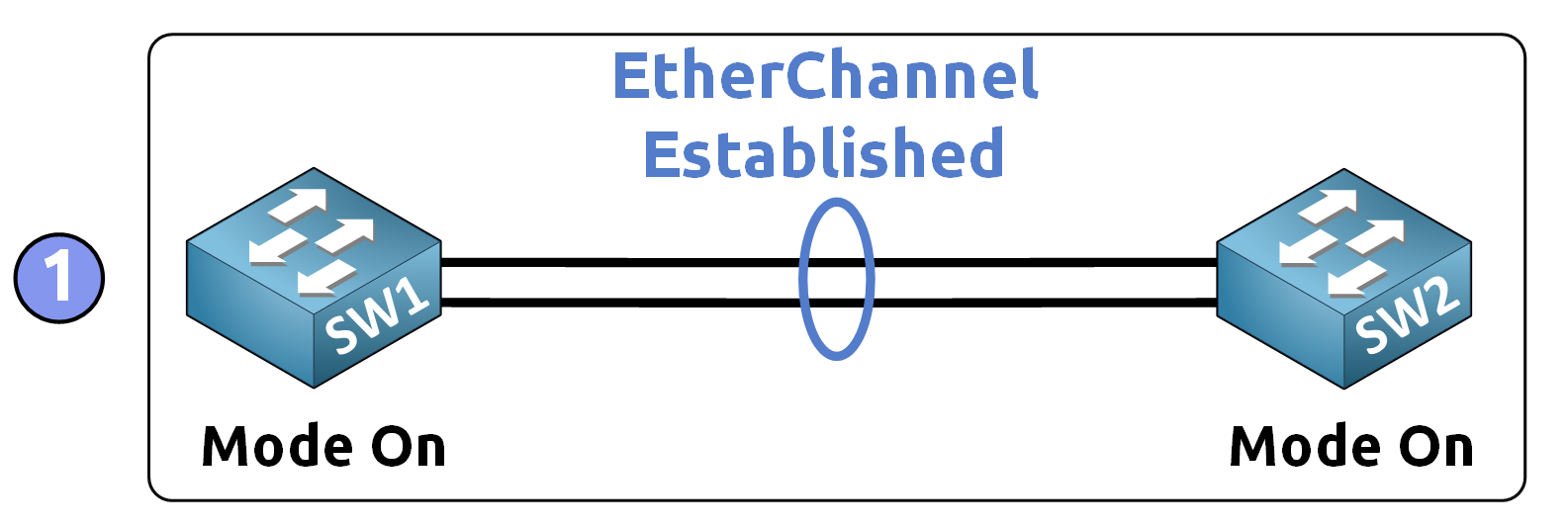
Figure 1 – Static EtherChannel with Mode On
Interfaces are statically grouped using the on mode at both ends. This configuration will also include setting up interfaces as trunks and allowing VLAN 50 on the trunk.
Prerequisites for Configuration
Before starting, ensure the following conditions are met:
Interface Consistency: All interfaces in the EtherChannel must have the same speed, duplex, and interface type.
VLAN and Trunking: For Layer 2 links, interfaces must be in the same VLAN or have identical trunk settings.
Active Links: Ensure that each physical link is operational.
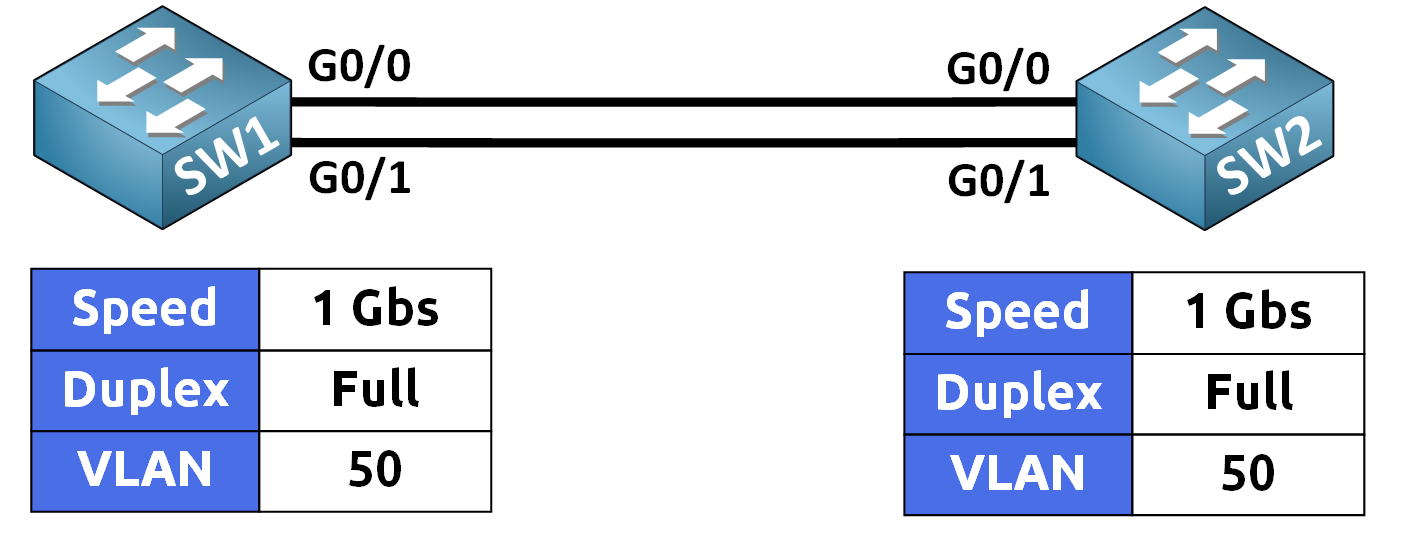
Figure 2 – EtherChannel Requirements Before Configuration
Answer the question below
Which channel-group mode must be used at both ends of a Static EtherChannel?
In this section, we configure a Static EtherChannel by enabling on mode, configuring the links as trunks, and allowing VLAN 50 on the trunk for demonstration purposes.
Configuration on SW1
Step 1: Enter Interface Configuration Mode
Select the physical interfaces that will form the EtherChannel.
SW1(config)# interface range g0/0-1Step 2: Set Static EtherChannel Mode
The on mode creates an EtherChannel without using any negotiation protocol.
Therefore, the configuration must match on both switches.SW1(config-if-range)# channel-group 1 mode on Creating a port-channel interface Port-channel 1 %LINK-5-CHANGED: Interface Port-channel1, changed state to up %LINEPROTO-5-UPDOWN: Line protocol on Interface Port-channel1, changed state to up SW1(config-if-range)# exitAfter this command, a logical interface called Port-Channel 1 (Po1) is automatically created.
Step 3: Configure Trunk Mode and VLAN
Configure Port-Channel 1 as an 802.1Q trunk and allow VLAN 50.
40 % Complete: you’re making great progress
Ready to pass your CCNA exam?