TIME
ROLE
SALARY
Month 15
Network Admin
$79,000
Two months have passed since the Tulsa outage.
An audit came through this month. The docks of the three sites should only reach the DNS and the CRM at HQ. Everything else keeps working.
Sarah gave the change to you.
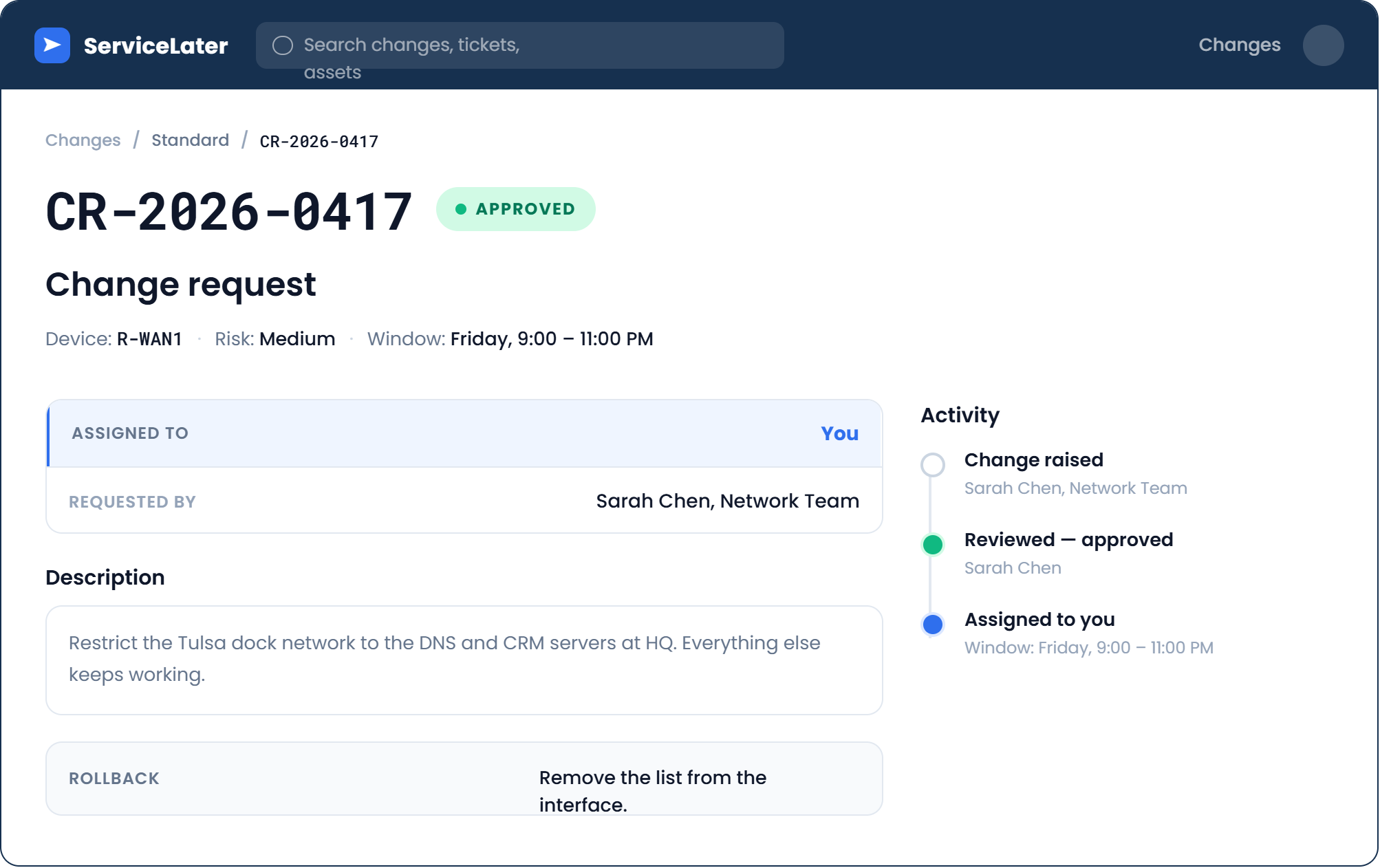
Figure 1 – Maintenance window: Friday, 9 PM to 11 PM
Why the Window Is Two Hours
The window lasts two hours because the time to undo the change is part of the change.
Answer the question below
Ready? Click "Complete"
It is 9 PM, the window is open.
You are at your desk in the NOC, on your laptop.
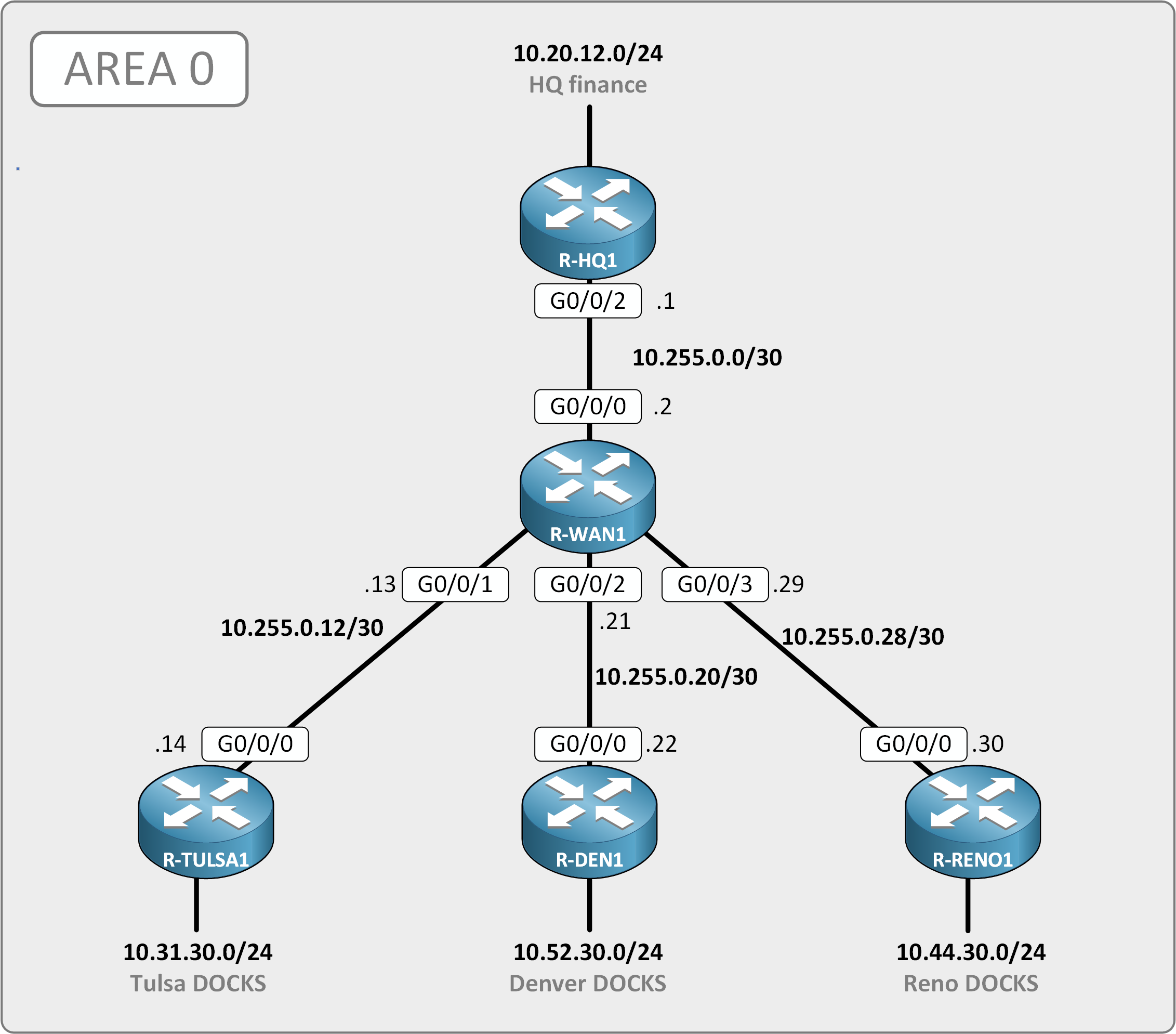
Figure 2 - The links of R-WAN1
The change asks for a whitelist for the docks: an ACL that allows only some traffic to DNS and CRM servers and drops the rest.
One ACL, on R-WAN1, for the three sites.
Before You Type Anything
Write your plan before you touch anything: what the list lets through, where it goes, and how you take it out if a site goes down. Then save the configuration as backup.
Lab Instructions
You have your laptop,
10.20.10.51, and nothing else. Every device is reached over SSH, usertech, passwordcisco123. R-WAN1 answers on10.255.0.2.The docks are on
10.31.30.0/24at Tulsa,10.52.30.0/24at Denver,10.44.30.0/24at Reno. The DNS server answers on10.20.8.10, the CRM on10.20.8.11.Apply the audit rule with one ACL on R-WAN1
Save the configuration on R-WAN1
Finish the lab, then type the flag below.
Answer the question below
Enter the Flag
You had two hours and used 47 minutes. Most of them went into checking.
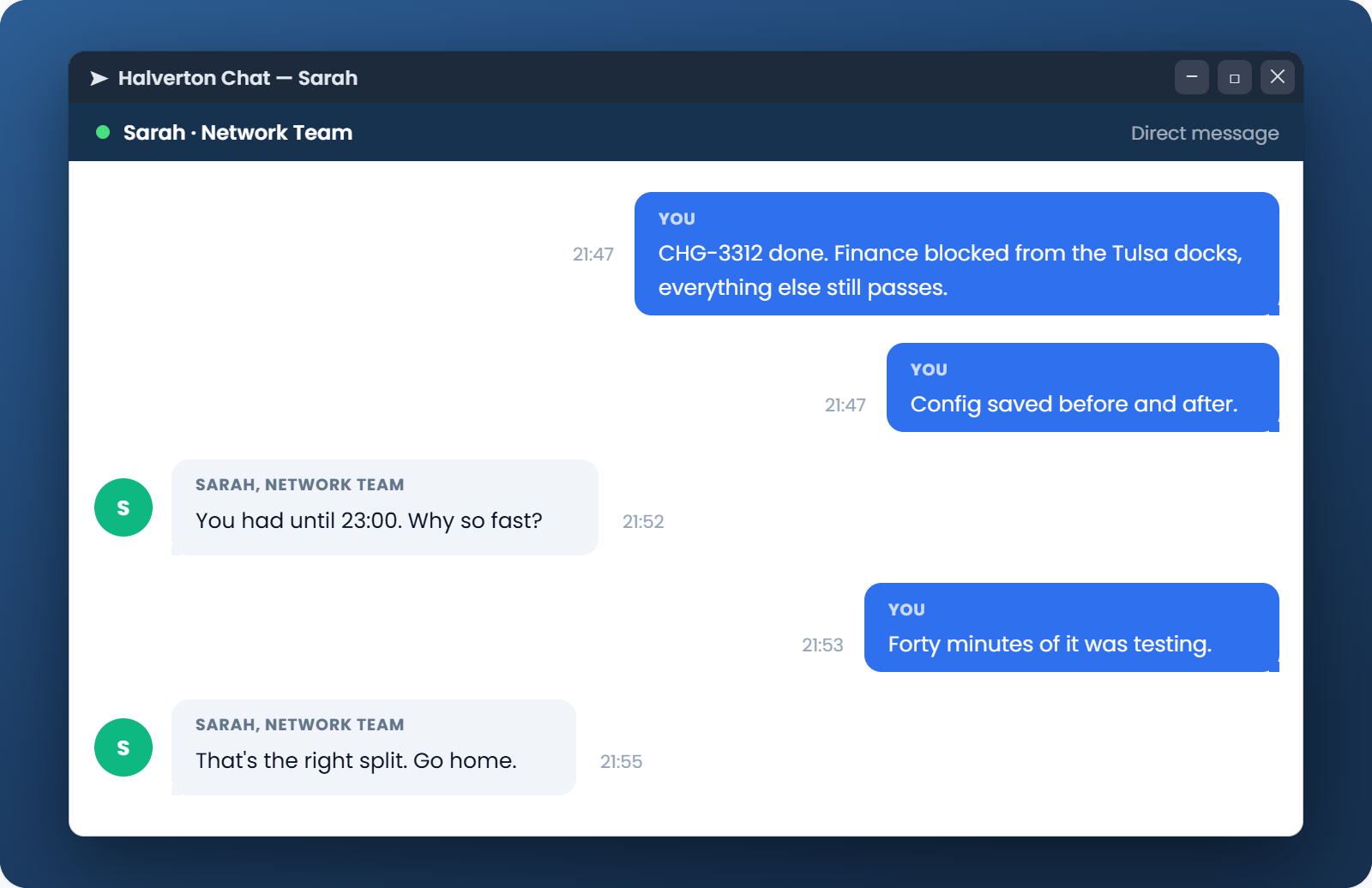
Figure 3 – After the window closes
A list ends on a deny that IOS never prints. Yours only had to restrict the docks. Everything else that leaves R-WAN1 towards HQ, including what the site routers send back to your SSH, had to keep passing. Without the last line, the three site routers stop answering you the second you apply it.
Answer the question below
Which line at the bottom of your ACL keeps everything that is not the docks passing?