Dynamic Host Configuration Protocol (DHCP) simplifies IP address assignment on your network.
But what happens when a DHCP server and a client reside on different subnets?
Normally, broadcast messages like DHCP requests do not cross routers.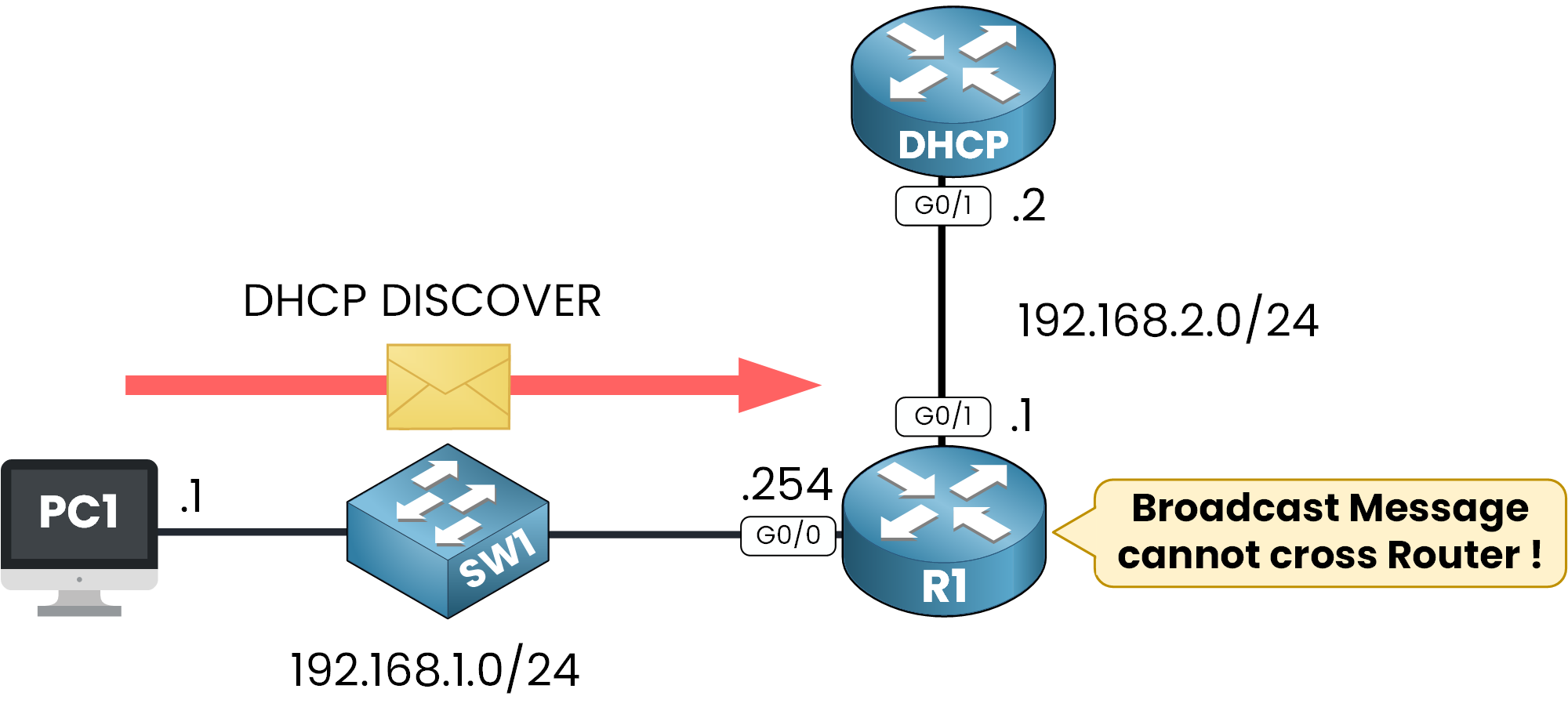
Figure 1 – DHCP Broadcast Blocked Across Subnets
This creates a problem for DHCP clients in remote networks because they cannot communicate with the DHCP server to obtain an IP address.
If you're wondering what a DHCP relay agent is, it's the component that solves exactly this problem. A relay agent intercepts DHCP requests from clients and forwards them to a DHCP server located in another subnet.
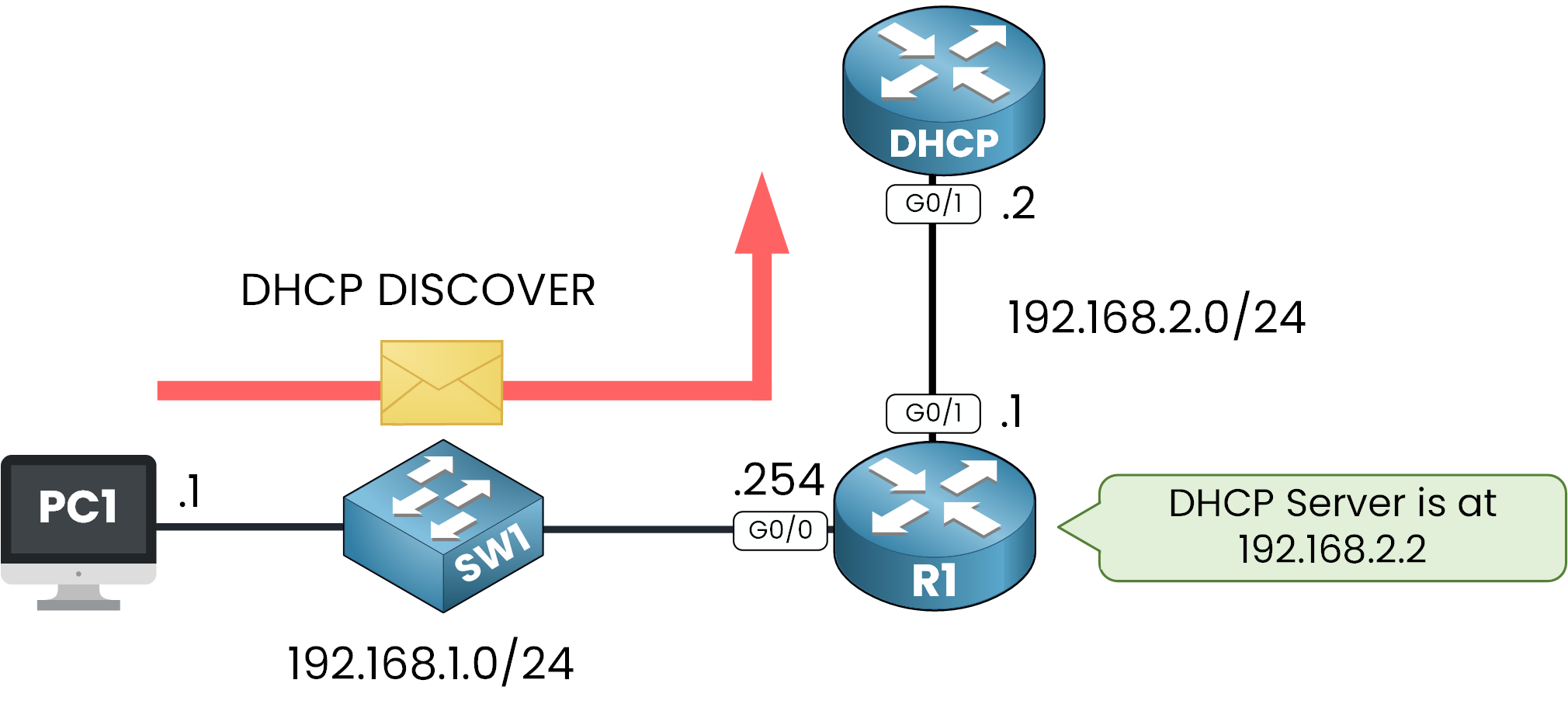
Figure 2 – DHCP Relay Agent Forwards the Request Across Subnets
As you can see here, R1 is the DHCP Relay that sends the DHCP message to the DHCP Server located in another subnet.
Let's take a closer look at why and how a DHCP Relay Agent can solve this challenge.
Why We Need a DHCP Relay Agent
Consider this scenario:
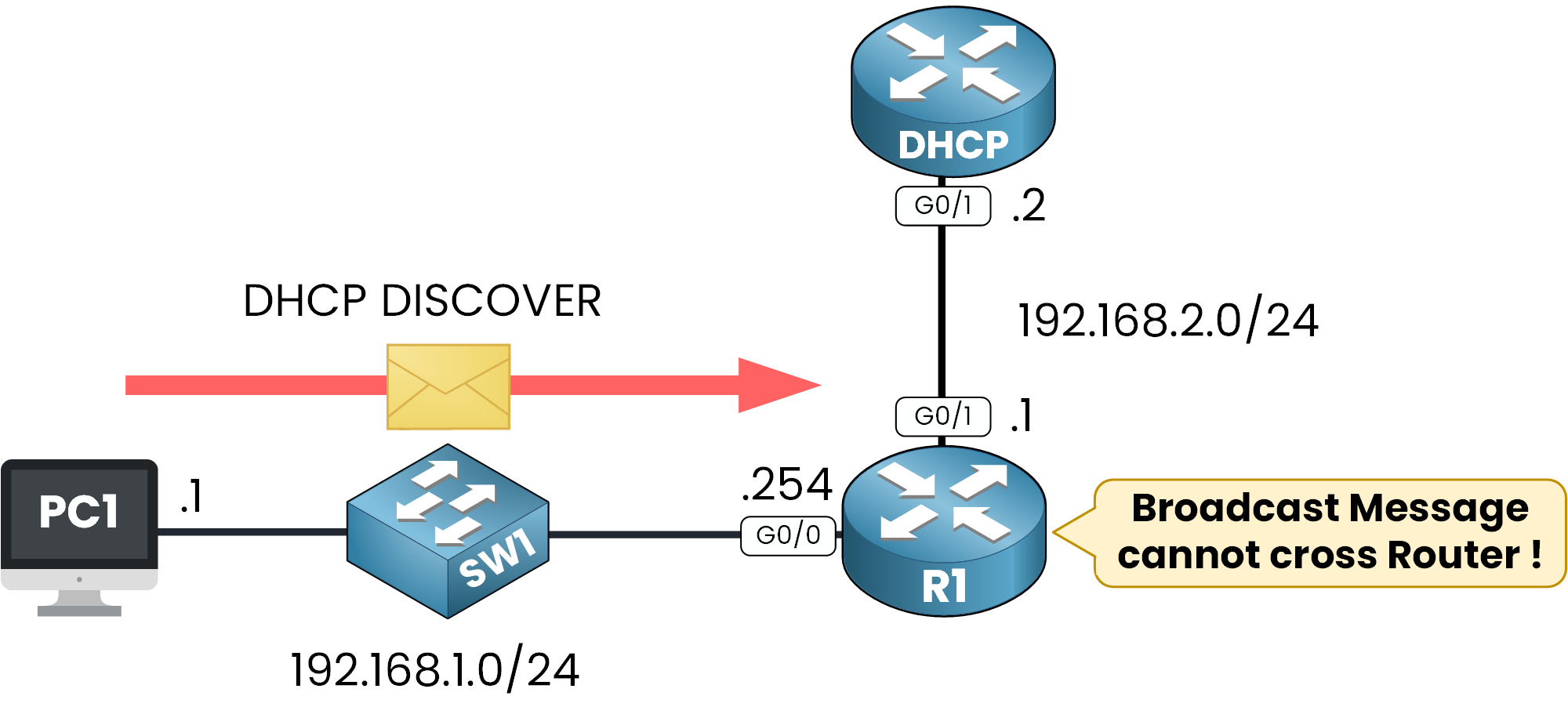
Figure 3 – DHCP DISCOVER blocked by the router
A DHCP Client (PC1) in subnet 192.168.1.0/24 sends a DHCP DISCOVER broadcast message to obtain an IP address.
The router (R1) receives the request, but because broadcast traffic cannot traverse routers, the message does not reach the DHCP server in subnet 192.168.2.0/24.
Without a DHCP Relay Agent, PC1 would remain unconfigured and unable to connect to the network. By configuring R1 as a relay agent, the DHCP request is forwarded to the server and the server's response is relayed back to the client.
Overview: What Is a DHCP Relay Agent and How It Works
A DHCP Relay Agent is a service configured on Layer 3 devices such as routers or Layer 3 switches. It listens for DHCP requests and forwards them as unicast messages to the DHCP server.
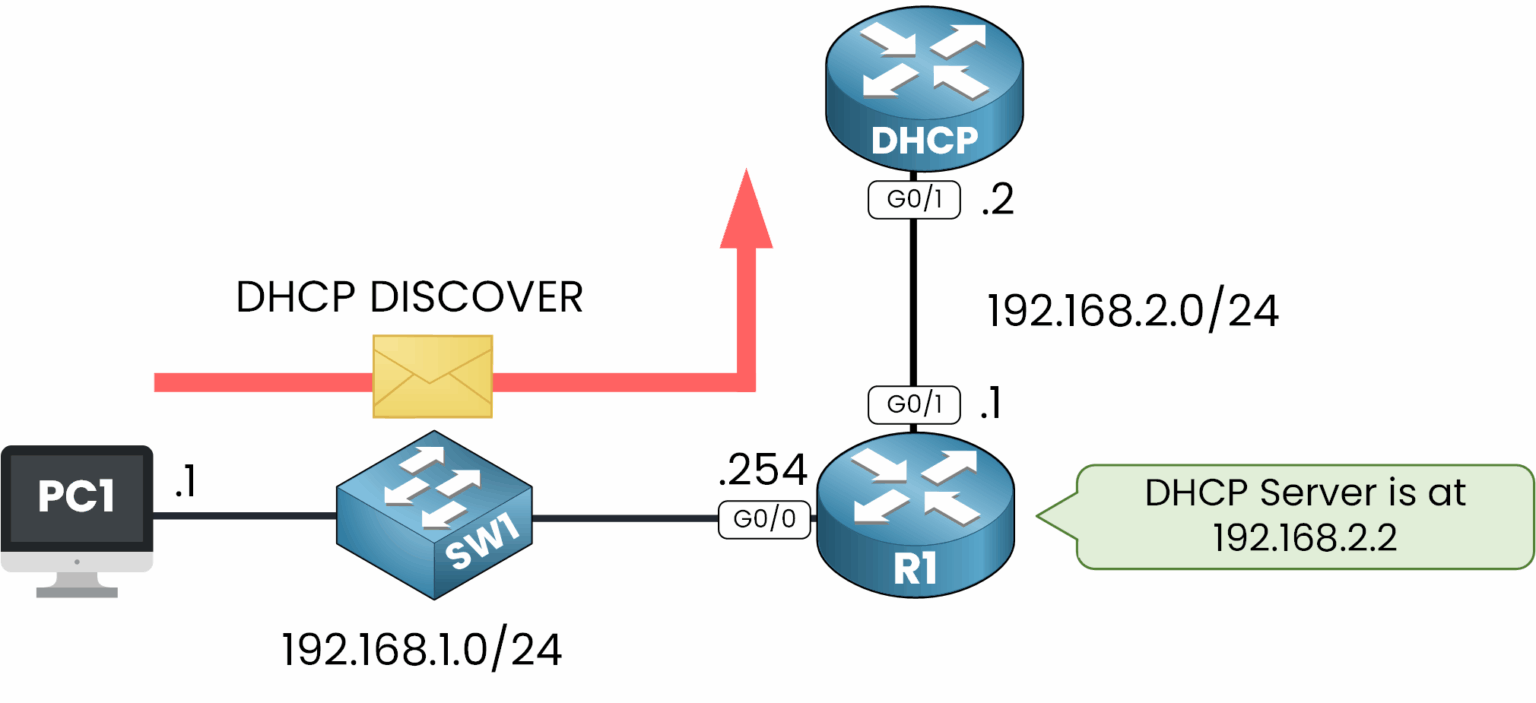
Figure 4 – DHCP relay agent forwards the request to the DHCP server
Once the DHCP server responds, the relay agent ensures that the response is forwarded back to the client.
Answer the question below
The relay agent forwards the client's DHCP request to the server as which type of message?
Let's walk through how a DHCP relay agent facilitates IP address allocation.
STEP 1 – DHCP DISCOVER: The Client Searches for a DHCP Server
When the client sends a DHCPDISCOVER broadcast message, the relay agent intercepts it and forwards it as a unicast to the DHCP server (192.168.2.2).
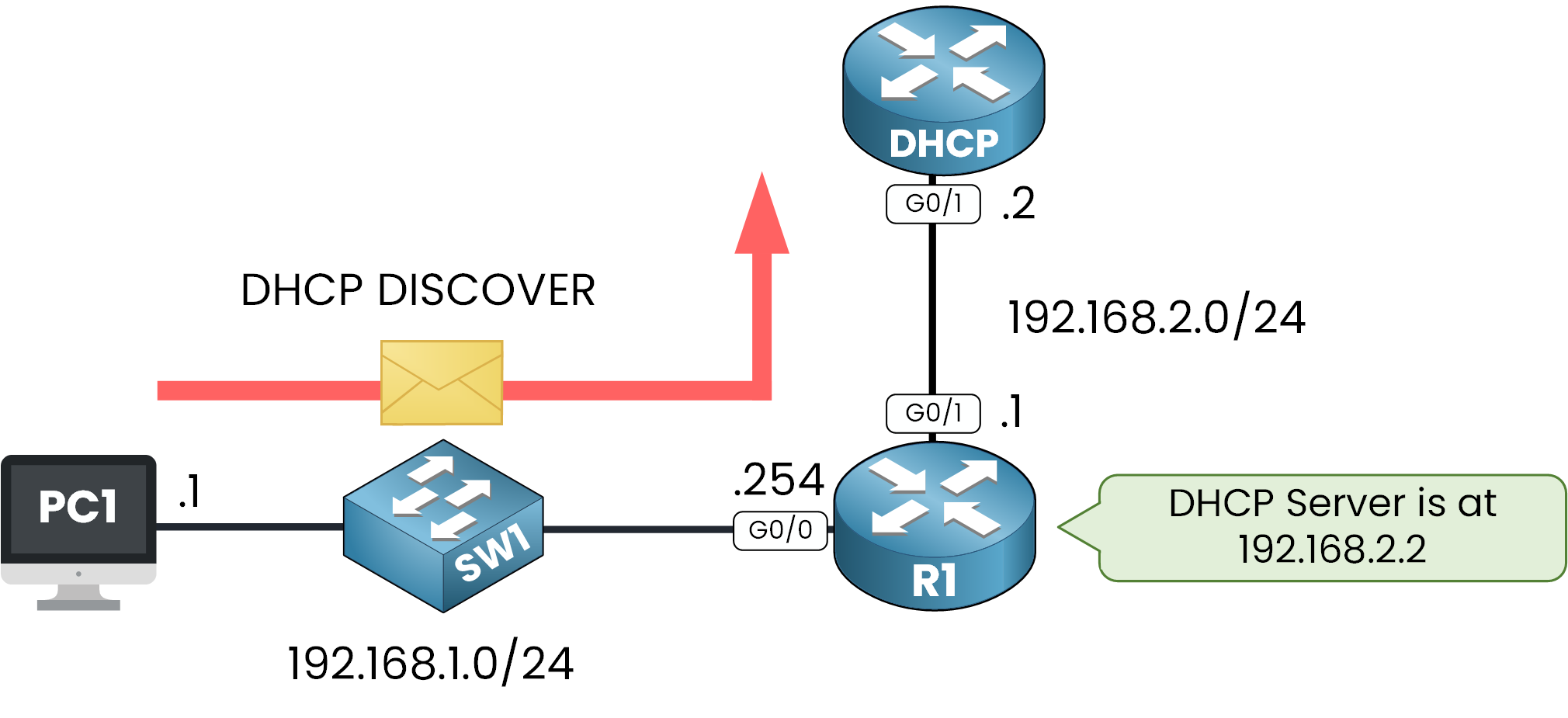
Figure 5 – PC1 sends DISCOVER, R1 forwards it to the server.
Since broadcast messages cannot cross routers, the relay agent ensures the request reaches the DHCP server.
STEP 2 – DHCP OFFER: The Server Makes an Offer
The DHCP server responds with a DHCPOFFER, providing the client with an available IP address and configuration details. The relay agent forwards this response to the client.
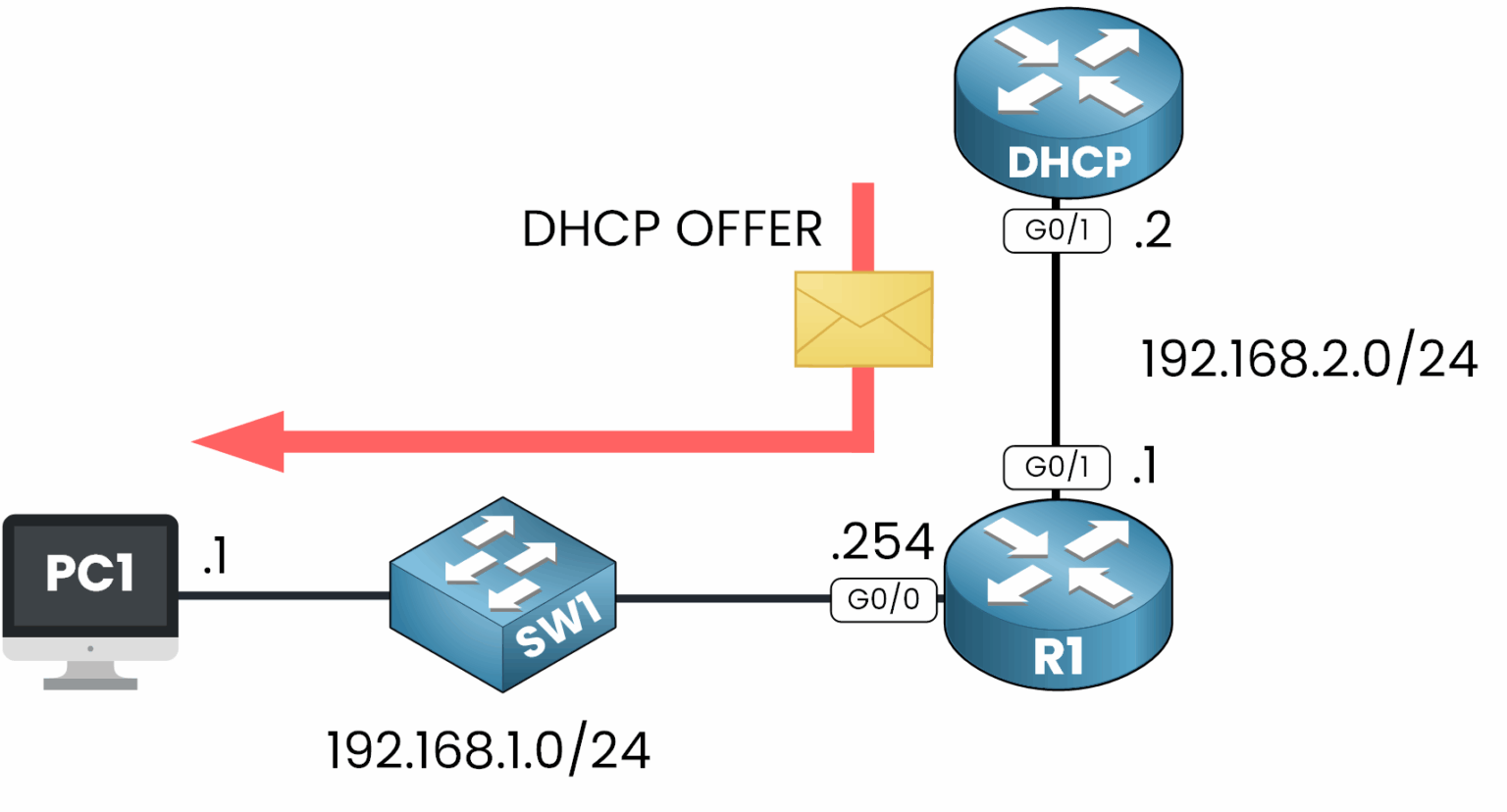
Figure 6 – Server replies with OFFER, R1 relays it to PC1.
This is where the client gets its first look at the offered network settings.
STEP 3 – DHCP REQUEST: The Client Accepts the Offer
The client replies with a DHCPREQUEST message to indicate it accepts the offer. The relay agent forwards this message to the DHCP server.
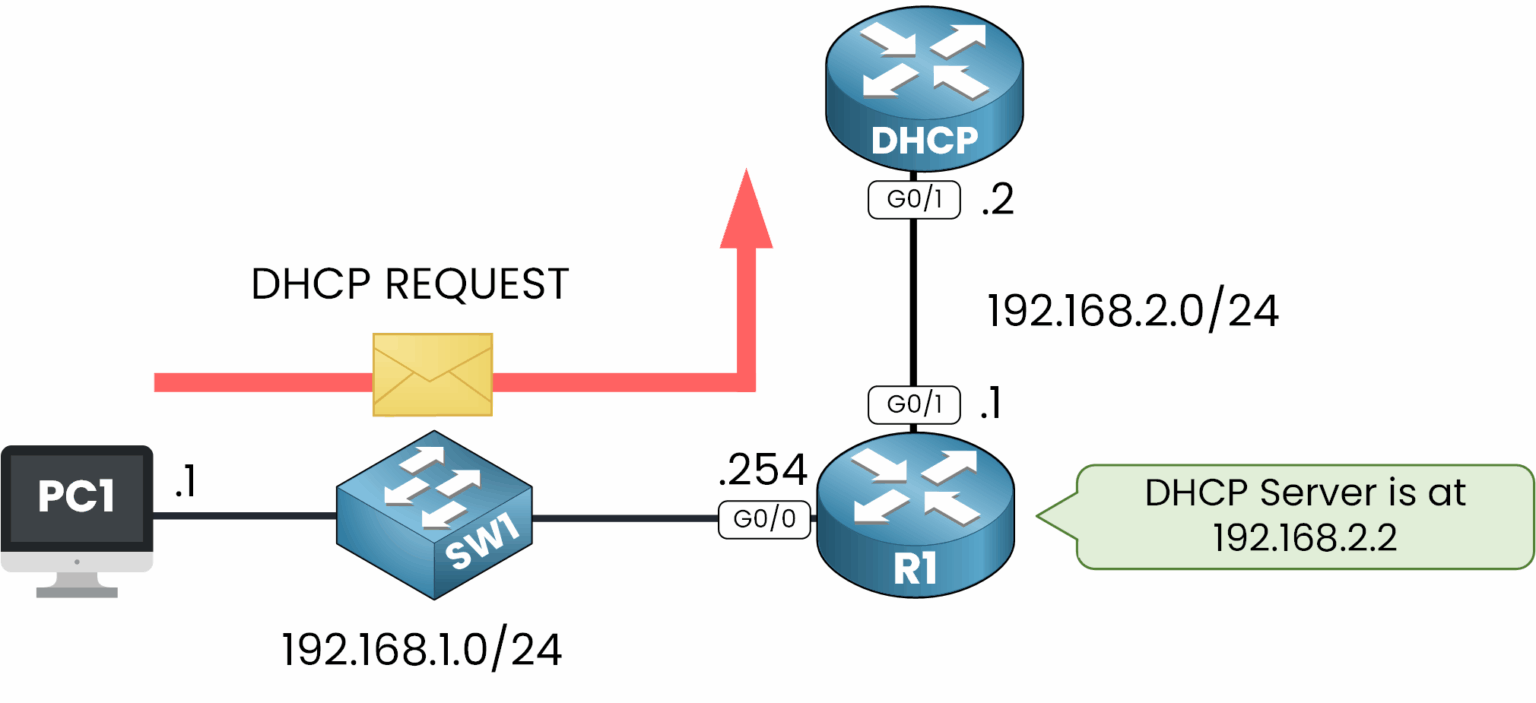
Figure 7 – PC1 sends REQUEST, R1 forwards it to the server.
This step confirms that the client is ready to use the assigned IP address, along with the subnet mask, default gateway, DNS server and lease duration.
STEP 4 – DHCP ACK: The Server Confirms the Allocation
Finally, the server sends a DHCPACK message to confirm the IP address allocation and configuration. The relay agent ensures this message reaches the client.
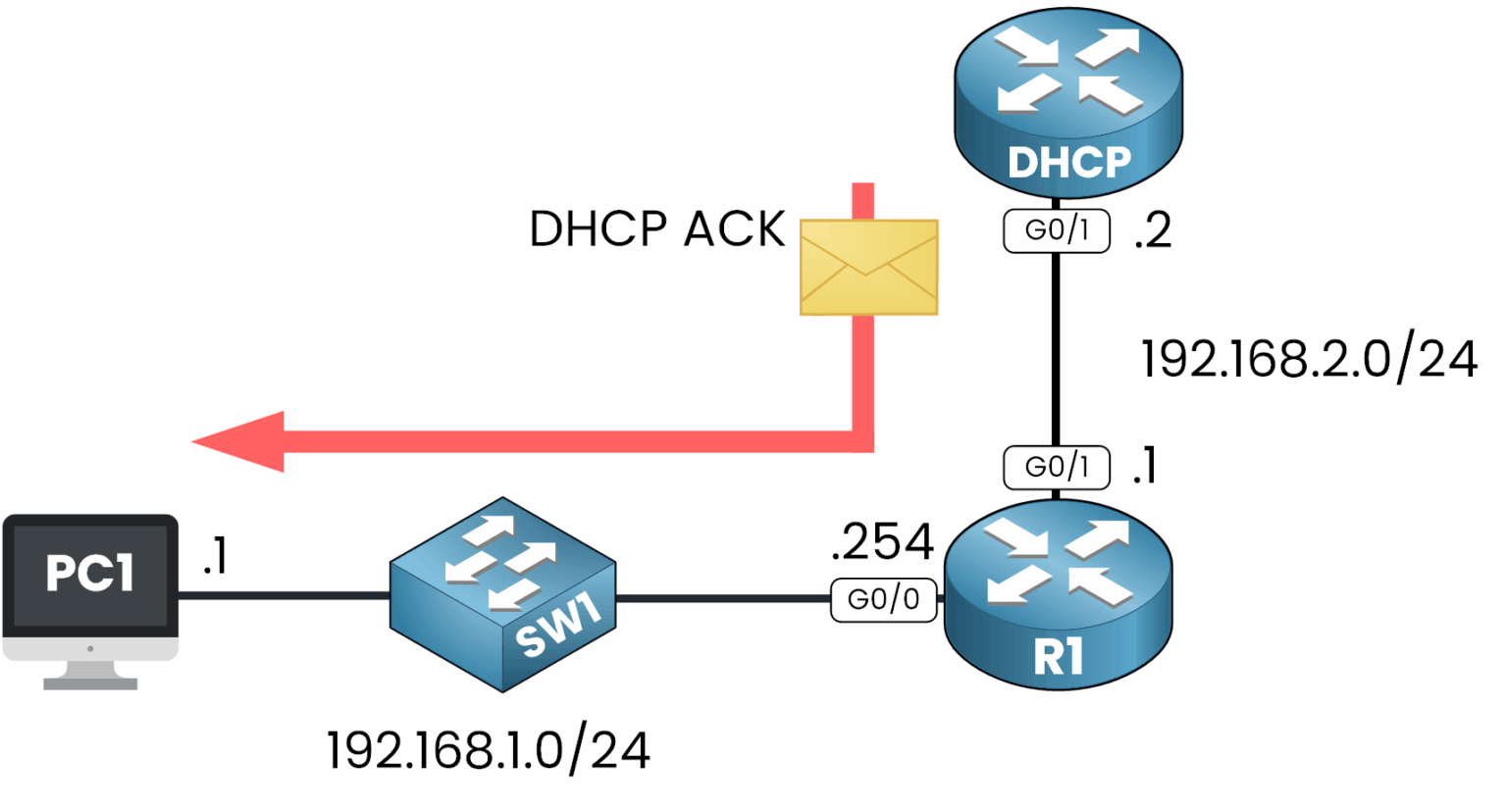
Figure 8 – Server replies with ACK, R1 delivers it to PC1.
The client can now configure its network settings and begin communication on the network.
Answer the question below
Which message does the server send to confirm the IP address allocation? DHCP _______
So, what is a DHCP relay agent really about? It's a crucial component that makes dynamic IP assignment possible when clients and DHCP servers are located on different subnets.
Broadcasts Become Unicasts
Instead of letting DHCP broadcast messages fail at the router boundary, the relay agent captures and forwards them as unicast packets to the correct DHCP server, then brings the response back to the client.
This mechanism may seem simple, but it's a fundamental piece of scalable network design, and it's something you need to master for the CCNA exam and real-world implementation.
What's Next?
You know why the relay exists and what it does with each DORA message.
In the next lesson, you will configure a DHCP relay agent on R1 and verify it from both sides.Answer the question below
Which DHCP process does the relay agent help complete between client and server?