In the Hypervisor lesson, you saw how a hypervisor creates VMs on a physical server.
Each VM gets its own vCPU, vRAM, and vDisk.
But one piece is still missing.
How do your VMs actually communicate with each other and reach the physical network?The Networking Gap
Your VMs sit on top of the hypervisor, isolated from each other.
They have no physical cable, no port, no direct access to the switch in your data center.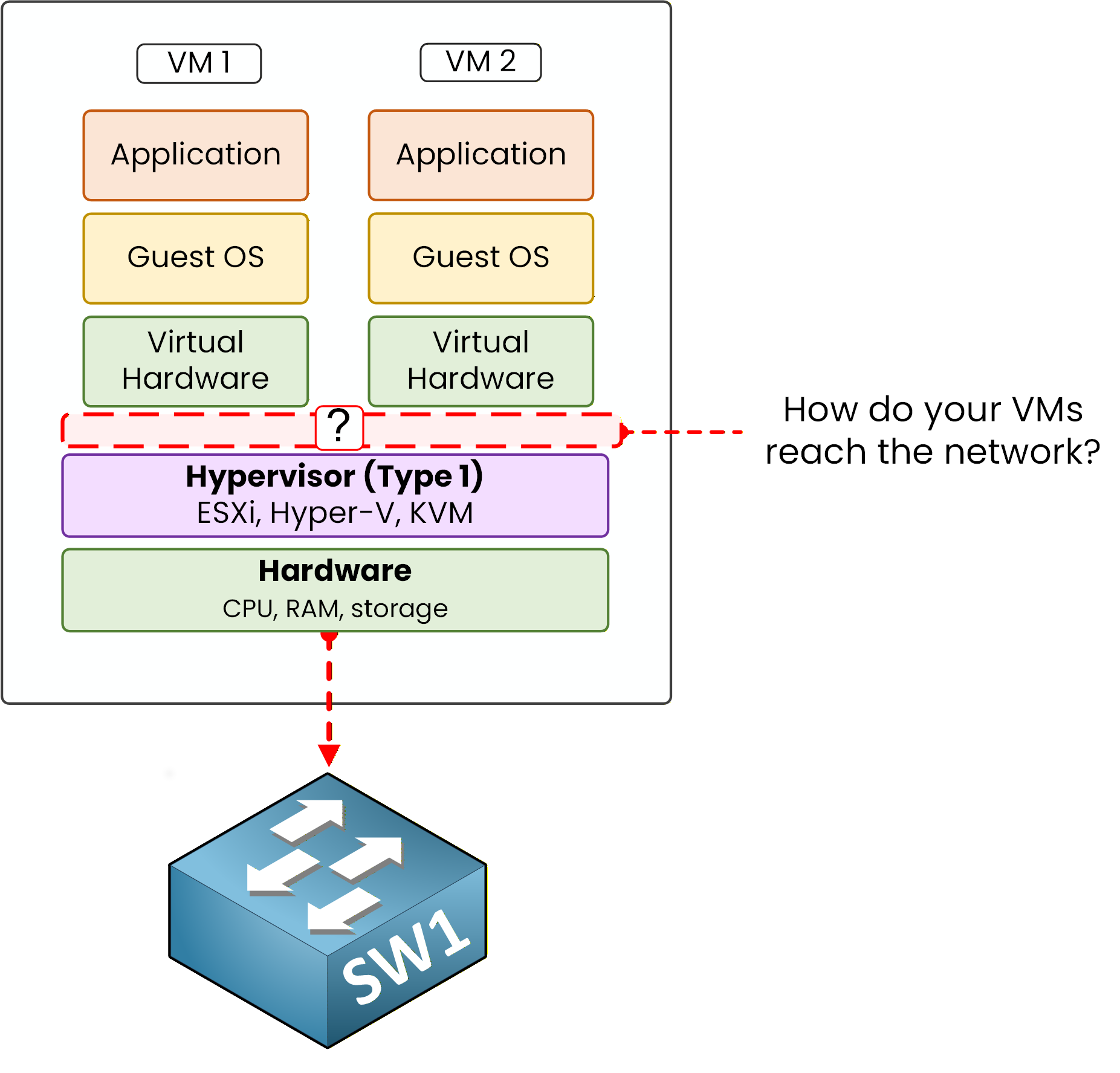
Figure 1 – The missing piece
There is a gap between the VMs and the physical world.
Something needs to sit between them and forward frames like a real switch would.The vSwitch Solution
That piece is the vSwitch (virtual switch).
A vSwitch is a software-based Layer 2 switch that runs inside your virtualized server.
It behaves exactly like a physical Ethernet switch, except it lives entirely in software.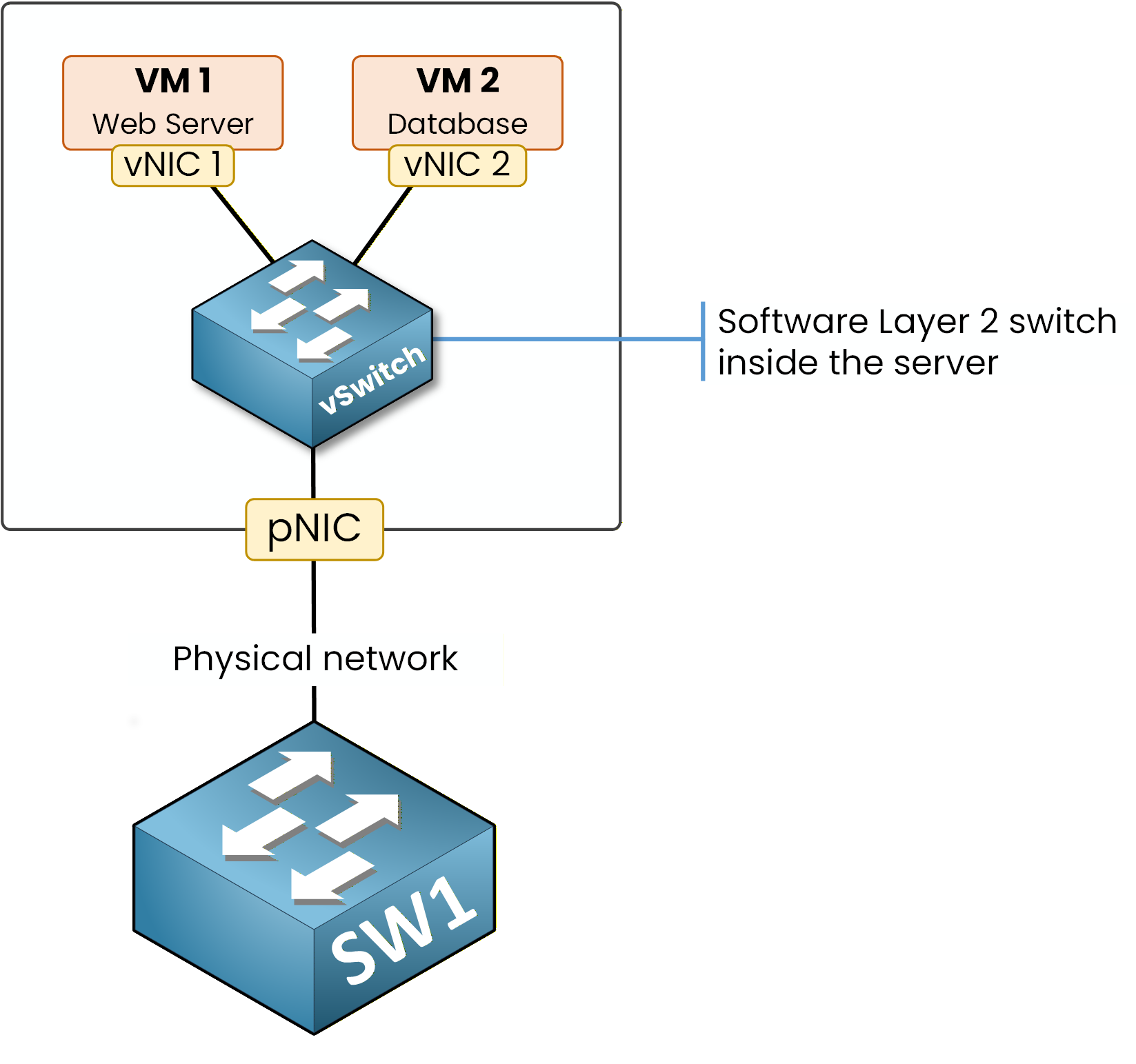
Figure 2 – vSwitch connects your VMs to the physical network
The vSwitch does two jobs at once.
It connects VMs to each other inside the server, and it bridges them to the physical network.Answer the question below
What forwards frames between VMs inside the same server?
Now that you understand the role of the vSwitch, let's look at the two components that connect to it.
On one side, the VM plugs in through a vNIC. On the other side, the vSwitch reaches the physical network through a pNIC.The Virtual NIC (vNIC)
A vNIC is the network adapter of your VM.
It is software-emulated, and it plugs directly into a port on the vSwitch, exactly like a cable plugging into a physical switch..png)
Figure 3 – The vNIC plugs the VM into the vSwitch
40 % Complete: you’re making great progress
Ready to pass your CCNP exam?