In the previous lesson, you saw a Python script that sent a PATCH to R1.
That script usedauth=("admin", "cisco123")andverify=False.
Let's see what each piece does, and why those lines matter in production.What You Already Saw in Your RESTCONF Lab
Here is the script from the RESTCONF lesson, the one that reads the GigabitEthernet1 configuration:
import requests
import urllib3
urllib3.disable_warnings()

url = "https://192.168.1.1/restconf/data/Cisco-IOS-XE-native:native/interface/GigabitEthernet=1"
headers = {
    "Accept": "application/yang-data+json"
}

response = requests.get(url, headers=headers,
                        auth=("admin", "cisco123"),
                        verify=False)
Three lines in that script touch security:
The
https://URL — your traffic uses an encrypted transportauth=("admin", "cisco123")— your script proves who is callingverify=False— your script skips checking the router's certificate (you should never do that in production)
REST Is a Convention, Not a Shield
REST is a set of rules for how a script and a router talk to each other over HTTP.
It says: GET to read, POST to create, PATCH to modify.But REST says nothing about how to protect that conversation.
REST defines structure, not security. Encryption and authentication are layers added on top of REST.Answer the question below
Does REST itself provide any built-in protection for the data exchanged?
Three Security Questions for Every Call
When your script sends an HTTPS request to R1, three questions must be answered before the call is safe:
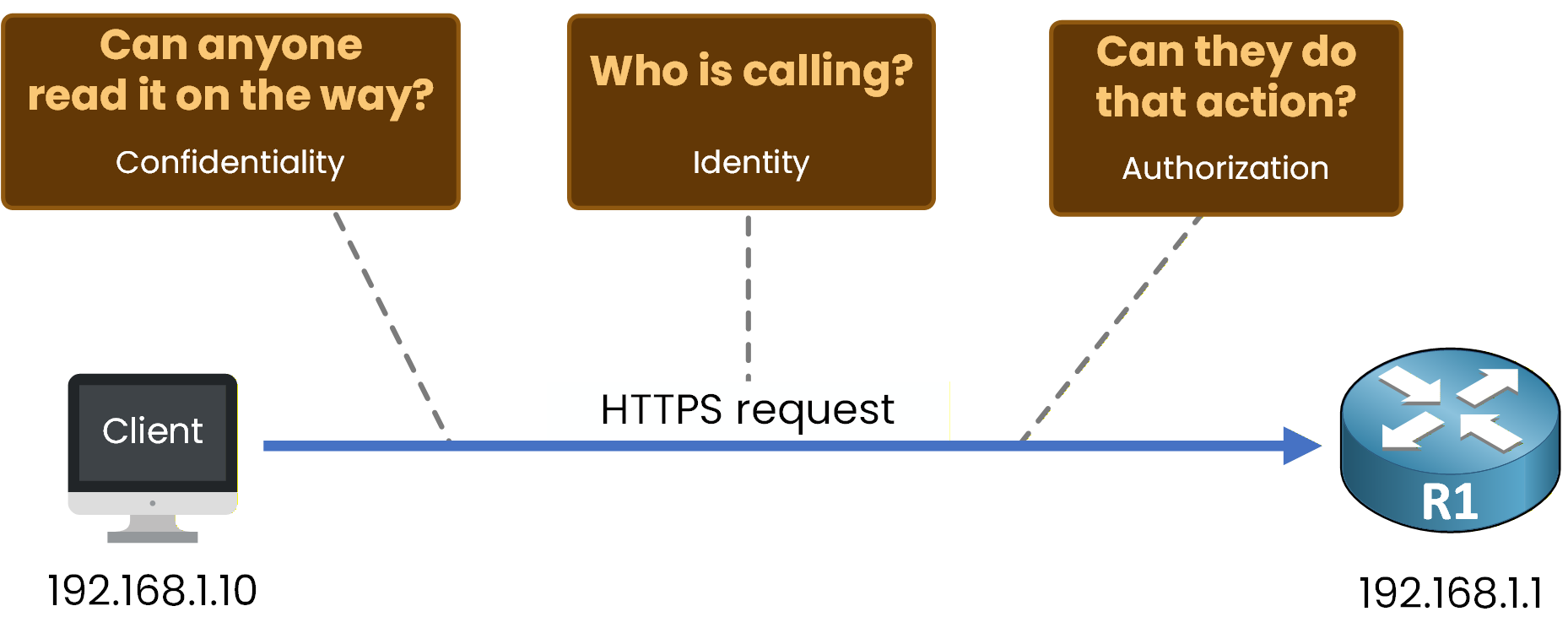
Figure 1 – The three security questions
Each question is answered by one section of this lesson.
Miss any one of them and the API is exposed to attack.Answer the question below
What single letter added to http makes the URL use an encrypted transport?
In the lab, you typed
ip http secure-serveron R1.R1# conf t Enter configuration commands, one per line. End with CNTL/Z. R1(config)# ip http secure-server R1(config)# endThis command turned on TLS, the protocol that keeps your traffic safe between the client and the router.
What TLS Does for You
TLS (Transport Layer Security) is the layer between HTTP and TCP.
It does two things for every connection:It encrypts the entire HTTP request and response (anyone sniffing the wire sees only random bytes)
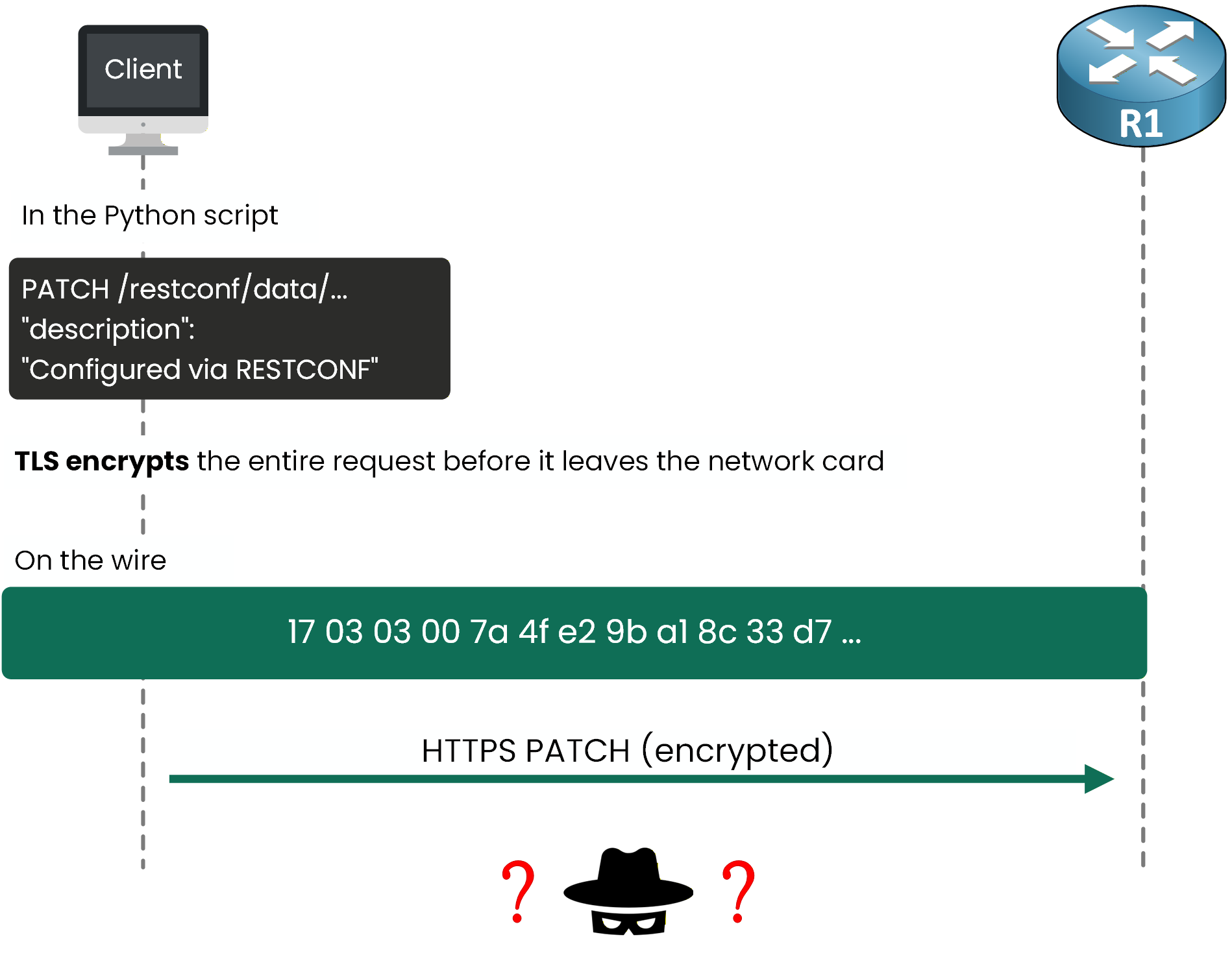
Figure 2 – TLS encrypts the payload on the wire
It verifies the server's identity through a certificate, so your client knows it is talking to R1, not an imposter
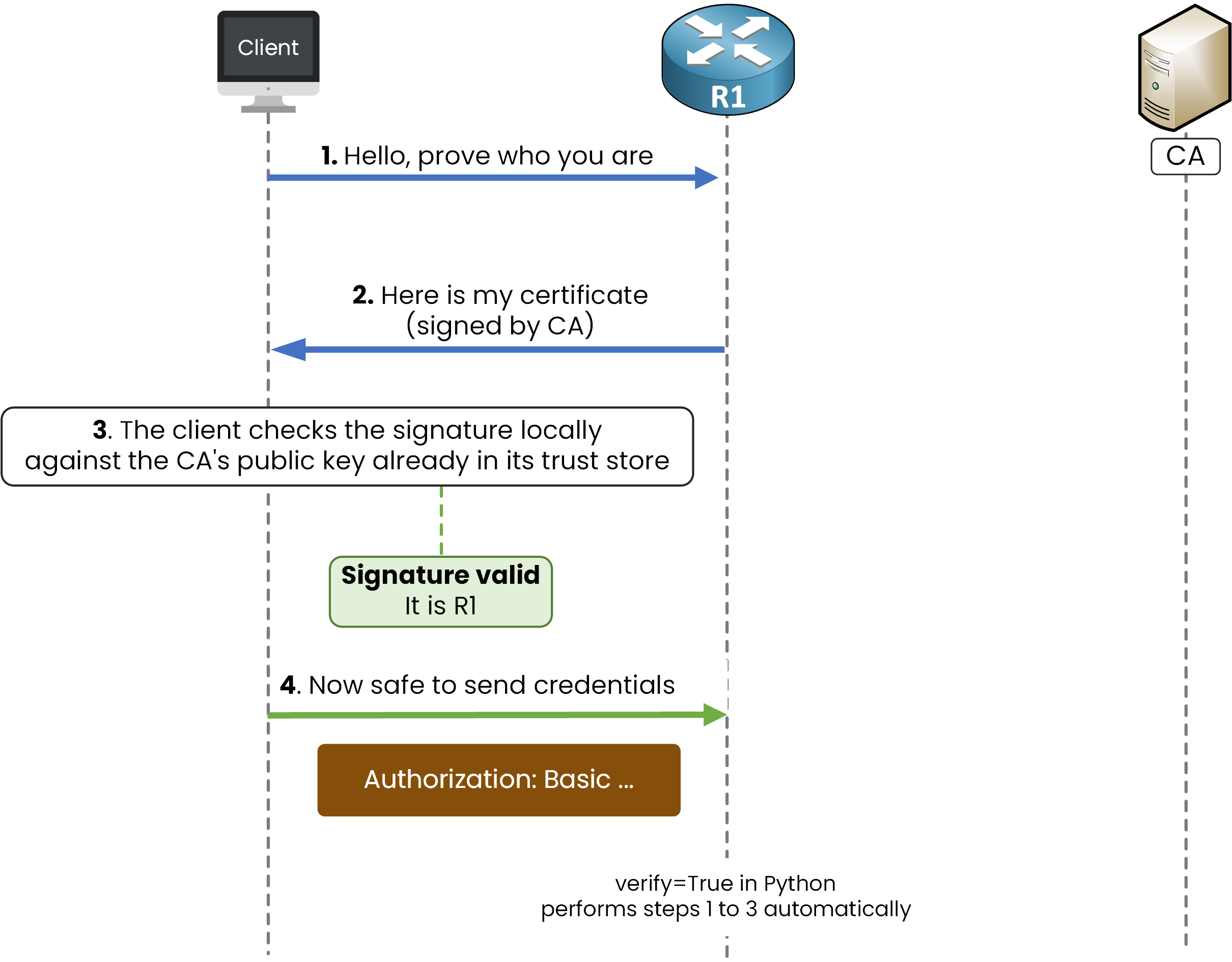
Figure 3 – Certificate validation flow
The second point is what
verify=Falseturned off in the lab script.
The certificate check was skipped because R1 used a self-signed certificate.In production, you keep
verify=True.
Otherwise an attacker on the network could impersonate the router and capture the password.Answer the question below
What protocol does HTTPS use to encrypt the tunnel between the client and the server?
The tunnel is encrypted, but R1 still has no idea who sits at the other end.
Authentication is how the client proves its identity before R1 accepts a single command.Basic Auth
Two simple methods work the same way: a credential goes inside an HTTP header, and the server checks it.
The first one is the method you already saw in the lab.The line
auth=("admin", "cisco123")tells the Python library to use HTTP Basic Authentication.
The library takes the username and password, joins them with a colon, and places the result in an Authorization header.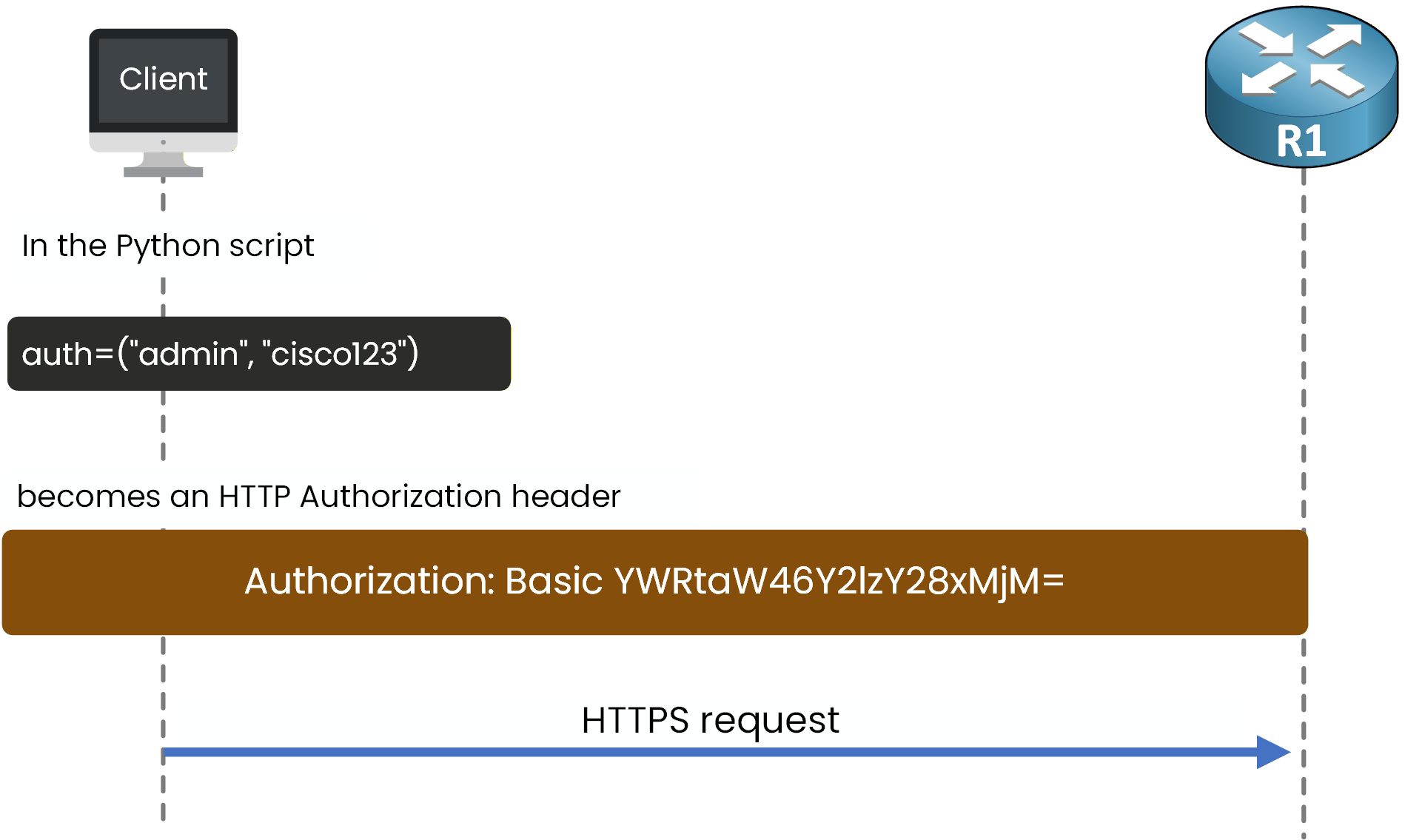
Figure 4 – Python auth tuple to HTTP header
That header travels with every request the script sends.
The string
YWRtaW46Y2lzY28xMjM=isadmin:cisco123written in Base64.
Base64 is an encoding, not encryption.Anyone can reverse it in one command:
40 % Complete: you’re making great progress
Ready to pass your CCNP exam?