Local SPAN works only on a single switch.
But what if your traffic collector is connected to another switch?This is where Remote SPAN (RSPAN) becomes useful.
RSPAN allows you to mirror traffic on one switch and transport that mirrored traffic to another switch using a dedicated VLAN.How Does RSPAN Work?
Look at the topology below.
PC1 sends traffic to a destination in the network through SW1.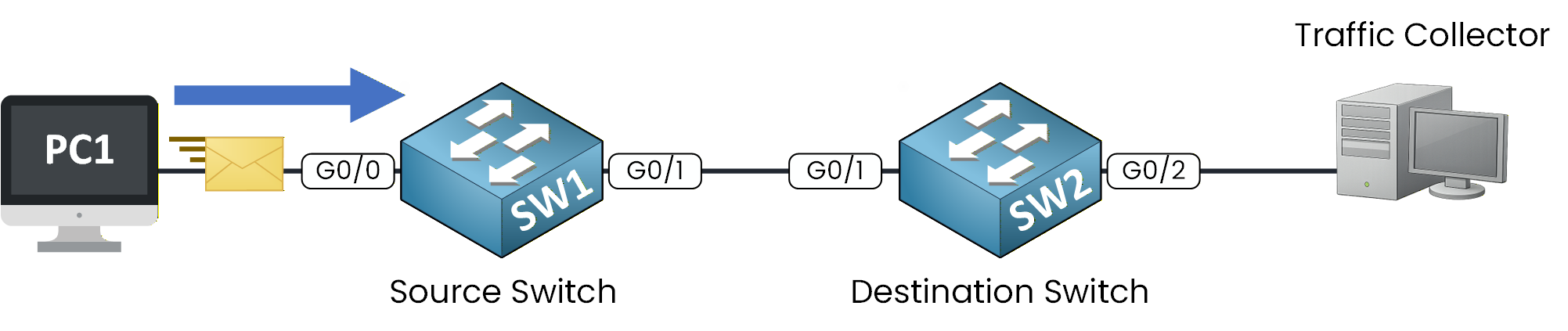
Figure 1 – RSPAN traffic flow
Unlike Local SPAN, the mirrored traffic does not go directly to a local interface.
Instead, it is placed into a special VLAN called the RSPAN VLAN.Answer the question below
Which VLAN transports mirrored traffic between switches in RSPAN?
RSPAN VLAN
A dedicated VLAN is created for RSPAN.
This VLAN is used only to transport mirrored traffic across trunk links between switches.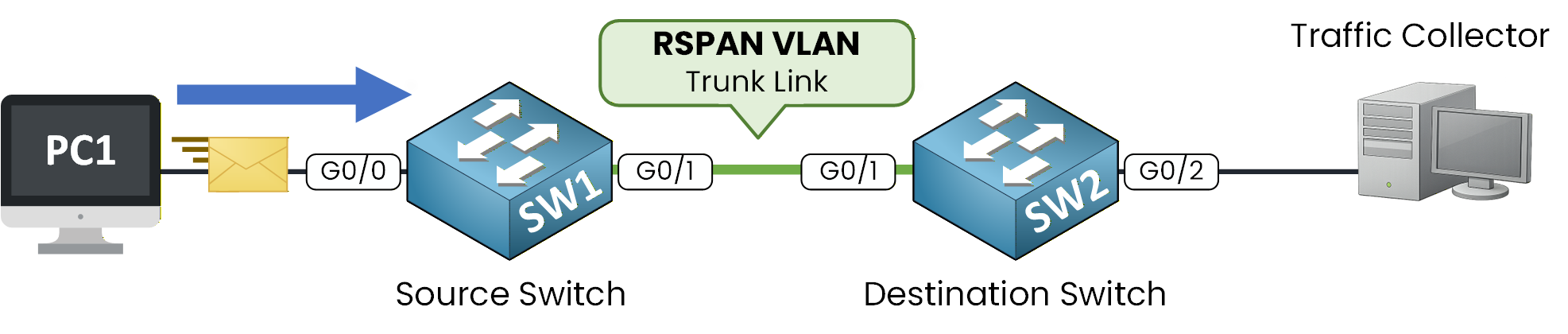
Figure 2 – RSPAN VLAN trunk
Because the RSPAN VLAN is carried over a trunk, the mirrored traffic can travel from the source switch to the destination switch.
This also provides isolation, since the VLAN is reserved for SPAN traffic only.Answer the question below
What type of link carries the RSPAN VLAN between switches?
In our example, traffic from the source interface is mirrored into the RSPAN VLAN and transported across the trunk link.
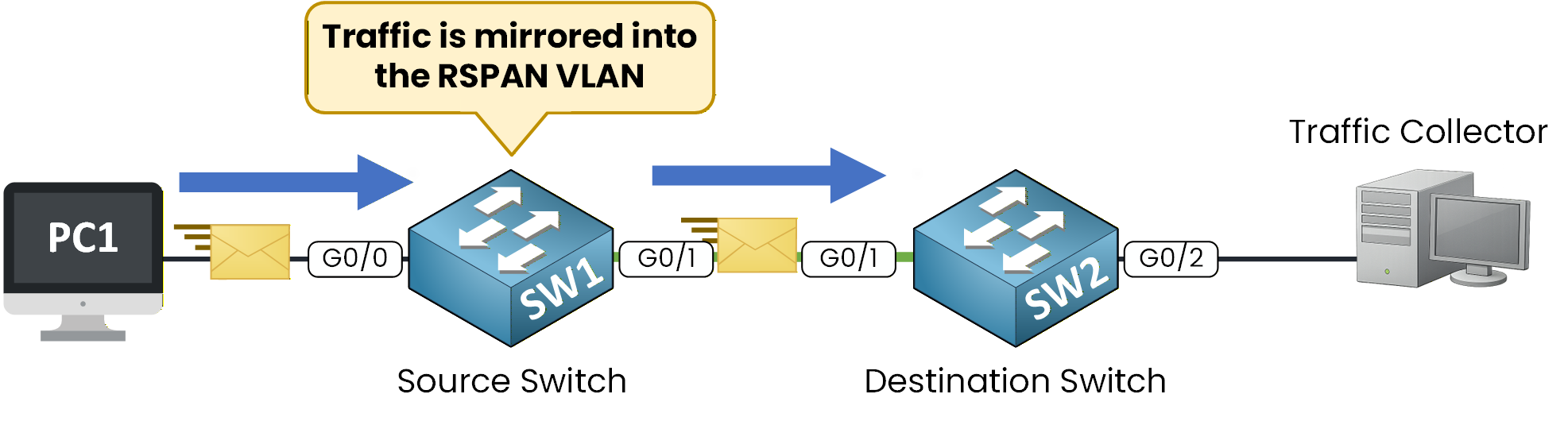
Figure 3 – RSPAN VLAN mirroring
When the mirrored traffic reaches the destination switch, it is removed from the RSPAN VLAN.
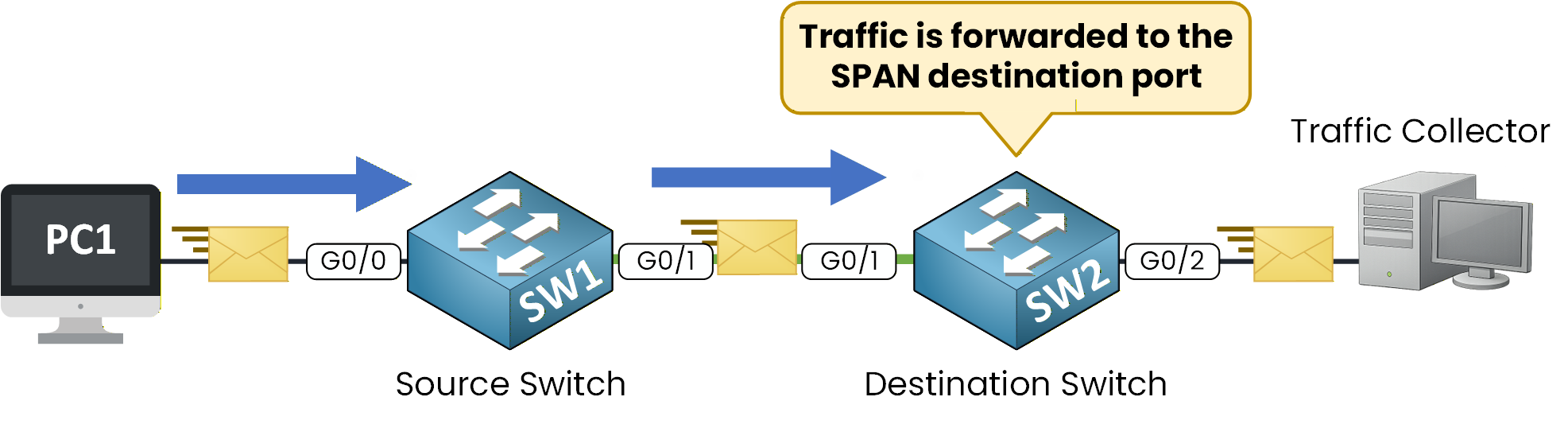
Figure 4 – Traffic forwarded to Traffic Collector
The destination switch then forwards the mirrored traffic to the traffic collector.
Answer the question below
What happens to mirrored traffic when it reaches the destination switch?
Now that you understand how RSPAN works, let’s configure it step by step.
To configure RSPAN, you must complete three main tasks:
Create the RSPAN VLAN
Allow the VLAN on the trunk link
Configure the source and destination sessions
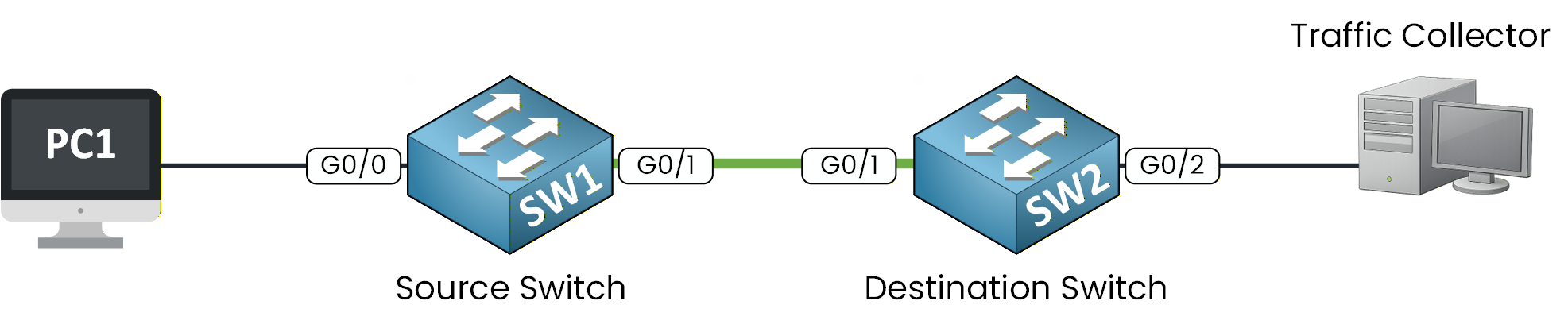
Figure 5 – RSPAN Configuration Topology
Step 1 – Create the RSPAN VLAN
Before anything else, you must create a dedicated VLAN for RSPAN traffic.
In this example, we will use VLAN 999 and configure it as a remote-span VLAN.On SW1
SW1# conf t
Enter configuration commands, one per line.  End with CNTL/Z.
SW1(config)# vlan 999
SW1(config-vlan)# name RSPAN_VLAN
SW1(config-vlan)# remote-span
SW1(config-vlan)# exit
Here, you are telling the switch:
40 % Complete: you’re making great progress
Ready to pass your CCNP exam?