As you know, the Network Time Protocol is responsible for keeping your devices synchronized across your network.
NTP provides millisecond-level accuracy, and for most enterprise networks, that is more than enough.But some industries cannot tolerate even a millisecond of clock difference.
When Milliseconds Are Too Slow
Some environments require microsecond or even nanosecond precision.
Here are three industries where NTP is simply not enough:
Figure 1 – PTP use cases across industries
In high-frequency trading, a few microseconds of clock drift can mean millions in lost revenue.
In 5G networks, base stations must be synchronized within nanoseconds to avoid radio interference.
In electric grids, substations must coordinate switching events within microseconds to prevent blackouts.
These environments all share the same need: sub-microsecond clock synchronization.
NTP cannot deliver that. This is where Precision Time Protocol (PTP) comes in.Answer the question below
What level of clock accuracy does NTP provide?
What is PTP?
PTP is defined in IEEE 1588.
The current version is PTPv2, which can run directly over Ethernet (Layer 2) or over UDP (Layer 3).
Unlike NTP, PTP achieves nanosecond-level accuracy over your existing Ethernet or IP network.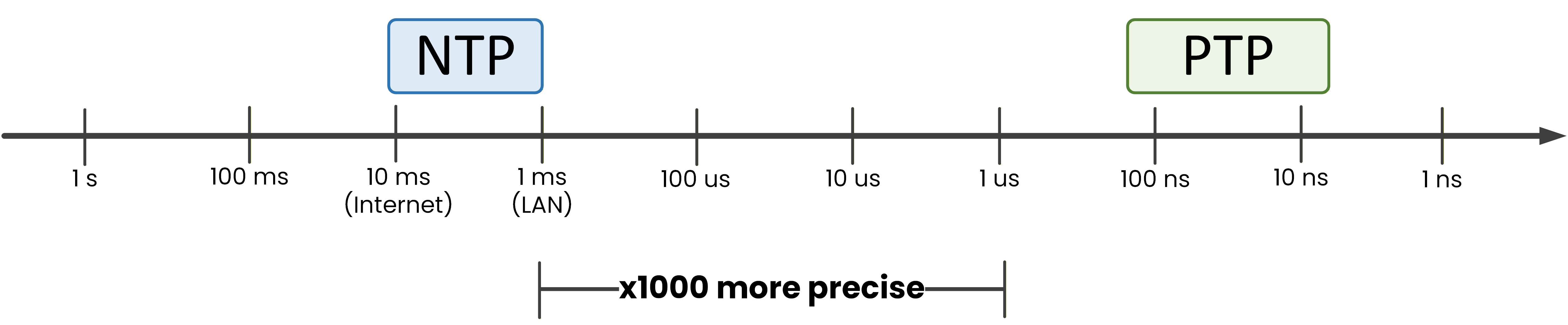
Figure 2 – NTP vs PTP accuracy comparison
On the NTP side, accuracy typically ranges from about 10 milliseconds over the Internet to around 1 millisecond on a local LAN.
On the PTP side, accuracy drops to around 100-200 nanoseconds with standard hardware.
With dedicated boundary clocks and hardware timestamping, that number goes down to 20-30 nanoseconds.That is a difference of several orders of magnitude.
But how does PTP actually work? To understand that, you first need to know how PTP organizes devices on your network.Answer the question below
What IEEE standard defines PTP?
PTP organizes devices into a hierarchy, just like NTP uses stratum levels.
But instead of numbers, PTP uses named clock roles.The Grandmaster Clock
At the very top sits the Grandmaster Clock.
It is the most accurate clock on the network, typically synchronized to a GPS receiver.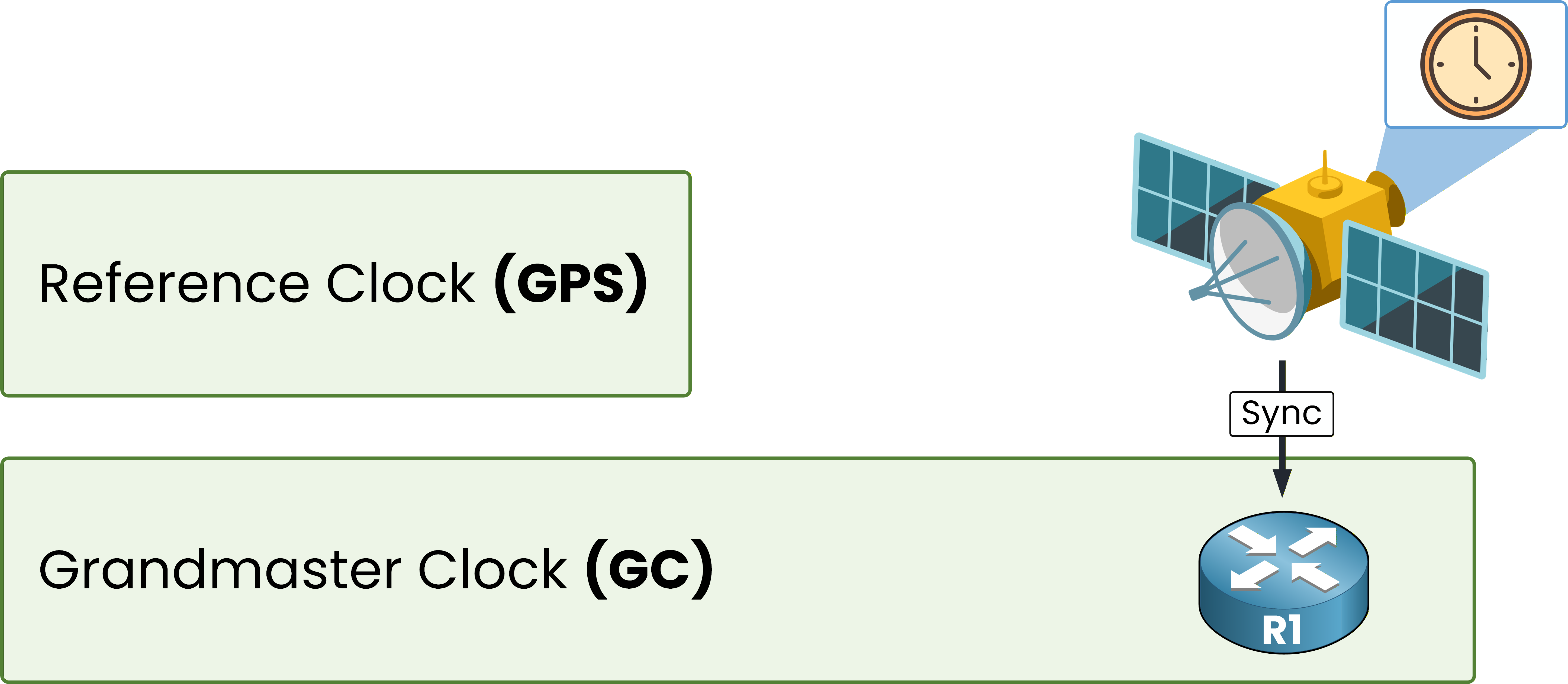
Figure 3 – Grandmaster Clock at the top of the hierarchy
The Grandmaster is not manually assigned.
It is elected by the Best Master Clock Algorithm (BMCA), which compares Priority1, Clock Class, Clock Accuracy, and Priority2.Run
show ptp clockon your Grandmaster:R1# show ptp clock PTP CLOCK INFO PTP Device Type: Grand Master clock PTP Device Profile: Power Profile Clock Identity: 0x18:8B:9D:FF:FE:65:3C:0 Clock Domain: 0 Number of PTP ports: 28 Time Transfer: linear Filter Priority1: 128 Priority2: 128 Clock Quality: Class: 248 Accuracy: unknown Offset (log variance): N/A Offset From Master(ns): 0 Mean Path Delay(ns): 0 Steps Removed: 0 Local clock time: 17:09:03 EDT Aug 25 2025The output confirms this device is the Grandmaster:
PTP Device Type: Grand Master clock confirms this device is the time source for the entire PTP domain.
Offset From Master(ns): 0 means there is no upstream master. This device IS the reference.
Priority1: 128 is the default value. To force a different Grandmaster, lower this value.
Answer the question below
What is the first criterion the BMCA uses to select the Grandmaster?
The Boundary Clock
One level below the Grandmaster, your switches act as Boundary Clocks.
A Boundary Clock terminates and regenerates PTP messages.
It processes the Sync from the Grandmaster, adjusts its own clock, then creates a brand new Sync for the devices below.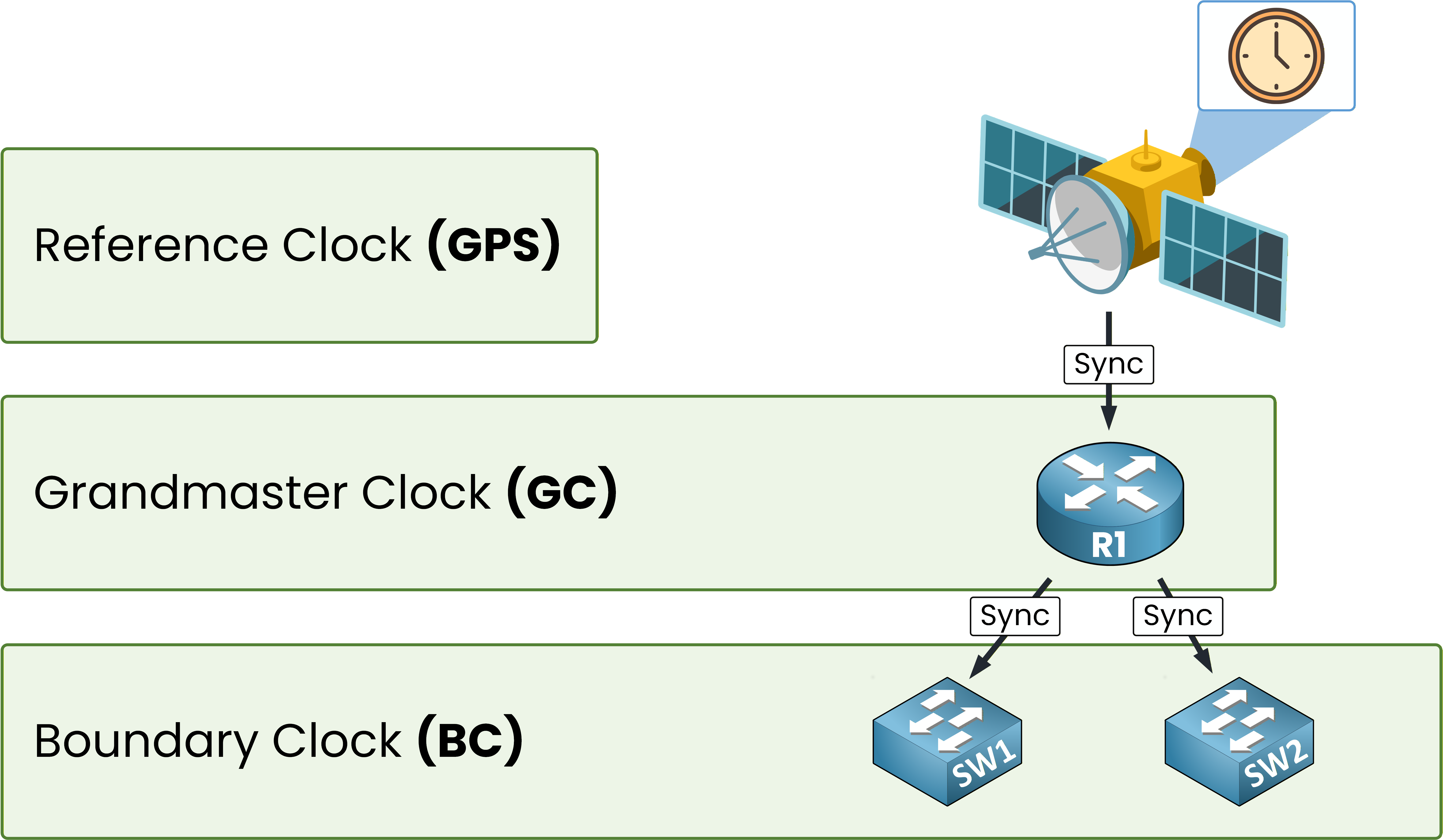
Figure 4 – Boundary Clocks join the hierarchy
Run
show ptp clockon your Boundary Clock switch to see the difference:SW1# show ptp clock PTP CLOCK INFO PTP Device Type: Boundary clock PTP Device Profile: Power Profile Clock Identity: 0x57:2C:B1:FF:FE:22:16:80 Clock Domain: 0 Number of PTP ports: 28 Time Transfer: linear Filter Priority1: 128 Priority2: 128 Clock Quality: Class: 248 Accuracy: unknown Offset (log variance): N/A Offset From Master(ns): 17 Mean Path Delay(ns): 12 Steps Removed: 1 Local clock time: 17:10:38 EDT Aug 25 2025Compare the differences with the Grandmaster:
PTP Device Type: Boundary clock means this switch terminates PTP on one side and regenerates it on the other.
Offset From Master(ns): 17 shows SW1 is 17 nanoseconds off from the Grandmaster.
Steps Removed: 1 confirms SW1 is one hop away from the Grandmaster.
An offset of 17 nanoseconds is far beyond what NTP could ever achieve.
Answer the question below
What field in show ptp clock tells you how far the clock is from the Grandmaster?
The Ordinary Clock (Slave)
At the bottom of the hierarchy, your servers and endpoints are Ordinary Clocks.
They just receive time and adjust their local clock.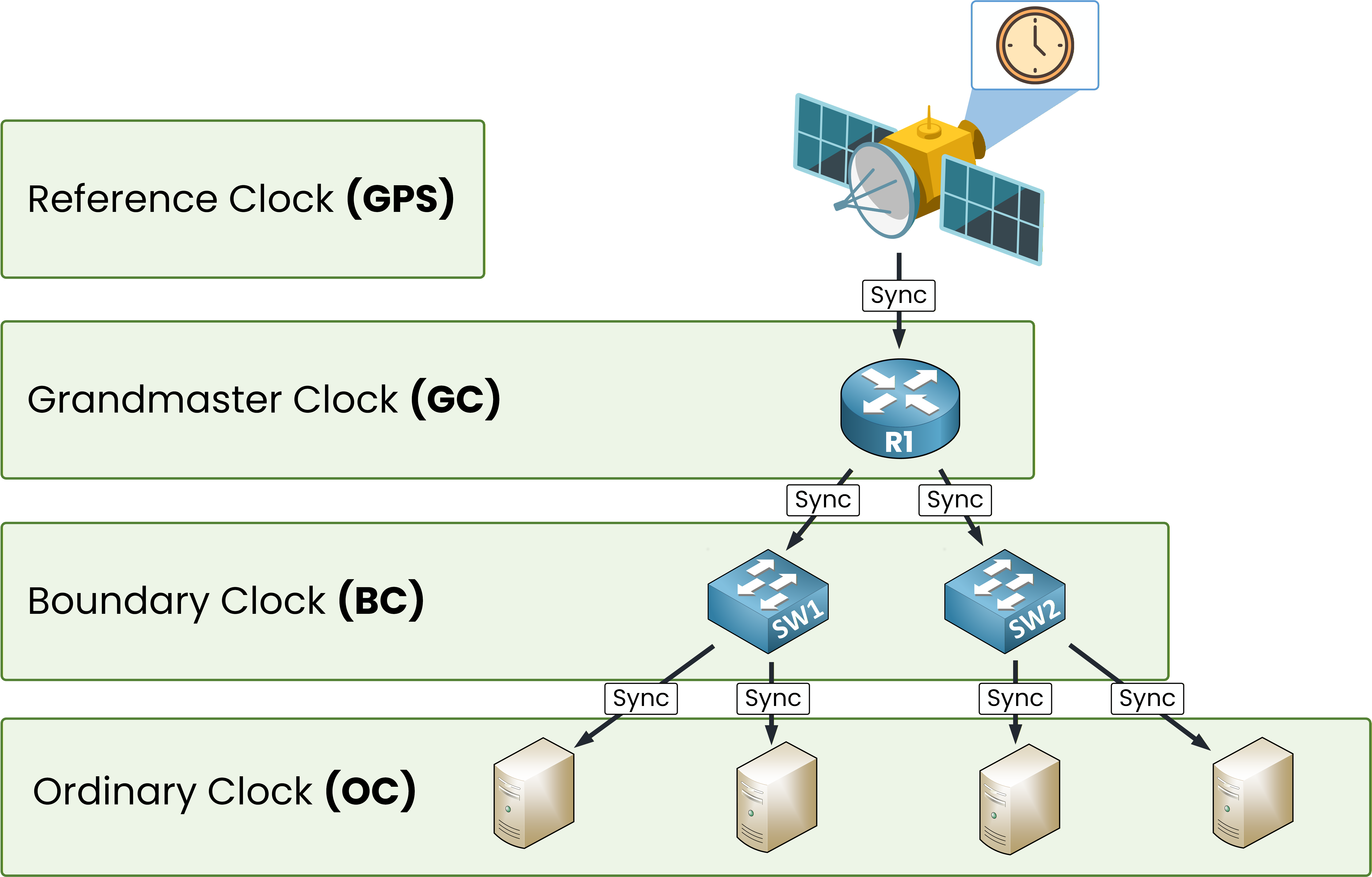
Figure 5 – Complete PTP hierarchy
40 % Complete: you’re making great progress
Ready to pass your CCNP exam?