You already met NTP in your CCNA studies.
This lesson refreshes the essentials in one pass, so the next ones can go further.What NTP Does
Without NTP, every device keeps its own time and they drift apart:
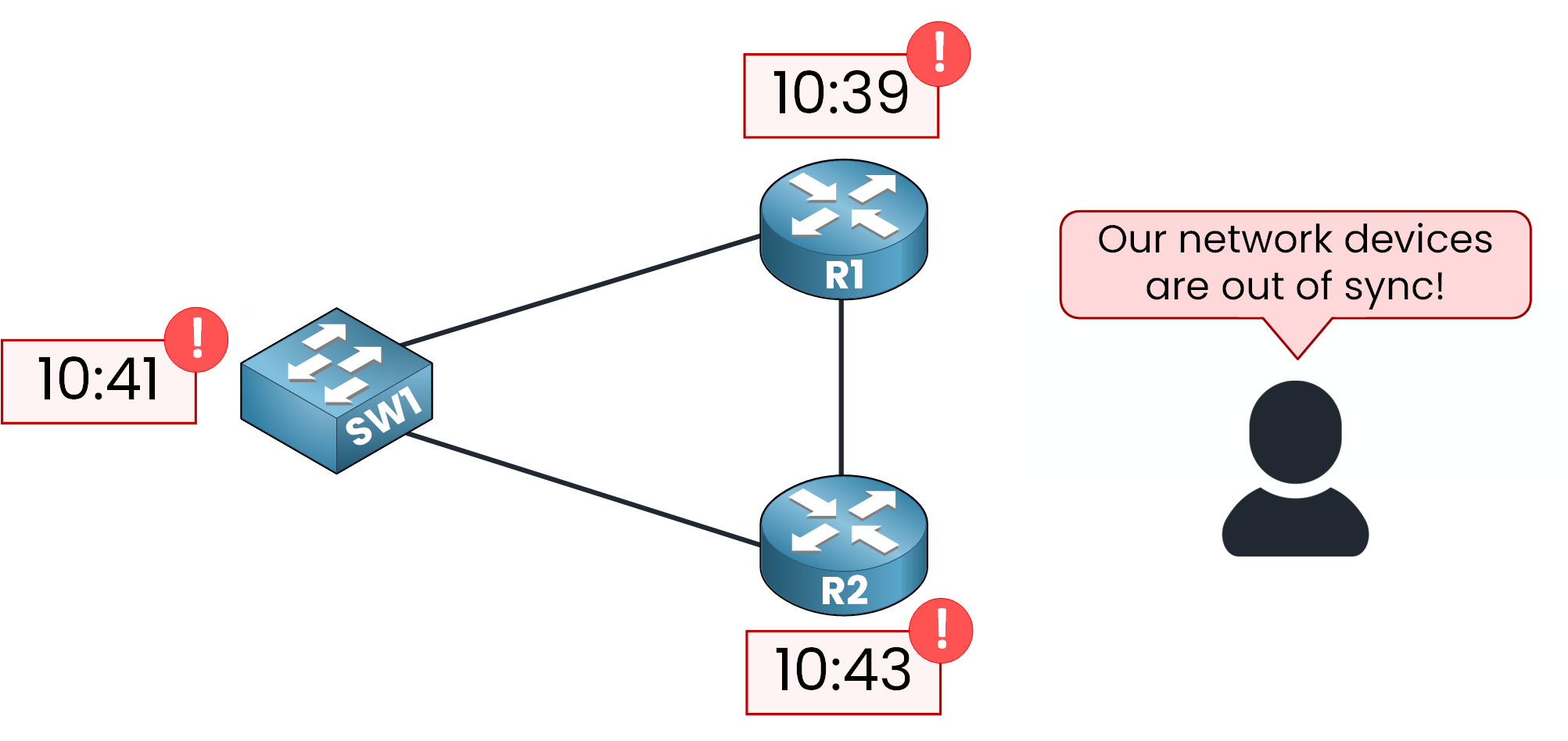
Figure 1 – Without NTP, clocks drift apart
With NTP, all devices point to one NTP server, allowing them to converge on the same time.
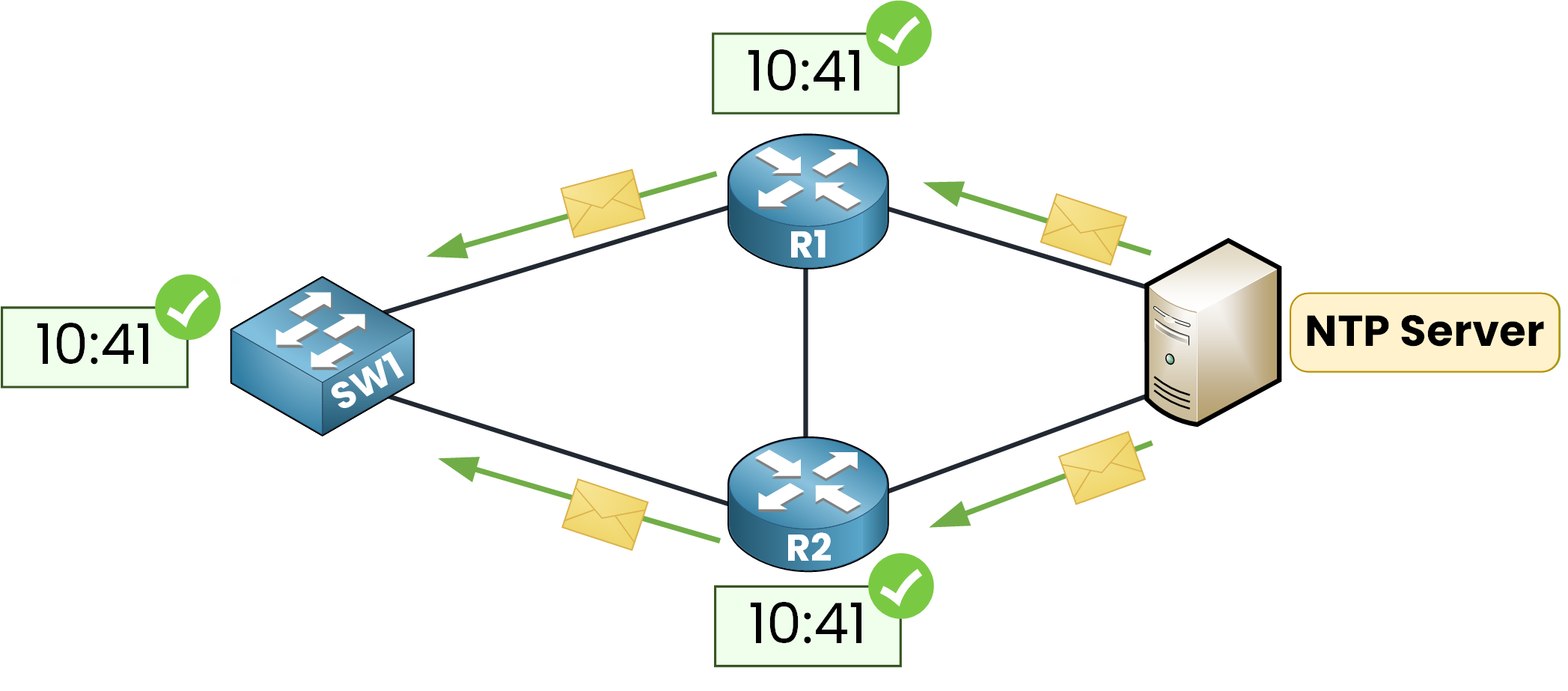
Figure 2 – With NTP, devices share one time
NTP is a standardized protocol in RFC 5905, and NTPv4 is the current version.
Answer the question below
What is the current version of NTP?
NTP Stratums
NTP establishes a hierarchy of clock sources.
It uses the term stratum to measure distance from the reference.
Stratum 0 is the reference clock itself, a GPS or atomic source.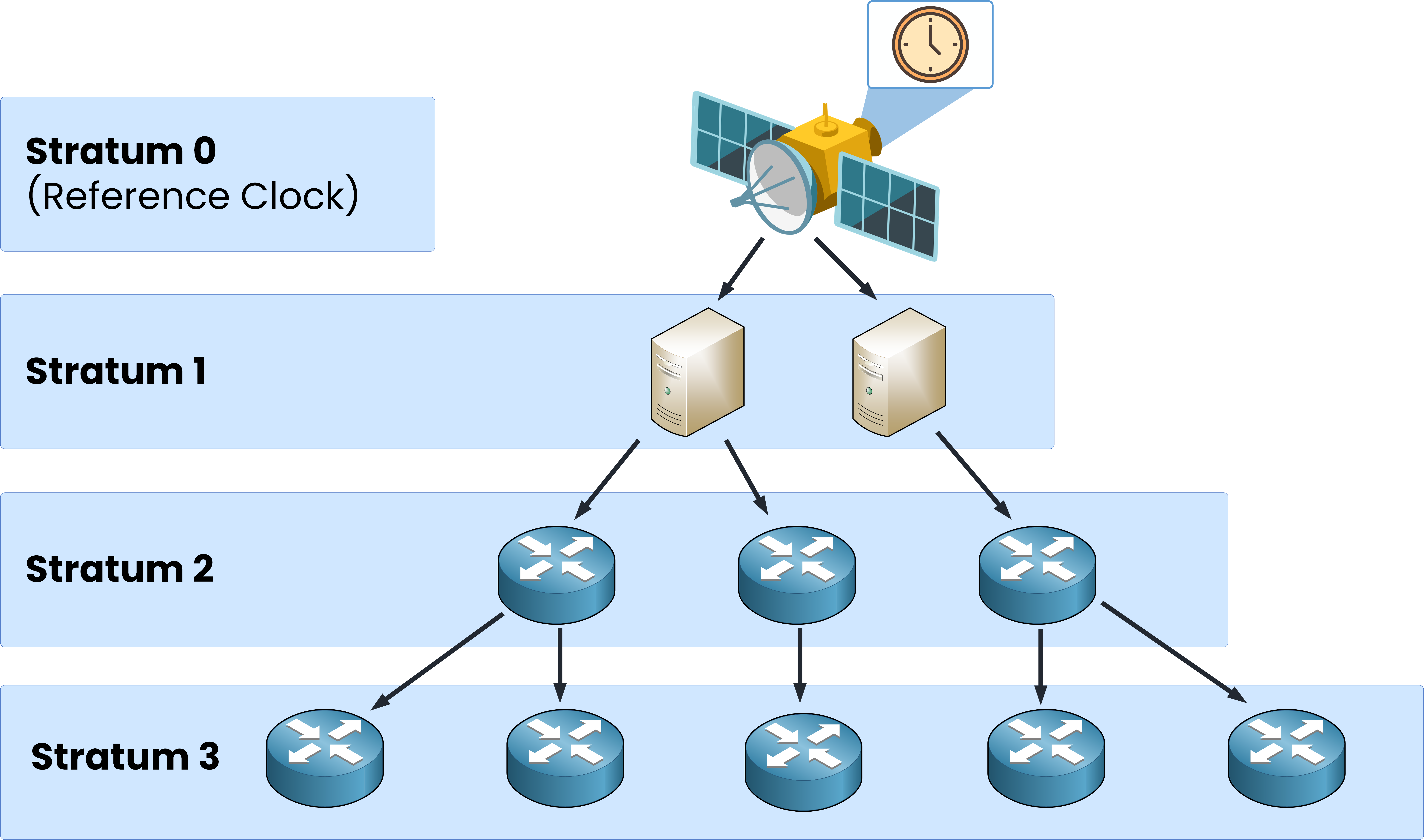
Figure 3 – The NTP stratum hierarchy
The server directly connected to it is a Stratum 1 server.
Each step down the chain adds one.The usable values range from 1 to 15.
Stratum 16 means that the device is unsynchronized and has no valid source yet.
NTP uses UDP port 123.
Answer the question below
What stratum is a server directly connected to the reference clock?
Let's configure a simple NTP topology now.
Look at the topology below: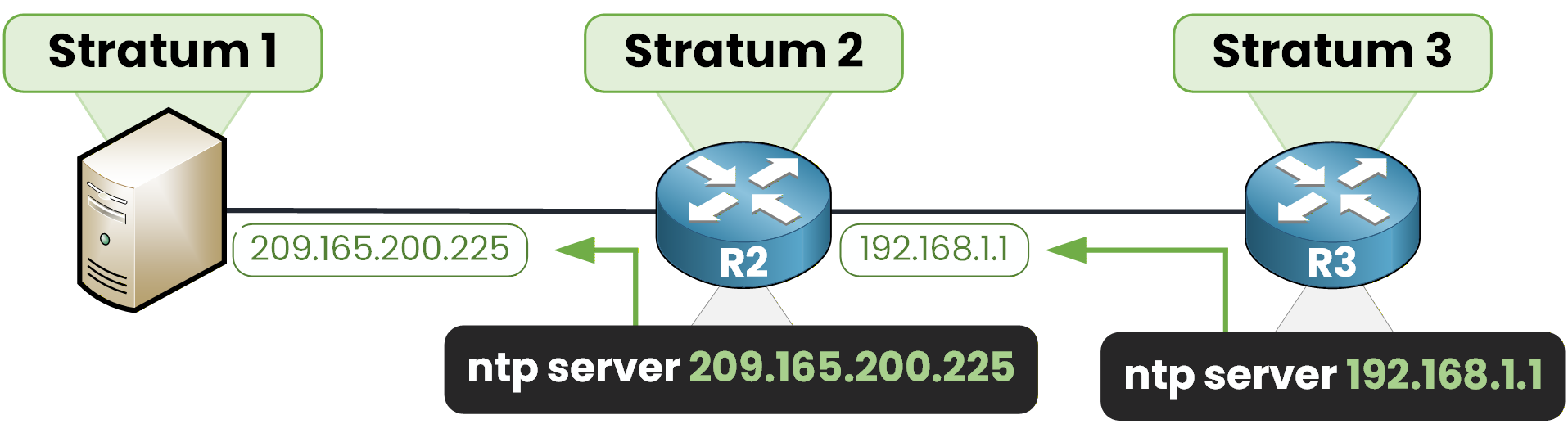
Figure 6 – R2 syncs to the server, R3 syncs to R2
The NTP server is synchronized to a GPS reference, so it sits at stratum 1
R2 becomes stratum 2
R3 becomes stratum 3
Configure the NTP server
You can configure R2 to point to the NTP server:
R2# configure terminal
Enter configuration commands, one per line.  End with CNTL/Z.
R2(config)# ntp server 209.165.200.225
R2(config)# end
R2 now uses the stratum 1 server at 209.165.200.225 as an NTP source
Extend the Chain to R3
R2 now has the time, so it can serve it in turn.
On R3 we can tell the router to synchronize to R2:R3# configure terminal Enter configuration commands, one per line. End with CNTL/Z. R3(config)# ntp server 192.168.1.1 R3(config)# endThe server feeds R2, and R2 feeds R3: the chain is complete.
Answer the question below
R3 syncs to R2, which is stratum 2. What stratum does R3 become?
Now, verify that the devices are synchronized.
40 % Complete: you’re making great progress
Ready to pass your CCNP exam?