In the previous lesson, you built a GRE tunnel between the New York headquarters and the San Francisco branch office.
The tunnel works: R1 and R2 can exchange traffic through the overlay network.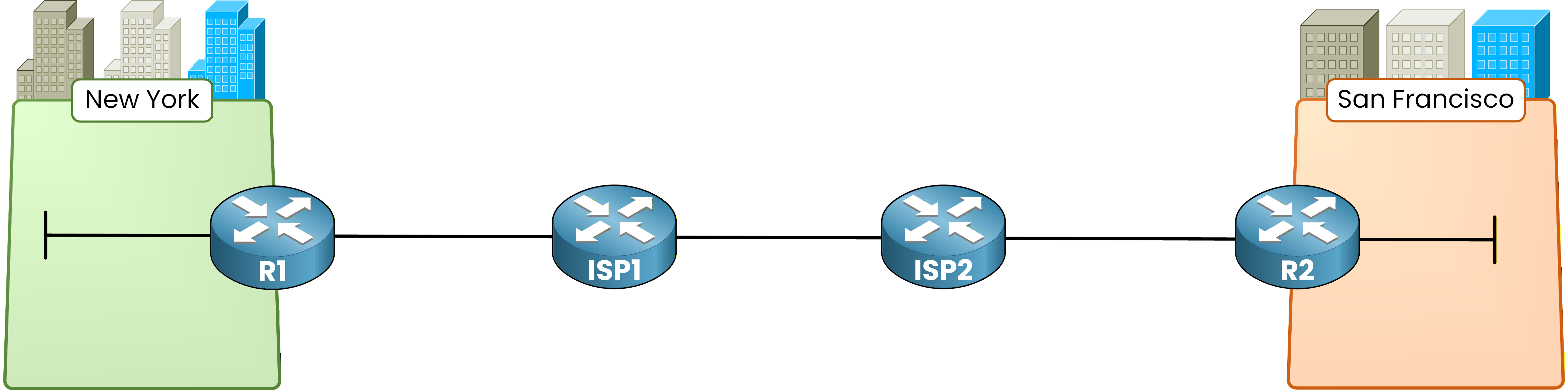
Figure 1 – Enterprise sites network topology
But there is a problem.
GRE provides zero encryption. Every packet traveling through the tunnel is in cleartext.
Anyone capturing traffic between the two ISP routers can read your data.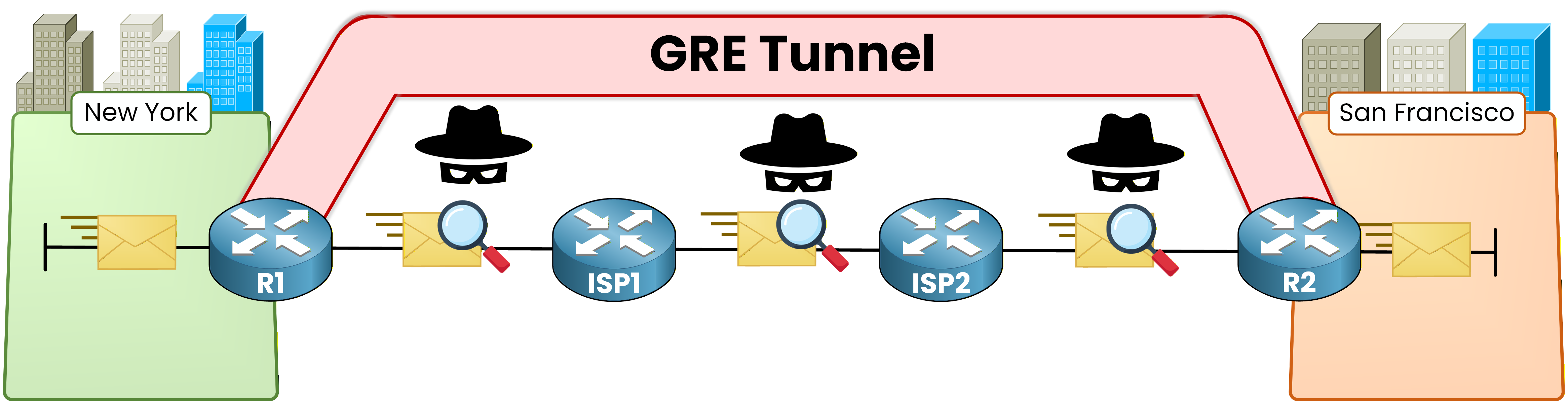
Figure 2 – GRE tunnel overlay concept
IPsec solves this.
It wraps every packet in an encrypted envelope before sending it across the untrusted network.
Only the two IPsec peers hold the keys to decrypt the content.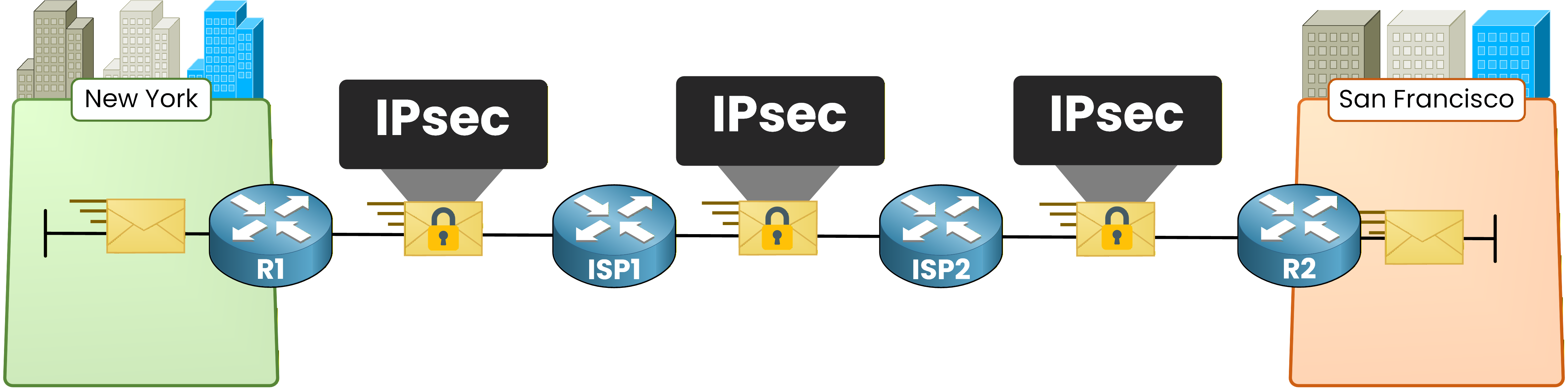
Figure 3 – IPsec encrypted tunnel concept
IPsec is not a single protocol. It is a framework that combines several components. Let's go through each one:
IKE (Internet Key Exchange): Negotiates encryption parameters and exchanges keys between peers.
ESP (Encapsulating Security Payload): Encrypts and authenticates the data payload.
AH (Authentication Header): Provides authentication and integrity without encryption. Rarely used in modern deployments because ESP can do both.
SA (Security Association): A one-way agreement between two peers that defines the encryption algorithm, keys, and lifetime for a specific traffic flow.
In real-world deployments, the combination you will see most often is
IKE + ESP.Answer the question below
What does IPsec provide that GRE alone does not?
Now that you know what IPsec is, let's see how it actually establishes a secure tunnel.
IPsec uses a two-phase process. Before any of your traffic is encrypted, the two peers must agree on security parameters and exchange cryptographic keys.
This negotiation happens through IKE (Internet Key Exchange).
Here is the high-level packet processing flow when IPsec is active: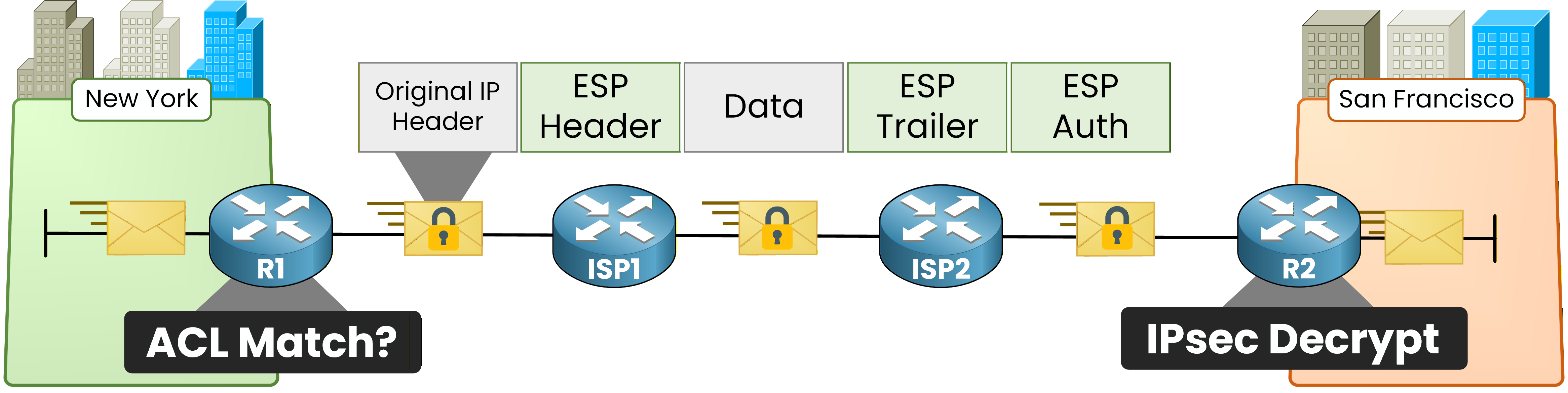
Figure 4 – IPsec packet processing flow
The process works in three stages:
Interesting traffic detection: The router checks outgoing packets against an ACL. If the packet matches, it triggers the IPsec process.
IKE Phase 1: The two peers establish a secure management channel (ISAKMP SA) to protect the negotiation itself.
IKE Phase 2: Using the secure channel from Phase 1, the peers negotiate the actual IPsec SA that will encrypt user traffic.
IKE Phase 1
IKE Phase 1 creates a bidirectional ISAKMP Security Association between the two peers.
Think of it as the secure meeting room where both sides sit down and agree on how they will protect the actual data.40 % Complete: you’re making great progress
Ready to pass your CCNP exam?