IP SLA (IP Service Level Agreement) is a Cisco IOS feature that allows network engineers to actively monitor and measure network performance.
Before understanding how IP SLA works, it is important to review the concept of a Service Level Agreement (SLA) provided by a service provider. A Service Level Agreement guarantees performance metrics inside the service provider network, as illustrated in Figure 1.
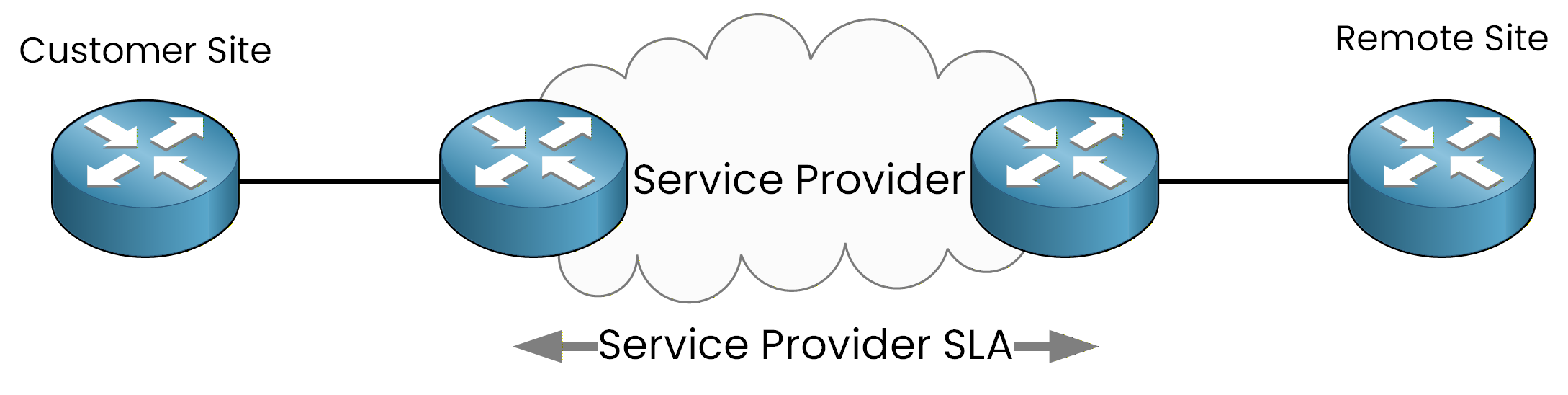
Figure 1 - Service Provider SLA Scope
However, from the customer's point of view, this information remains opaque: the customer has no direct visibility into what happens inside the provider’s infrastructure. This limitation makes it difficult for the customer to independently verify whether the delivered service truly meets the promised SLA.
It is precisely in this context that IP SLA becomes an essential tool.
Answer the question below
What does IP SLA monitor?
What is an IP SLA?
The IP SLA feature allows a router to actively generate test traffic toward a remote device.
In this example, the router at the Customer Site acts as the Source IP SLA Device and sends probes to a router at the Remote Site.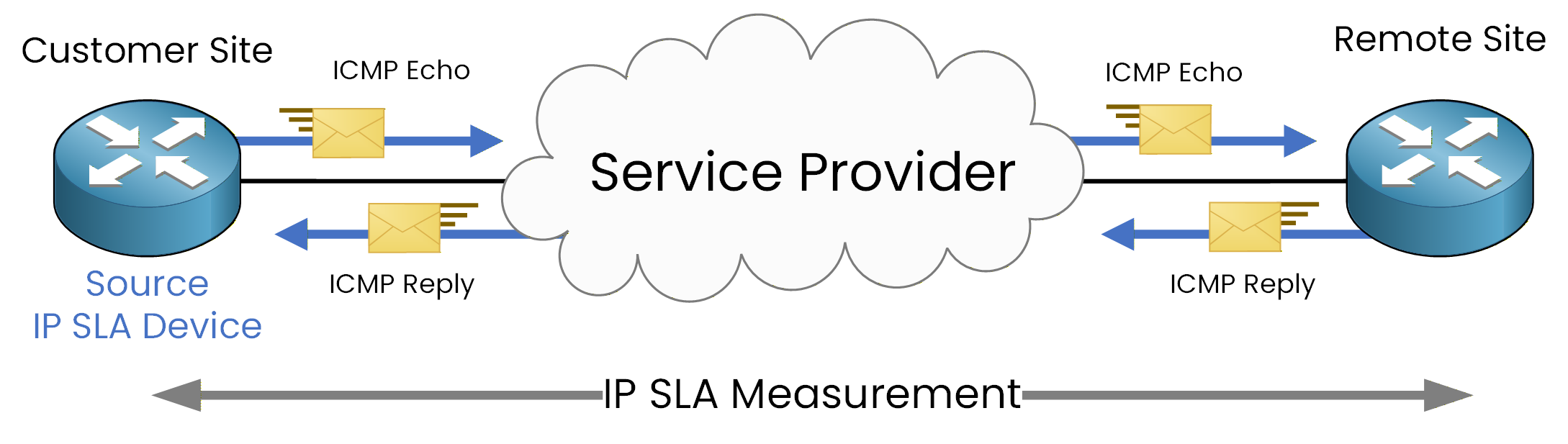
Figure 2 - IP SLA ICMP Echo End-to-End Measurement
Figure 2 illustrates an IP SLA ICMP Echo operation, where probes are sent toward the remote device and responses are returned to the source router. This allows IP SLA to measure the round-trip path, including both the outgoing probe and the returning response.
Based on these probes, the router can calculate accurate performance statistics and monitor network performance metrics such as:
reachability
round-trip time (RTT)
packet loss detection
Answer the question below
What does IP SLA measure?
Now that you understand the IP SLA concept, the next step is to configure an IP SLA operation.
In this example, we assume that you are working on the router located at the Customer Site, and your goal is to monitor network reachability and latency toward the Remote Site.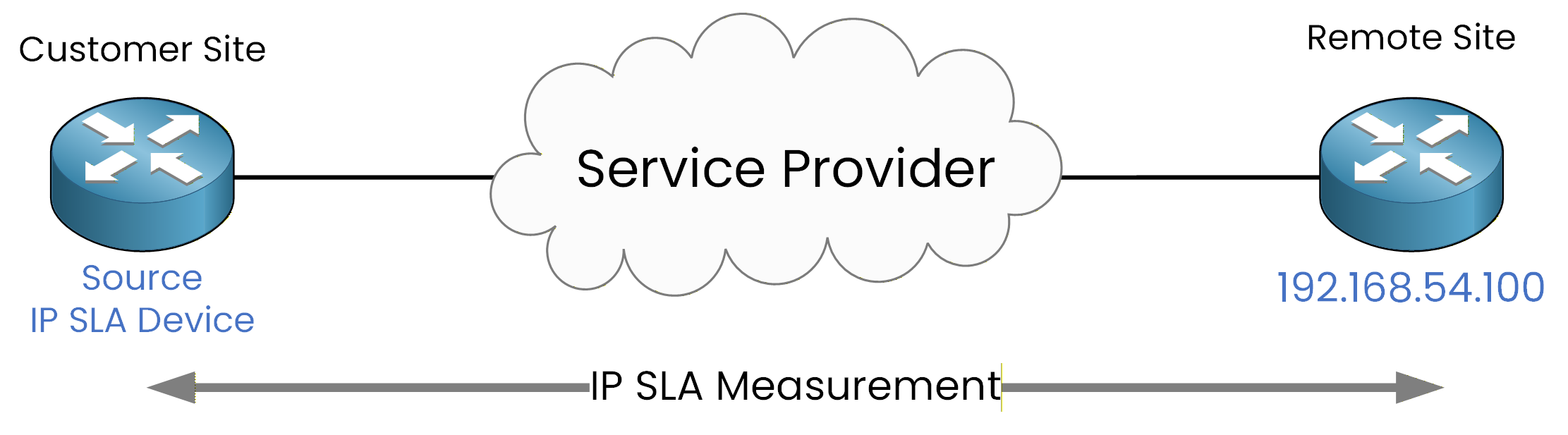
Figure 3 - IP SLA Configuration Topology
IP SLA ICMP Echo Operation
As illustrated in Figure 3, we will configure an IP SLA ICMP Echo operation toward the remote IP address 192.168.54.100, using Loopback0 as the source interface.
R1# conf t
Enter configuration commands, one per line. End with CNTL/Z.
R1(config)# ip sla 1
R1(config-ip-sla)# icmp-echo 192.168.54.100 source-interface Loopback0
R1(config-ip-sla-echo)# frequency 300
R1(config-ip-sla-echo)# end
Using a loopback interface as the source ensures a stable and consistent source address, independent of the physical interface state.
The
frequency 300command specifies that the ICMP Echo probes will be sent every 300 seconds.
At this stage, the IP SLA operation is defined but not yet active.IP SLA Scheduling
An IP SLA operation does not run until it is explicitly scheduled.
Scheduling defines when the operation starts and how long it remains active.To activate IP SLA operation 1 immediately and keep it running indefinitely, use the following command:
R1# conf t
Enter configuration commands, one per line. End with CNTL/Z.
R1(config)# ip sla schedule 1 life forever start-time now
R1(config)# exit
This command schedules IP SLA operation 1 to start immediately and run continuously.
40 % Complete: you’re making great progress
Ready to pass your CCNP exam?