You practiced every command on the demo pair. Now build the full configuration on a complete topology, from start to finish.
You are the network administrator of the 192.168.10.0/24 LAN.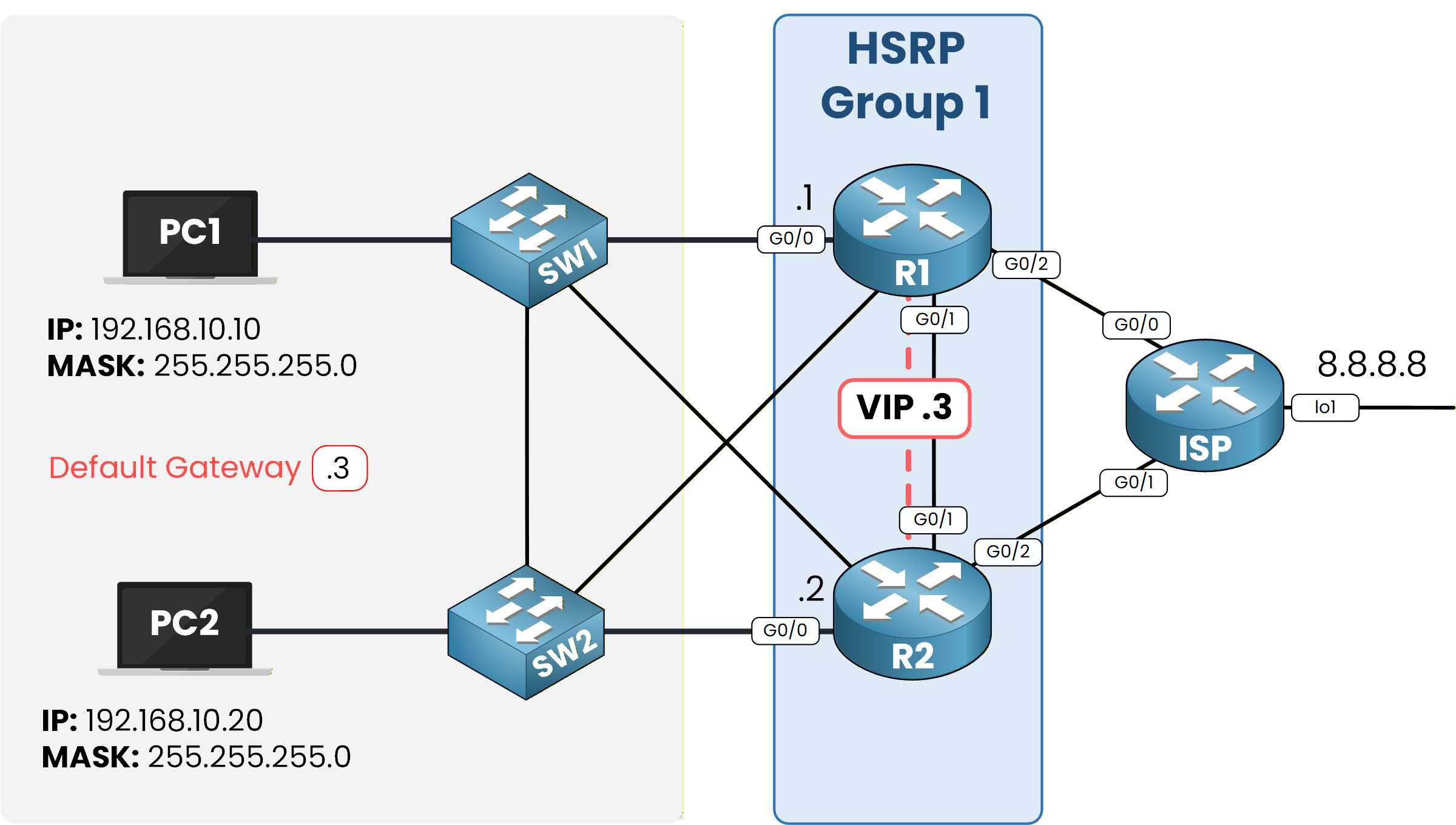
Figure 1 – Target design: HSRP Group 1 with VIP 192.168.10.3
Your objective is simple: deploy HSRP version 2 so the LAN survives a router failure, then share the traffic between the two routers.
Initial Connectivity
Here is the starting point, before any HSRP configuration.
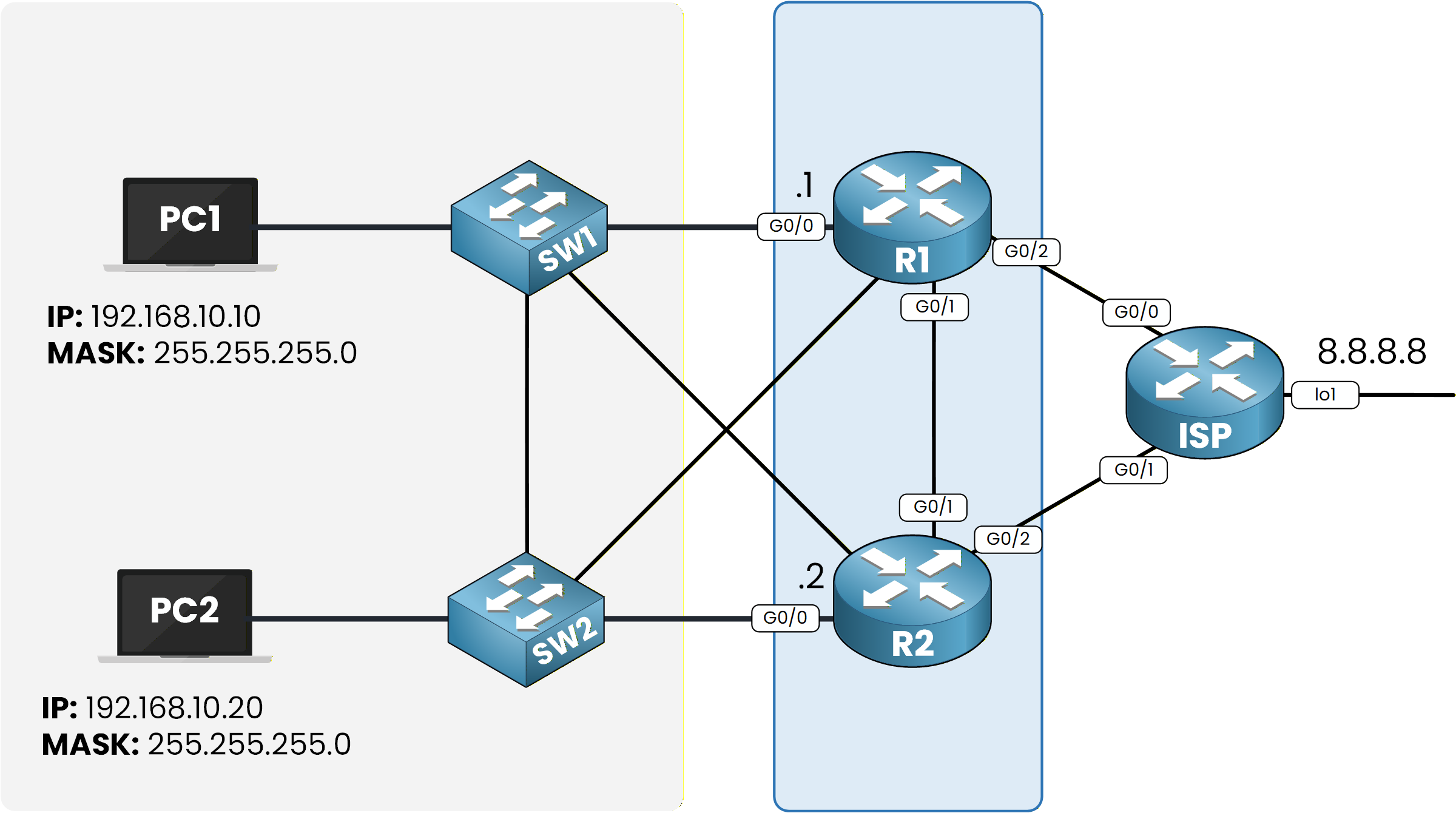
Figure 2 – Initial topology without HSRP
PC1 and PC2 sit in 192.168.10.0/24, R1 and R2 both connect the LAN to the ISP, and 8.8.8.8 lives on a loopback behind the ISP router.
Check what PC1 currently uses as its gateway:C:\> ipconfig FastEthernet0 Connection:(default port) IPv4 Address....................: 192.168.10.10 Subnet Mask.....................: 255.255.255.0 Default Gateway.................: 192.168.10.1The default gateway is 192.168.10.1.
Now trace the path to 8.8.8.8:
C:\> tracert 8.8.8.8

Tracing route to 8.8.8.8 over a maximum of 30 hops:

  1   0 ms      0 ms      0 ms      192.168.10.1
  2   0 ms      0 ms      0 ms      8.8.8.8

Trace complete.
The first hop confirms it: every packet leaves the LAN through R1.
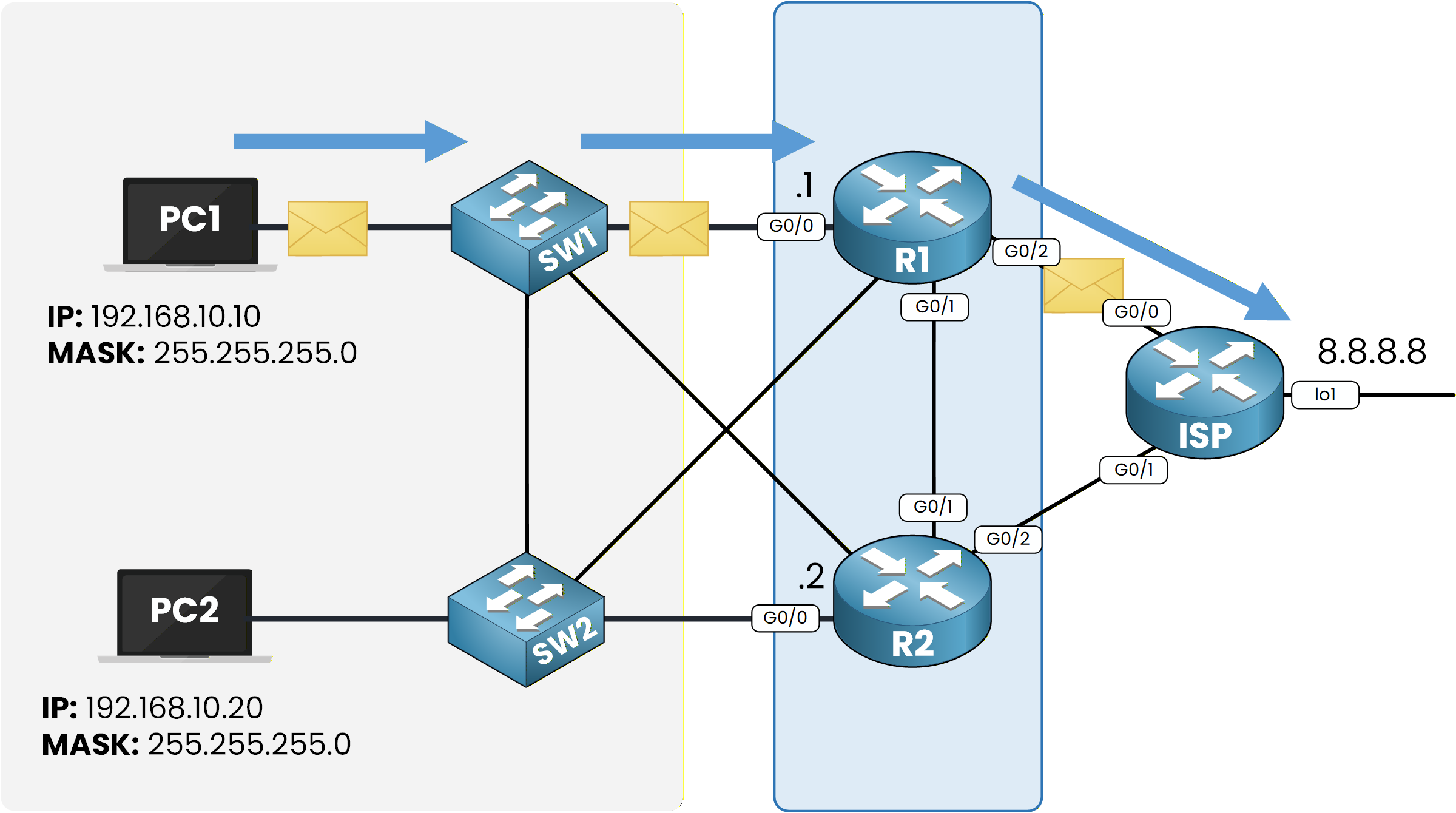
Figure 3 – All traffic currently flows through R1
R2 carries nothing.
If R1 fails, the whole LAN loses its gateway.
Let's fix that.Answer the question below
Which router currently forwards all the LAN traffic?
Configure HSRP on R1
On R1, enable version 2 on the LAN interface, then create group 1 with the VIP, a priority of 110, and preemption:
R1# conf t
Enter configuration commands, one per line.  End with CNTL/Z.
R1(config)# int g0/0
R1(config-if)# standby version 2
R1(config-if)# standby 1 ip 192.168.10.3
R1(config-if)# standby 1 priority 110
R1(config-if)# standby 1 authentication md5 key-string PINGMYNETWORK_SECRET
R1(config-if)# standby 1 preempt

%HSRP-6-STATECHANGE: GigabitEthernet0/0 Grp 1 state Init -> Init
%HSRP-6-STATECHANGE: GigabitEthernet0/0 Grp 1 state Speak -> Standby
%HSRP-6-STATECHANGE: GigabitEthernet0/0 Grp 1 state Standby -> Active
R1(config-if)# end
R1# write memory
standby version 2 switches the interface to HSRPv2 before any group exists.
standby 1 ip 192.168.10.3 creates group 1 and assigns the VIP.
standby 1 priority 110 with standby 1 preempt makes R1 the preferred Active router, able to reclaim the role.
standby 1 authentication md5 key-string blocks any router that doesn't know the shared key from joining the group.
Look at the STATECHANGE logs.
R1 moves through Speak and Standby, then settles in Active.
R1 went straight to the Active role because no other router has joined the group yet.Answer the question below
Which role does R1 take immediately when it is alone in the group?
Configure HSRP on R2
Now R2, same logic with a lower priority:
R2# conf t
Enter configuration commands, one per line.  End with CNTL/Z.
R2(config)# int g0/0
R2(config-if)# standby version 2
R2(config-if)# standby 1 priority 90
R2(config-if)# standby 1 ip 192.168.10.3
R2(config-if)# standby 1 authentication md5 key-string PINGMYNETWORK_SECRET
R2(config-if)# standby 1 preempt

%HSRP-6-STATECHANGE: GigabitEthernet0/0 Grp 1 state Init -> Init
%HSRP-6-STATECHANGE: GigabitEthernet0/0 Grp 1 state Speak -> Standby
R2(config-if)# end
R2# write memory
R2 joins group 1, loses the election on priority, and settles in Standby.
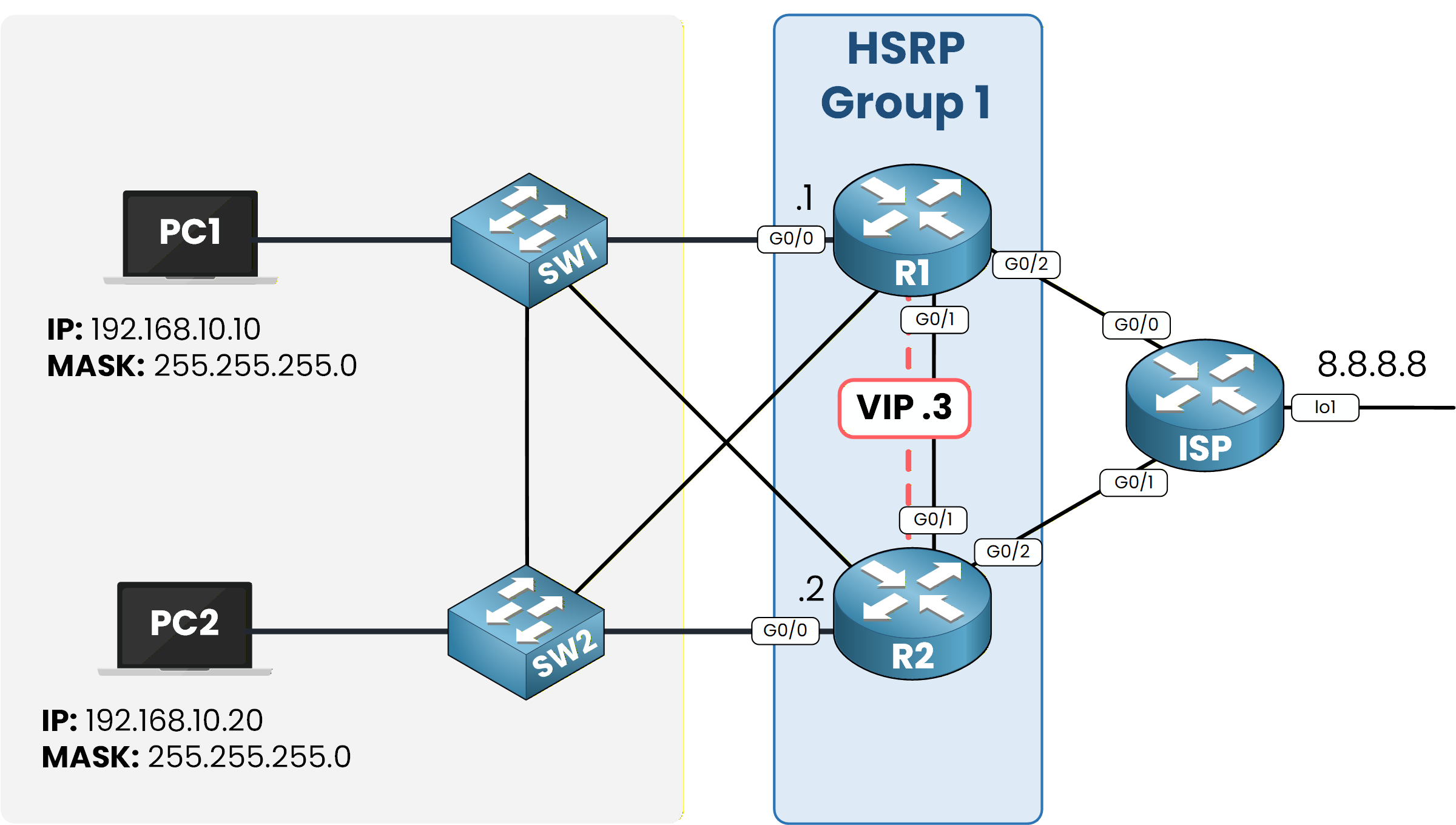
Figure 4 – HSRP Group 1 is up on both routers
Answer the question below
What priority did you configure on R1?
Both routers are configured. Before moving a single PC, confirm the group agrees with itself.
40 % Complete: you’re making great progress
Ready to pass your CCNP exam?