In the previous lesson, you learned what each SD-WAN component does.
Now it is time to see how they work together. Everything starts when a WAN Edge router powers on for the first time.
So what exactly happens during onboarding, and how does your router find the controllers?Step 1 — Contact vBond
A brand-new WAN Edge router knows only one thing: the IP address of vBond.
This address is either preconfigured in the bootstrap file or discovered automatically through Cisco PnP (Plug and Play).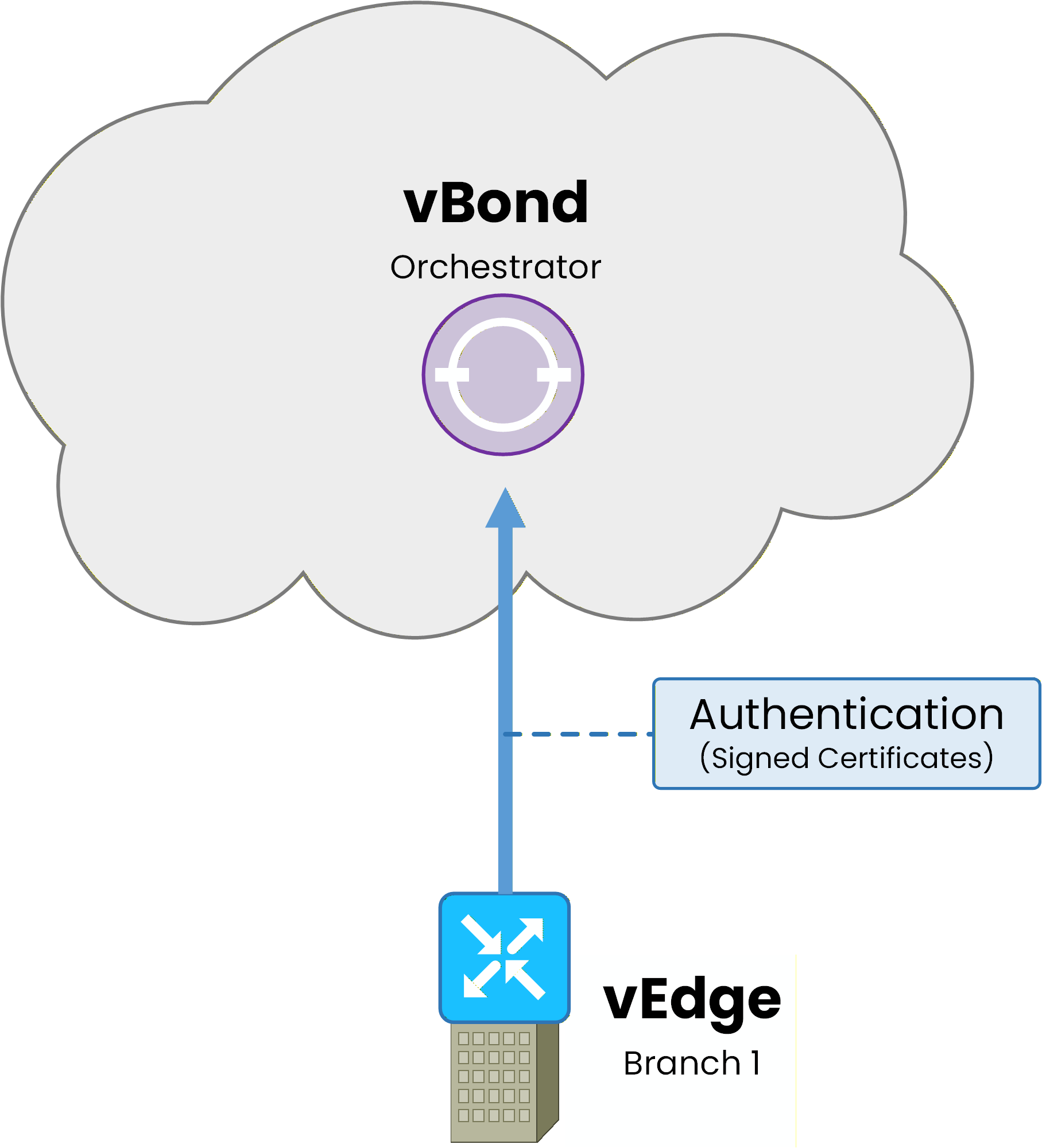
Figure 1 — Step 1: the WAN Edge contacts vBond and authenticates using certificates
The WAN Edge initiates a DTLS connection to vBond over each available transport interface.
vBond authenticates the device using signed certificates and checks its serial number against the authorized device list.If the authentication succeeds, vBond sends back a list containing the IP addresses of vManage and vSmart.
This is the only role of vBond. Once it delivers the controller list, the DTLS connection is terminated.Answer the question below
Which controller is the only one a brand-new WAN Edge router knows at boot?
Step 2 — Connect to vManage
Now that your WAN Edge knows where vManage is, it establishes a permanent DTLS connection to it.
This connection uses a single transport interface, specifically the first one that connects successfully. vManage carries configuration and telemetry traffic, which does not require transport-level redundancy.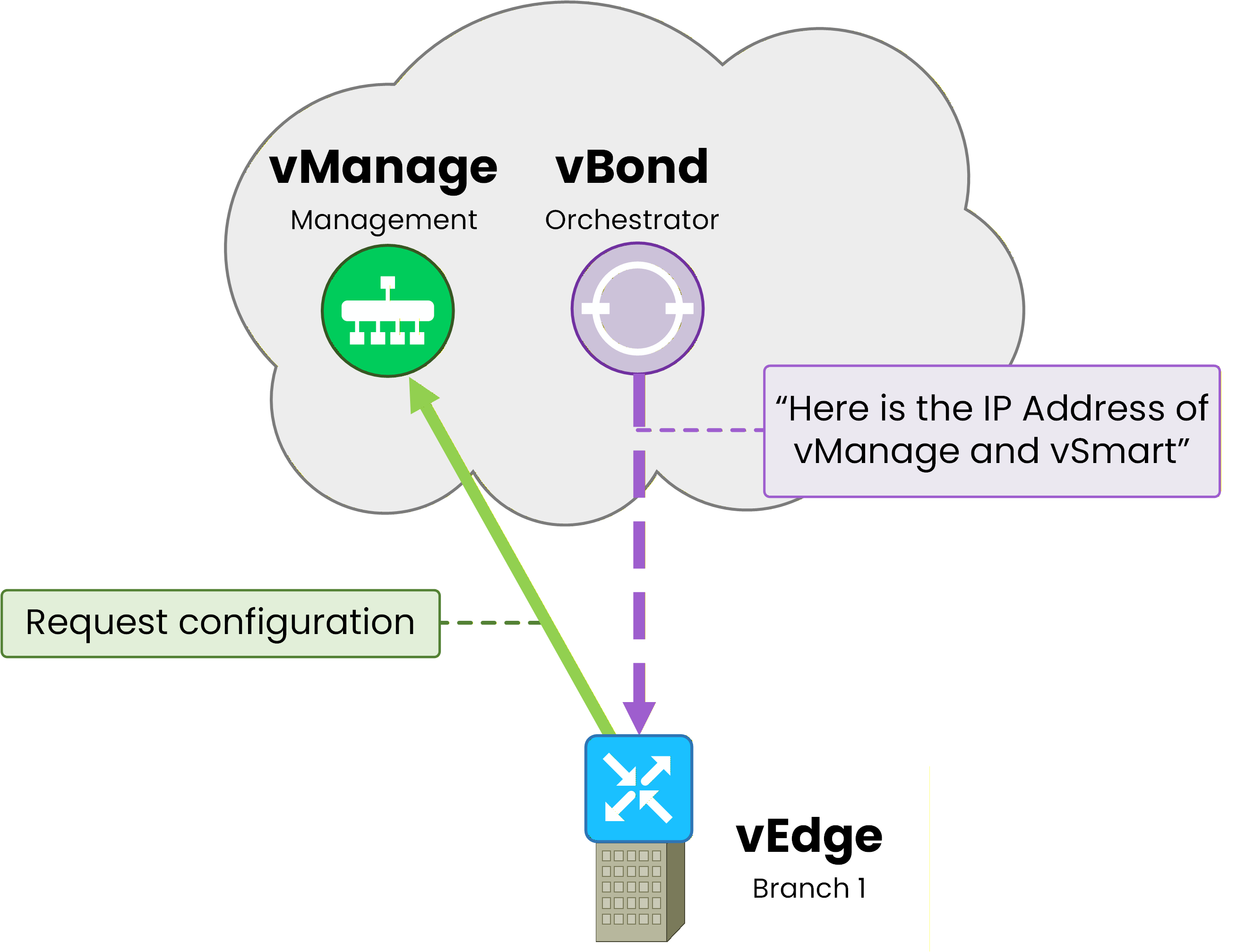
Figure 2 — Step 2: vBond redirects the WAN Edge to vManage, which pushes the configuration
Through this connection, vManage pushes the device configuration using NETCONF. This includes templates, policies, and VPN definitions.
The vManage connection remains active permanently. It is also used to collect statistics and telemetry from the WAN Edge.
Step 3 — Establish OMP with vSmart
The last step of the onboarding process is the most important one for routing.
The WAN Edge establishes a permanent DTLS connection to vSmart and starts an OMP (Overlay Management Protocol) session.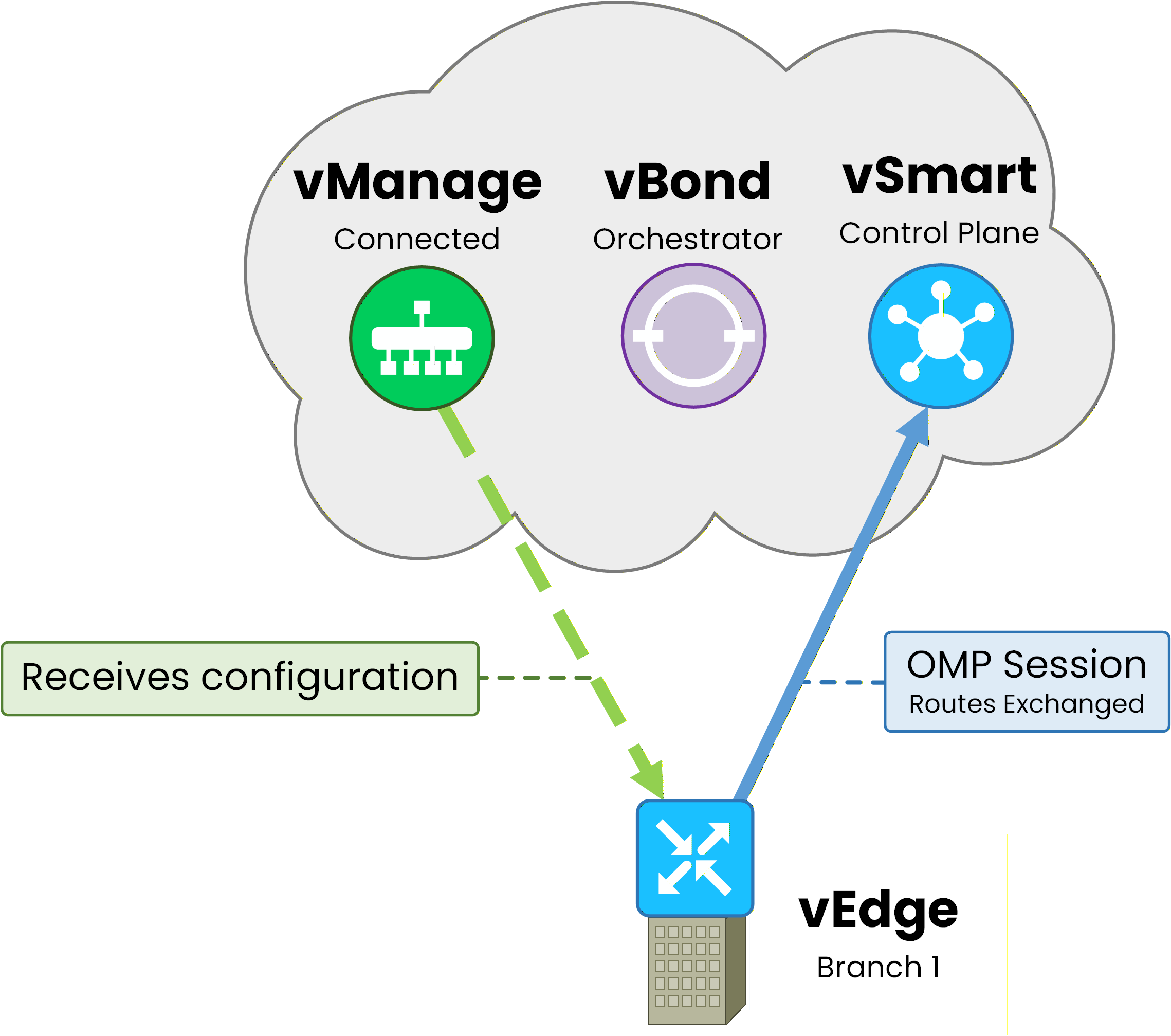
Figure 3 — Step 3: the WAN Edge establishes an OMP session with vSmart, while vManage stays connected
Unlike the vManage connection, your WAN Edge connects to vSmart over every available transport interface.
Because vSmart carries the routing information your WAN Edge needs to forward traffic, losing this connection on all transports would isolate the site. Multiple DTLS sessions provide control plane resiliency.
Through OMP, the WAN Edge sends its local routes and receives routes from all other sites.
Your WAN Edge is now part of the SD-WAN fabric.
To verify this, runshow control connectionson the WAN Edge:vEdge-Branch1# show control connections PEER PEER PEER SITE DOMAIN PEER PEER LOCAL TYPE PROTOCOL SYSTEM IP ID ID PRIVATE IP PORT COLOR STATE UPTIME ------------------------------------------------------------------------------------------------- vsmart dtls 10.10.10.1 - 1 10.10.10.1 12446 mpls up 0:07:22:15 vsmart dtls 10.10.10.1 - 1 10.10.10.1 12446 biz-internet up 0:07:22:12 vsmart dtls 10.10.10.1 - 1 10.10.10.1 12446 lte up 0:07:22:10 vmanage dtls 10.10.10.2 - 0 10.10.10.2 12646 mpls up 0:07:22:08The output confirms the three steps you just learned.
Three connections to vSmart (one per transport color: mpls, biz-internet, lte) and one connection to vManage.
All four are in state "up".
There is no permanent connection to vBond.
It completed its job during onboarding.Answer the question below
After onboarding, how many permanent control connections does a WAN Edge maintain to vBond?
Your WAN Edge is in the fabric and has an active OMP session with vSmart.
But how does routing actually work in SD-WAN?How vSmart Distributes Routes
In traditional networking, routers exchange routes directly with their neighbors using protocols like OSPF or BGP.
SD-WAN works differently. WAN Edge routers never exchange routes directly with each other.40 % Complete: you’re making great progress
Ready to pass your CCNP exam?