BGP always starts by building a session between two routers (peers).
Think of it as a conversation: until the session is Established, no routes are exchanged.BGP Session Establishment
Let’s reuse a simple scenario with two Autonomous Systems that interconnect.
Before they can exchange routes, the two routers must establish a TCP session on port 179 and go through several BGP states.
Read the diagram from left to right. As the session comes up, you will see these states: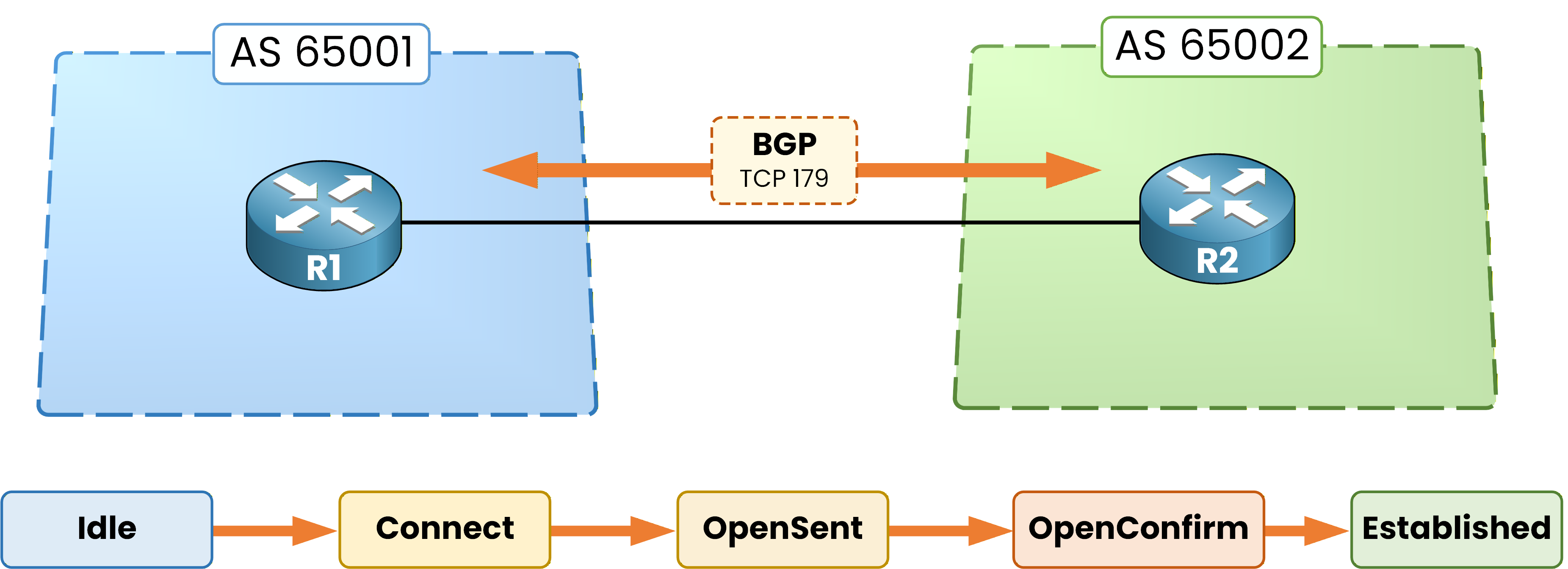
Figure 1 — BGP session states
Idle: the router is ready and waiting to start.
Connect: it tries to reach the peer and bring up the session.
OpenSent: it sends an OPEN message (ASN, timers, router-id, capabilities).
OpenConfirm: it waits for a KEEPALIVE message to confirm the relationship.
Established: the session is up. Only at this stage are routes exchanged via UPDATE messages.
For CCNP ENCOR, you don’t need CCIE-level packet details.
What you must remember is simple:No Established = no route exchange.
Answer the question below
Which port does BGP use?
Once the session is Established, routes can start flowing.
At this point, BGP does not immediately install everything into the routing table. It processes each prefix through an internal workflow.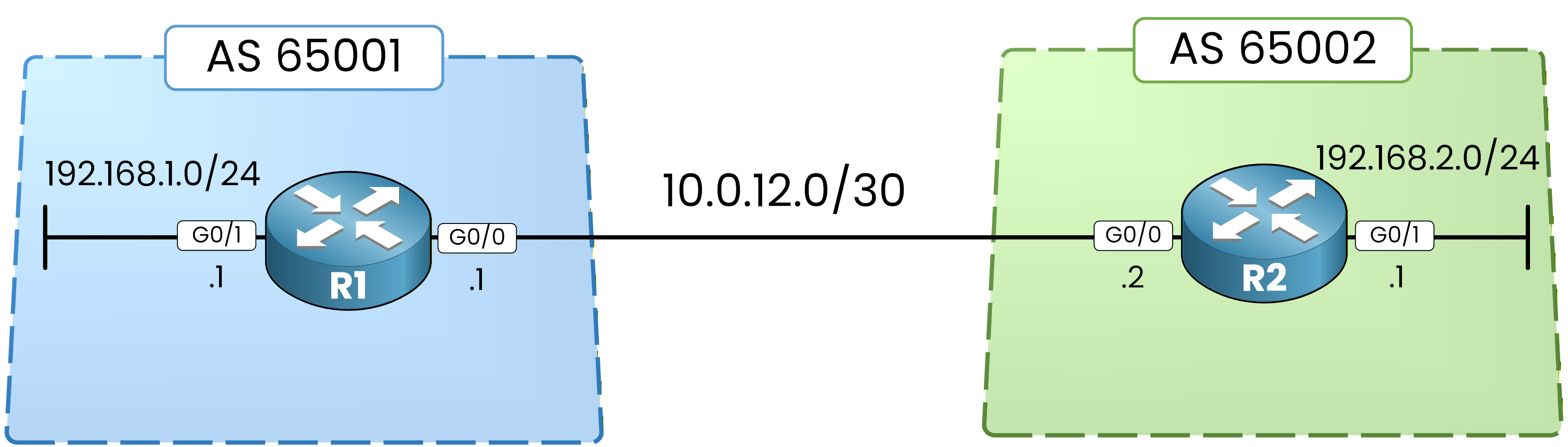
Figure 2 - BGP Topology
How a route moves inside the router
Imagine the router in AS 65002 receives a route to reach 192.168.1.0/24 from AS 65001.
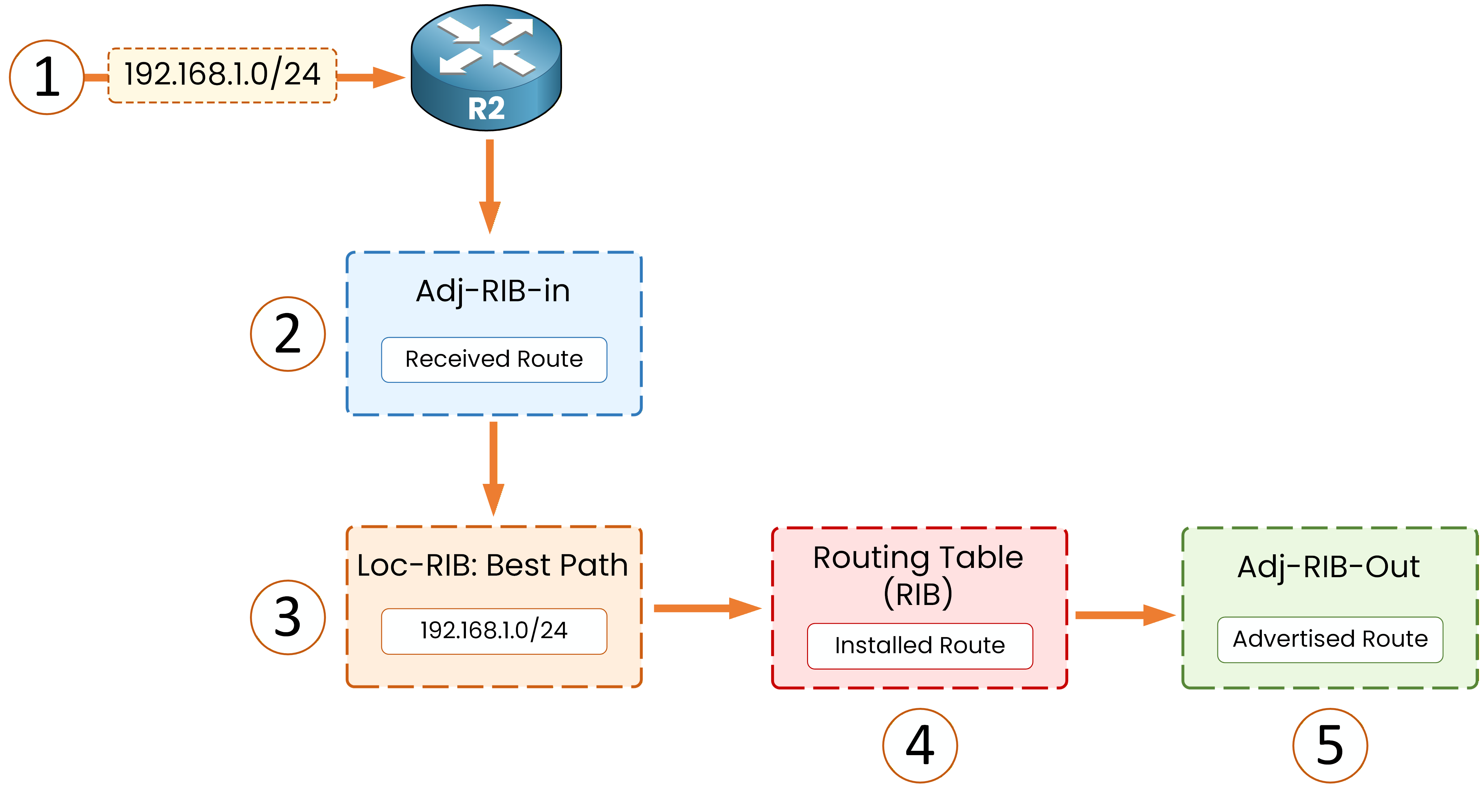
Figure 3 — BGP route processing pipeline
Adj-RIB-In: the Inbox
The router first stores routes received from a neighbor here.
R2# show ip bgp neighbors 10.0.12.1 routes
BGP table version is 3, local router ID is 192.168.2.1
Status codes: s suppressed, d damped, h history, * valid, > best, i - internal,
              r RIB-failure, S Stale, m multipath, b backup-path, f RT-Filter,
              x best-external, a additional-path, c RIB-compressed,
              t secondary path,
Origin codes: i - IGP, e - EGP, ? - incomplete
RPKI validation codes: V valid, I invalid, N Not found

     Network          Next Hop            Metric LocPrf Weight Path
 *>   192.168.1.0      10.0.12.1                0             0 65001 i

Total number of prefixes 1
You are looking at the routes received from that specific neighbor.
This is the “receive” stage: the route has arrived, but the decision process is not finished yet.40 % Complete: you’re making great progress
Ready to pass your CCNP exam?