• In the previous lesson, you configured a site-to-site VPN using IPsec.
    Traffic between the New York and San Francisco networks is now encrypted across the Internet.

    Why GRE over IPsec?

    However, a limitation remains.

    IPsec alone cannot transport dynamic routing protocols. You cannot run OSPF or EIGRP directly over a standalone IPsec tunnel because IPsec only protects unicast IP traffic.
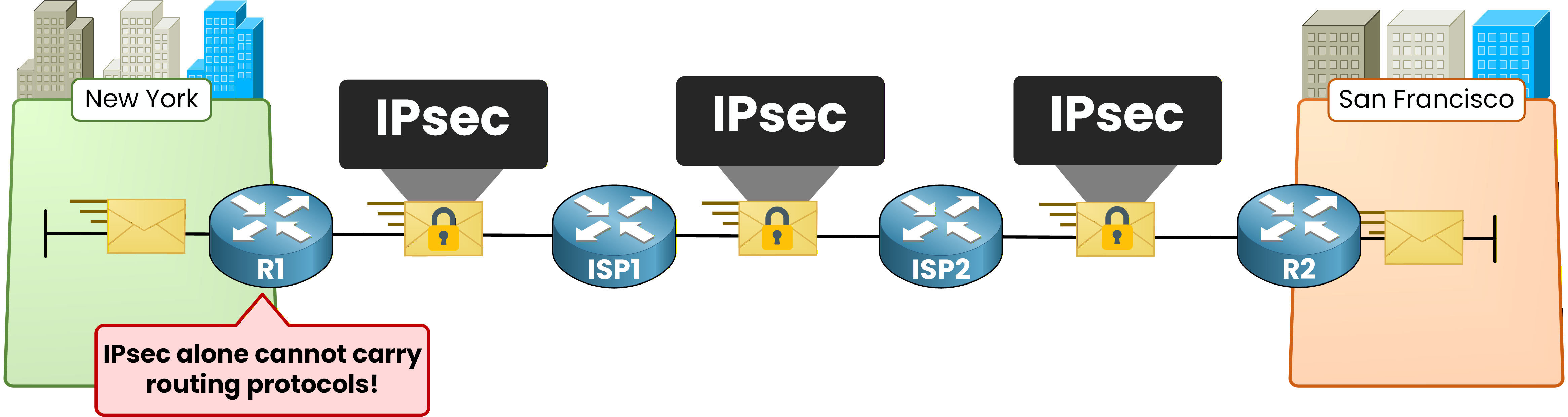
    IPsec cannot carry routing protocols

    Figure 1 - IPsec cannot carry routing protocols

    This limitation prevents routers from forming routing adjacencies directly through IPsec.

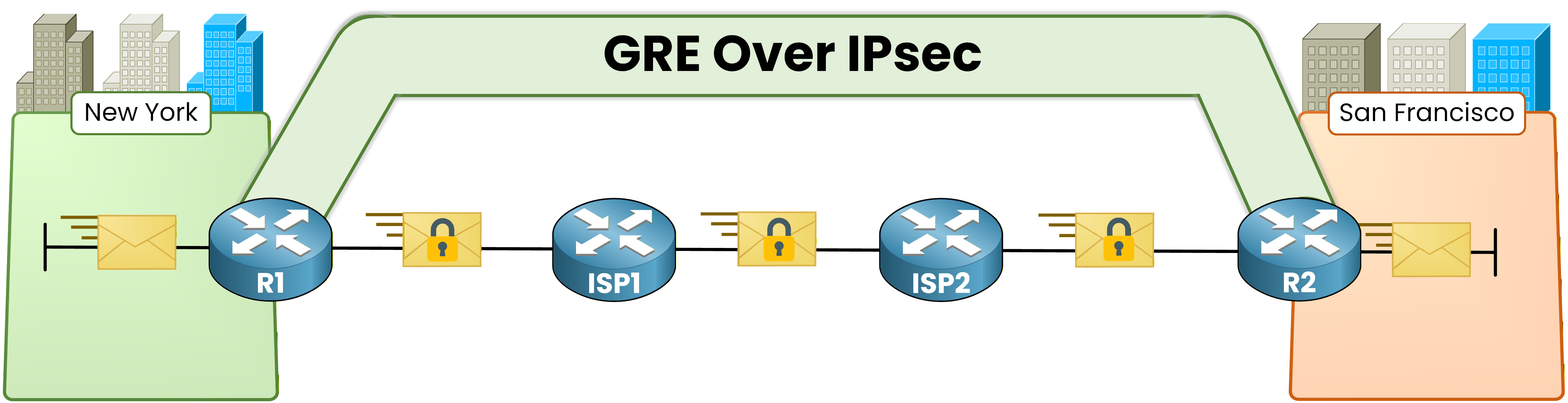
    The answer is GRE over IPsec. You build a GRE tunnel first.
    GRE can carry any traffic including multicast. Then you wrap that GRE tunnel inside IPsec to encrypt everything.

    GRE over IPsec topology

    Figure 2 - GRE over IPsec topology

    GRE provides the transport flexibility.
    IPsec provides the encryption. Together they give you a secure overlay that supports dynamic routing.

    Answer the question below

    What protocol allows routing protocols like OSPF to pass through an IPsec tunnel?

    Why Transport Mode?

    There is also a critical design choice: which IPsec mode do you use?

    In the IPsec Fundamentals lesson, you used tunnel mode. It adds a new outer IP header on top of the encrypted payload.
    With GRE over IPsec, the GRE header already provides that outer IP header. Adding another one with IPsec tunnel mode would be redundant and waste 20 bytes per packet.

    IPsec transport mode vs tunnel mode

    Figure 3 - IPsec transport mode

    This is why you use IPsec transport mode instead.
    IPsec encrypts only the payload. The GRE outer IP header handles routing across the Internet.

    Answer the question below

    What type of traffic can IPsec not carry natively, making GRE necessary?