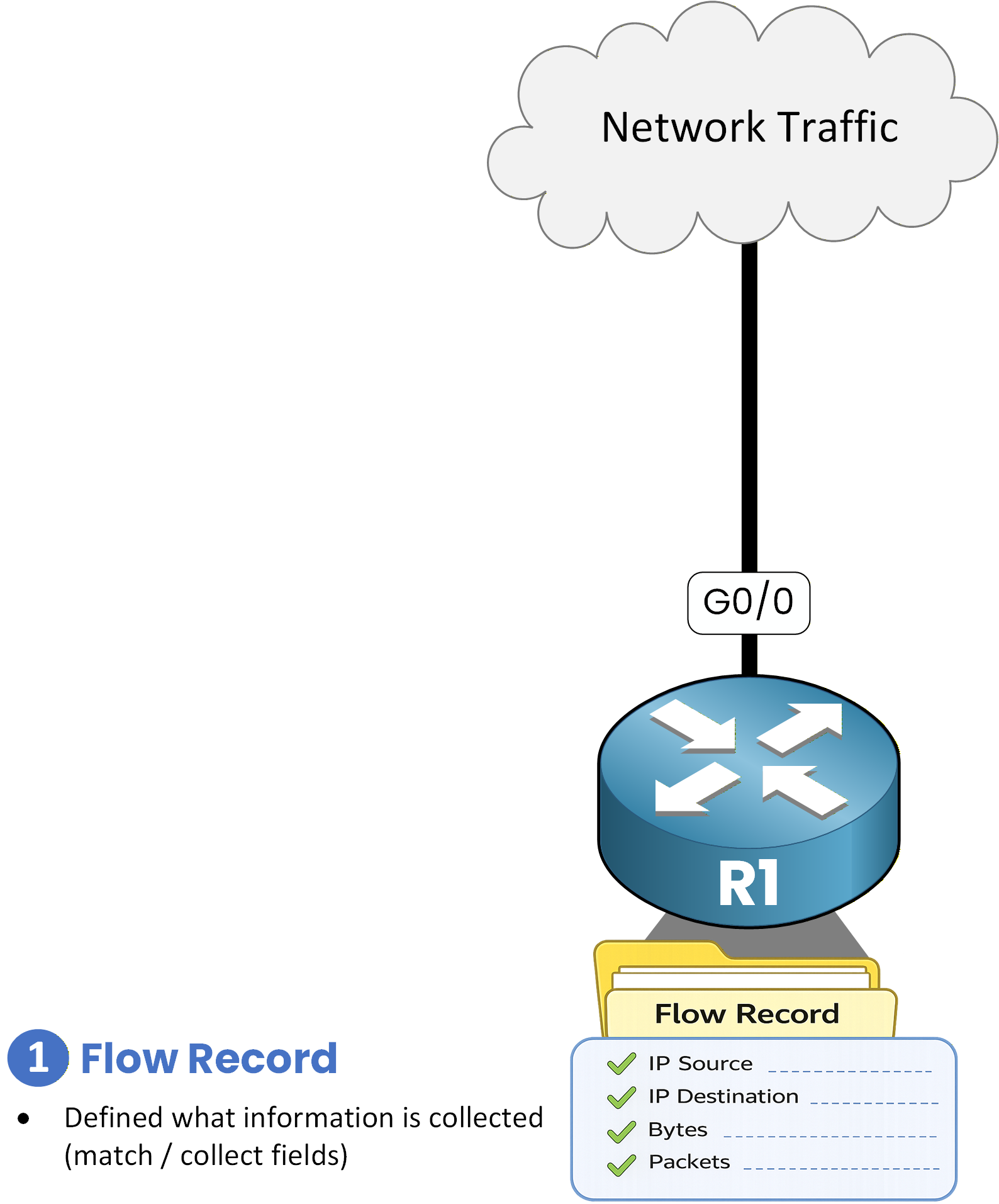
In a network, it is important to collect traffic flow statistics in order to understand how data moves through the infrastructure. These statistics are used for different operational and business purposes.
There are several reasons for this:
In a service provider environment, flow statistics are required to analyze traffic usage and perform customer billing.
In an enterprise network, traffic statistics are used to monitor network usage, identify applications, and understand communication patterns between hosts.
Benefits of NetFlow
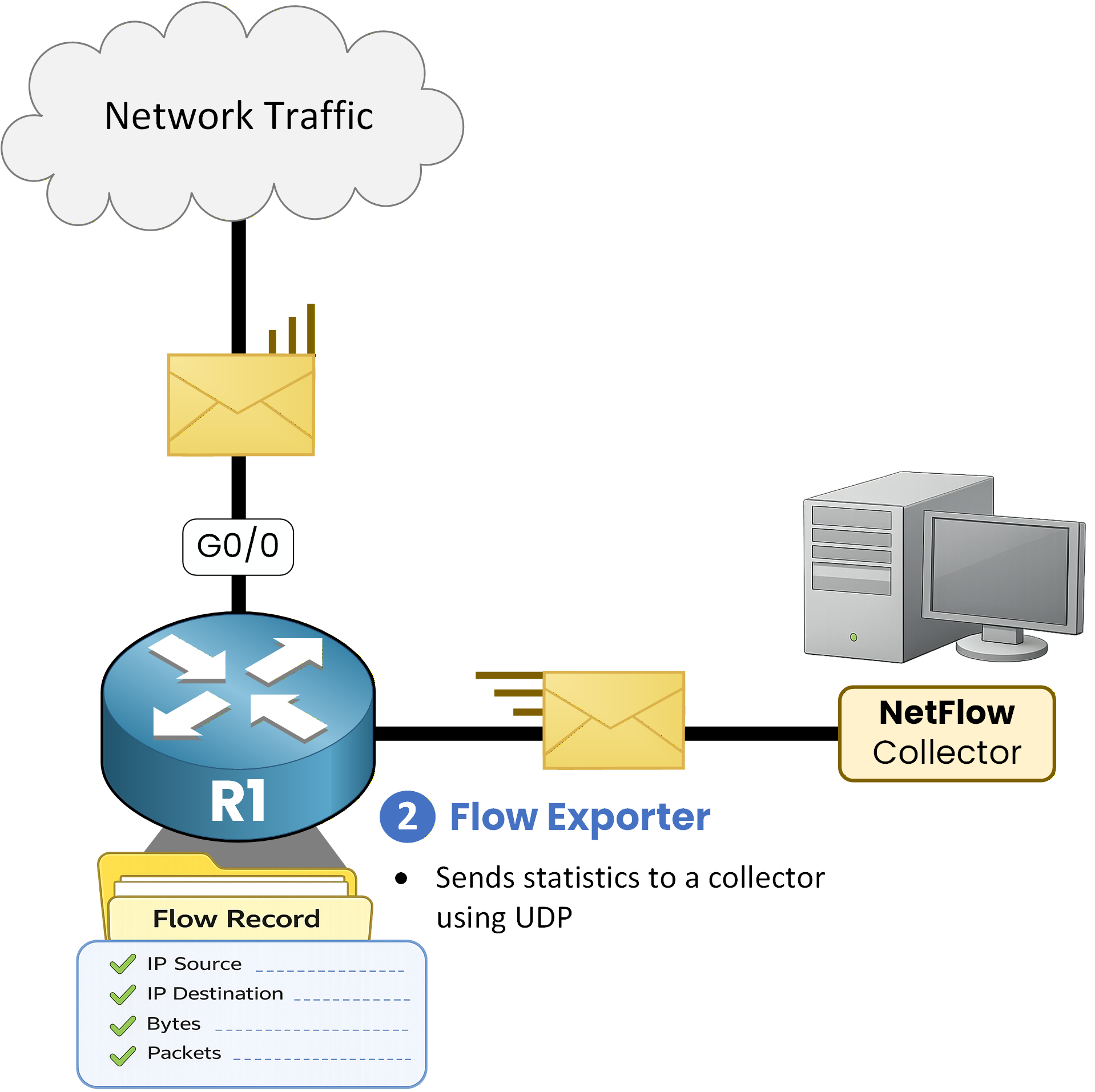
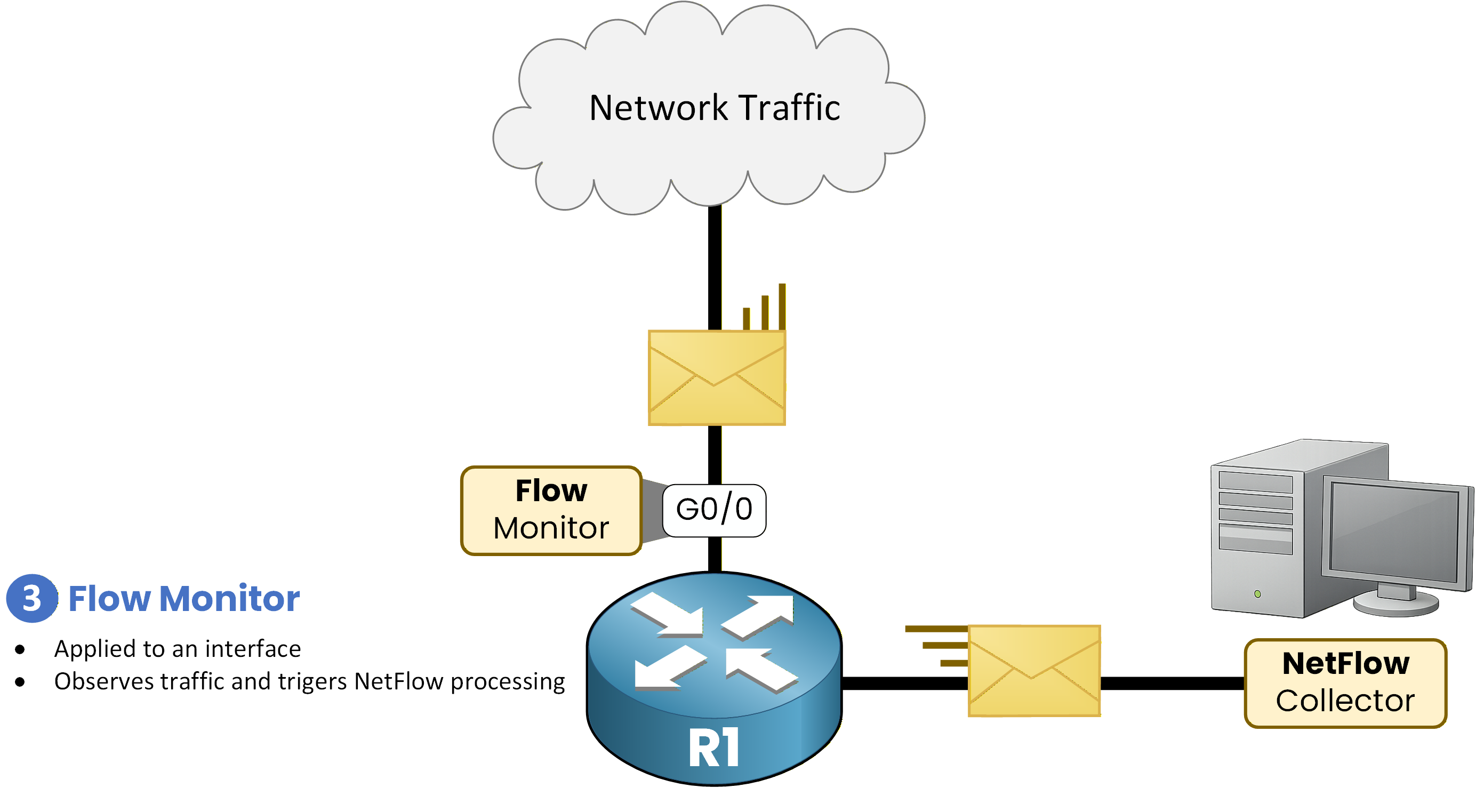
All this flow statistics collection provides better visibility into the network, helps optimize traffic, and assists with troubleshooting. NetFlow is a feature available in Cisco IOS that allows network traffic to be observed and exported to a collector, as shown below.

Figure 1 - NetFlow Architecture
NetFlow is based on two main components: data capture on the router and data export to a collector.
NetFlow consists of two main elements:NetFlow Data Capture
This component observes the traffic, creates flows, and stores them in RAM in the NetFlow cache.
NetFlow Data Export
This component sends the collected statistics via UDP to a NetFlow collector.
Answer the question below
Why does NetFlow exist?
To configure NetFlow, the first step is to specify on which interface NetFlow should be enabled.

Figure 2 - NetFlow Configuration Topology
Enabling NetFlow on an Interface
NetFlow can capture traffic in two directions:
ip flow ingress: captures traffic entering the interface
ip flow egress: captures traffic leaving the interface
R1# conf t Enter configuration commands, one per line. End with CNTL/Z. R1(config)# interface G0/0 R1(config-if)# ip flow ingress R1(config-if)# ip flow egress R1(config-if)# exitNetFlow capture for both incoming and outgoing traffic on interface GigabitEthernet0/0.
Configuring NetFlow Export
Once flows are captured, they must be exported to a NetFlow collector for analysis.
R1(config)# ip flow-export version 9 R1(config)# ip flow-export destination 192.168.54.100 9999 R1(config)# endIn this configuration:
NetFlow version 9 is used
The collector IP address is 192.168.54.100
Statistics are sent using UDP port 9999
Verifying NetFlow Interfaces
We can verify the NetFlow interface.
R1# show ip flow interface GigabitEthernet0/0 ip flow ingress ip flow egressBoth the ingress and egress traffic of g0/0 have NetFlow enabled.
Verifying NetFlow Export
Here you can check the collector's IP address and the NetFlow version.
R1# show ip flow export Flow export v9 is enabled for main cache Export source and destination details : VRF ID : Default Destination(1) 192.168.54.100 (9999) Version 9 flow records 0 flows exported in 0 udp datagrams 0 flows failed due to lack of export packet 0 export packets were sent up to process level 0 export packets were dropped due to no fib 0 export packets were dropped due to adjacency issues 0 export packets were dropped due to fragmentation failures 0 export packets were dropped due to encapsulation fixup failuresThe IP address 192.168.54.100 and version 9 are clearly visible.
Verifying NetFlow Flows
Thanks to the NetFlow cache, we can now monitor network flows using the following command:
R1# show ip cache flow IP packet size distribution (6 total packets): 1-32 64 96 128 160 192 224 256 288 320 352 384 416 448 480 .000 .500 .500 .000 .000 .000 .000 .000 .000 .000 .000 .000 .000 .000 .000 512 544 576 1024 1536 2048 2560 3072 3584 4096 4608 .000 .000 .000 .000 .000 .000 .000 .000 .000 .000 .000 IP Flow Switching Cache, 278544 bytes 2 active, 4094 inactive, 2 added 29 ager polls, 0 flow alloc failures Active flows timeout in 30 minutes Inactive flows timeout in 15 seconds IP Sub Flow Cache, 34056 bytes 2 active, 1022 inactive, 2 added, 2 added to flow 0 alloc failures, 0 force free 1 chunk, 1 chunk added last clearing of statistics never Protocol Total Flows Packets Bytes Packets Active(Sec) Idle(Sec) -------- ------ ------ ------- ------ ------- ----------- ---------- SrcIf SrcIPaddress DstIf DstIPaddress Pr SrcP DstP Pkts Gi0/0 192.168.54.3 Gi0/1 192.168.54.10 06 1050 0080 8 Gi0/0 192.168.54.3 Gi0/1 192.168.54.20 17 2000 0053 3Key Fields Displayed at the Bottom of the Output
The most relevant flow information appears at the bottom of the output, including:
Source interface (SrcIf)
Source IP address (SrcIPaddress)
Destination interface (DstIf)
Destination IP address (DstIPaddress)
Protocol number (Pr)
06= TCP17= UDP
Source port (SrcP)
Destination port (DstP)
Number of packets (Pkts)
Analysis of Captured Flows
In this example, NetFlow captures traffic generated by host 192.168.54.3, including:
HTTP traffic
Destination:
192.168.54.10Protocol: TCP
Destination port: 80
DNS traffic
Destination:
192.168.54.20Protocol: UDP
Destination port: 53
Answer the question below
Configuring Top Talkers
NetFlow can also be used to identify the hosts that generate the most traffic on the network, commonly referred to as top talkers.
The following configuration enables Top Talkers on the router and displays the top 10 traffic sources, sorted by the number of bytes transmitted:
R1# conf t Enter configuration commands, one per line. End with CNTL/Z. R1(config)# ip flow-top-talkers R1(config-flow-top-talkers)# top 10 R1(config-flow-top-talkers)# sort-by bytes R1(config-flow-top-talkers)# endThis configuration allows the router to track and rank the hosts generating the highest traffic volume.
Verifying Top Talkers
To verify the Top Talkers information, use the following command:
R1# show ip flow top-talkers SrcIf SrcIPaddress DstIf DstIPaddress Pr SrcP DstP Bytes Gi0/0 192.168.54.3 Gi0/1 192.168.54.10 06 1050 0080 8420 Gi0/0 192.168.54.3 Gi0/1 192.168.54.20 17 2000 0053 1240 2 of 10 top talkers shown. 2 of 2 flows matched.Analysis
The output shows that 192.168.54.3 is the top talker on the network, generating the highest volume of traffic.
This host communicates with the same two destinations identified earlier:192.168.54.10 using HTTP (TCP port 80)
192.168.54.20 using DNS (UDP port 53)
Answer the question below
On which interface is NetFlow enabled?
Answer the question below
Which protocol is used to export NetFlow data?
Answer the question below
Which host generates the most traffic?
NetFlow has several limitations that you should be aware of.
40 % Complete: you’re making great progress
Unlock the rest of this lesson
If you’d like to continue your CCNA journey, simply create your free account.
Access all CCNA lessons
Practice with hands-on labs
Train with Practice exams and Quizzes
Progress tracking in your dashboard
Made by network engineers - CCNP certified
learners globally