You just secured a device with its own local accounts.
The username, the password, the privilege level: all of it lives on the network equipment.Local accounts do not scale
That holds up for one router.
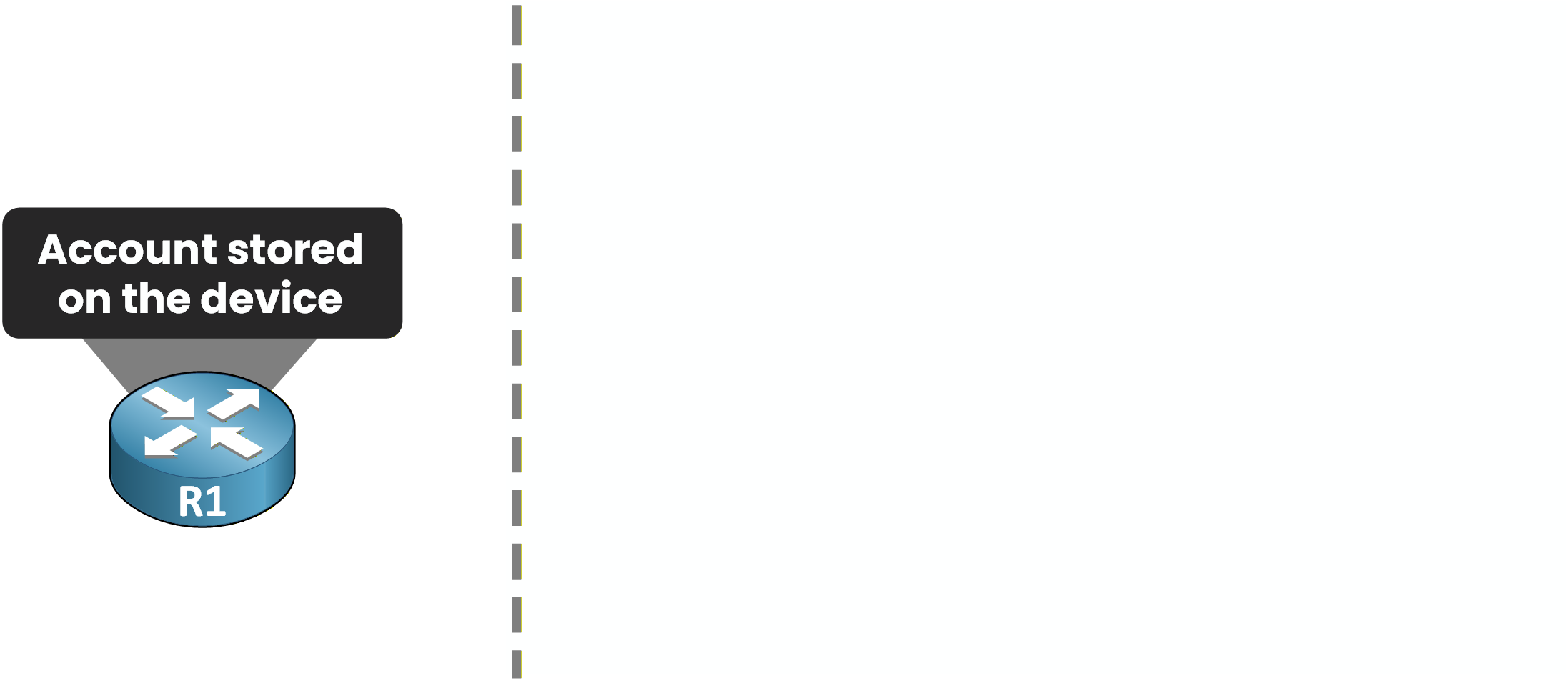
Figure 1 – The account lives on the device
Now imagine your network has dozens of devices.
Recreating every account on each one, and cleaning them up by hand when someone leaves, does not scale.One central server
It would be much better to have one central server that holds every account and every permission.
Each device just refers to it.That is exactly what AAA does.
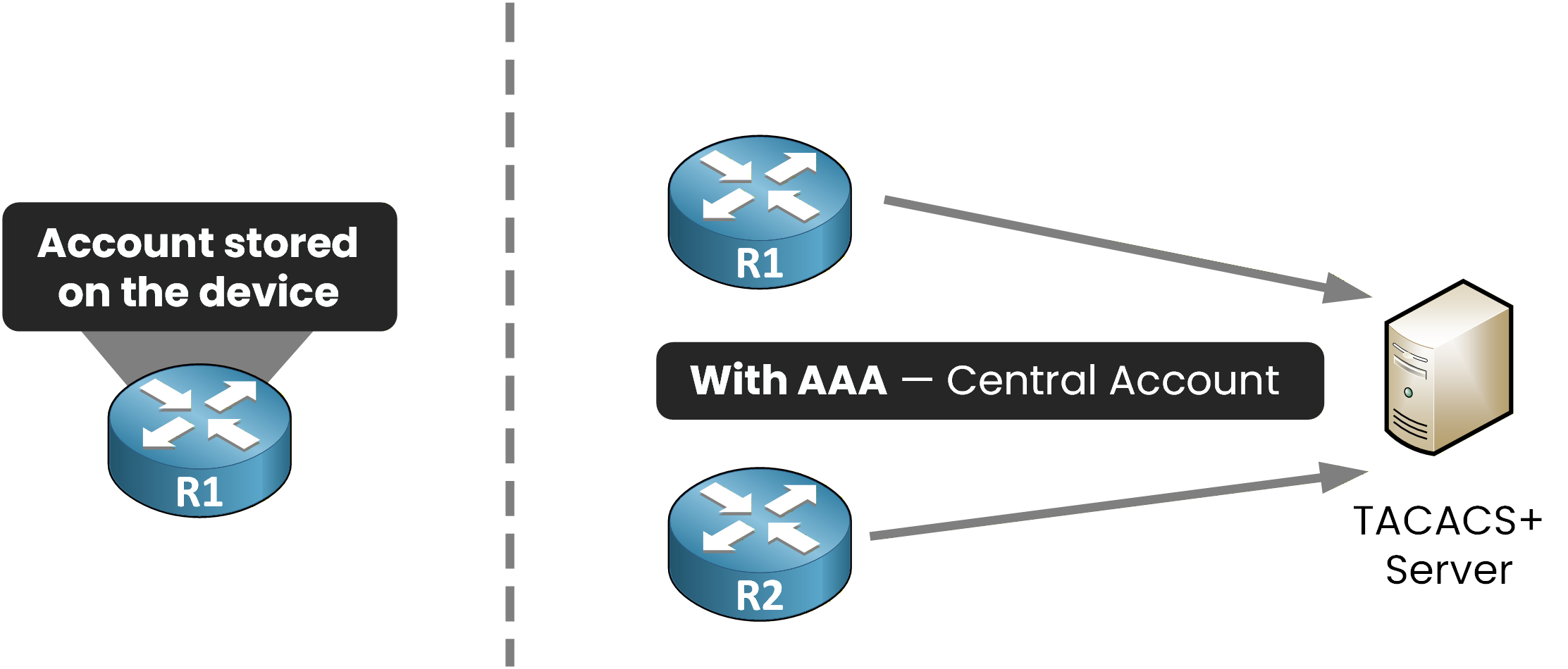
Figure 2 – With AAA, the accounts move to one central server
With AAA, R1 and R2 both ask the same server: here, a TACACS+ server.
It holds the accounts and the credentials for the whole network.Answer the question below
In our example, which type of server holds all the accounts?
How a login works
You log in to R1 with your own account.
Watch where your credentials go.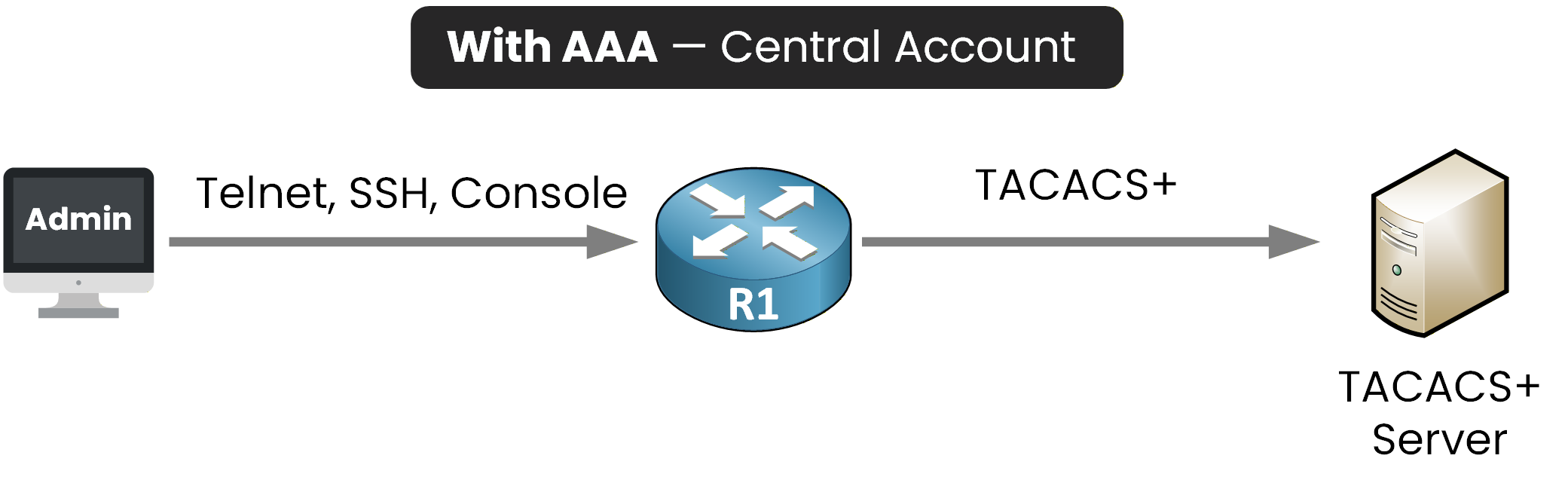
Figure 3 – Login forwarded to the server
R1 no longer checks locally.
It forwards your request to the TACACS+ server.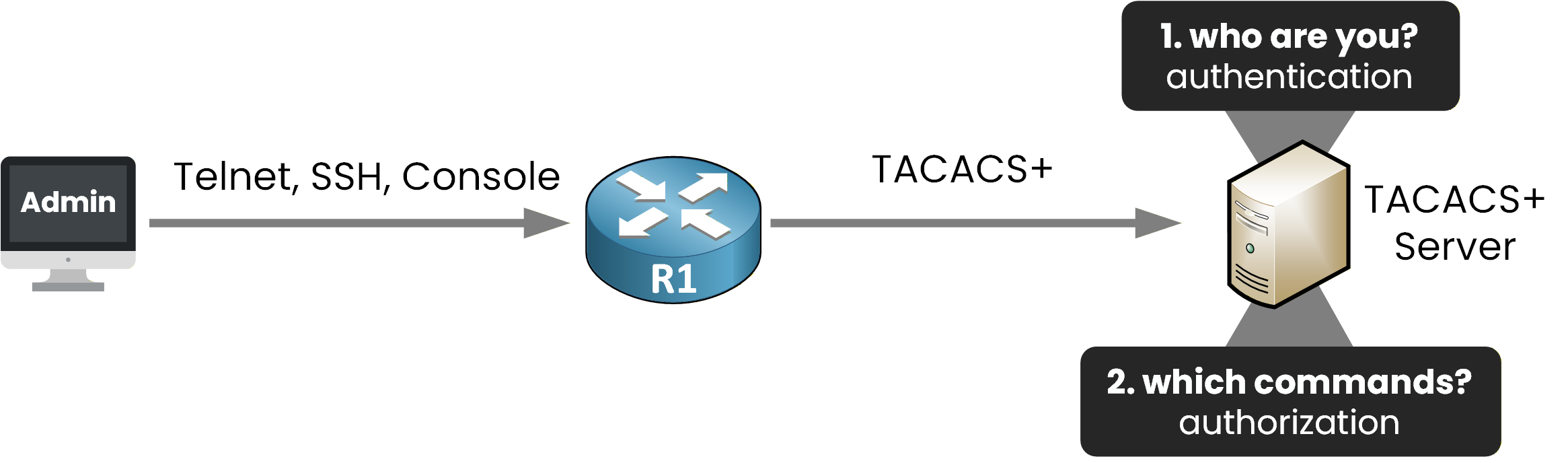
Figure 4 – Authentication vs authorization
The TACACS+ server then runs two checks:
Authentication is who you are.
Authorization is which commands you may run.
The TACACS+ server is now responsible for authentication and authorization.
That is two of the three A's. The third, accounting, just logs what a user did.Answer the question below
Which AAA function records what a user did?
Before configuring AAA, you need to understand the two protocols your device can use to reach the server: TACACS+ and RADIUS.
Depending on what you protect, you will pick one over the other.
TACACS+
TACACS+ is Cisco's protocol, documented in RFC 8907.
You use it when admins manage your network devices: the server checks every command they send.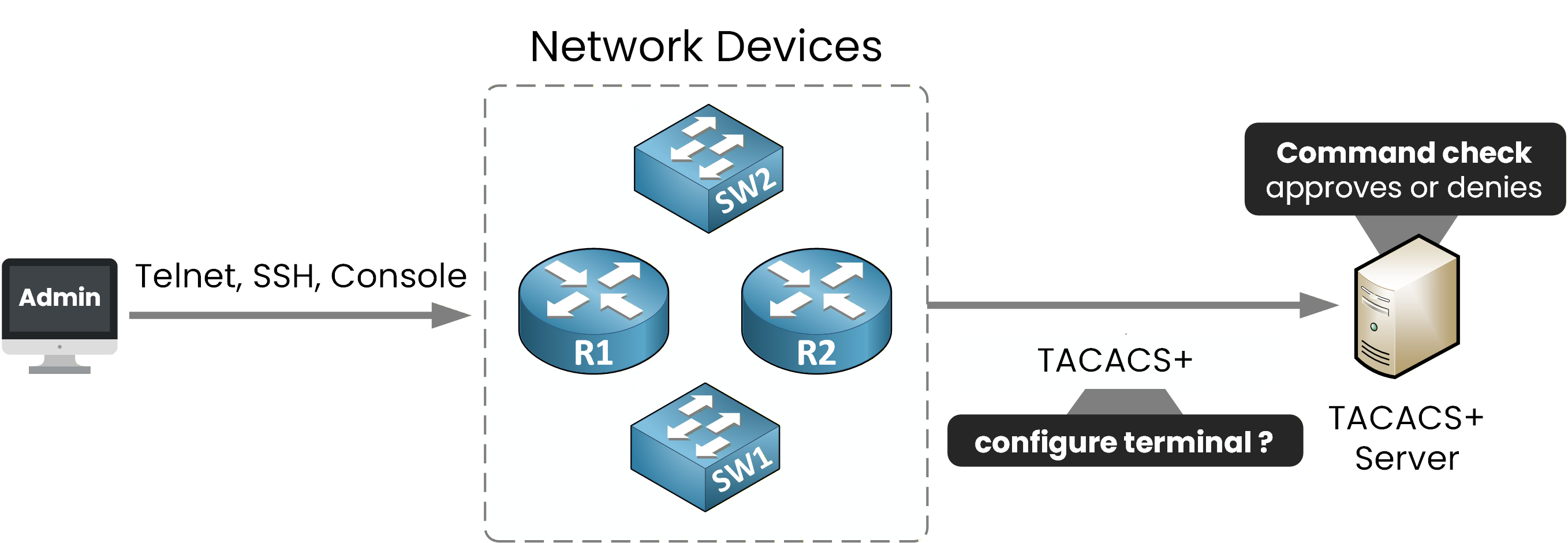
Figure 5 – TACACS+: the server checks every command
Three characteristics to remember:
TCP port 49
encrypts the entire payload
keeps the three A's separate, so it authorizes each command
Do not confuse it with the legacy TACACS (RFC 1492): TACACS+ is a complete redesign, and the only one used today.
Answer the question below
Which TCP port does TACACS+ use?
RADIUS
RADIUS is an IETF standard, documented in RFC 2865.
You use it when a user asks to join the network: here, an employee through 802.1X on the access switch.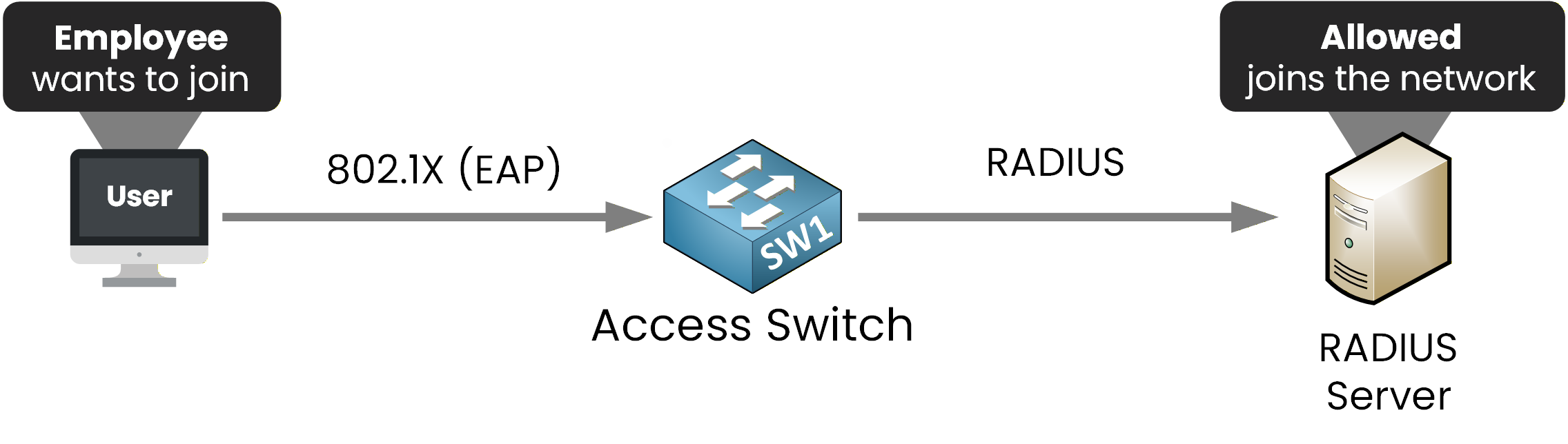
Figure 6 – RADIUS: the user joins the network with 802.1X
Three characteristics to remember:
UDP 1812 and 1813, for authentication and accounting
encrypts the password only
combines authn and authz, and carries EAP for 802.1X
Choosing between them
Compare them side by side and pick the right one:
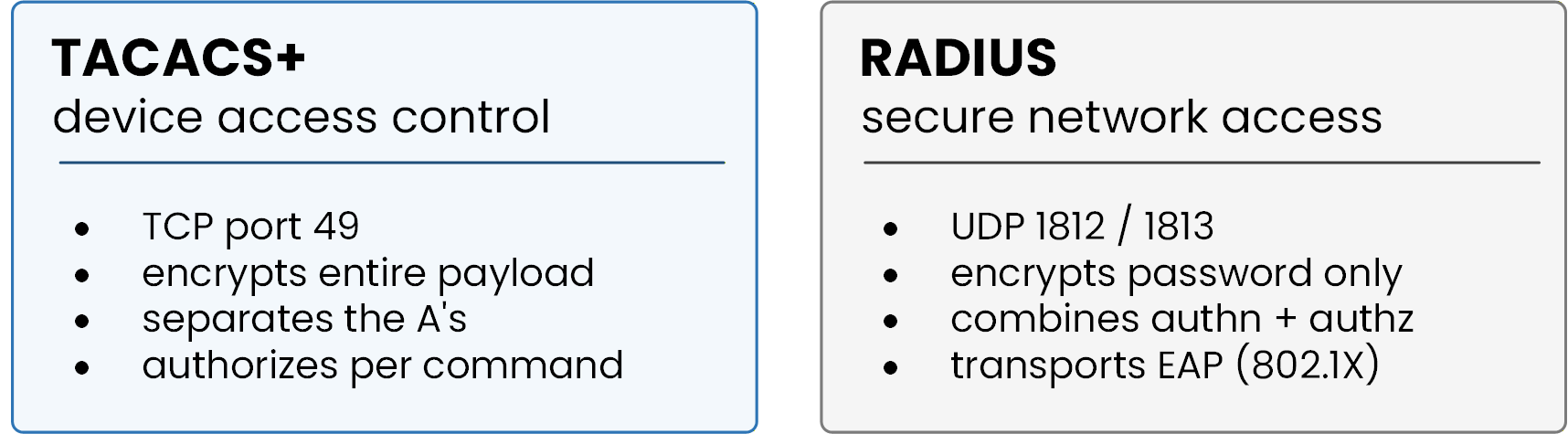
Figure 7 – RADIUS vs TACACS+ side by side
There is no better protocol: each one matches a use case.
Admins managing devices, command by command? TACACS+.
Users joining the network? RADIUS.In this lesson you manage devices, so you will configure TACACS+.
802.1X port authentication is out of scope for this lesson.Answer the question below
Which AAA protocol can authorize individual CLI commands?
Enough theory, time to configure.
One warning before you type anything: enable AAA with no working local account while the server is down, and you lock yourself out.
That is why you always create a full-privilege local account first: you can still log in with it if anything goes wrong.Step 1 - Create the fallback account
Create a full-privilege local user first, then enable AAA:
40 % Complete: you’re making great progress
Ready to pass your CCNP exam?