In the previous lesson, R4 resolved the next-hop issue and installed 192.168.1.0/24.
Now, you need to connect the second customer in AS 65003 and test end-to-end connectivity across your provider network.Connecting Customer 2
Start on R5 in AS 65003.
Configure eBGP toward R4 and advertise its local LAN 192.168.2.0/24: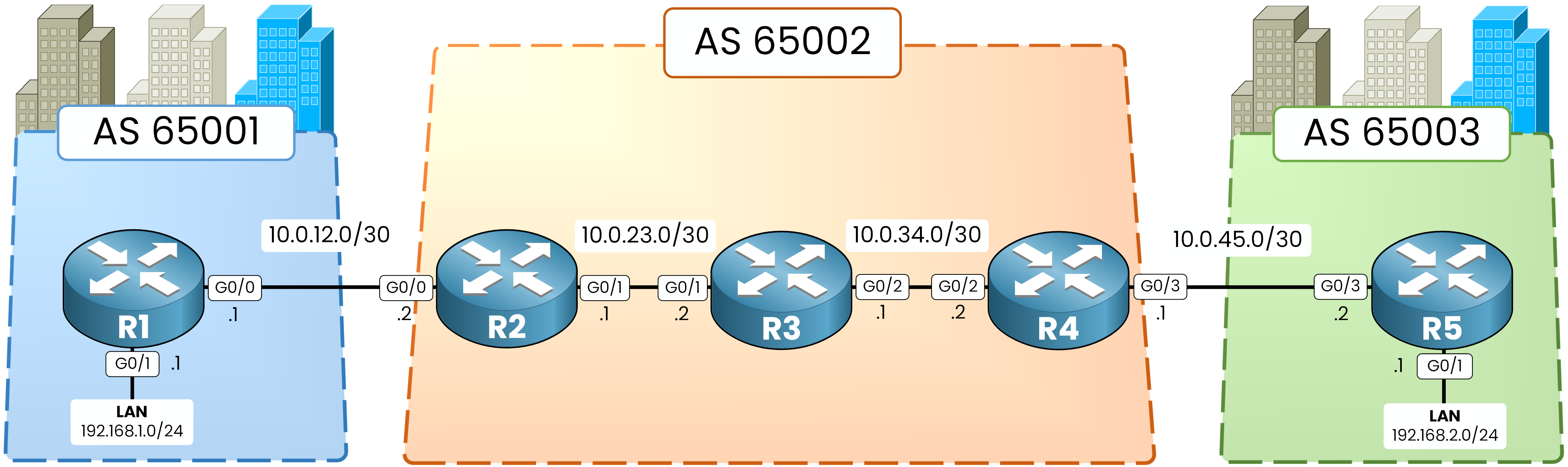
Figure 1 – Full topology with interfaces
R5# configure terminal
R5(config)# router bgp 65003
R5(config-router)# bgp router-id 5.5.5.5
R5(config-router)# neighbor 10.0.45.1 remote-as 65002
R5(config-router)# network 192.168.2.0 mask 255.255.255.0
R5(config-router)# end
Now, configure R4 to accept the eBGP session and set itself as the next hop toward R2:
R4# configure terminal
R4(config)# router bgp 65002
R4(config-router)# neighbor 10.0.45.2 remote-as 65003
%BGP-5-ADJCHANGE: neighbor 10.0.45.2 Up
R4(config-router)# neighbor 2.2.2.2 next-hop-self
R4(config-router)# end
Verify the BGP table on R2:
R2# show ip bgp
<output omitted>

     Network          Next Hop            Metric LocPrf Weight Path
 *>   192.168.1.0      10.0.12.1                0             0 65001 i
 *>i  192.168.2.0      4.4.4.4                  0    100      0 65003 i
R2 and R4 both hold routes for both customers.
Edge configuration is complete.Answer the question below
Which address is the next hop for 192.168.2.0/24 on R2?
End-to-End Traffic Failure
Test traffic forwarding from PC1 (192.168.1.0/24) toward PC2 (192.168.2.0/24):
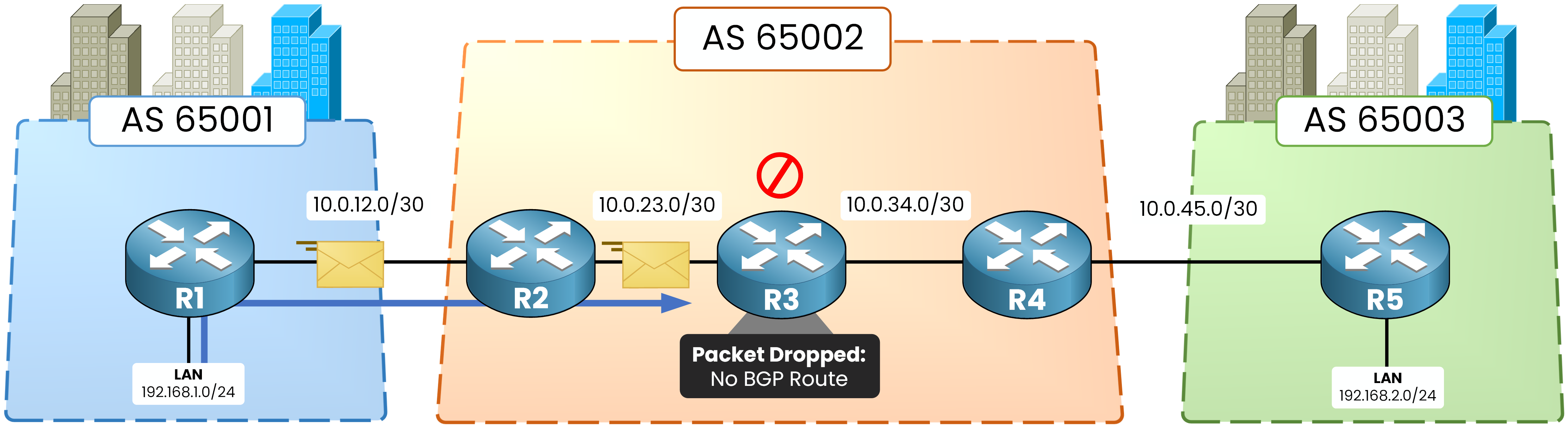
Figure 2 – The packet is dropped on R3
C:\>ping 192.168.2.10
Pinging 192.168.2.10 with 32 bytes of data:

Request timed out.
Request timed out.
Request timed out.
Request timed out.

Ping statistics for 192.168.2.10:
    Packets: Sent = 4, Received = 0, Lost = 4 (100% loss),
The ping fails.
The packet leaves R1, crosses R2, and reaches R3. Then, R3 drops it.
The BGP Black Hole
Check the routing table on R3:
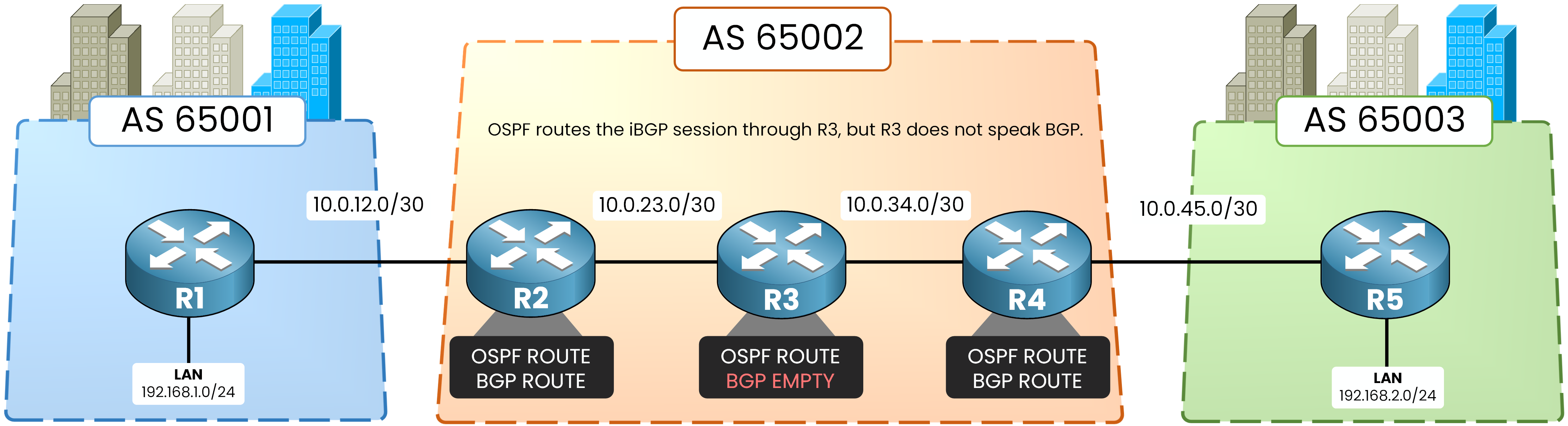
Figure 3 – R3 has no BGP route
R3# show ip route 192.168.2.0
% Network not in table
R3 runs OSPF, so it knows every internal loopback and transit link.
However, R3 does not run BGP.>The iBGP session between R2 and R4 travels through R3 as standard TCP traffic.
R3 routes the TCP control packets, but because it lacks BGP customer routes, it drops incoming customer data packets.R3 is a BGP Black Hole.
To fix this issue, you must bring R3 into the iBGP topology.Answer the question below
Which provider router has no BGP route?
To eliminate the black hole, R3 must learn customer prefixes by joining the iBGP topology.
Configuring Core iBGP Sessions
Set up neighbor relationships between R3 and both edge routers.
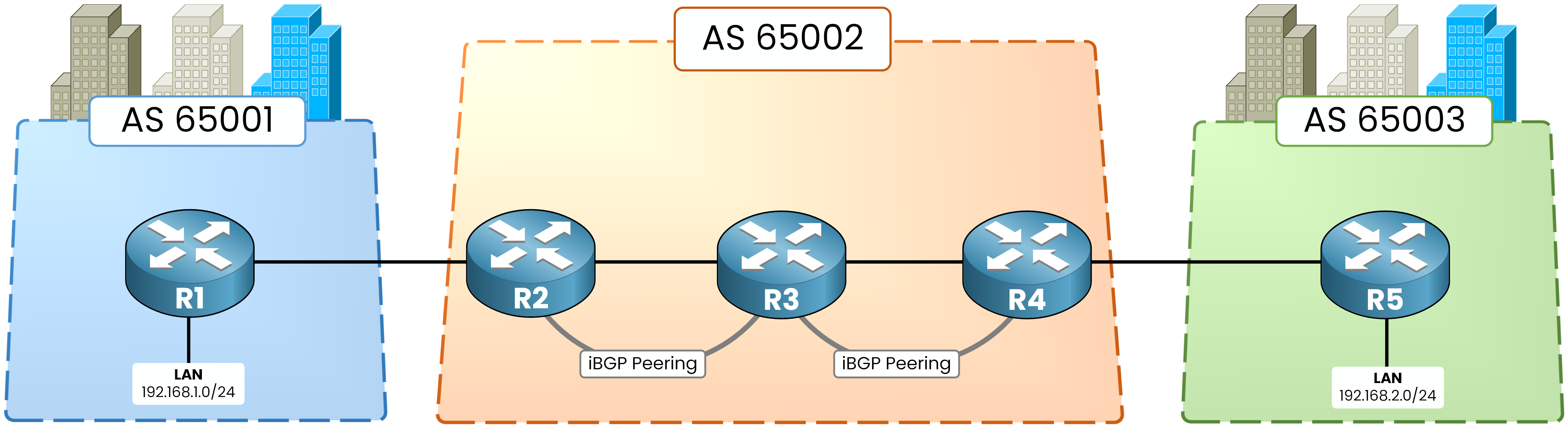
Figure 4 – iBGP sessions R2–R3 and R3–R4
40 % Complete: you’re making great progress
Ready to pass your CCNP exam?