In the last lesson, you were the customer.
Now you sit inside the provider network (AS 65002) to establish an iBGP session between 2.2.2.2 (R2) and 4.4.4.4 (R4).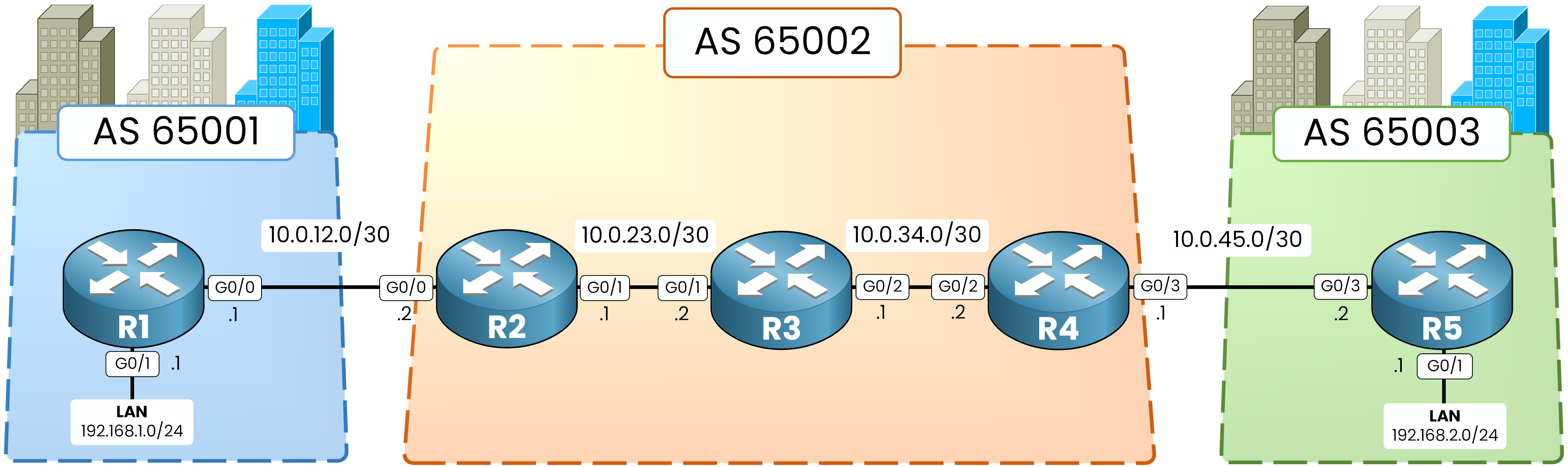
Figure 1 – iBGP Lab Topology
Addressing & Autonomous Systems
R1 & R5 (Customer Edge): AS 65001 (192.168.1.0/24) and AS 65003 (192.168.2.0/24).
R2, R3 & R4 (Provider Core): AS 65002 linked via /30 subnets, with Loopback0 (X.X.X.X/32) matching each router ID.
Answer the question below
Which subnet connects R2 to R3?
Start at the entrance of your AS.
R1 is in AS 65001 and R2 is in AS 65002, so this session is external BGP (eBGP).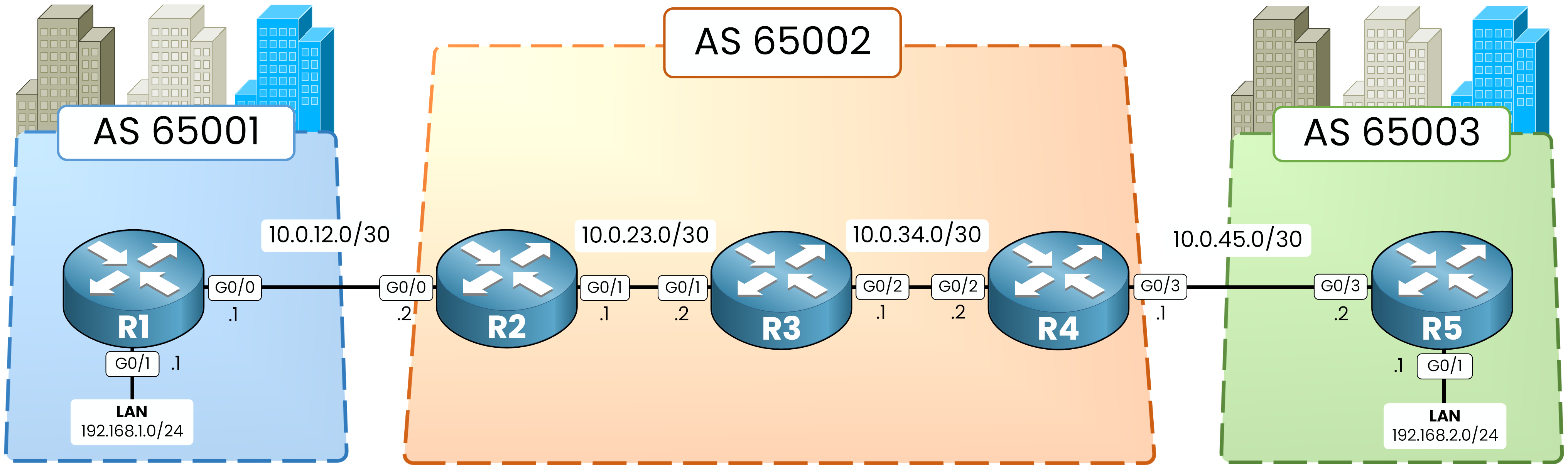
Figure 2 – iBGP Lab Topology
Prefix Advertisement (R1 to R2)
Play the customer first, on R1:
R1# configure terminal
R1(config)# router bgp 65001
R1(config-router)# bgp router-id 1.1.1.1
R1(config-router)# neighbor 10.0.12.2 remote-as 65002
R1(config-router)# network 192.168.1.0 mask 255.255.255.0
R1(config-router)# end
The network statement tells R1 to advertise its LAN into BGP.
Now configure your side of the link on R2:
R2# configure terminal
R2(config)# router bgp 65002
R2(config-router)# bgp router-id 2.2.2.2
R2(config-router)# neighbor 10.0.12.1 remote-as 65001
%BGP-5-ADJCHANGE: neighbor 10.0.12.1 Up
R2(config-router)# end
Your first eBGP session is now active.
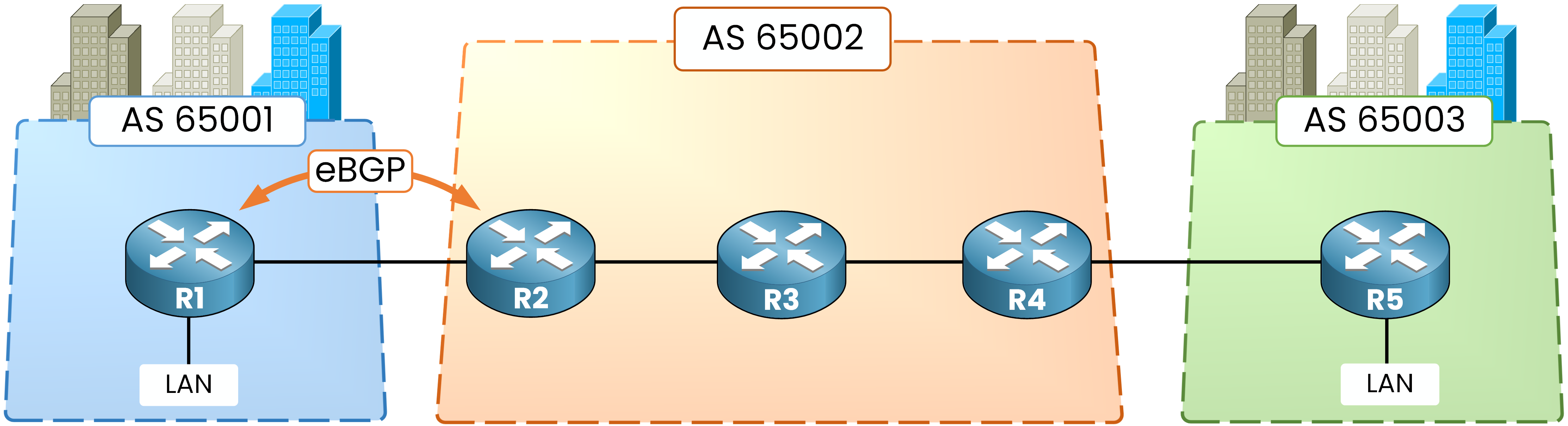
Figure 3 – The eBGP session is up
BGP Table Verification on R2
Verify what R2 received over the new session:
R2# show ip bgp
BGP table version is 2, local router ID is 2.2.2.2
Status codes: s suppressed, d damped, h history, * valid, > best, i - internal,
              r RIB-failure, S Stale, m multipath, b backup-path, f RT-Filter,
              x best-external, a additional-path, c RIB-compressed,
              t secondary path,
Origin codes: i - IGP, e - EGP, ? - incomplete
RPKI validation codes: V valid, I invalid, N Not found

     Network          Next Hop            Metric LocPrf Weight Path
 *>   192.168.1.0      10.0.12.1                0             0 65001 i
*> 192.168.1.0: Valid (*) and best path (>), learned directly from customer AS 65001.Next Hop 10.0.12.1: Points to R1's IP address on the eBGP link.
The prefix sits on R2, time to carry it across the provider core.
Answer the question below
Which router advertises 192.168.1.0/24 into BGP?
R2 and R4 sit two hops apart with R3 in between.
Nothing inside AS 65002 tells R2 how to reach R4 yet.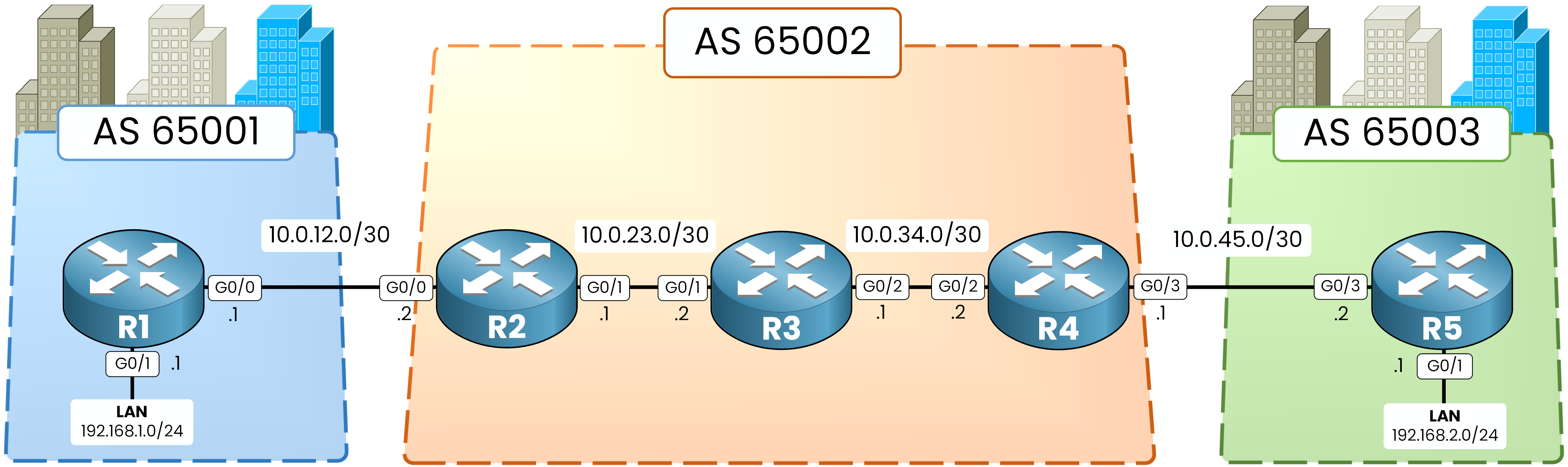
Figure 4 – iBGP Lab Topology
Core Area 0 Configuration
Here, OSPF carries only the provider's internal links and loopbacks into Area 0, customer links stay out.
Core design rule: Never advertise customer-facing subnets (10.0.12.0/30 and 10.0.45.0/30) into your internal IGP.40 % Complete: you’re making great progress
Ready to pass your CCNP exam?