You just secured a device with its own local accounts.
The username, the password, the privilege level: all of it lives on the network equipment.Local accounts do not scale
That holds up for one router.
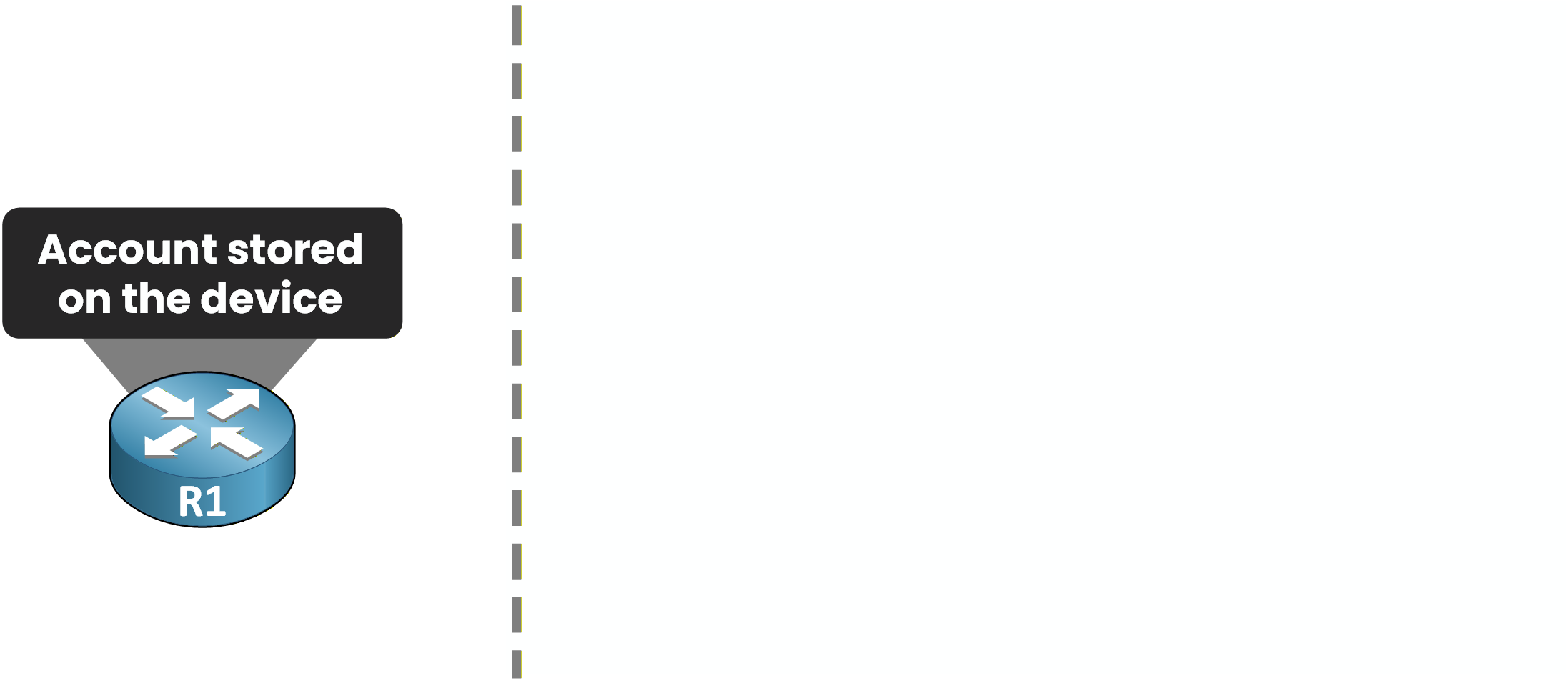
Figure 1 – The account lives on the device
Now imagine your network has dozens of devices.
Recreating every account on each one, and cleaning them up by hand when someone leaves, does not scale.One central server
It would be much better to have one central server that holds every account and every permission.
Each device just refers to it.That is exactly what AAA does.
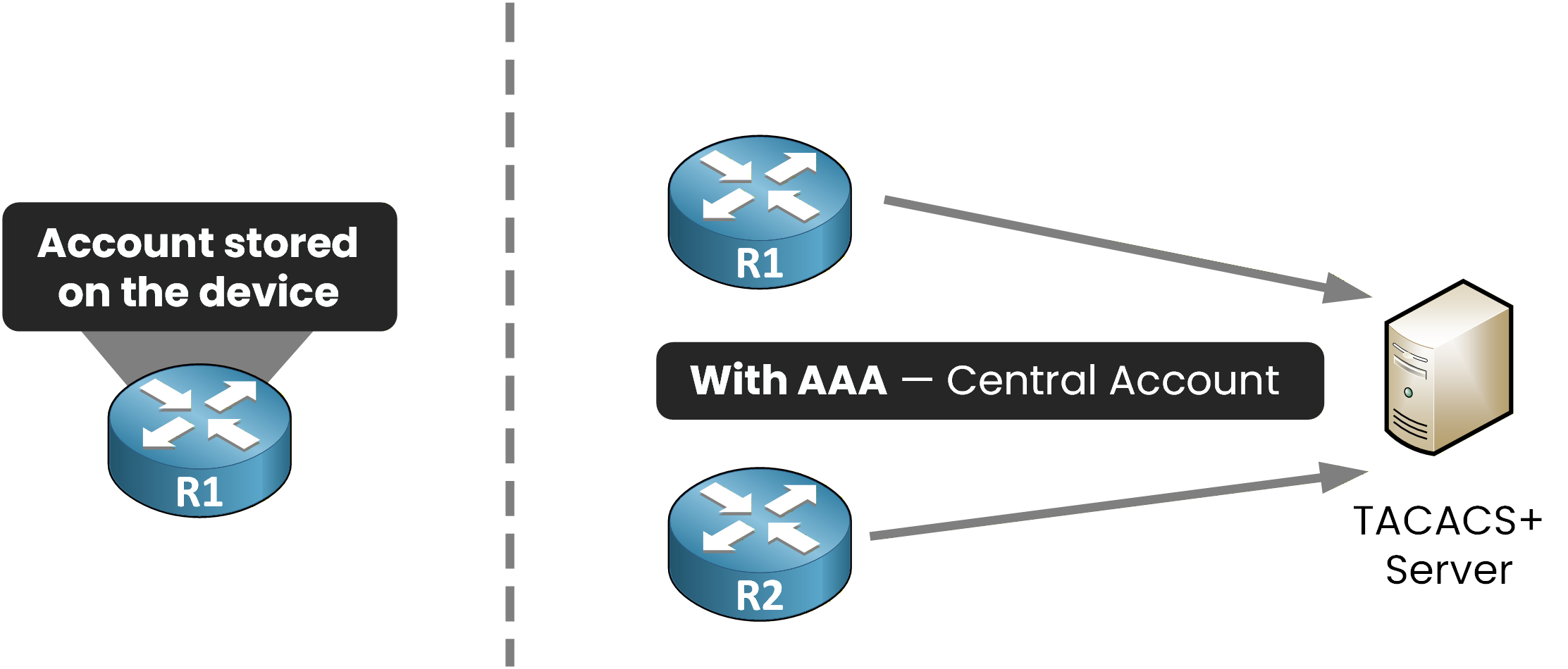
Figure 2 – With AAA, the accounts move to one central server
With AAA, R1 and R2 both ask the same server: here, a TACACS+ server.
It holds the accounts and the credentials for the whole network.Answer the question below
In our example, which type of server holds all the accounts?
How a login works
You log in to R1 with your own account.
Watch where your credentials go.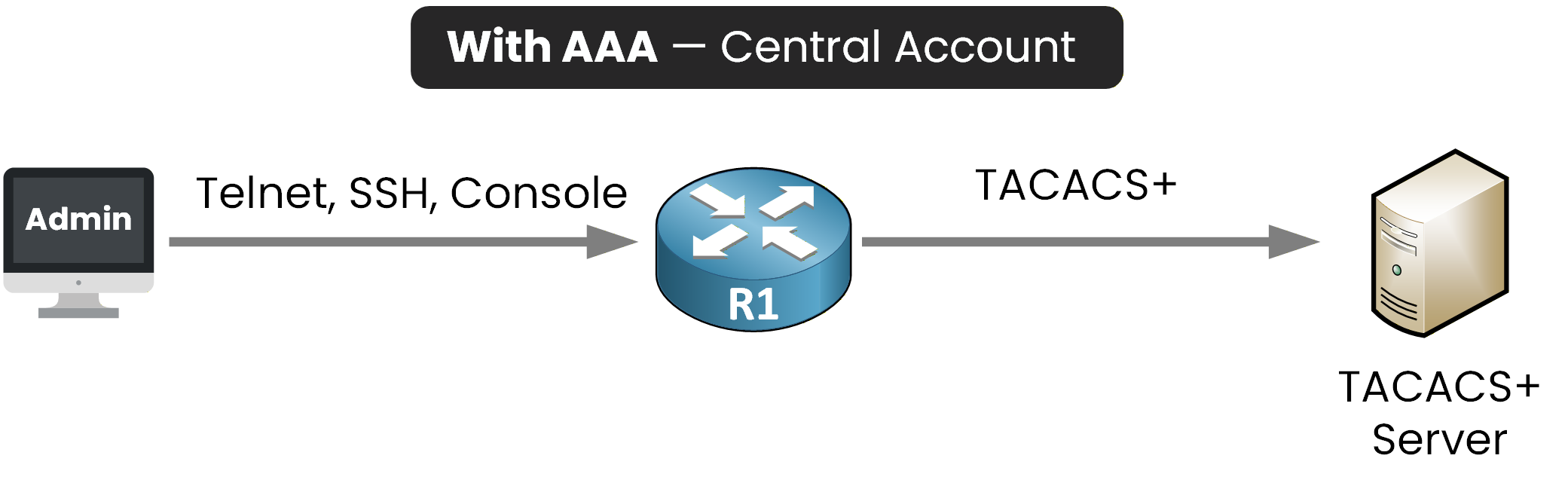
Figure 3 – Login forwarded to the server
R1 no longer checks locally.
It forwards your request to the TACACS+ server.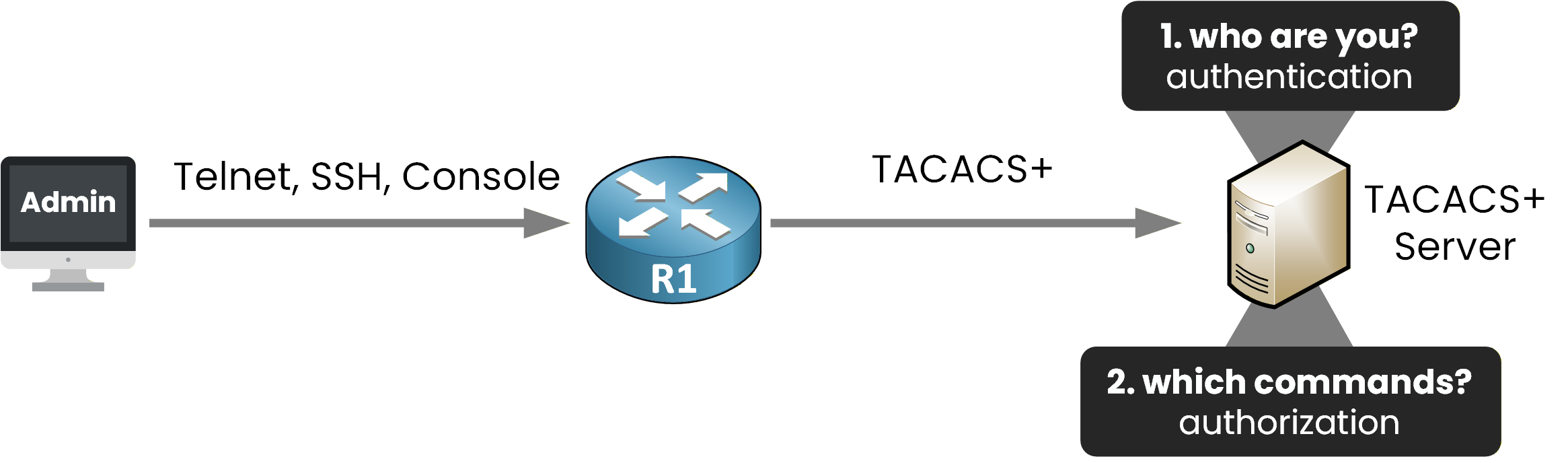
Figure 4 – Authentication vs authorization
The TACACS+ server then runs two checks:
Authentication is who you are.
Authorization is which commands you may run.
The TACACS+ server is now responsible for authentication and authorization.
That is two of the three A's. The third, accounting, just logs what a user did.Answer the question below
Which AAA function records what a user did?
Before configuring AAA, you need to understand the two protocols your device can use to reach the server: TACACS+ and RADIUS.
Depending on what you protect, you will pick one over the other.
TACACS+
TACACS+ is Cisco's protocol, documented in RFC 8907.
You use it when admins manage your network devices: the server checks every command they send.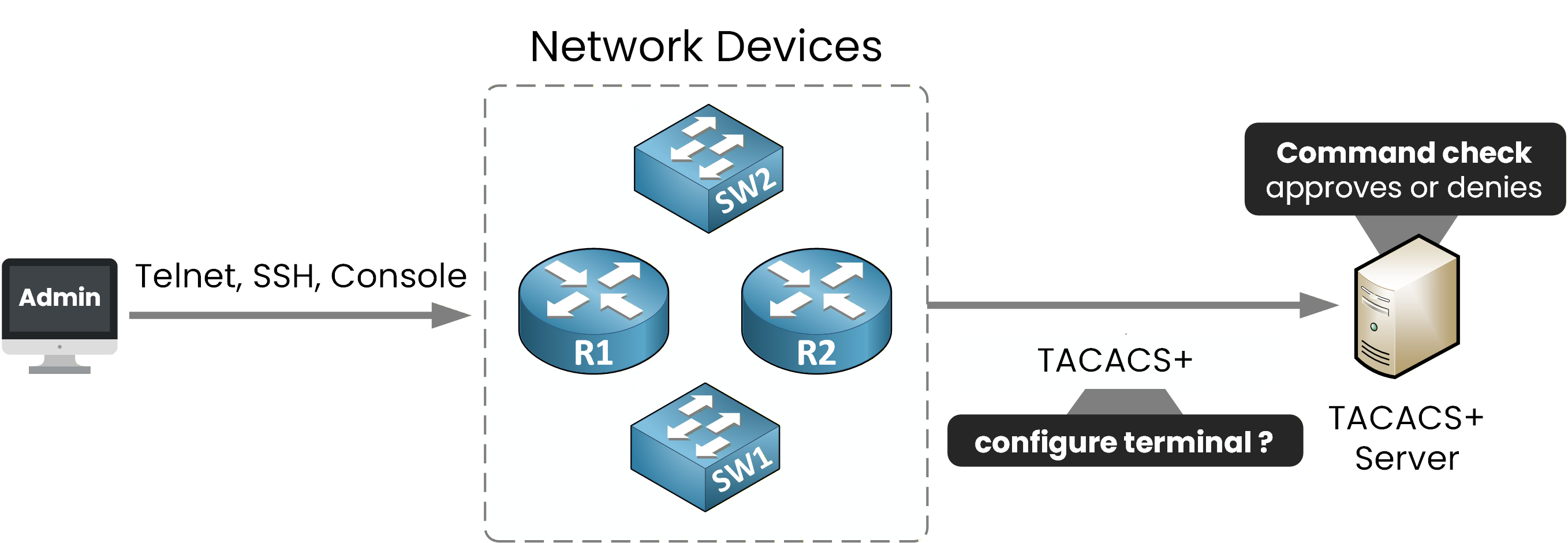
Figure 5 – TACACS+: the server checks every command
Three characteristics to remember:
TCP port 49
encrypts the entire payload
keeps the three A's separate, so it authorizes each command
Do not confuse it with the legacy TACACS (RFC 1492): TACACS+ is a complete redesign, and the only one used today.
Answer the question below
Which TCP port does TACACS+ use?
RADIUS
RADIUS is an IETF standard, documented in RFC 2865.
You use it when a user asks to join the network: here, an employee through 802.1X on the access switch.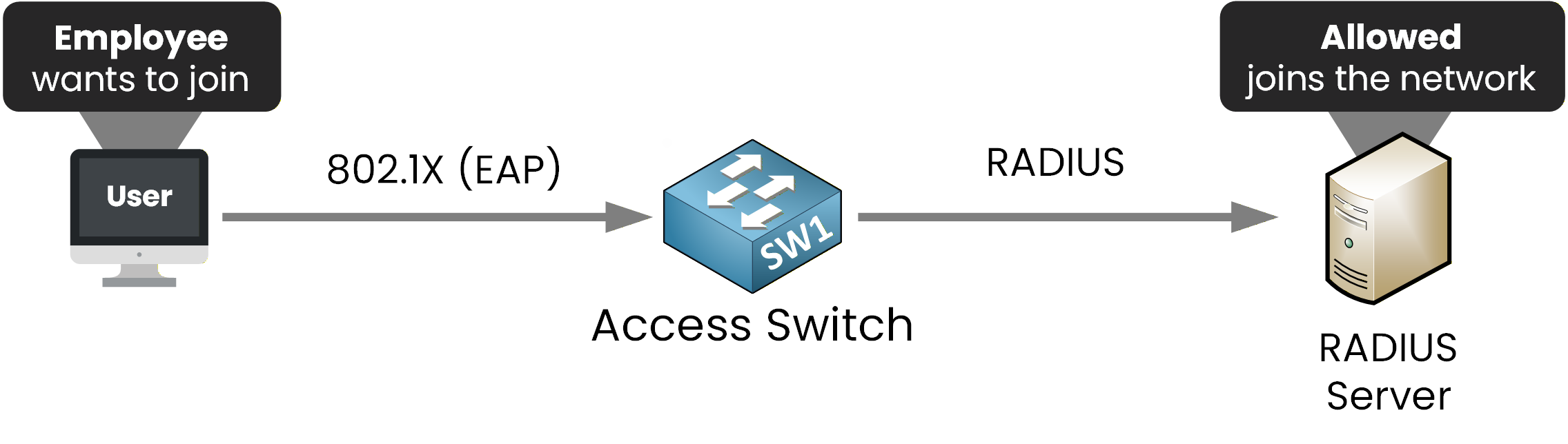
Figure 6 – RADIUS: the user joins the network with 802.1X
Three characteristics to remember:
UDP 1812 and 1813, for authentication and accounting
encrypts the password only
combines authn and authz, and carries EAP for 802.1X
Choosing between them
Compare them side by side and pick the right one:
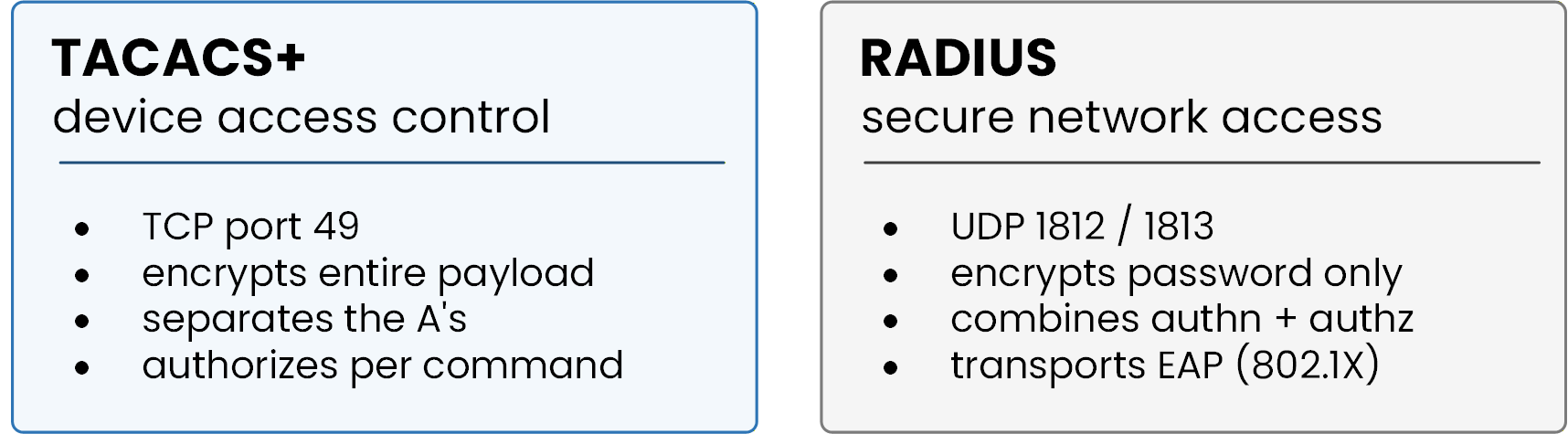
Figure 7 – RADIUS vs TACACS+ side by side
There is no better protocol: each one matches a use case.
Admins managing devices, command by command? TACACS+.
Users joining the network? RADIUS.In this lesson you manage devices, so you will configure TACACS+.
802.1X port authentication is out of scope for this lesson.Answer the question below
Which AAA protocol can authorize individual CLI commands?
Enough theory, time to configure.
One warning before you type anything: enable AAA with no working local account while the server is down, and you lock yourself out.
That is why you always create a full-privilege local account first: you can still log in with it if anything goes wrong.Step 1 - Create the fallback account
Create a full-privilege local user first, then enable AAA:
R1# configure terminal
R1(config)# username netadmin privilege 15 algorithm-type scrypt secret N3tAdm!n9
R1(config)# aaa new-model
The
netadminaccount is your local fallback.
It keeps you in control if the server ever goes down.The scrypt secret stores the password as a hash, as you saw in Lines and Password Protection.
And aaa new-model switches the device into AAA mode.Answer the question below
What must you configure before enabling AAA?
Step 2 - Define the TACACS+ server
First, you define the TACACS+ server, with its IP address and its key.
Then you create a TACACS+ group and put your server inside:R1(config)# tacacs server ISE-PRIMARY R1(config-server-tacacs)# address ipv4 10.10.10.1 R1(config-server-tacacs)# key my.S3cR3t.k3y R1(config-server-tacacs)# exit R1(config)# aaa group server tacacs+ ISE-TACACS+ R1(config-sg-tacacs+)# server name ISE-PRIMARY R1(config-sg-tacacs+)# exitThis is the modern syntax.
The oldertacacs-server hostform still works but is deprecated.Two details matter here:
The shared
keymust match the one configured on the server.The group can hold several servers. The device tries them in order, top to bottom: that is your failover.
Answer the question below
Which value must match between the device and the TACACS+ server?
Now that you enabled AAA and defined the server, one piece is missing:
telling the device where to check credentials.That is the job of a method list: an ordered list of places to check.
For example: the TACACS+ server first, then the local database as a backup.Step 3 - Authenticate logins
Start with authentication.
One line tells the device where to check every login:R1(config)# aaa authentication login default group ISE-TACACS+ localRead it left to right. The list is named
default, and the device checks every login in this order:group ISE-TACACS+asks the TACACS+ server first.localfalls back to the accounts stored on the device itself.
The
defaultkeyword comes back at the end of the lesson.Answer the question below
In your login list, which method does the device try first?
The device tries the methods in order.
But when exactly does it fall back tolocal?First case: the TACACS+ server is down and never answers.
The device gets no decision, so it moves to the next method and checks its own local accounts: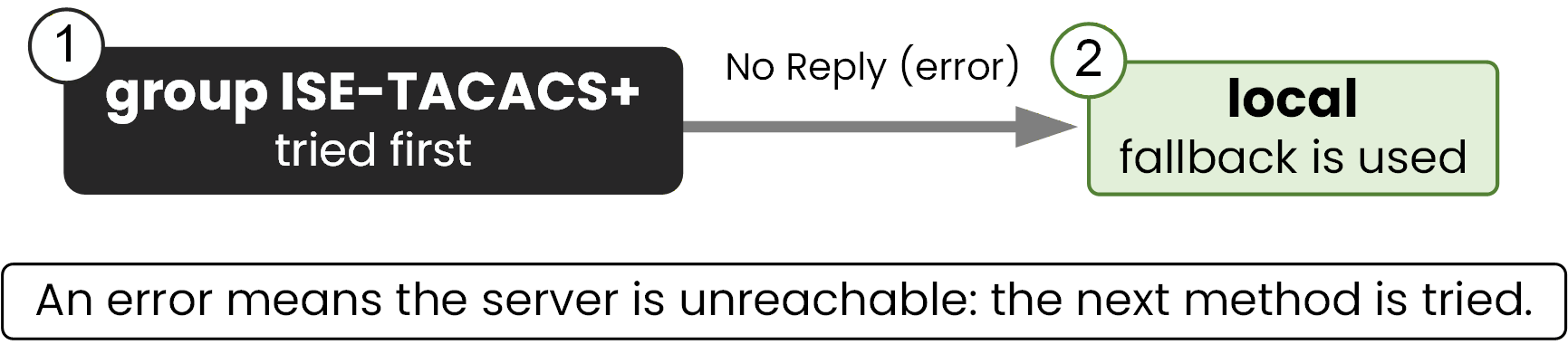
Figure 8 – On an error, the chain continues
That is an error: no answer at all.
The chain continues,localtakes over, and you can still log in withnetadmin.Answer the question below
The TACACS+ server is unreachable: which method takes over for the login?
Second case: the server answers, but the password is wrong.
This time the device received a decision: access denied.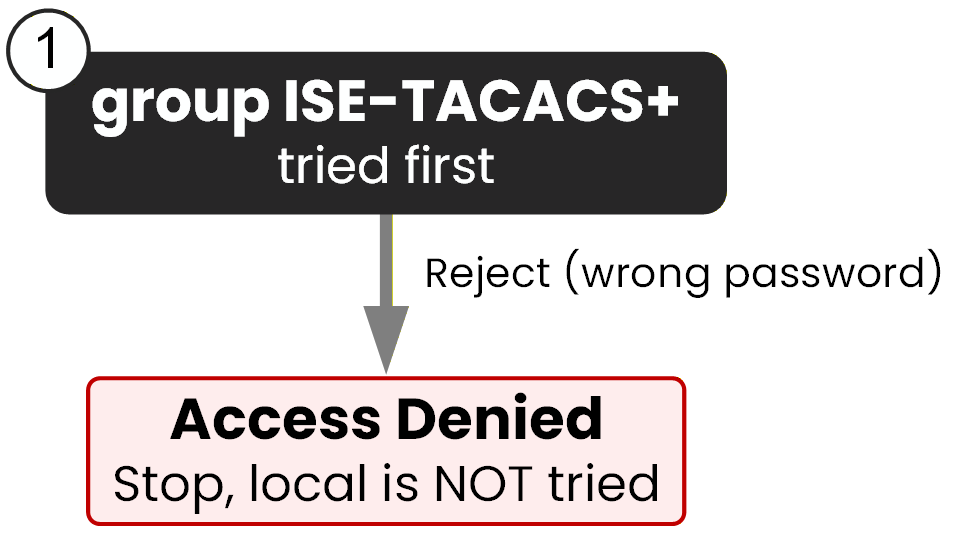
Figure 9 – On a reject, the chain stops
The chain stops: there is no fallback to
localhere.Answer the question below
Does a method list move to the next method on a reject, or on an error?
Step 4 - Authorize the commands
Authentication is in place.
Now authorize what users can do, with two more lists:R1(config)# aaa authorization exec default group ISE-TACACS+ if-authenticated R1(config)# aaa authorization commands 15 default group ISE-TACACS+ if-authenticated R1(config)# endEach line has its own job:
authorization execsets the privilege level at login.authorization commands 15checks each command. Set it per level, often 0, 1, and 15.
The if-authenticated keyword is what saves you during a server outage.
An already-logged-in user can still run commands.Answer the question below
Which keyword authorizes commands when the AAA server is unreachable but the user has authenticated?
Now test what you built.
On the server,adminis privilege 15 andnetopsis privilege 5.Admin allowed, netops denied
Log in with each account and try a privilege-15 command.
The server decides what each may do.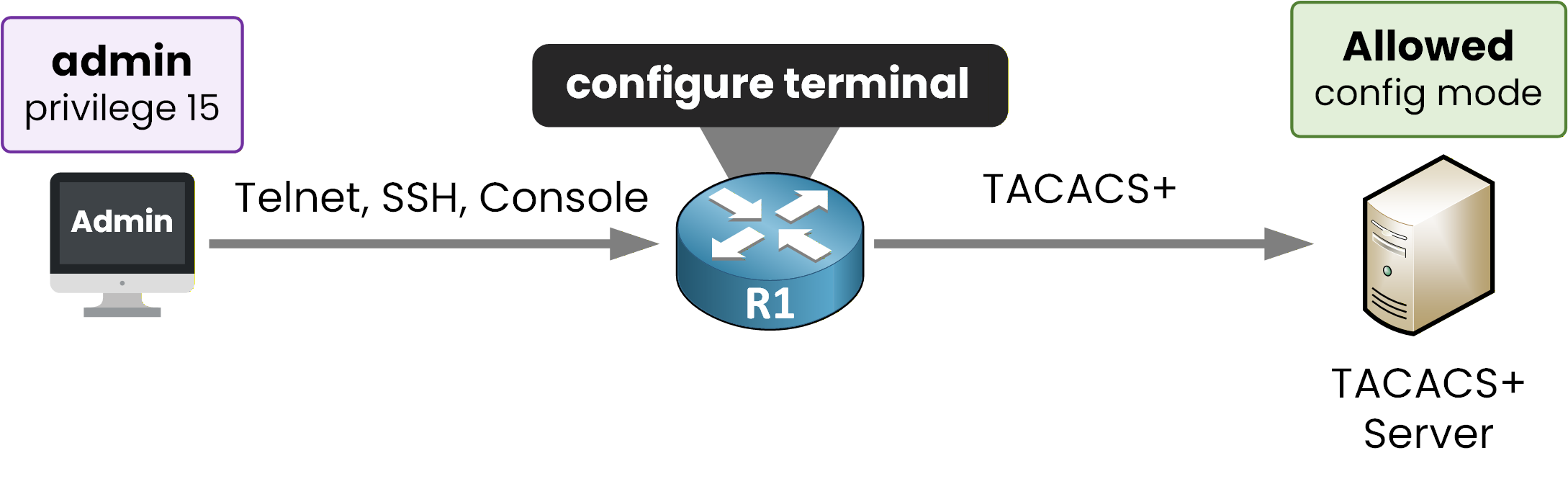
Figure 10 – Allowed at privilege 15
admin has privilege 15.
Log in, check the level, then open config mode:R2# ssh -l admin 10.1.12.1 Password: R1# show privilege Current privilege level is 15 R1# configure terminal Enter configuration commands, one per line. End with CNTL/Z. R1(config)#When the
Password:prompt appears, typeAdm!nScrypt9. Just like on a real device, nothing is displayed while you type it.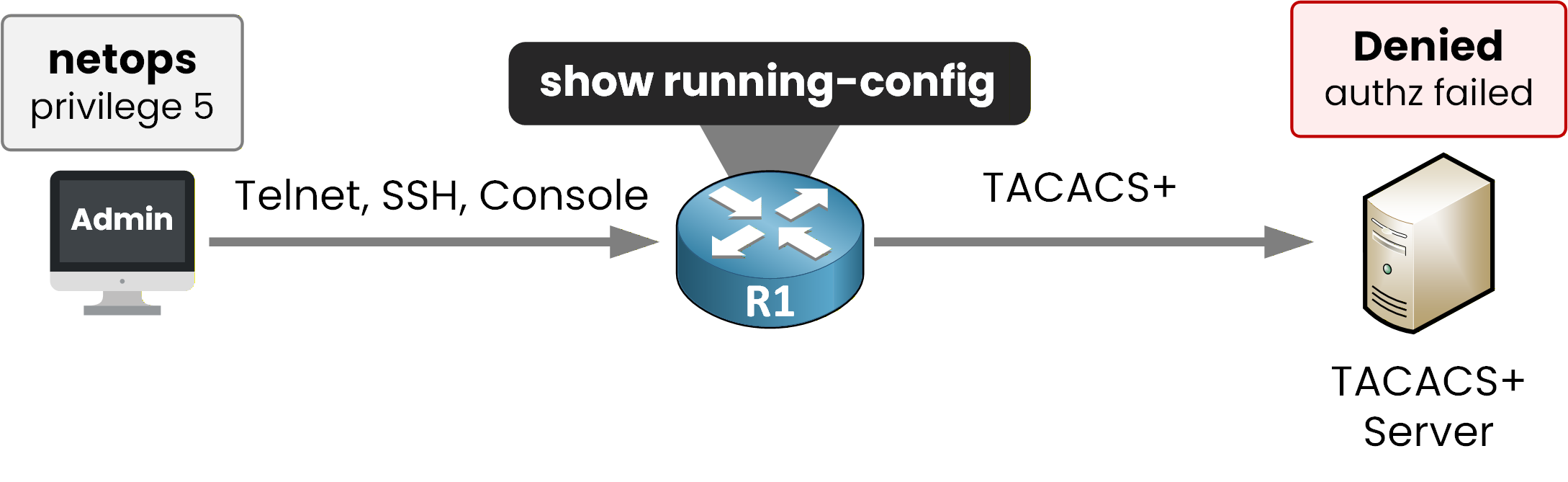
Figure 11 – Denied at privilege 5
netops has privilege 5.
Try a level-15 command and watch it get refused:R2# ssh -l netops 10.1.12.1 Password: R1# show privilege Current privilege level is 5 R1# show running-config Command authorization failed.When the
Password:prompt appears, typeNetOps!Scrypt9.The Command authorization failed message confirms per-command authorization is active.
Answer the question below
Which privilege level does netops receive?
Your AAA setup works.
Two traps can still catch you, at the exam and in production.Named vs default lists
The lists you built used
default: it applies to every line automatically, even the VTY lines.A named list is different.
Build one, then bind it to the VTY lines yourself:R1# configure terminal R1(config)# aaa authentication login VTY-LOGIN group ISE-TACACS+ local R1(config)# line vty 0 4 R1(config-line)# login authentication VTY-LOGIN R1(config-line)# exitOn its own, the named list does nothing.
Thelogin authenticationline is what activates it on the VTY.Answer the question below
Which line-level command activates a named login list on the VTY lines?
Local, never none
Every list you built ends with the same fallback keyword:
local.
Look at your login list again:R1(config)# aaa authentication login default group ISE-TACACS+ locallocalmeans: if the server gives no answer, the device checks its own local accounts.
It is exactly what saved you in the error case.The second possible keyword is
none: no check at all.
Type it to see what it looks like:R1(config)# aaa authentication login default group ISE-TACACS+ noneRight now, a dead server lets anyone in with no credentials.
In production, always end withlocal: re-enter the list with it, and thenoneline is overwritten.Answer the question below
Which fallback keyword lets a user log in with no credentials when the server is unreachable?
Answer the question below
The TACACS+ server is down and you SSH to the router. Which method still lets you in?