Your group is up, with R1 Active and R2 Standby. Now let's see what happens when the Active router fails: how fast does the group notice, and what exactly happens next?
Hello and Hold Timers
The two routers exchange Hello packets to prove they are alive.
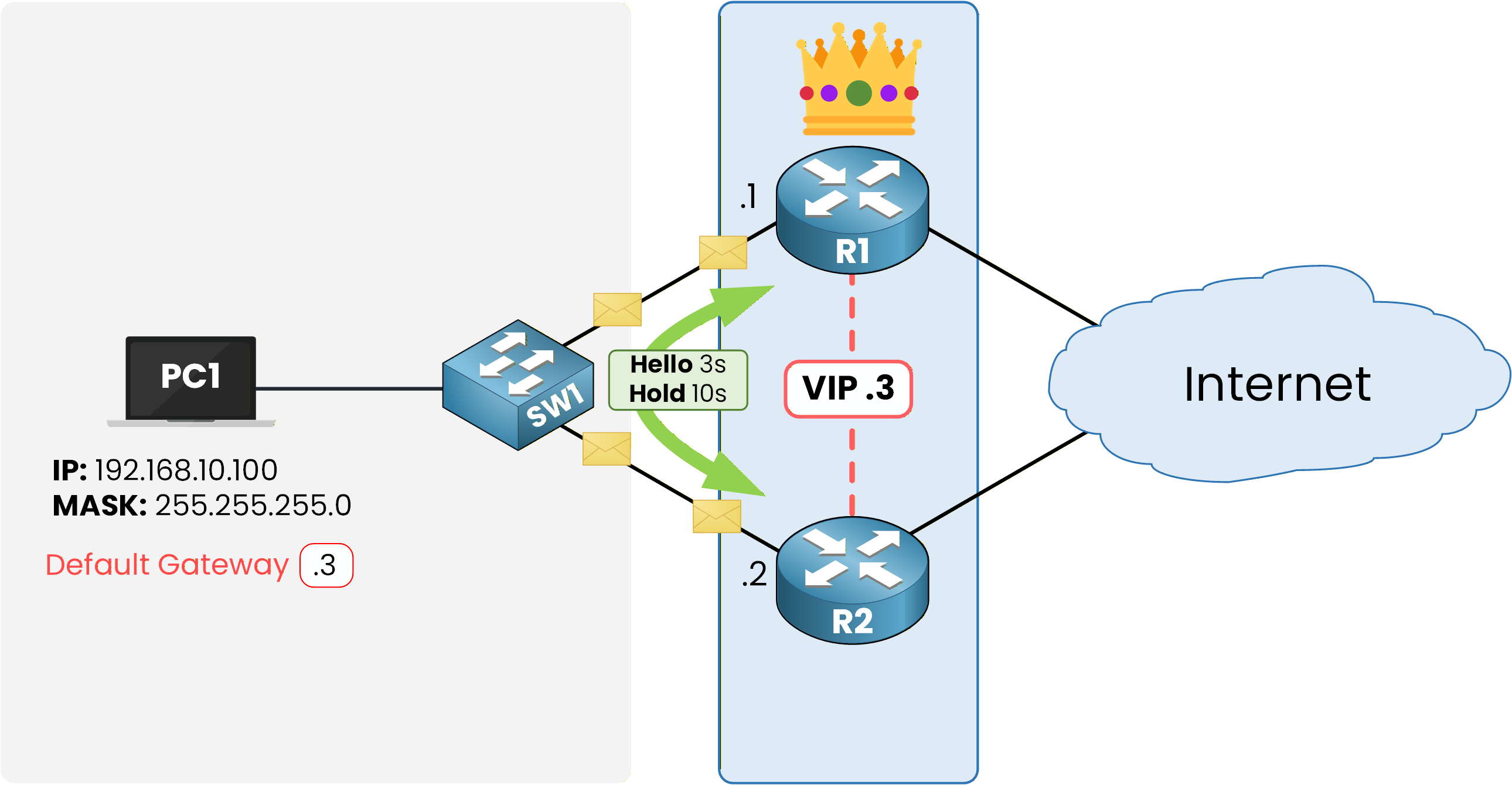
Figure 1 – Hello and Hold timers between the two routers
The Hello timer sets the sending interval, 3 seconds by default.
The Hold timer sets how long a router waits without Hellos before declaring its peer down, 10 seconds by default.
The HSRP Failover Process
Now assume R1, the Active router, loses power.
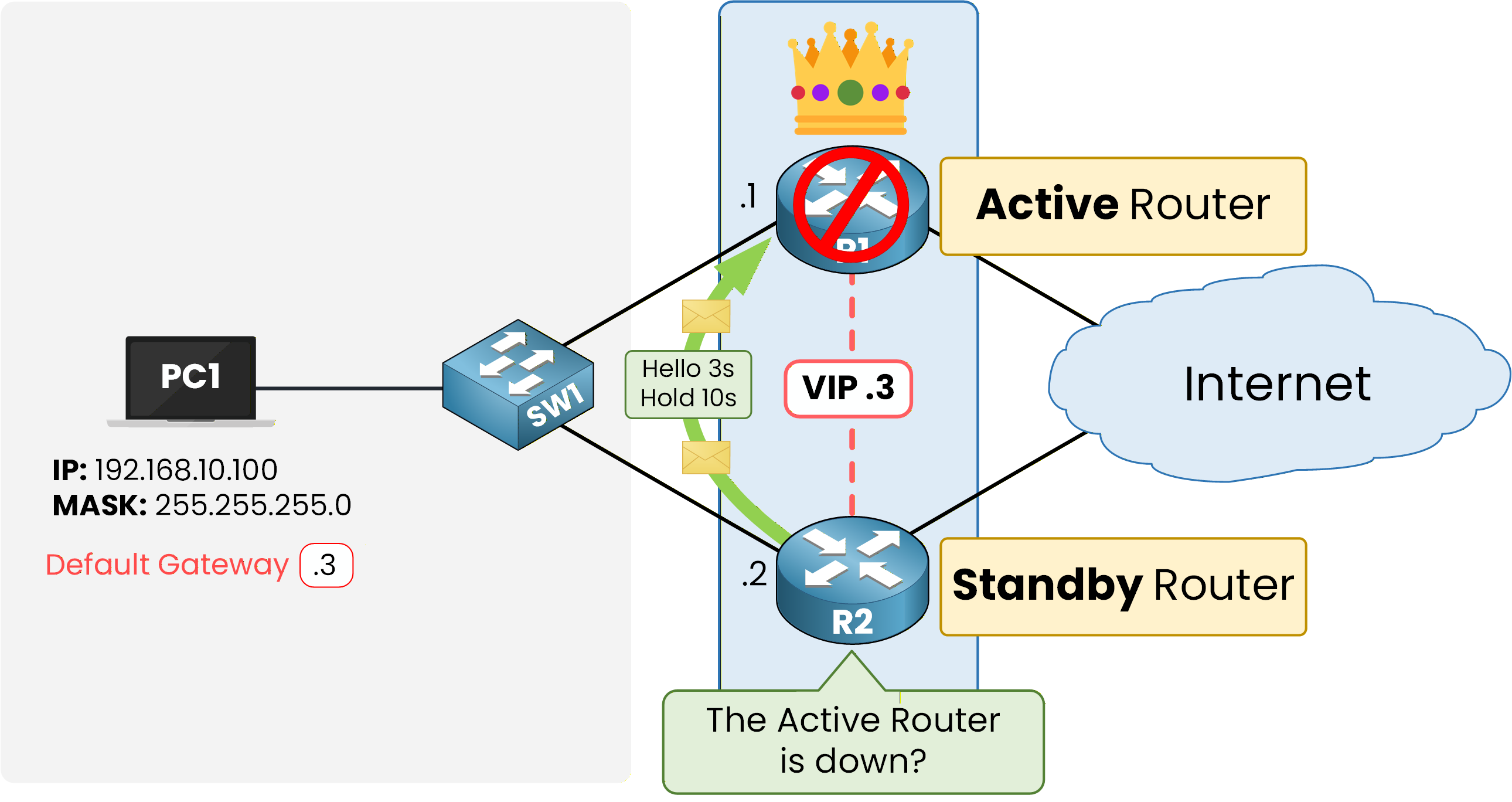
Figure 2 – The Active router fails and the Hellos stop
The Hellos stop instantly.
R2 keeps counting: no Hello after 3 seconds, still nothing at 6, then at 9.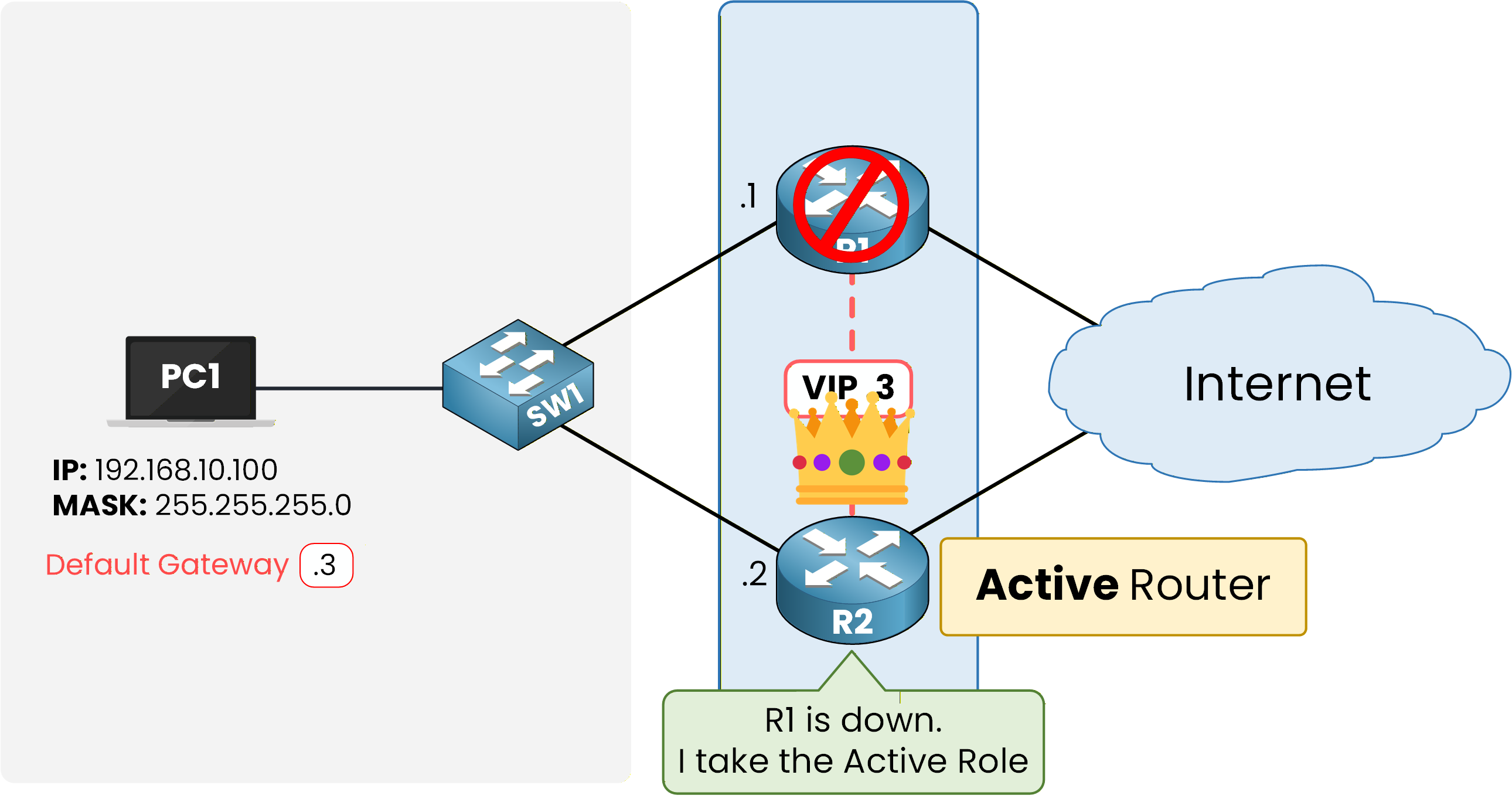
Figure 3 – R2 takes the Active role after the Hold timer expires
At 10 seconds, the Hold timer expires.
R2 declares its peer down and transitions from Standby to Active.Answer the question below
How long does a router wait for missing Hellos by default?
The role has moved, but the traffic has not followed yet. Here is what closes that gap, and then you go back to the demo pair to make the whole failover faster.
Gratuitous ARP and the Virtual MAC
Taking the Active role is not enough.
The switches in the LAN still map the virtual MAC address to the port leading to R1.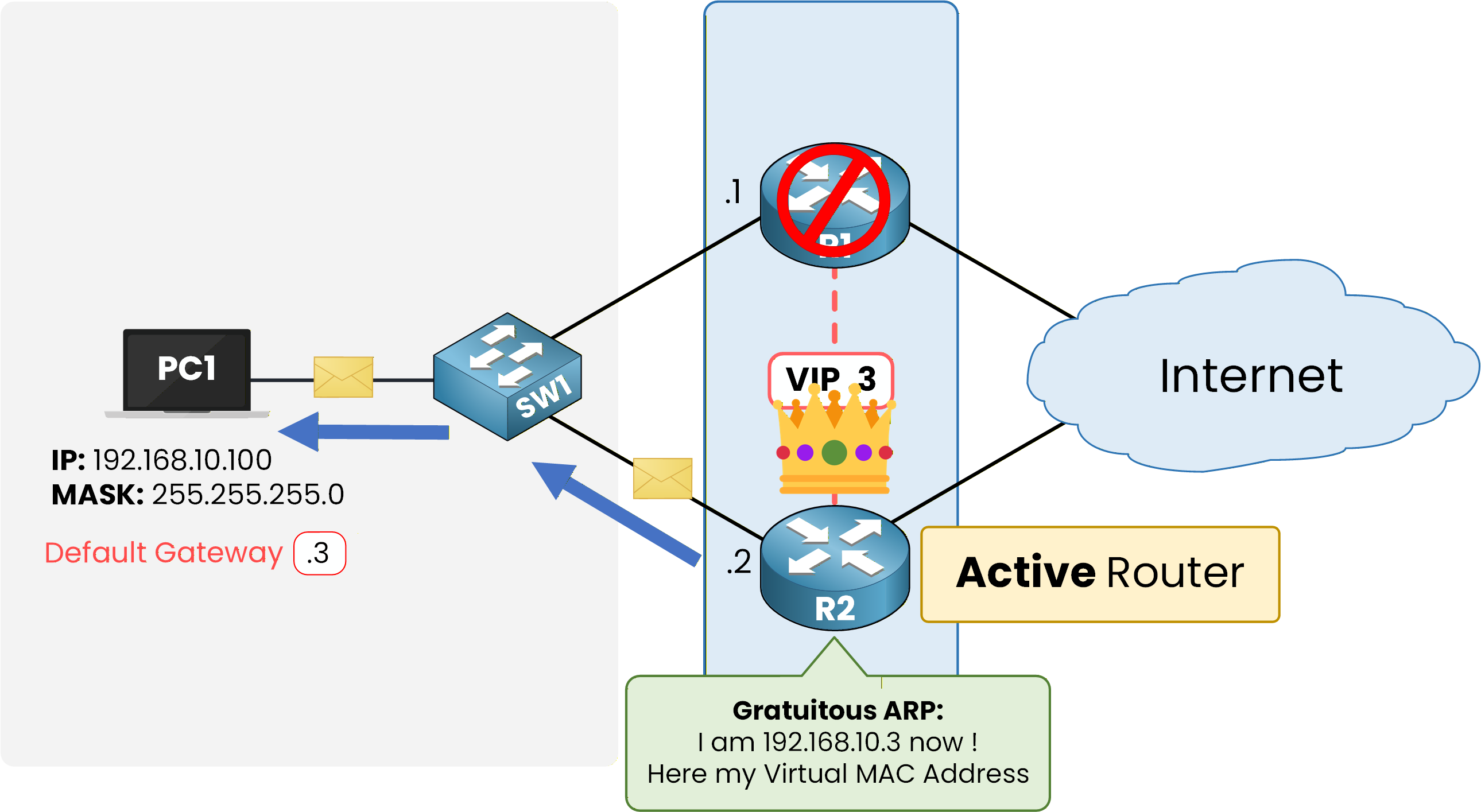
Figure 4 – The new Active router announces the virtual MAC with a gratuitous ARP
So the new Active router immediately sends a gratuitous ARP sourced from the virtual MAC.
Every switch on the path relearns that MAC on the port leading to R2, and frames for the gateway flow to the right place again.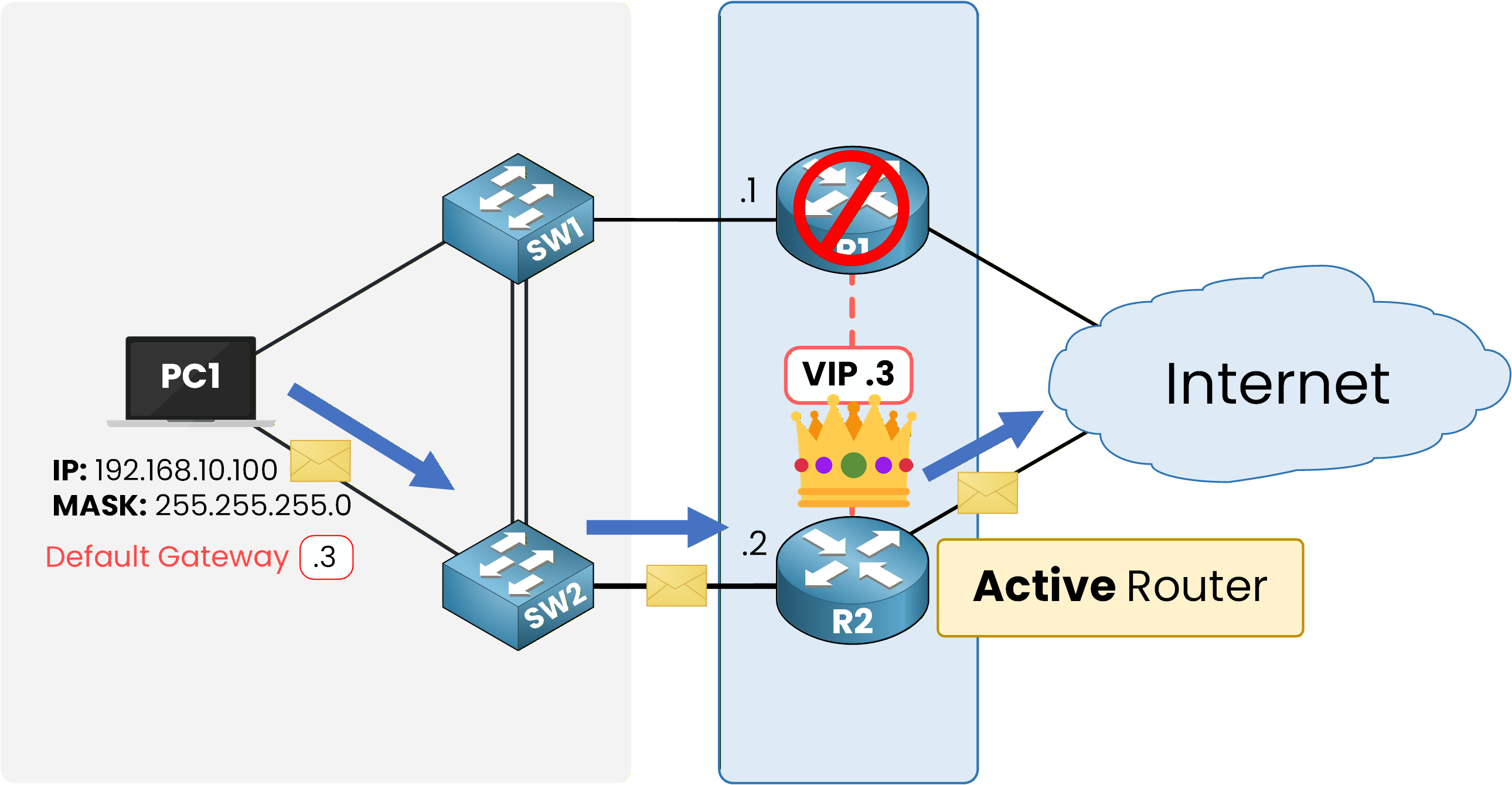
Figure 5 – Traffic converges on R2 with the same VIP
PC1 never noticed anything.
Its gateway is still 192.168.10.3 and its ARP cache still holds the same virtual MAC.
The failover is completely transparent to the hosts.Answer the question below
Which packet does the new Active router send after taking over?
Configuring Faster Timers
Ten seconds without a gateway may be acceptable for a user VLAN, but not for a critical segment.
You just watched it take 10 seconds for R2 to notice R1 was gone.
Cisco IOS lets you push both timers into the millisecond range.Try it on R1:
R1# conf t
Enter configuration commands, one per line.  End with CNTL/Z.
R1(config)# int g0/0
R1(config-if)# standby 1 timers msec 250 msec 800
R1(config-if)# end

R1# show standby
GigabitEthernet0/0 - Group 1 (HSRP-V1)
  State is Active
    2 state changes, last state change 00:14:03
  Virtual IP address is 192.168.10.3
  Active virtual MAC address is 0000.0c07.ac01
    Local virtual MAC address is 0000.0c07.ac01 (v1 default)
  Hello time 250 msec, hold time 800 msec
    Next hello sent in 0.176 secs
  Preemption disabled
  Active router is local
  Standby router is 192.168.10.2, priority 100 (expires in 0.708 sec)
  Priority 110 (configured 110)
  Group name is "hsrp-Gi0/0-1" (default)
R1 now sends a Hello every 250 ms and declares its peer down after 800 ms.
These are the minimum values Cisco recommends with millisecond timers.
Keep the hold time at least three times the hello time, or brief congestion could trigger a false failover.
R2 takes over, the hosts never notice, and you can tune how fast it happens. One question remains: what happens when R1 comes back? Let's continue with the HSRP Preemption and Versions lesson.
Answer the question below
What Hello timer, in msec, did you just configure on R1?