FTP (File Transfer Protocol) and TFTP (Trivial File Transfer Protocol) are two protocols used by network devices to transfer files across the network. You’ll often need them when working with routers and switches. They’re useful for tasks like configuration backups, IOS upgrades, and restoring systems after maintenance.
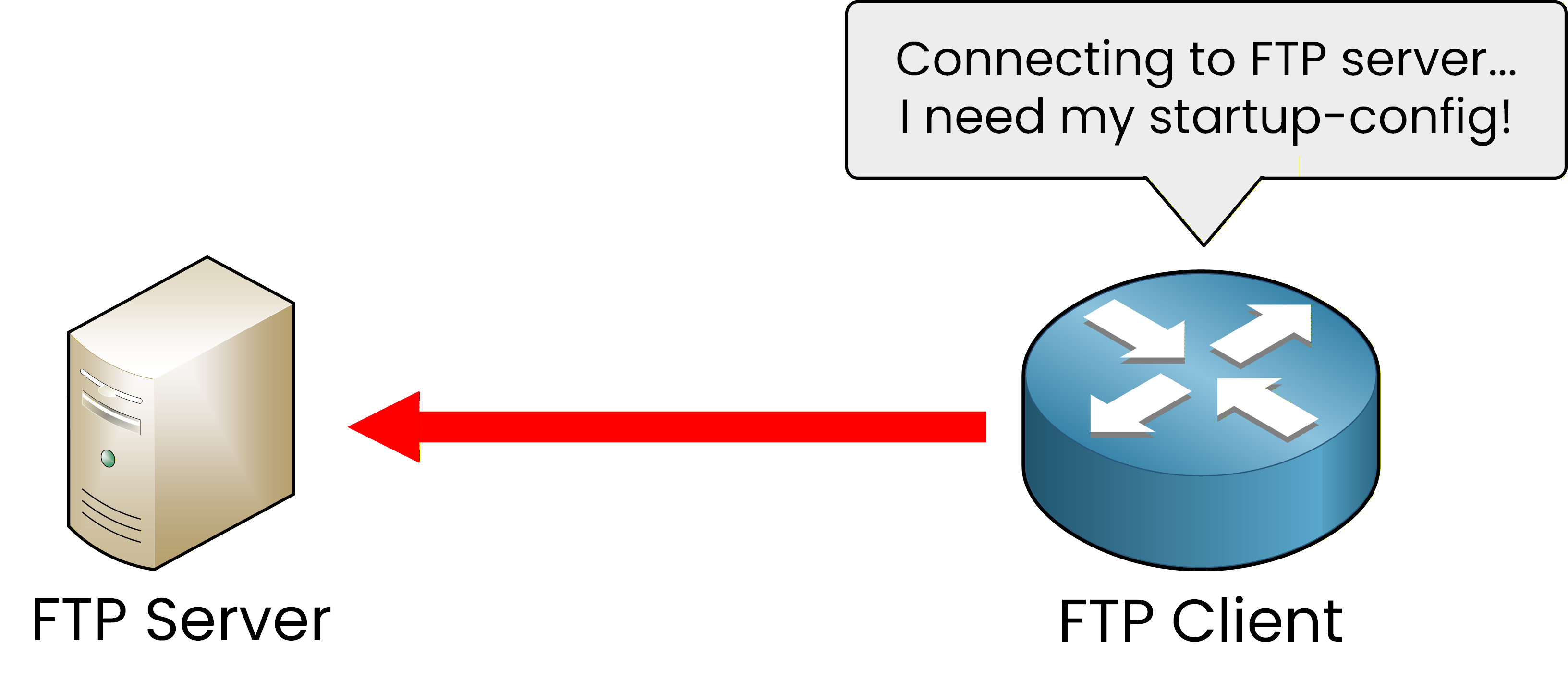
Figure 1 – The FTP client connects to the server to request its startup-config
In a typical scenario, the client connects to the FTP server and requests a specific file, such as the startup configuration. This type of communication allows network devices to retrieve or store configuration files as part of regular maintenance tasks.
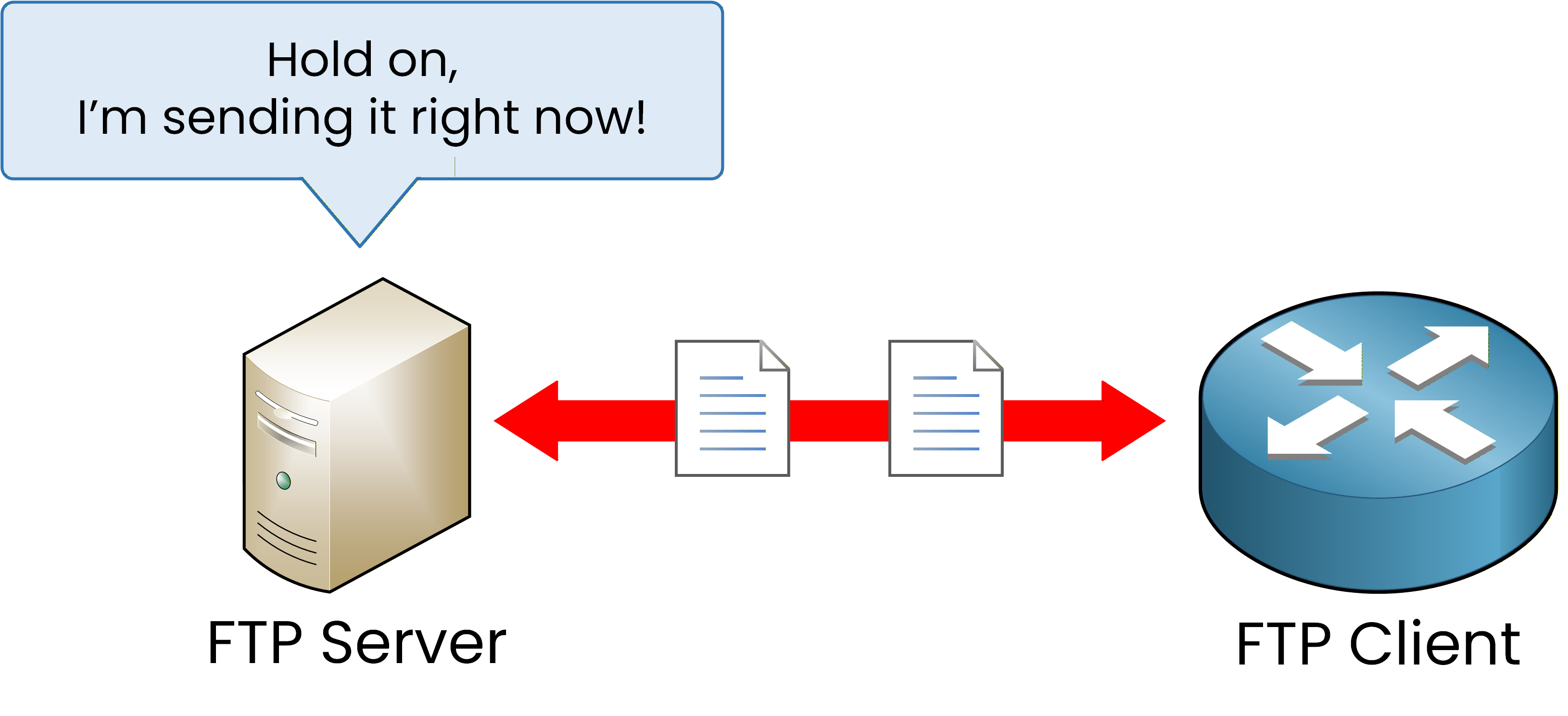
Figure 2 – The FTP server sends the startup configuration file to the client.
After receiving the request, the server sends the file to the client. This demonstrates the client-server communication model that both FTP and TFTP follow. In Cisco networks, these protocols are commonly used for IOS upgrades or when restoring configurations from backups.
The Client-Server Model
Both FTP and TFTP operate using a client-server model.
The server stores the files. The client, which can be a router, switch, or admin workstation, connects to download or upload them.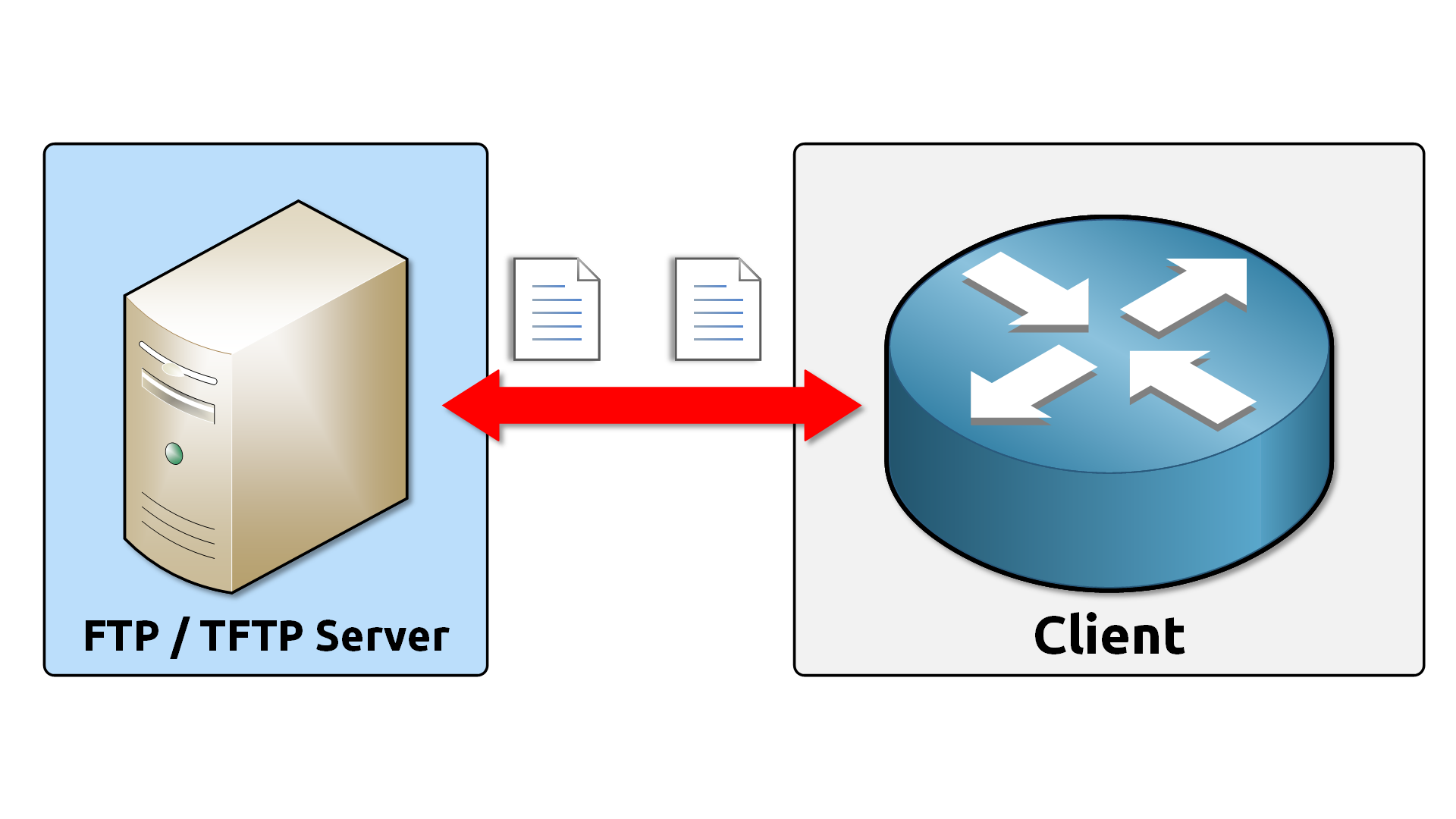
Figure 3 – FTP and TFTP client-server model.
This model centralizes file management and makes network maintenance much easier.
Instead of configuring each device individually, you can perform updates and backups from a single location.
That saves time and ensures consistency across the network.In both FTP and TFTP, the client can upload (send) or download (receive) files from the server, depending on the command used. For example, a router might upload its running configuration to a TFTP server or download a new IOS image during an upgrade.
Overview of FTP and TFTP
Although both protocols aim to transfer files between devices, they differ in reliability and control.
FTP uses TCP, which guarantees reliable delivery and supports authentication with usernames and passwords.
TFTP uses UDP, which is faster and simpler, but does not include authentication or encryption.
Both are effective in their own contexts.
Use FTP when you need reliability and user control, and TFTP when you need quick transfers in a trusted environment.Now that you understand their general purpose, let’s explore how FTP works in practice.
Answer the question below
Which protocol uses TCP and supports authentication?
FTP (File Transfer Protocol) was standardized in 1971 (RFC 114). It is still widely used for transferring files between network devices.
Unlike TFTP, FTP relies on TCP, which means each session begins with a three-way handshake that ensures reliable communication.All FTP communication happens in two distinct phases:
The Control Connection is used to exchange commands between devices.
The Data Connection is used to transfer the actual files.
FTP Control Connection
The FTP session starts with the control connection. This connection exchanges commands between the client and the server.
This connection uses TCP port 21 and stays open throughout the entire session.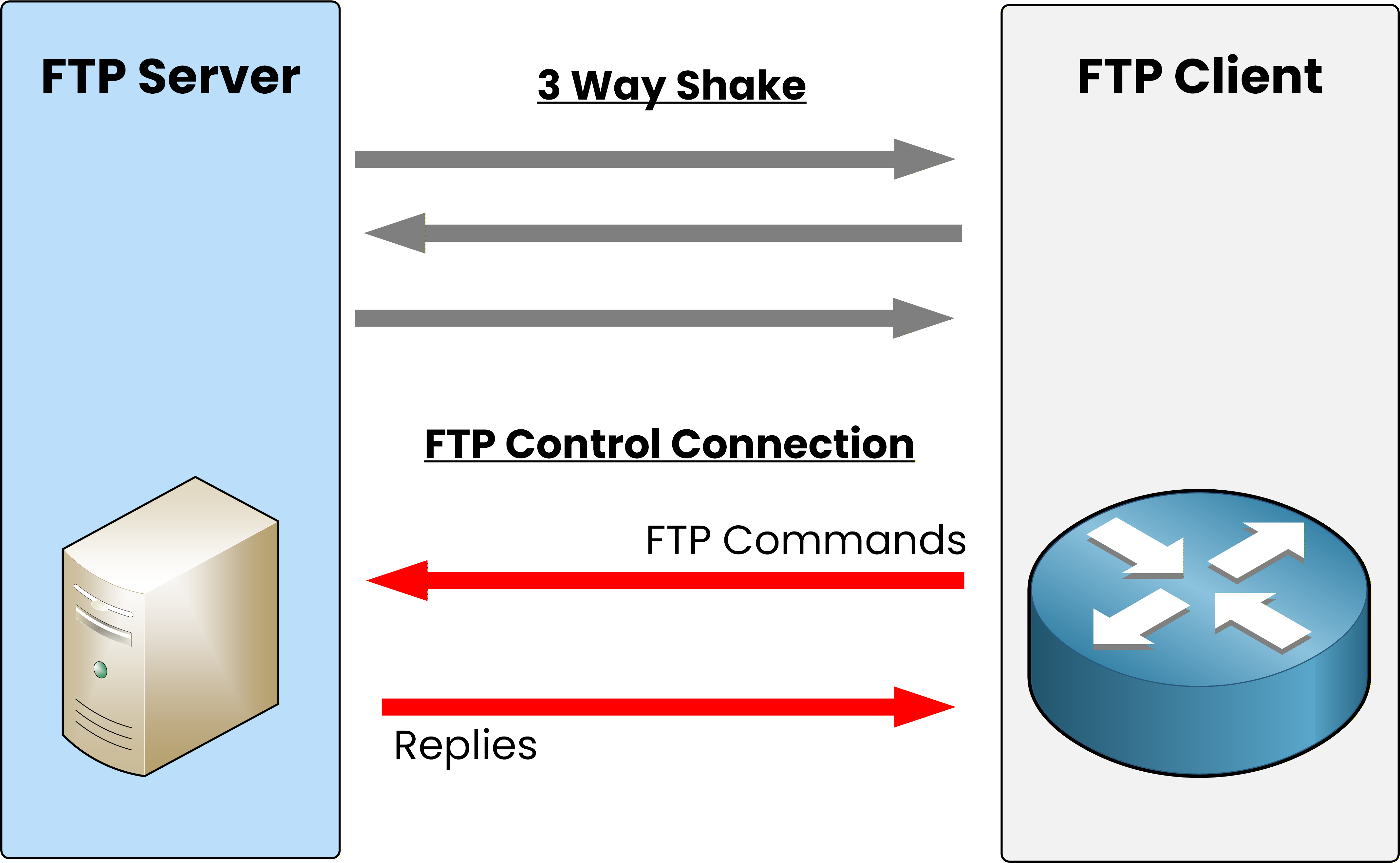
Figure 4 – The FTP control connection is established after the TCP three-way handshake.
Once the handshake is complete, the client can start sending FTP commands to the server, for example, to request a file.
The server replies to acknowledge these commands and confirm that it is ready.
At this stage, no data is transferred yet. The control channel only carries instructions.When it is time to send or receive a file, a second connection called the data connection must be created.
Answer the question below
Which TCP port does the FTP control connection use?
FTP Data Connection
This channel is used only for file transfers, while the control connection (TCP 21) remains active to manage commands and responses.
Depending on who initiates the connection, FTP can operate in two modes:
FTP Active Mode → the server initiates the data connection to the client.
FTP Passive Mode → the client initiates both control and data connections.
FTP Active Mode
In active mode, the server initiates the TCP three-way handshake to establish the data connection toward the client.
This is the default method used in open or unrestricted network environments.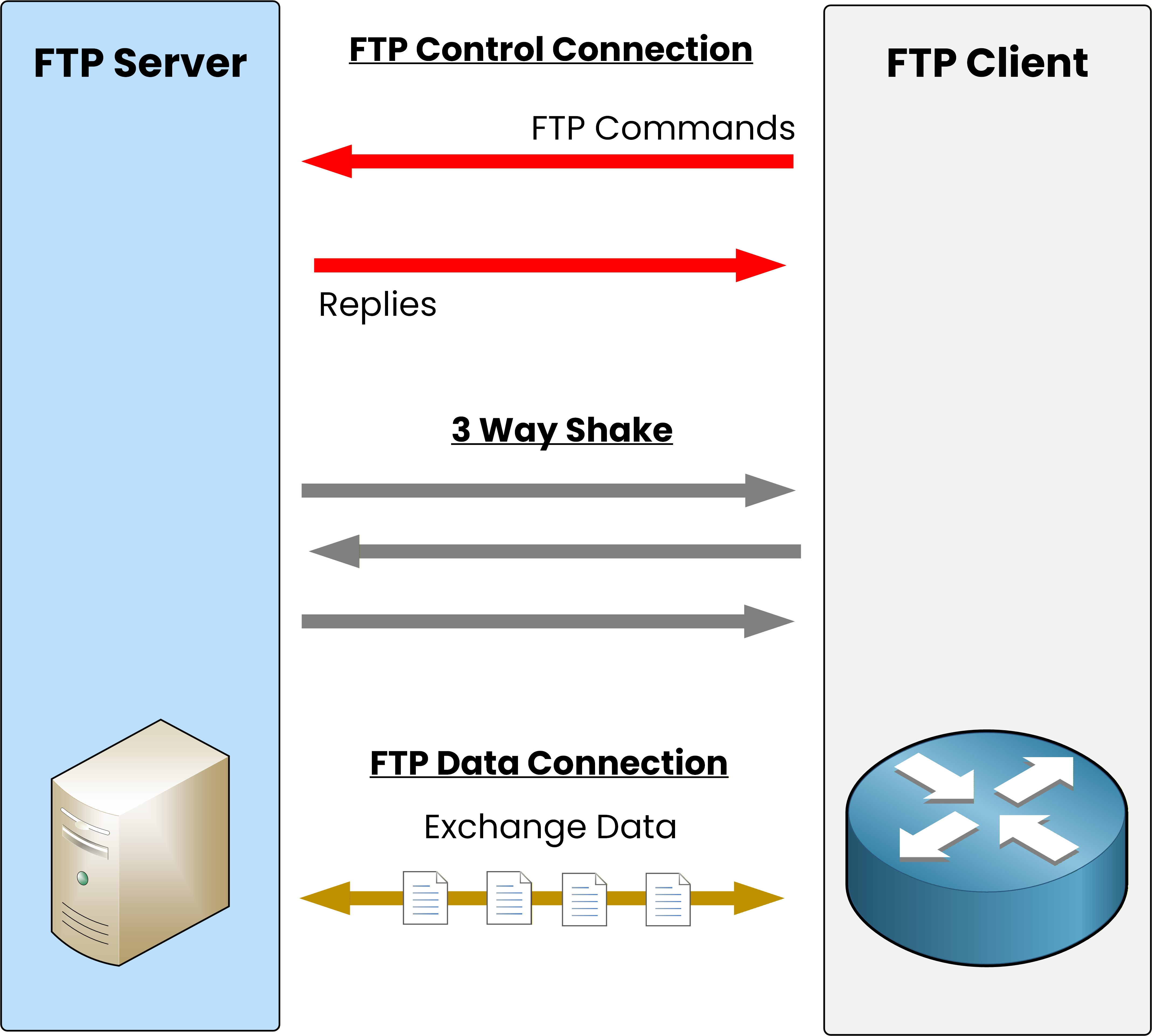
Figure 5 – In active mode, the server initiates the data connection after the three-way handshake.
Once the handshake is complete, the data connection is established, and the file transfer begins.
Meanwhile, the control connection stays open to handle commands and responses.However, because the server initiates the data connection, firewalls may block it by default.
That is why passive mode is preferred in more secure or restricted environments. Let me show you.Answer the question below
In active mode, who initiates the data connection?
FTP Passive Mode
In passive mode, the client initiates the data connection instead of the server.
This mode is typically used when the client is behind a firewall that blocks incoming connections.
Figure 6 – In passive mode, the client initiates both control and data connections after the three-way handshake.
Here, the first message of the three-way handshake is sent by the client.
The firewall allows the server’s reply but would reject the session if the server tried to start the connection itself.Once the data connection is established, the file transfer begins as usual.
Since all communication is initiated by the client, firewalls do not interfere.
That is why passive mode has become the standard configuration in most enterprise networks.Answer the question below
In passive mode, who initiates the data connection?
TFTP (Trivial File Transfer Protocol) was standardized in 1981 (RFC 783).
It wasn’t designed to replace FTP. Instead, it provides a quick and lightweight option for transferring small files with little protocol overhead.A Simplified File Transfer Protocol
TFTP removes most of the complexity found in FTP.
It does not require authentication or encryption and has no directory navigation.
Its purpose is simple: to copy files between a client and a server efficiently.No authentication (no username or password).
No encryption means data is sent in plain text.
No advanced commands, only basic read and write operations.
Because TFTP offers no security, it is mainly used in controlled environments such as local networks. You’ll often find it in use for transferring configuration files, device firmware, or Cisco IOS images.
Unlike FTP, which uses TCP, TFTP operates over UDP port 69.
UDP is connectionless, meaning there is no three-way handshake, no guaranteed delivery, and no built-in retransmission. To handle this, TFTP includes its own lightweight reliability mechanism.TFTP Reliability
Every TFTP transfer follows a simple pattern.
The sender transmits one block of data, and the receiver must acknowledge it before the next block is sent.
This acknowledgment system ensures reliable delivery even though UDP itself provides no guarantees.
If an acknowledgment is not received in time, the sender simply retransmits the previous data block.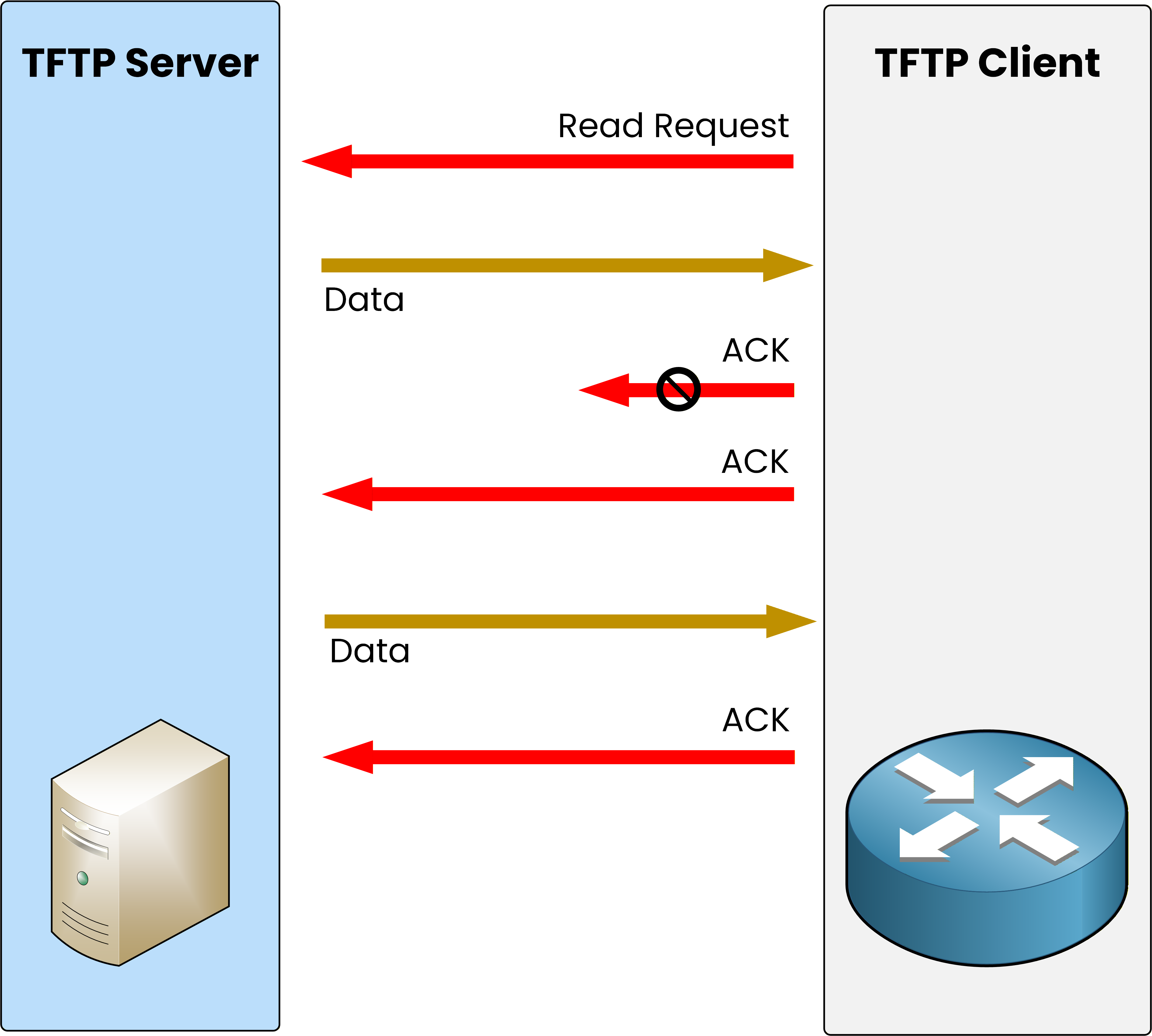
Figure 7 – TFTP exchanges data and acknowledgments between the client and the server.
Let’s see how this works in action:
The TFTP client starts by sending a read request to the server.
The server replies with the first block of data, and the client responds with an acknowledgment (ACK).
If the acknowledgment is lost, the server waits briefly, then retransmits the same data block.
Once the acknowledgment is received, the server continues with the next block of data.
This exchange continues until the entire file has been transferred.
The stop-and-wait mechanism, where each block must be acknowledged before the next one is sent, keeps TFTP simple yet dependable for small file transfers.Answer the question below
Which transport protocol does TFTP use for file transfers?
FTP and TFTP both transfer files between network devices. However, they operate differently and have different complexities.
For the CCNA exam, it’s important to focus on the main distinctions shown in the table below.Aspect
FTP
TFTP
Protocol
TCP
UDP
Ports
21 (Control), 20 (Data, active mode)
69
Security
Authentication, encryption only with FTPS
No authentication or encryption
Reliability
TCP retransmissions
Simple ACK system
Usage
Secure, managed transfers
Quick file transfers in trusted networks
Table 1 – Key distinctions between FTP and TFTP for CCNA learners.
As you can see, FTP offers more control and reliability, making it suitable for authenticated and managed file transfers. TFTP is favored for quick and easy tasks in safe environments where security isn’t a worry.
Answer the question below
Which protocol operates on port 69?
Now that you’ve explored both FTP and TFTP, you can clearly see how they differ in reliability, complexity, and security.
FTP uses TCP for reliable, authenticated transfers, while TFTP relies on UDP for fast and simple exchanges within trusted networks.Key Takeaway
FTP → reliable and secure (TCP 21/20)
TFTP → simple and fast (UDP 69)
In summary, for your CCNA exam:
Use FTP for secure and managed file transfers.
Use TFTP for quick, lightweight exchanges in a safe network.
Answer the question below
Click 'Complete' to continue