In the previous lessons, PC1 pinged PC2 at
192.168.1.2.
That number is PC2's IP address. Every device on a network has one.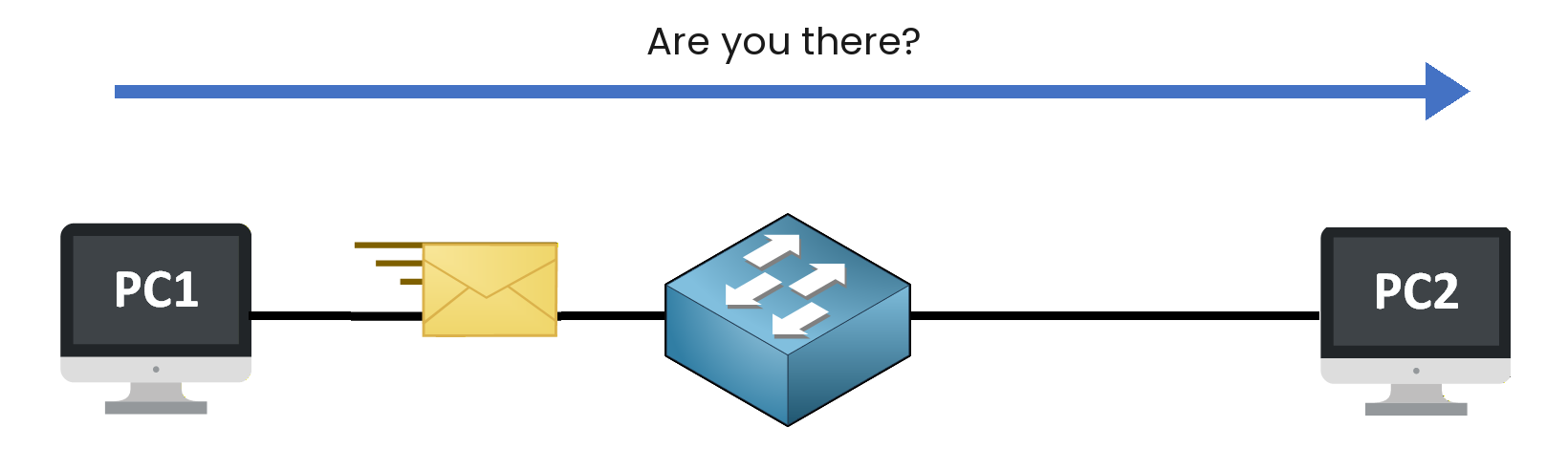
Figure 1 – PC1 reaches PC2 by its IP address
In this lesson, you will read an IP address and find out what each part means.
Answer the question below
Ready? Click "Complete"
On Windows, the
ipconfigcommand shows the network settings of the PC.
You are sitting at PC1.You'll need to...
Double-click Command Prompt on the desktop.
Type
ipconfigand press Enter.
Answer the question below
What is PC1's IPv4 Address?
PC1's IPv4 Address is
192.168.1.1, and just below it is its subnet mask:255.255.255.0.An IP address has two parts:
The network portion identifies the network. Every device on the same network shares it.
The host portion identifies one device on that network.
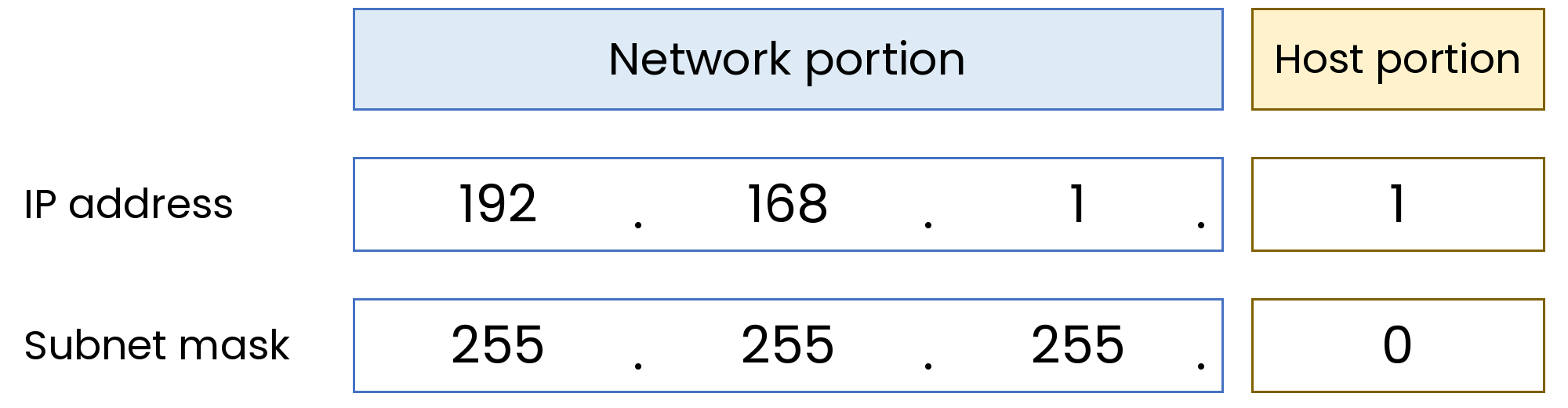
Figure 2 – The two parts of PC1's address
The subnet mask shows where the network portion ends. Here, the network portion is
192.168.1.Devices with the same network portion are on the same network.
Answer the question below
What is the network portion of PC1's address?
What happens if PC2 is on another network? Move it and see.
You'll need to...
On PC2, open Network & internet settings.
Next to IP assignment, click Edit and change the IP address to
192.168.2.2and click Save.Double-click PC1, open Command Prompt and type
ping 192.168.2.2.
Answer the question below
What does PC1 answer? Destination host ___________
Through the switch, PC1 can only reach devices on its own network.
To reach another network, PC1 needs a default gateway: the device that takes messages out of the network.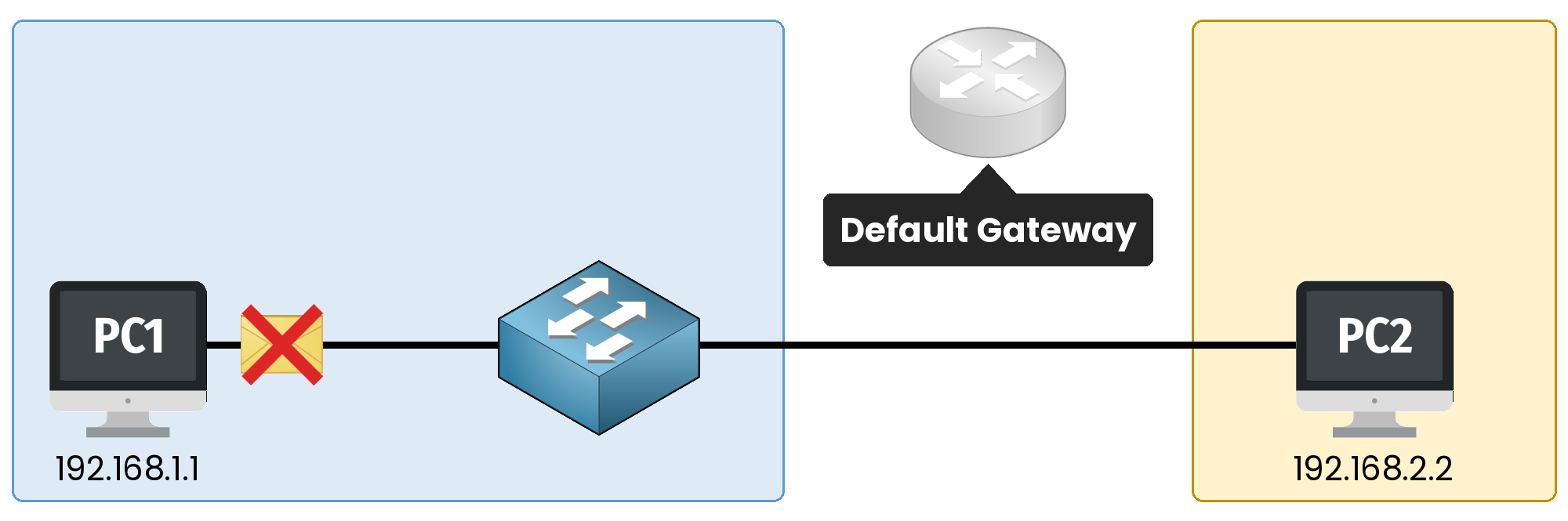
Figure 3 – No gateway, no way to the other network
PC2 is now on network
192.168.2.0, and PC1's Default Gateway is empty: PC1 has no way out of its network.
So the ping fails with "Destination host unreachable".Answer the question below
What does PC1 need to reach another network?
Here is PC1's address,
192.168.1.1, with two different masks:Address
Mask
Network portion
192.168.1.1
255.255.255.0
192.168.1
192.168.1.1
255.255.0.0
192.168
Table 1 – The same address with two masks
With
255.255.0.0, the network portion is only192.168.192.168.1.1and192.168.2.2then have the same network portion: they are on the same network. Try it.You'll need to...
On PC1 and on PC2, edit the IP settings again and change the Subnet mask to
255.255.0.0.From PC1, type
ping 192.168.2.2.
Answer the question below
When PC2 replies, a flag appears. Enter it below.
You read an address as four numbers. A PC writes each number with 8 bits, and a bit is a 0 or a 1.
For example, here is
192.168.1.1written in bits:192 168 1 1 11000000 10101000 00000001 00000001The mask is written in bits too.
Its 1s mark the network portion, and its 0s mark the host portion.You'll need to...
Change the addresses and the mask to see if the two PCs are on the same network.
Answer the questions below.
Answer the question below
PC1: 192.168.1.1 PC2: 192.168.2.2 Mask: 255.255.255.0 Are the two PCs on the same network?
Answer the question below
Now change the mask to 255.255.0.0. Are the two PCs on the same network?
Answer the question below
In the mask, how many 1s does the number 255 have?