Your IP address on the Internet is not the IP address of your PC.
See for yourself.
You'll need to...
Open Command Prompt and type
ipconfig.Open the browser and go to
whatismyip.com.
ipconfigshows192.168.1.1.
The website shows203.0.113.2.Two IP addresses for the same PC. Why?
Answer the question below
Which IP address does whatismyip.com show?
Between your home and the Internet, there is one device: your home router.
In this lab, it is called HOME.A router has no desktop.
You type commands to talk to it.You'll need to...
Double-click HOME.
Type
enableto unlock the router.Type
show ip interface brief.
A router has several ports, called interfaces.
Each interface has its own IP address.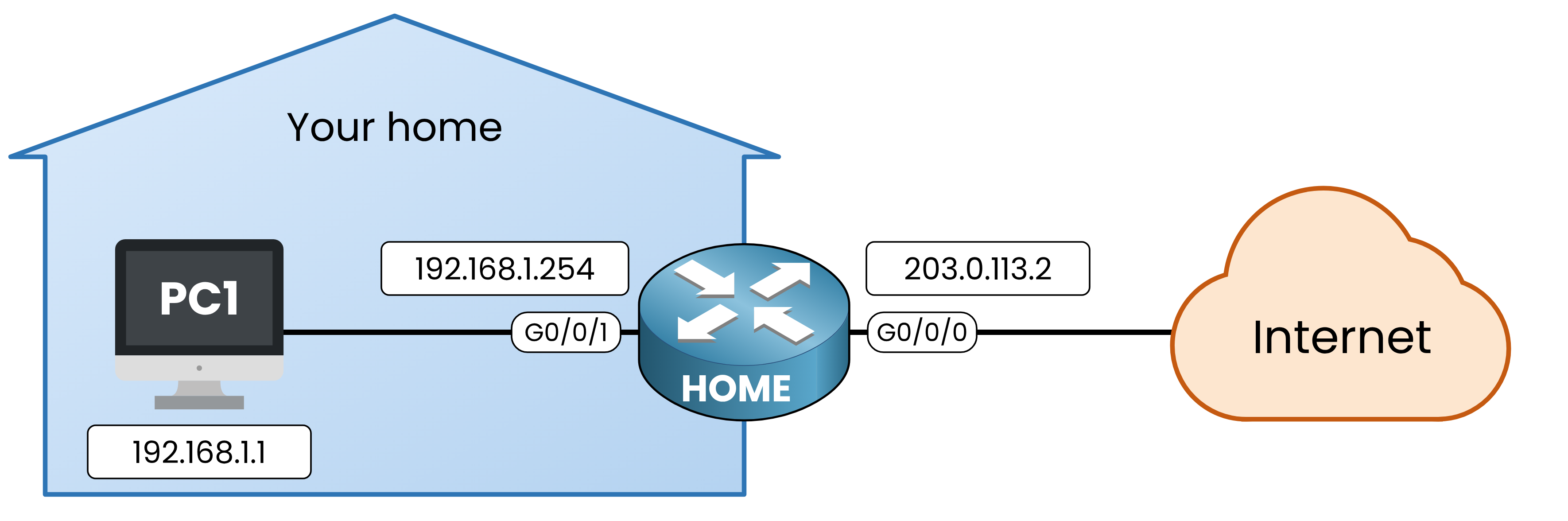
Figure 1 – The two interfaces of your home router
203.0.113.2is not the address of your PC.
It is the IP address of your home router, on the Internet side.Answer the question below
What is HOME's IP address on the side of your home?
Your neighbor also has a PC, connected to his own home router.
Does his PC have192.168.1.1too?Run the same test on his PC.
You'll need to...
Open Command Prompt and type
ipconfig.Open the browser and go to
whatismyip.com.
His PC has the same IP address as yours:
192.168.1.1.
But the website shows another address:198.51.100.7.Compare your PC and his:
ipconfig
whatismyip.com
Your PC
192.168.1.1203.0.113.2Your neighbor's PC
192.168.1.1198.51.100.7Table 1 – Same address at home, different address on the Internet
192.168.1.1is a private IP address.
It only works inside your own network, so every home can use the same ones.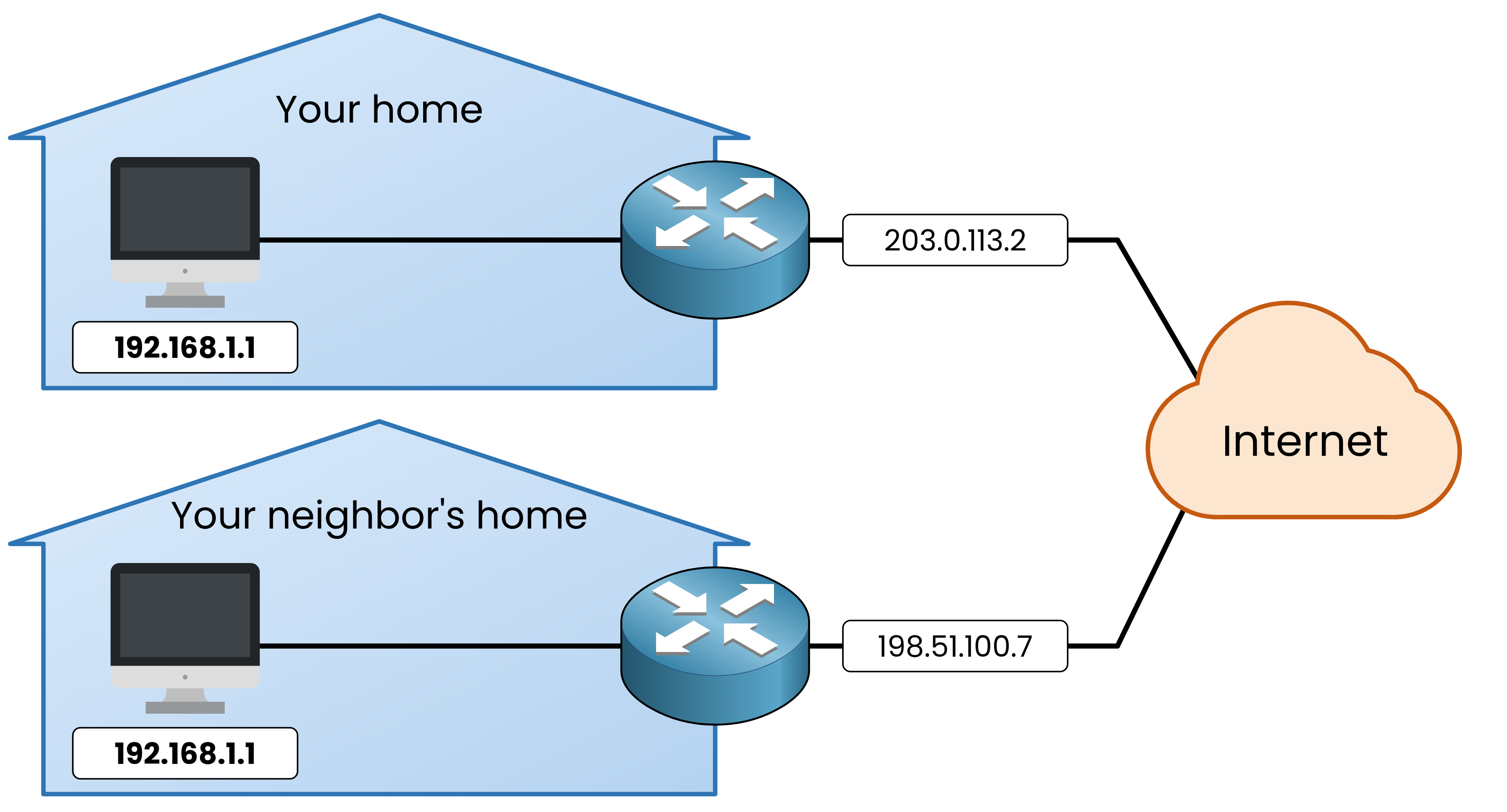
Figure 2 – The same private IP address in two homes
203.0.113.2is a public IP address.
It is unique on the Internet. Your Internet provider gives it to your home router.Answer the question below
What is your neighbor's public IP address?
Every device could have its own public IP address.
But there are not enough for everyone.The IP addresses you have used so far are IPv4 addresses.
In "What's an IP Address?", you saw that an IP address is four numbers of 8 bits: 32 bits.
With 32 bits, there are about 4.3 billion IPv4 addresses.Now look at the number of devices connected to the Internet.
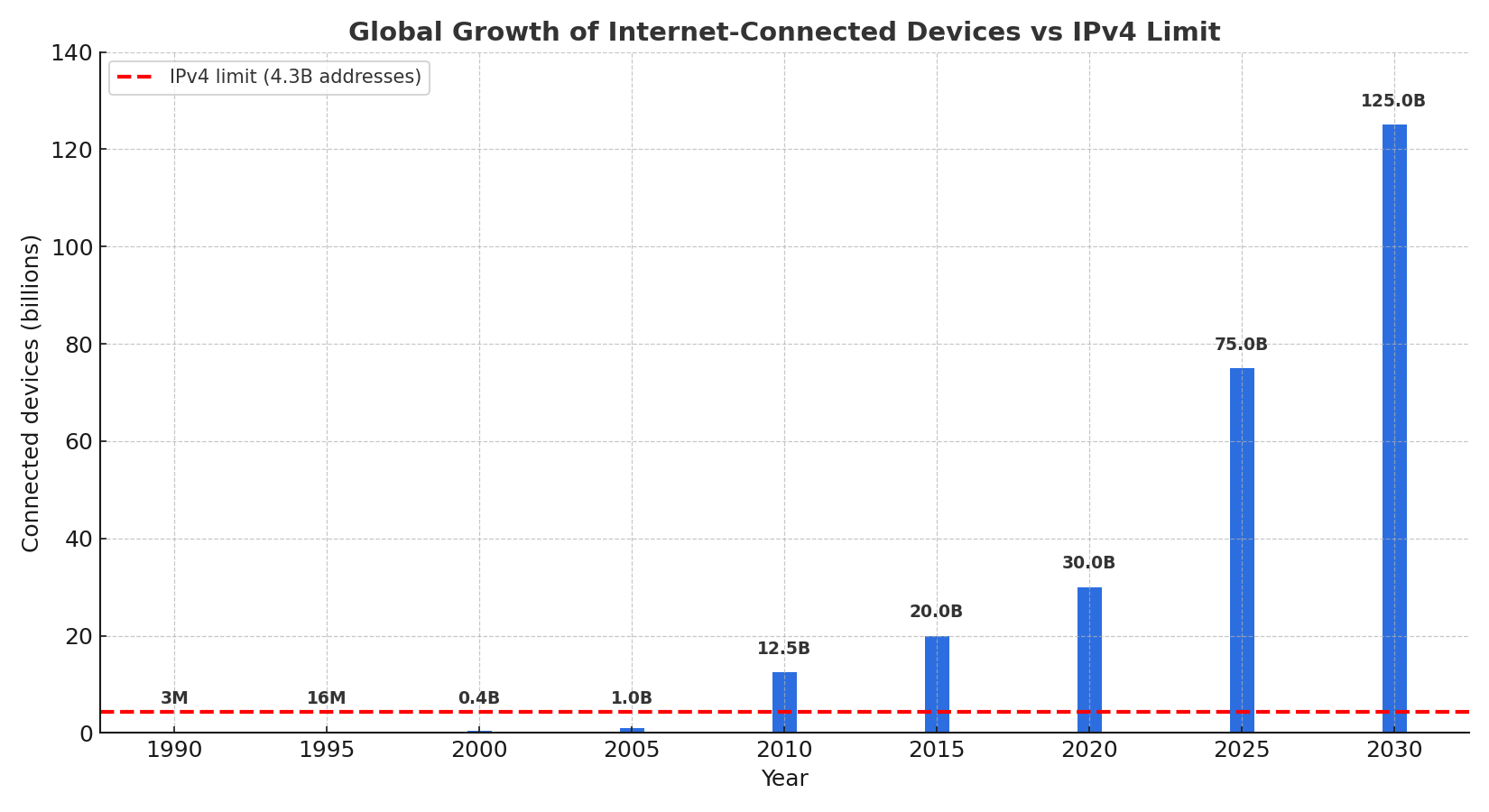
Figure 3 – Devices connected to the Internet, against all the IPv4 addresses
Around 2010, there were already more devices than IPv4 addresses.
So your home gets only one public IP address, and your home router has it.
Your PC still reaches the Internet without one.Answer the question below
Around which year did the number of devices pass 4.3 billion?
PC1 sends its request with its private IP address:
192.168.1.1.
But whatismyip.com sees203.0.113.2.Your home router changes the address on the way.
Theshow ip nat translationscommand shows it.You'll need to...
On PC1, open the browser and go to
whatismyip.com.Double-click HOME and type
enable.Type
show ip nat translations.
HOME shows one line:
HOME# show ip nat translations
Pro Inside global      Inside local       Outside local      Outside global
tcp 203.0.113.2:51308  192.168.1.1:51308  192.0.2.44:80      192.0.2.44:80
Both addresses are on the same line: the address of PC1, and the address of your home router.
Your home router replaced the first address with the second.
This is called NAT, Network Address Translation.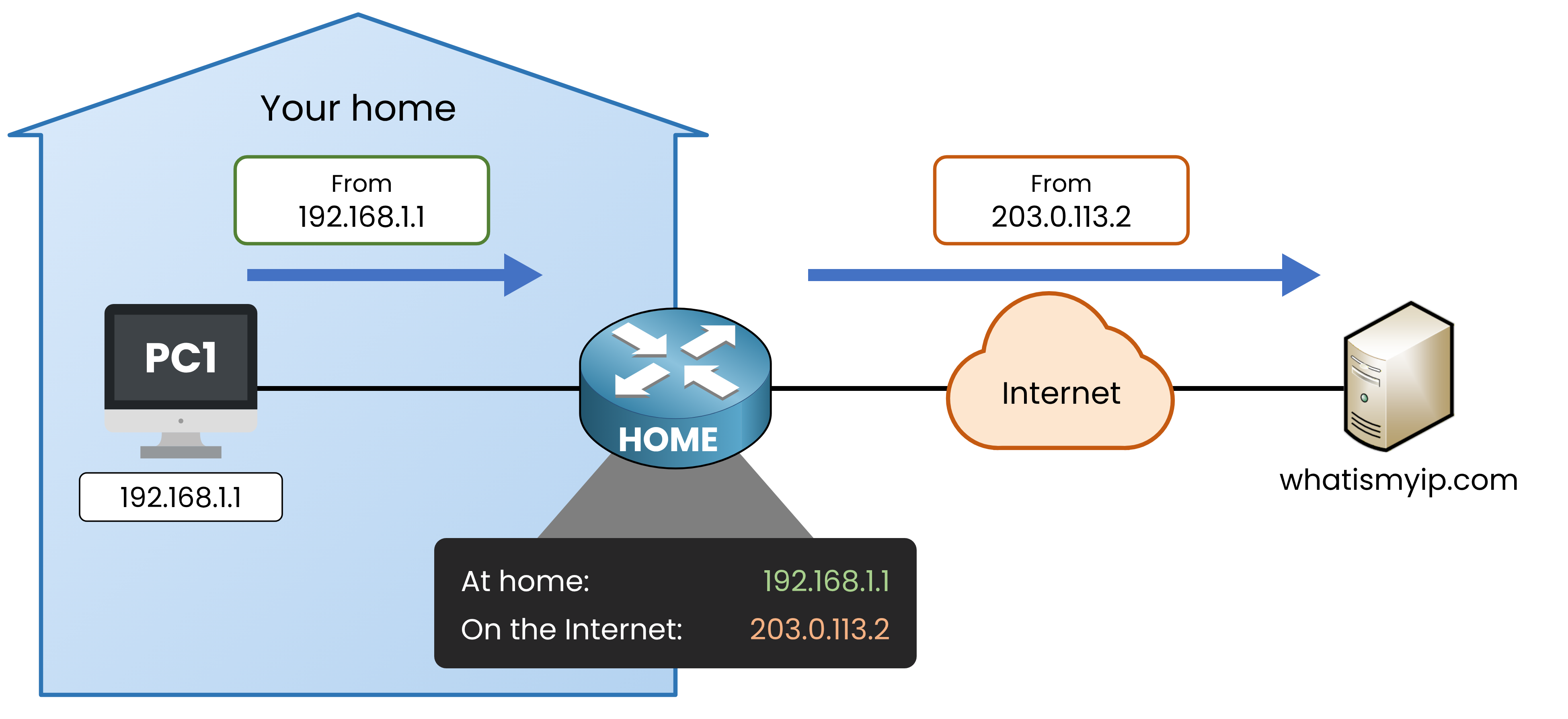
Figure 4 – Your home router replaces the address of PC1
That is why whatismyip.com shows
203.0.113.2: it only sees your home router.
Your home router does the same for every message that leaves your home.Answer the question below
Which IP address does HOME put in place of 192.168.1.1?