You can read Python data structures and you know the HTTP rules.
Now you put them together against the kind of code you will see in an exam exhibit.Remember three RESTCONF principles:
HTTPS on TCP port 443
JSON format for data input and output
A long URL pointing to a specific configuration item on the router
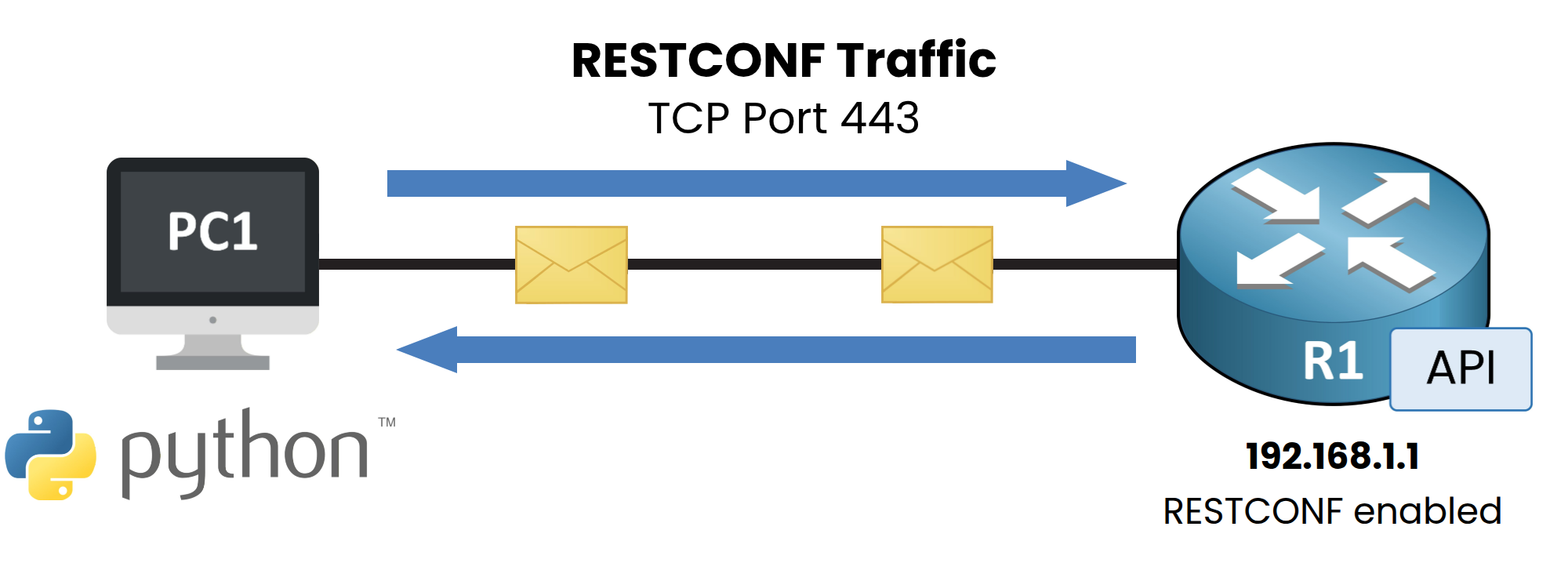
Figure 1 – Lab topology
PC1 runs Python with the
requestslibrary installed.
It reaches Cisco IOS-XE router R1 (192.168.1.1) over TCP port 443 to send RESTCONF traffic.Script 1 — Simple GET Request
Here is the smallest networking script you can write.
It asks R1 for itsGigabitEthernet0/1configuration over RESTCONF:import requests import urllib3 urllib3.disable_warnings() url = "https://192.168.1.1/restconf/data/Cisco-IOS-XE-native:native/interface/GigabitEthernet=0%2F1" headers = {"Accept": "application/yang-data+json"} response = requests.get(url, headers=headers, auth=("admin", "cisco123"), verify=False) print(response.status_code) print(response.json())Walk through it line by line:
import requests: Loads the HTTP library.urllib3.disable_warnings()andverify=False: Suppress SSL certificate warnings (acceptable in a lab, not in production).url: Points at one specific item on the router (GigabitEthernet0/1).headers: Tells R1 you want JSON, not XML.requests.get(...): Sends an HTTPS GET request with your credentials.auth=("admin", "cisco123"): Passes HTTP Basic Auth credentials to R1, exactly like an SSH login.response.json(): Converts the JSON response body into a Python dict so you can print it.
If R1 accepts the request,
response.status_codereturns200and the parsed dictionary appears.Answer the question below
What HTTP method does this script use to read the interface configuration?
Answer the question below
What is the type of the value returned by response.json() in this script?
Answer the question below
Which HTTP status code would response.status_code show if R1 accepts the request?
Script 1 fetched one interface and printed the whole dictionary.
Real scripts dig into that dictionary, and they plan for the day R1 does not answer.Script 2 — Parse and Loop Through Interfaces
This is the kind of script you will see in an exam exhibit.
It fetches every interface from R1 and prints each name with its type:import requests import urllib3 urllib3.disable_warnings() url = "https://192.168.1.1/restconf/data/ietf-interfaces:interfaces" headers = {"Accept": "application/yang-data+json"} response = requests.get(url, headers=headers, auth=("admin", "cisco123"), verify=False) data = response.json() for iface in data["ietf-interfaces:interfaces"]["interface"]: print(iface["name"], iface["type"])Output:
GigabitEthernet0/1 iana-if-type:ethernetCsmacd
GigabitEthernet0/2 iana-if-type:ethernetCsmacd
Loopback0 iana-if-type:softwareLoopback
Trace what happens after the response arrives:
response.json(): Converts the raw JSON body into a nested Python dictionary.data["ietf-interfaces:interfaces"]: Navigates one level deep into the container.["interface"]: Returns the list of interface dictionaries.forloop: Walks each dictionary and prints itsnameandtypekeys.
Exam questions often show this script and ask: "What is achieved by this script?"
Your job is to trace the keys until you reach the printed value.40 % Complete: you’re making great progress
Ready to pass your CCNP exam?