In a network, it is important to collect traffic flow statistics in order to understand how data moves through the infrastructure. These statistics are used for different operational and business purposes.
There are several reasons for this:
In a service provider environment, flow statistics are required to analyze traffic usage and perform customer billing.
In an enterprise network, traffic statistics are used to monitor network usage, identify applications, and understand communication patterns between hosts.
Benefits of NetFlow
Collecting all these flow statistics provides better visibility into the network, helps optimize traffic, and assists with troubleshooting. NetFlow is a feature available in Cisco IOS that allows network traffic to be observed and exported to a collector, as shown below.
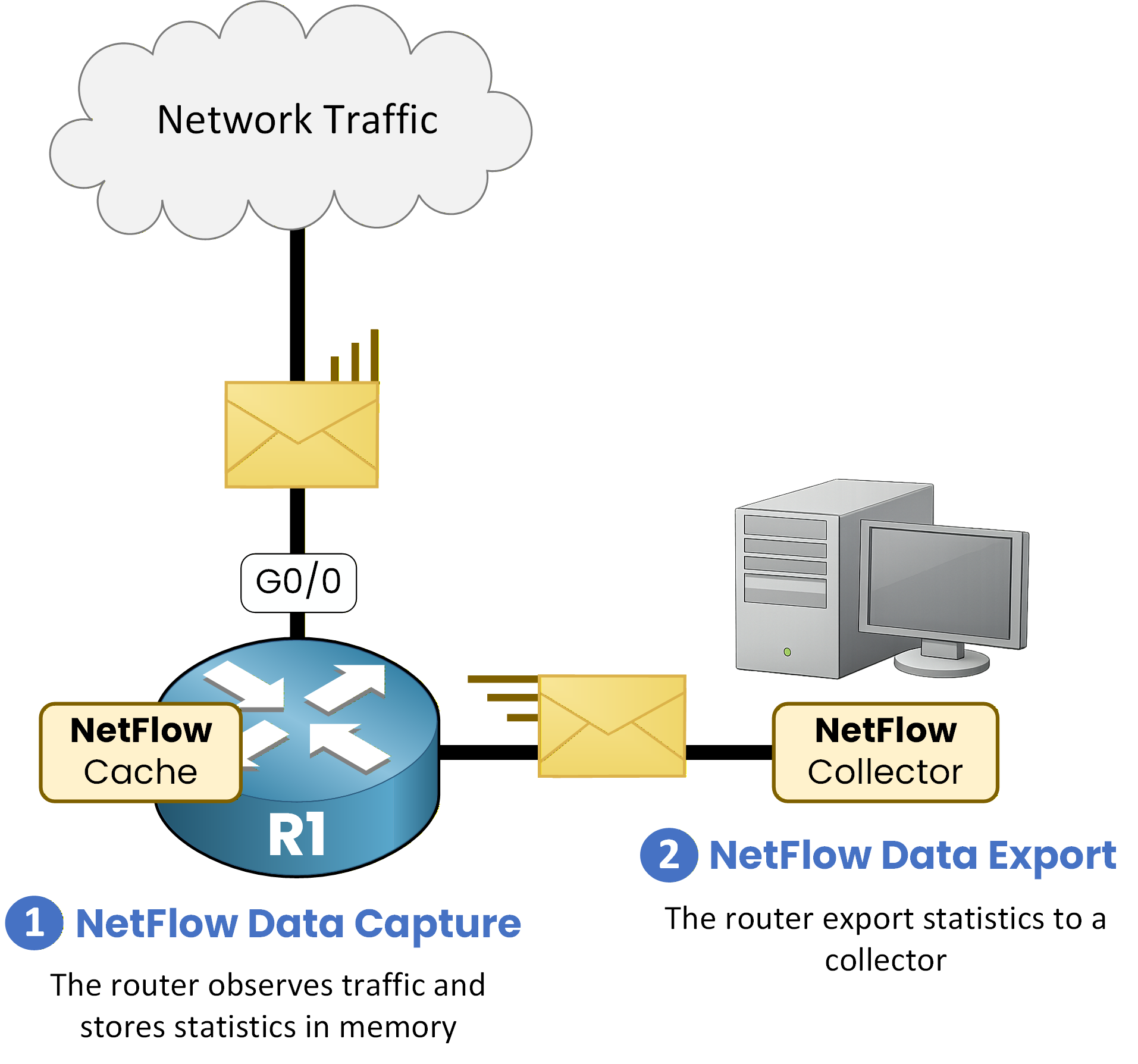
Figure 1 - NetFlow Architecture
NetFlow consists of two main elements:
NetFlow Data Capture
This component observes the traffic, creates flows, and stores them in RAM in the NetFlow cache.
NetFlow Data Export
This component sends the collected statistics via UDP to a NetFlow collector.
Answer the question below
What kind of network data is NetFlow gathering?
To configure NetFlow, the first step is to specify on which interface NetFlow should be enabled.
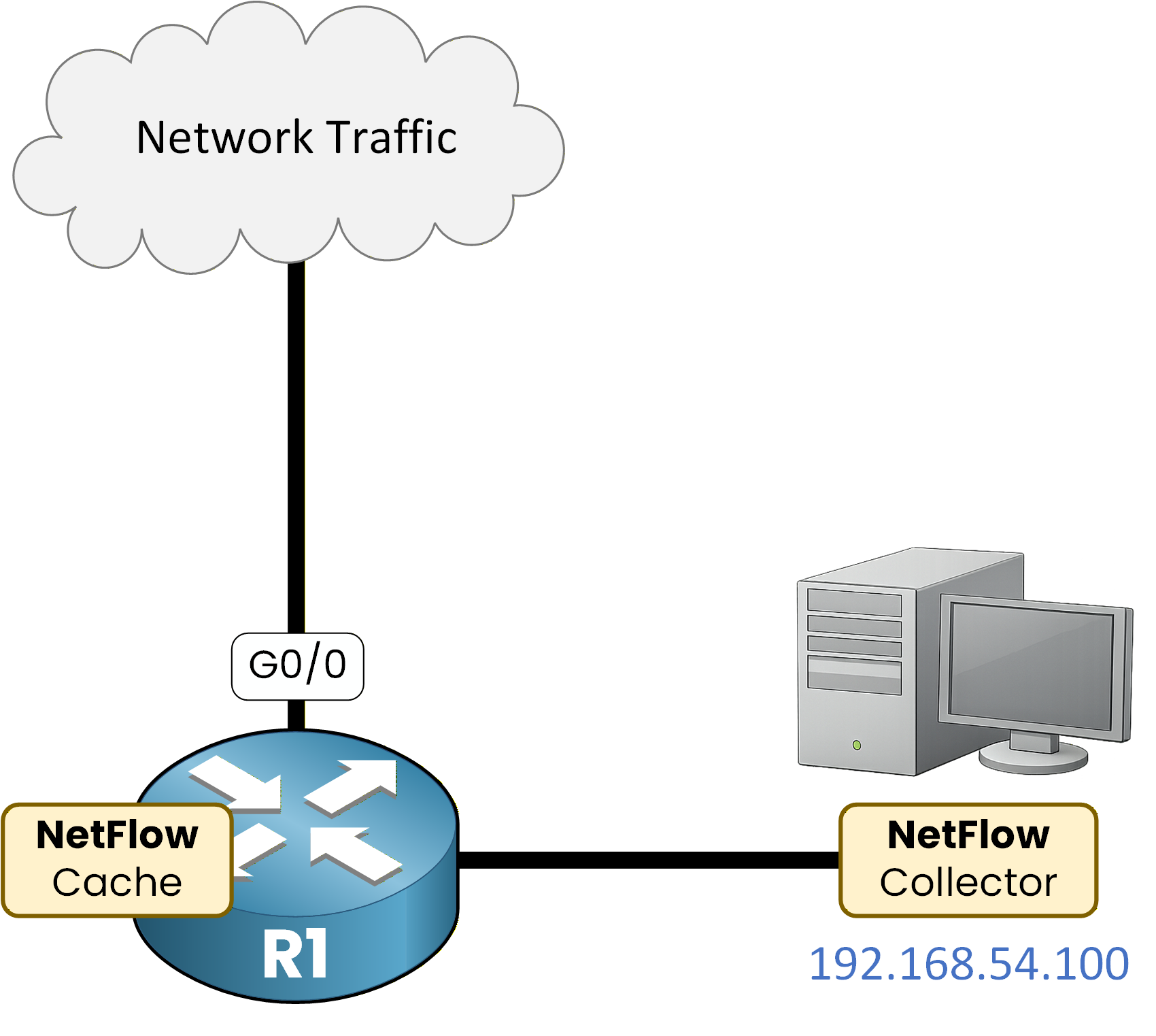
Figure 2 - NetFlow Configuration Topology
NetFlow on an Interface
NetFlow can capture traffic in two directions:
ip flow ingress: captures traffic entering the interface
ip flow egress: captures traffic leaving the interface
R1# conf t
Enter configuration commands, one per line. End with CNTL/Z.
R1(config)# interface G0/0
R1(config-if)# ip flow ingress
R1(config-if)# ip flow egress
R1(config-if)# exit
NetFlow captures both incoming and outgoing traffic on interface GigabitEthernet0/0.
Exporting to a Collector
Once flows are captured, they must be exported to a NetFlow collector for analysis.
R1(config)# ip flow-export version 9
R1(config)# ip flow-export destination 192.168.54.100 9999
R1(config)# end
In this configuration:
NetFlow version 9 is used
The collector IP address is 192.168.54.100
Statistics are sent using UDP port 9999
Answer the question below
On which interface is NetFlow enabled?
Answer the question below
Which protocol is used to export NetFlow data?
NetFlow is now enabled and exporting. Let's confirm it, from the interface down to the flows themselves.
40 % Complete: you’re making great progress
Ready to pass your CCNP exam?