Before you configure any redundancy protocol, let's take a moment to feel the problem it solves.
For this lesson, forget the administrator role: you are a regular user, sitting at PC1 in a small office network.Check Your Gateway
Here is the network you work in every day.
Your LAN has a single exit toward the outside world, and that exit is R1.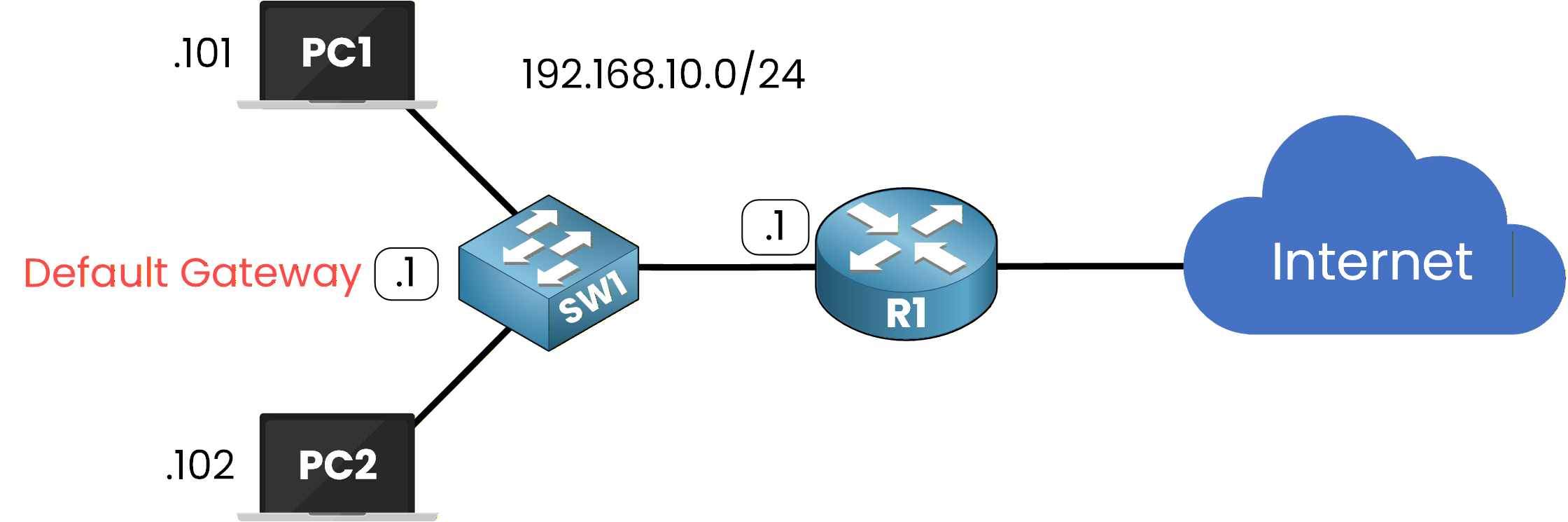
Figure 1 – One router serves as your default gateway
Let's start by checking which gateway your PC actually uses.
Run the following command:PC1> ipconfig Ethernet adapter Ethernet: IPv4 Address. . . . . . . . . . . : 192.168.10.101 Subnet Mask . . . . . . . . . . . : 255.255.255.0 Default Gateway . . . . . . . . . : 192.168.10.1As you can see, your default gateway is 192.168.10.1, which is the physical address of R1.
Every single packet you send outside your subnet 192.168.10.0/24 travels through that one address.Answer the question below
What is the IP address of PC1?
Test the Connectivity
Now let's confirm that this gateway does its job.
Send a ping to 8.8.8.8, a public address on the Internet:PC1> ping 8.8.8.8 Pinging 8.8.8.8 with 32 bytes of data: Reply from 8.8.8.8: bytes=32 time<1ms TTL=254 Reply from 8.8.8.8: bytes=32 time<1ms TTL=254 Reply from 8.8.8.8: bytes=32 time<1ms TTL=254 Reply from 8.8.8.8: bytes=32 time<1ms TTL=254 Ping statistics for 8.8.8.8: Packets: Sent = 4, Received = 4, Lost = 0 (0% loss),You received four replies, which means your packets crossed R1, reached the Internet, and came back without any problem.
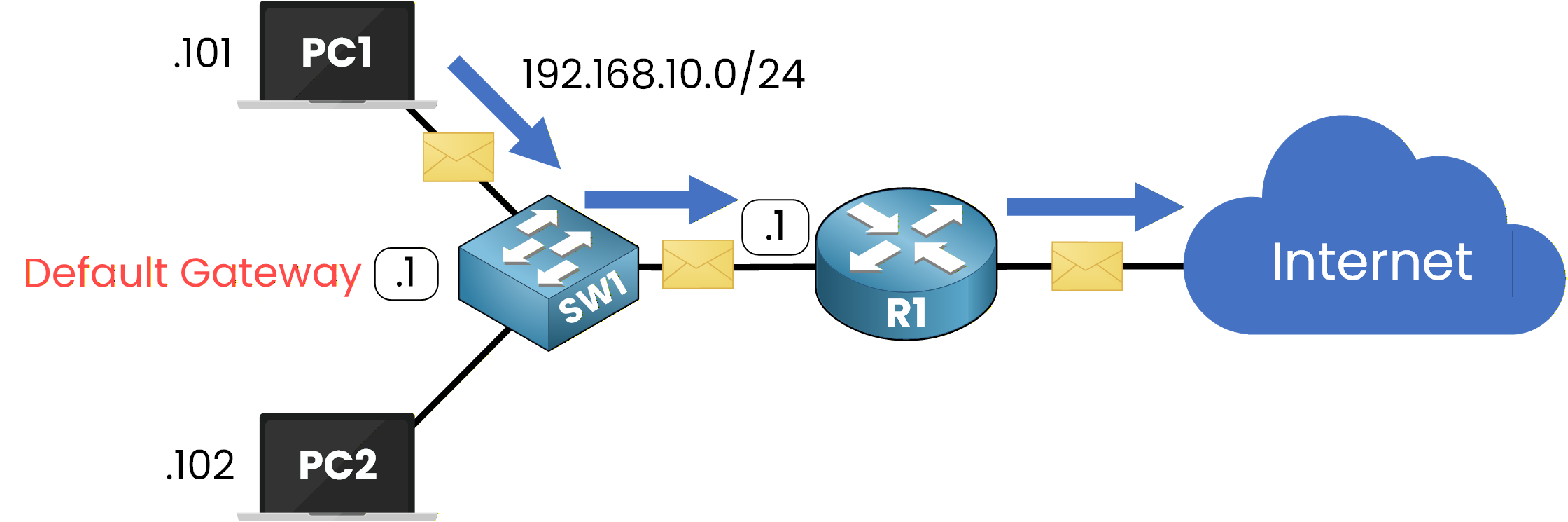
Figure 2 – Your traffic reaches the Internet through R1
Everything works as expected.
You browse, you stream, and you never have to think about R1: it quietly does its job in the background.Answer the question below
Which address is PC1's default gateway?
Now, imagine that one morning, R1 suddenly loses power.
Nobody warned you, and nothing changed on your PC.Let's see what your morning looks like from your seat.
The Ping Fails
You sit down at your desk, open your usual applications, and nothing loads anymore.
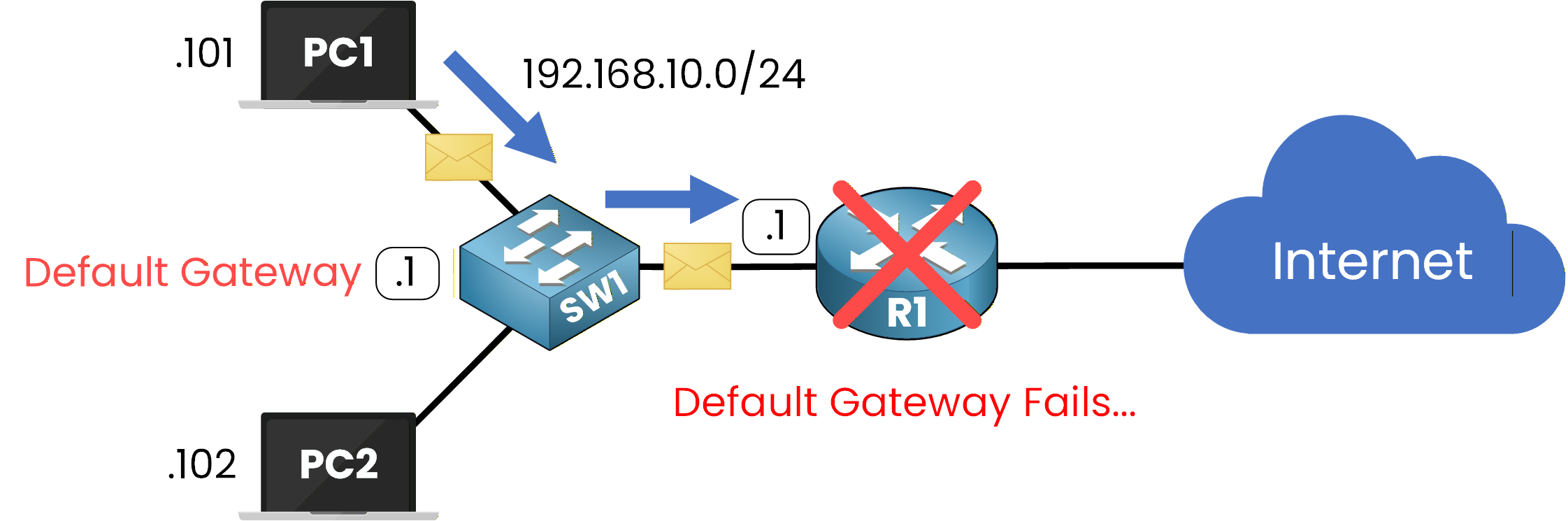
Figure 3 – The default gateway fails
To understand what is happening, run the exact same ping as yesterday:
PC1> ping 8.8.8.8

Pinging 8.8.8.8 with 32 bytes of data:

Request timed out.
Request timed out.
Request timed out.
Request timed out.

Ping statistics for 8.8.8.8:
    Packets: Sent = 4, Received = 0, Lost = 4 (100% loss),
Take a moment to realize what this output means.
Your IP address is still valid, your cable is fine, the switch is fine, and 8.8.8.8 is perfectly alive.
And yet, your PC keeps sending frames to a router that has vanished from the network.Answer the question below
What percentage of packets did you lose?
The Single Point of Failure
The explanation is simple.
Your PC can only hold one default gateway address, and right now that address points to a dead router.
It has no mechanism to discover a backup router on its own, even if one is sitting right next to R1.40 % Complete: you’re making great progress
Ready to pass your CCNP exam?