You just got an alert from monitoring: CPU usage is spiking across every router, and latency is jumping across the site. The root cause? Your network is running as one single, massive Area 0.
In a flat Single-Area design, any minor link flap forces every single router to rerun the Shortest Path First (SPF) algorithm and reprocess incoming LSAs. As your enterprise grows, your routing tables explode and control planes choke on constant recalculations.
The Single-Area Nightmare
Look at the core architecture below:
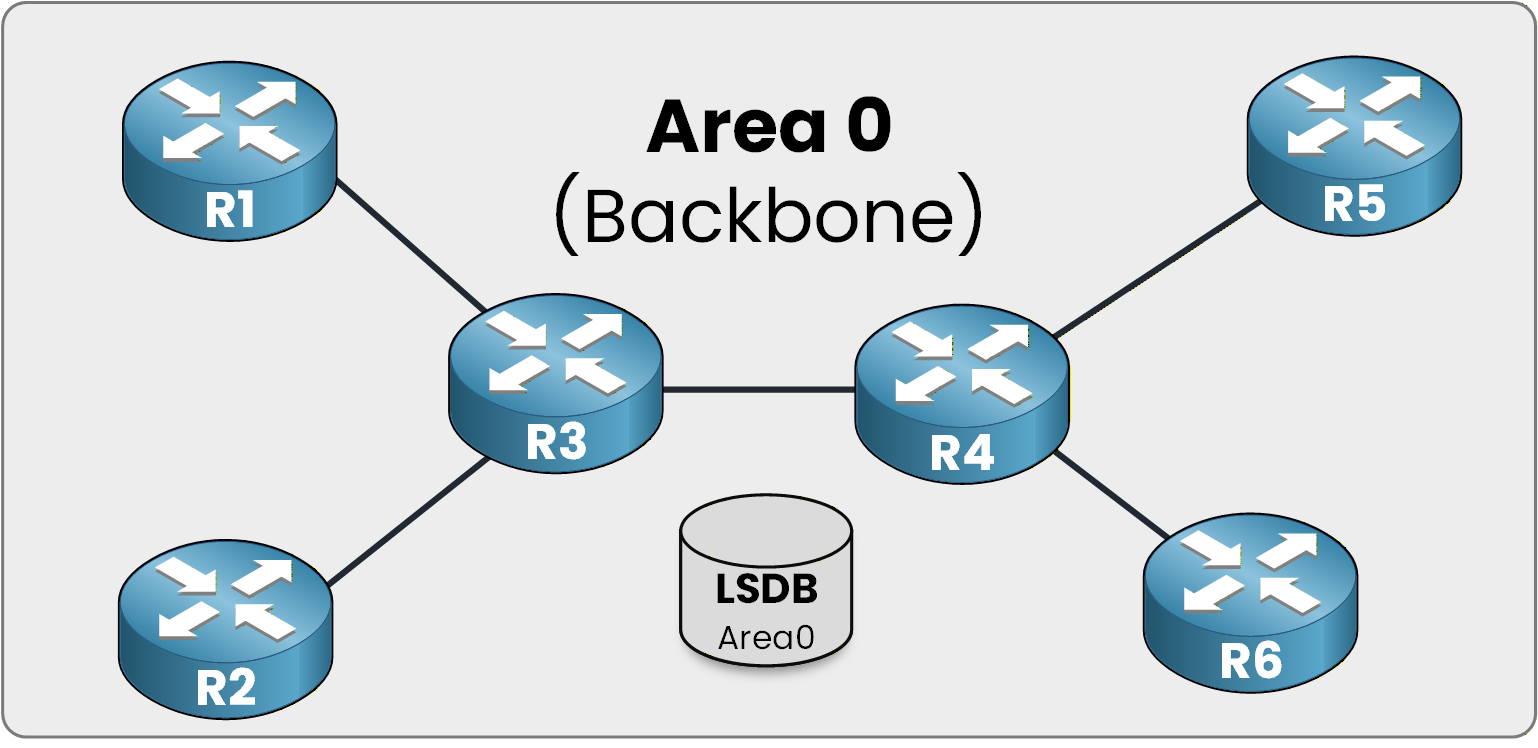
Figure 1 – One area, one shared LSDB
Because every router sits inside Area 0, R1 through R6 must store the exact same Link State Database (LSDB) in memory.
The Cost of a Link Failure
Watch what happens the second a single link drops at the edge (between R4 and R5):
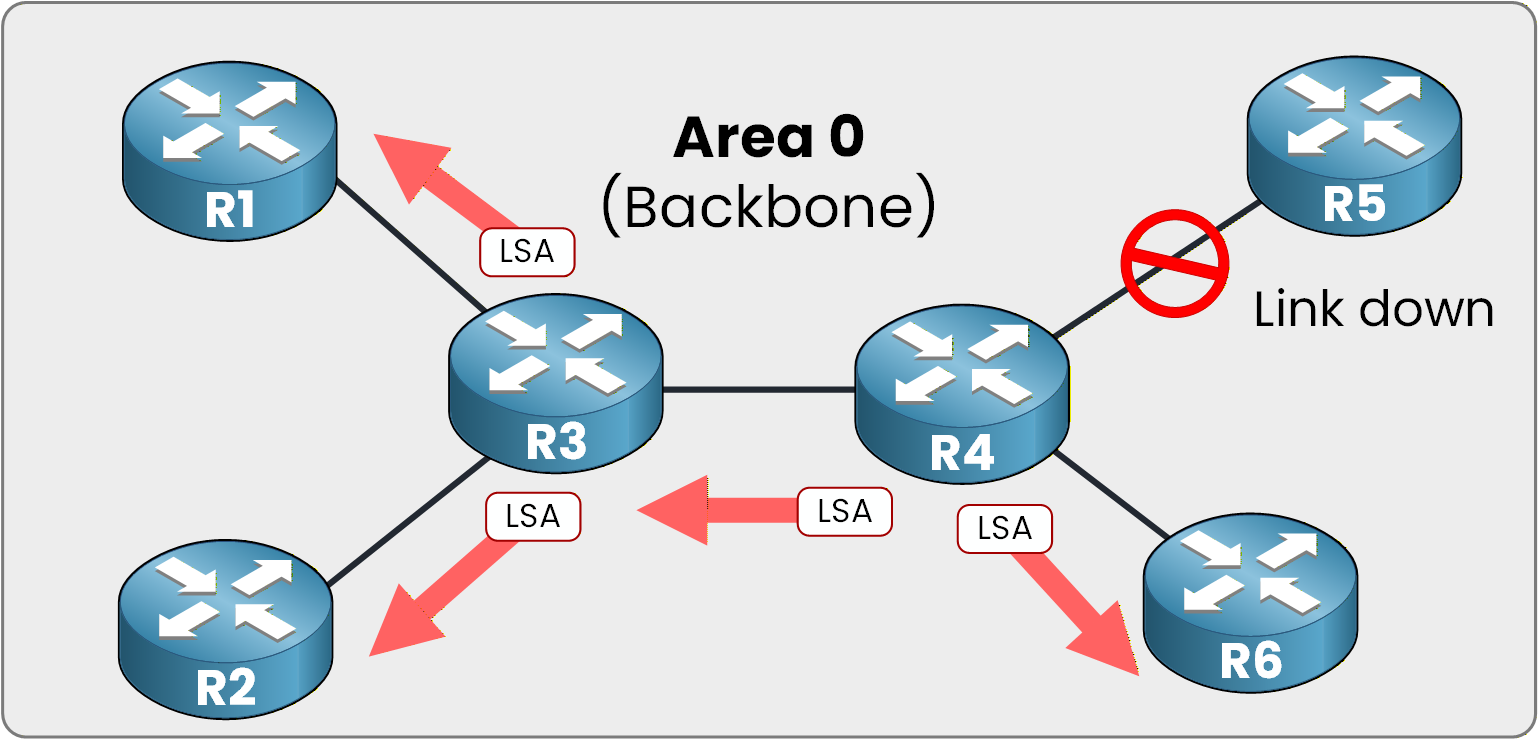
Figure 2 – One link fails, LSAs flood everywhere
Because no area boundaries exist, every router receives the LSA and immediately recalculates its Shortest Path First tree.
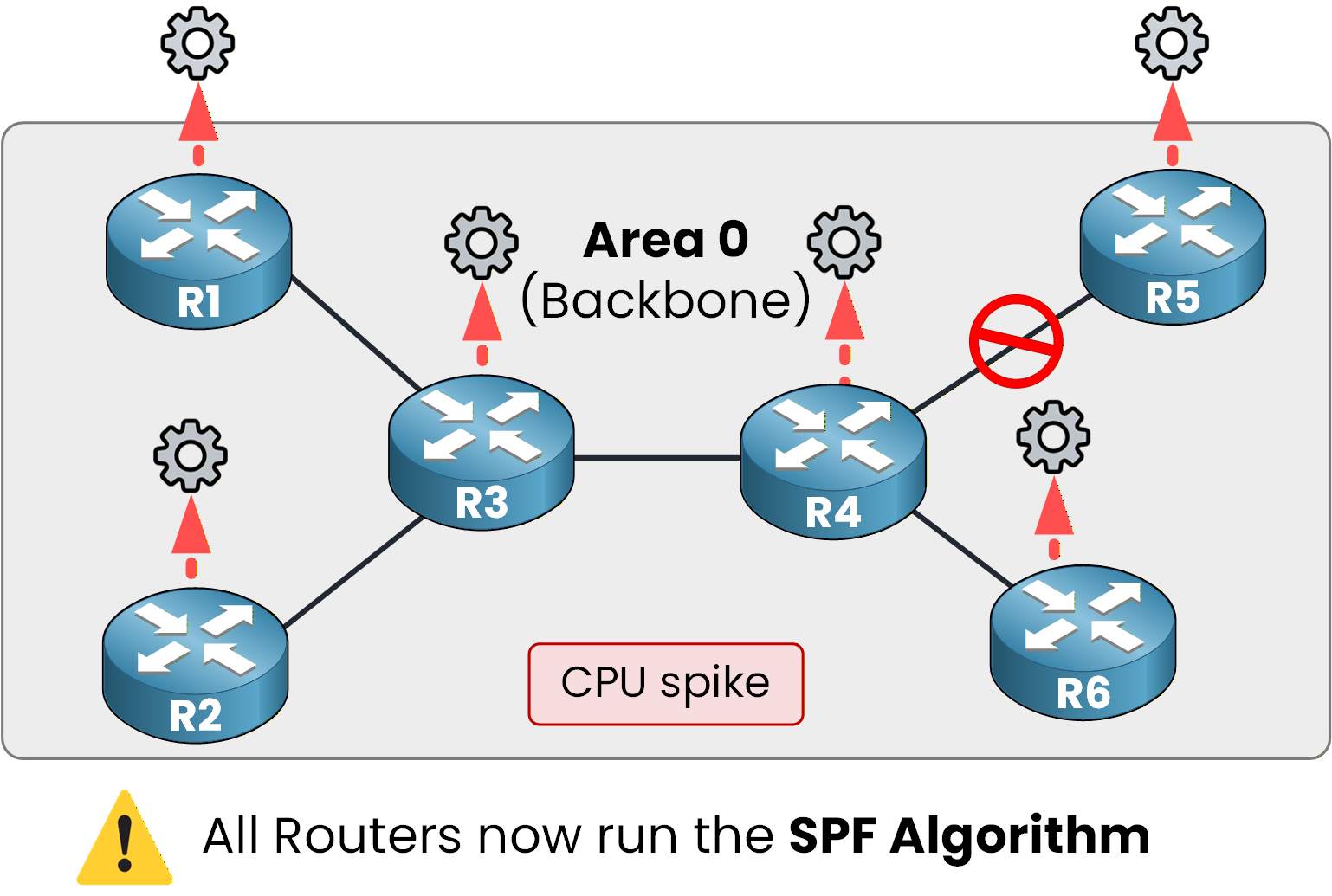
Figure 3 – Every router pays the CPU price
A single flap on an edge link forces the entire enterprise control plane to rerun Dijkstra.
The Architectural Fix
Multi-Area OSPF solves this by introducing area boundaries.
Answer the question below
Click 'Complete' to continue
Splitting Area 0 into a Multi-Area design creates operational boundaries that protect your control plane.
The Power of Compartmentalization
Dividing your domain isolates topology changes to specific areas:
Dedicated LSDB: Routers only store intra-area LSAs for their assigned area.
Local SPF recalculations: Link flaps in Area 1 no longer trigger Dijkstra on routers in Area 2.
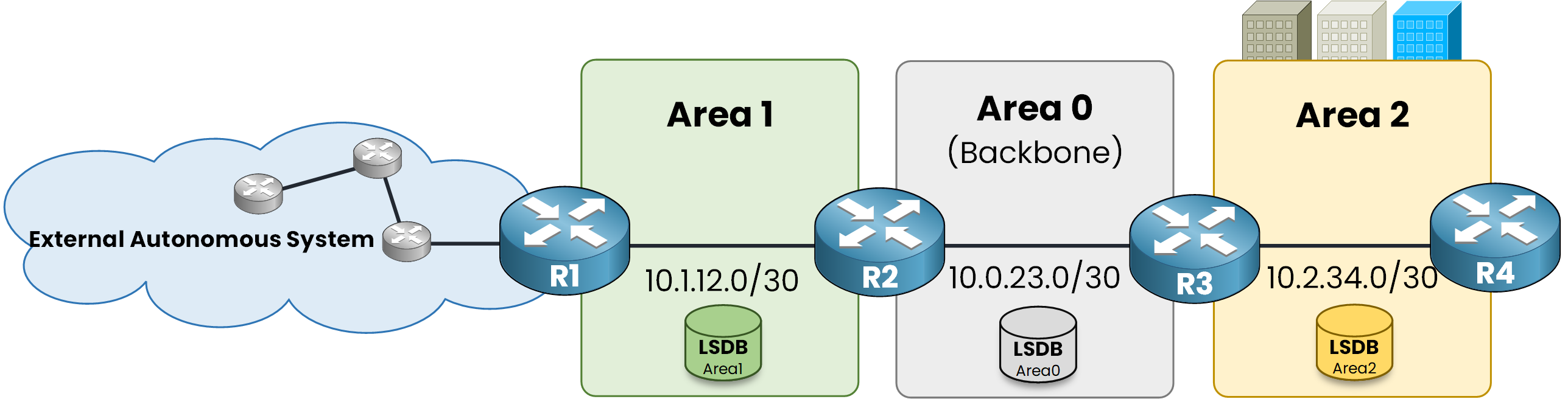
Figure 4 – One LSDB per area, SPF stays local
If the 10.1.12.0/30 link drops in Area 1, LSA flooding stops at R2 (the ABR).
R3 and R4 in Area 2 never rerun SPF.Answer the question below
Each individual area maintains its own independent ____
The Backbone and Standard Areas
Every non-backbone area connects to Area 0, which handles all inter-area traffic forwarding.
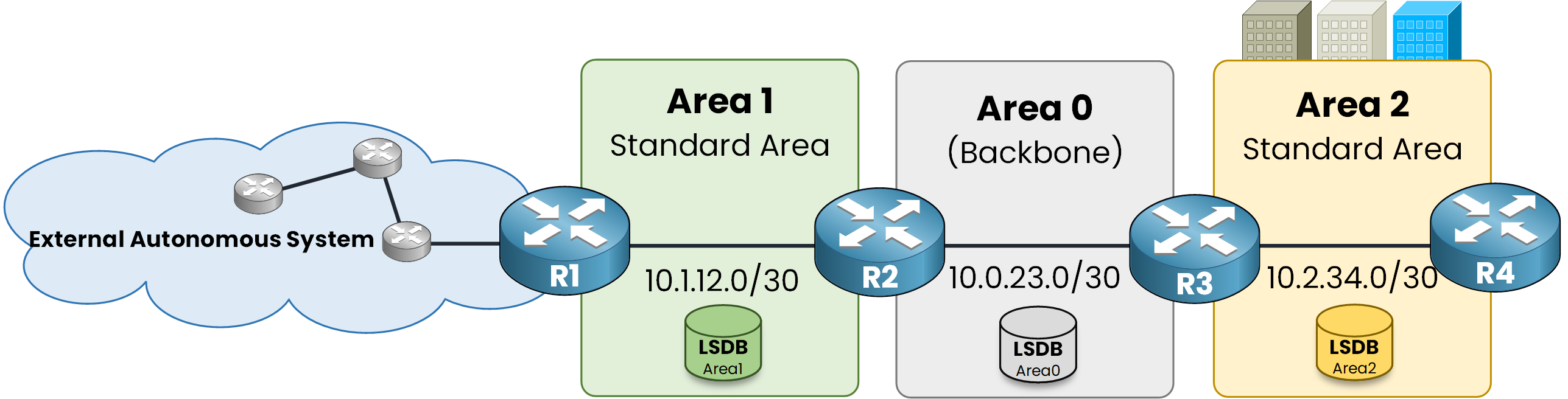
Figure 5 – Every area plugs into Area 0
By default, Area 1 and Area 2 operate as Standard Areas. This means ABRs pass everything through: local subnets, inter-area routes, and external prefixes redistributed into OSPF.
The Danger at the Edge
Look at R4 in Area 2. It has a single physical exit through R3, yet its routing table holds the entire enterprise topology.
If an external link flaps on R1, R4 still processes the update, even though its next-hop never changes.Answer the question below
By default, any non-backbone area starts as a _______ Area
Because Area 2 is configured as a Standard Area, R4 receives hundreds of external prefixes it does not need.
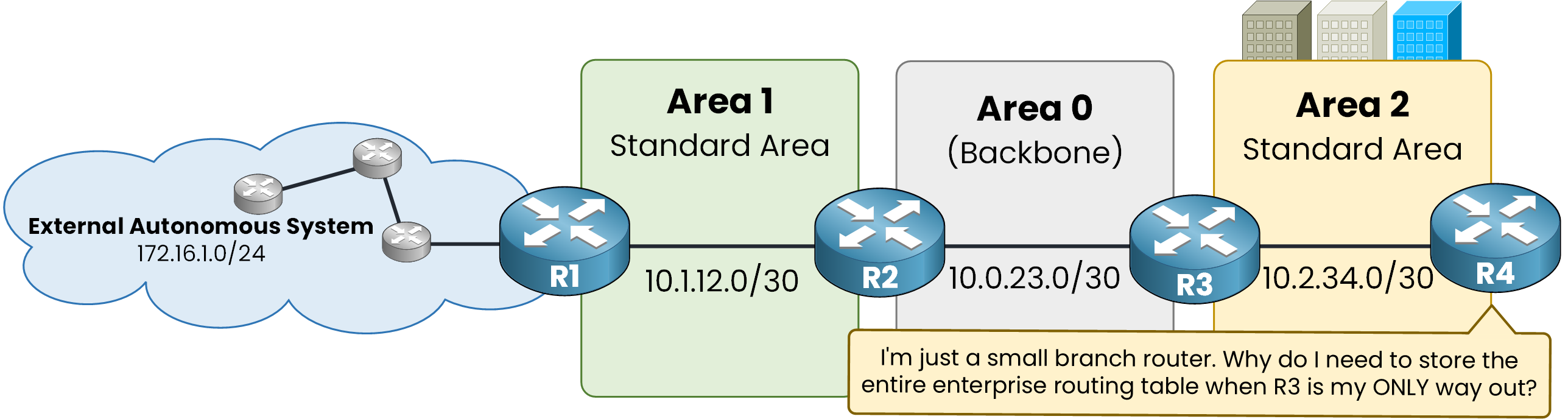
Figure 6 – Hundreds of routes, one single exit
R4 has only one exit route through R3. Storing full external topologies on an edge router wastes control plane resources when a single default route (0.0.0.0/0) to R3 does the exact same job.
Simulation: R4 in a Standard Area
External routes injected by R1 flood across Area 0 and Area 1, straight into R4.
Launch the simulation, open R4's CLI, and run show ip route ospf to inspect the unnecessary external entries.Answer the question below
Enter the flag you earned in the simulation
To protect R4, you must convert Area 2 into a Special Area.
Special areas allow the ABR (R3) to block unnecessary LSAs before they reach the branch router.
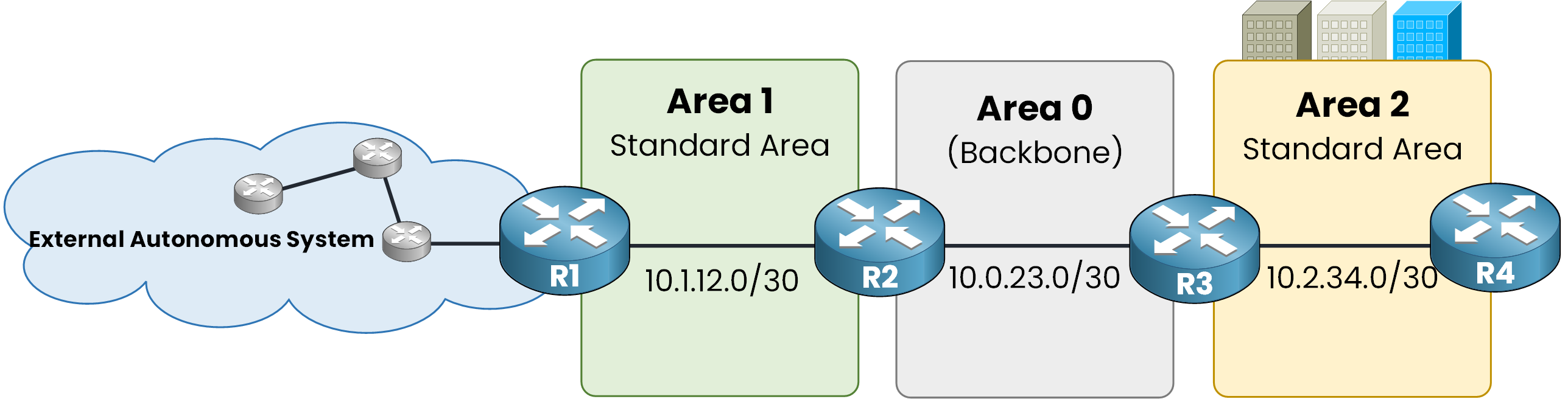
Figure 7 - OSPF Topology
Instead of flooding detailed prefixes down to R4, R3 filters external updates and injects a single default route (0.0.0.0/0).
R4 retains full reachability while freeing up CPU and memory.Simulation: Special Area Filtering
Launch the simulation below to convert Area 2 into a special area and inspect R4's updated routing table.
The Four Special Area Types
Over the next lessons, you will configure the four OSPF special area types on the CLI:
Stub Area: Filters Type 5 LSAs and injects a default route.
Totally Stubby Area: Filters Type 3 and Type 5 LSAs, leaving only a default route.
NSSA (Not-So-Stubby Area): Blocks Type 5 LSAs, but allows local external injection via Type 7 LSAs.
Totally NSSA: Combines NSSA Type 7 LSA injection with strict Type 3 LSA filtering.
Answer the question below
Enter the flag you earned in the simulation