In the previous lessons, you built a complete MPLS domain.
Now you are going to use it for its most famous job: MPLS Layer 3 VPN.
This is the service a provider sells to connect a company's remote sites.The MPLS Domain
Here is where you left off:
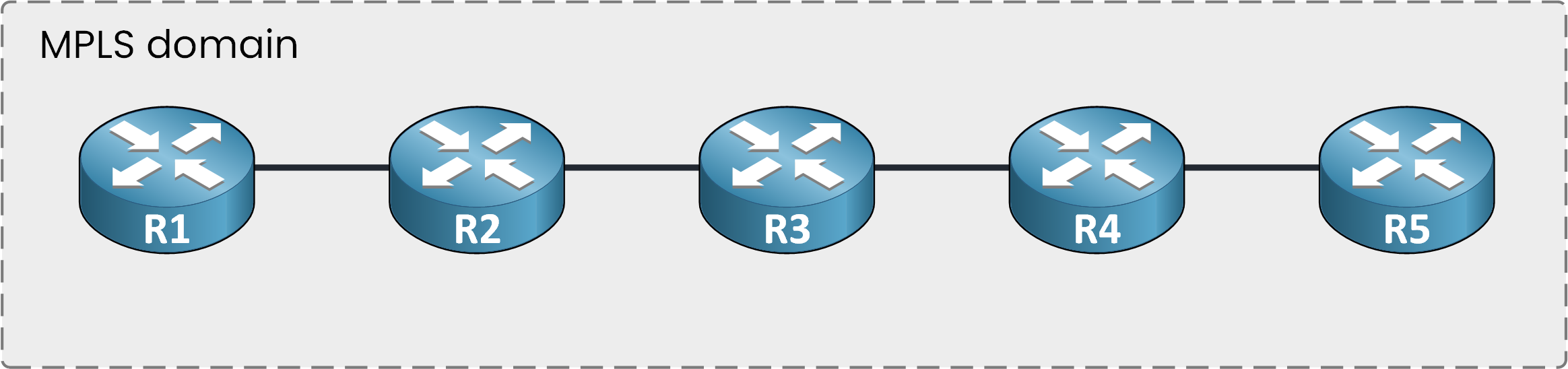
Figure 1 – An MPLS domain with five routers
Everything you know about labels, the FIB and the LFIB stays true.
Three New Roles
This domain needs three new router roles: P, PE and CE.
Let's take a look!Answer the question below
How many router roles does a Layer 3 VPN use?
Three router roles, three jobs.
Start in the middle.The P Routers
P routers, short for Provider, sit at the core: P1, P2 and P3.
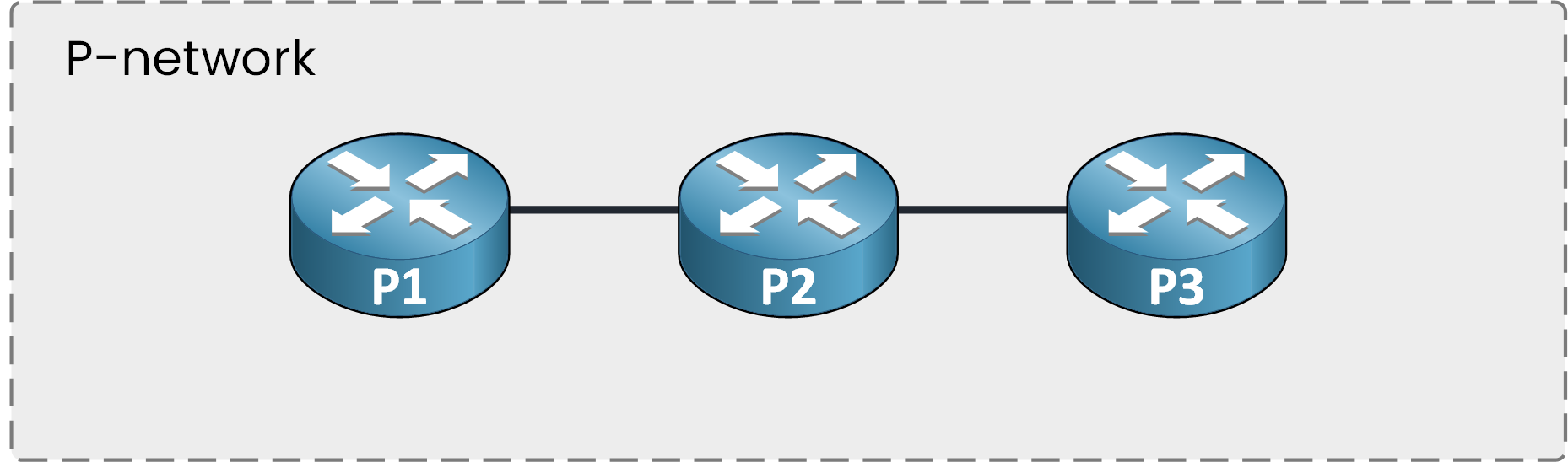
Figure 2 – The routers in the middle are called P routers
They know nothing about any customer.
Their only job is moving packets through the middle of the domain.Intermediate LSR = P Router
Job: swap labels, forward packets
No visibility into any customer
Answer the question below
A P router is simply an intermediate ___.
The PE Routers
PE routers, short for Provider Edge, sit at the boundary of the domain: PE-1 and PE-2.
The PE is the only provider router that knows customers exist.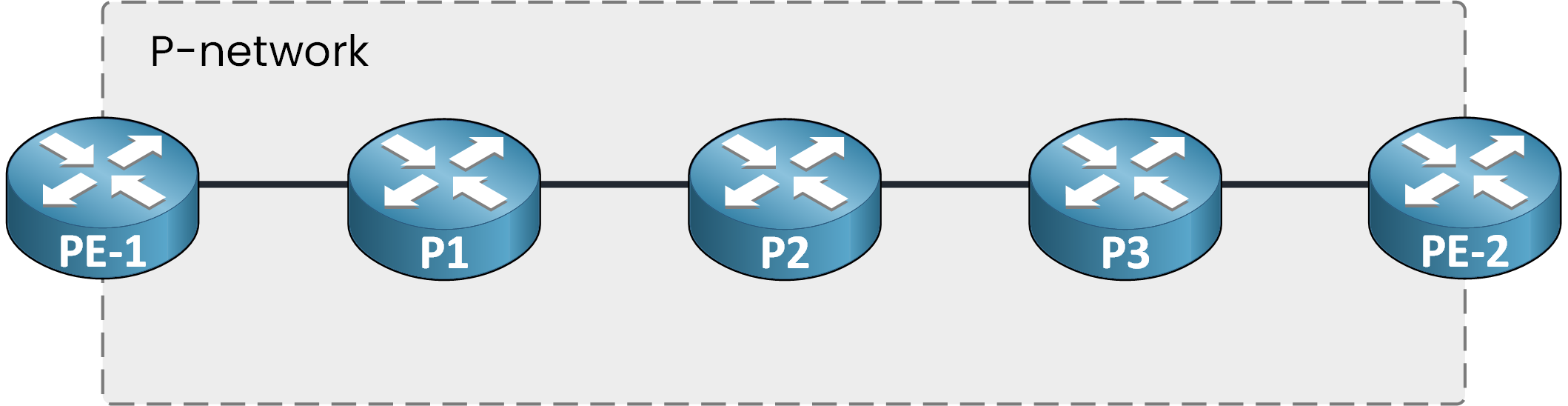
Figure 3 – The routers on each side are called PE routers
PE routers connect to customer sites.
Time to look at the last router type.
Answer the question below
Which router type is the only one that knows customers exist?
The CE Routers
A CE router, short for Customer Edge, is a router belonging to the customer.
In this example, two customers connect.Customer 1 uses two CE routers: CE-R1 and CE-R2.
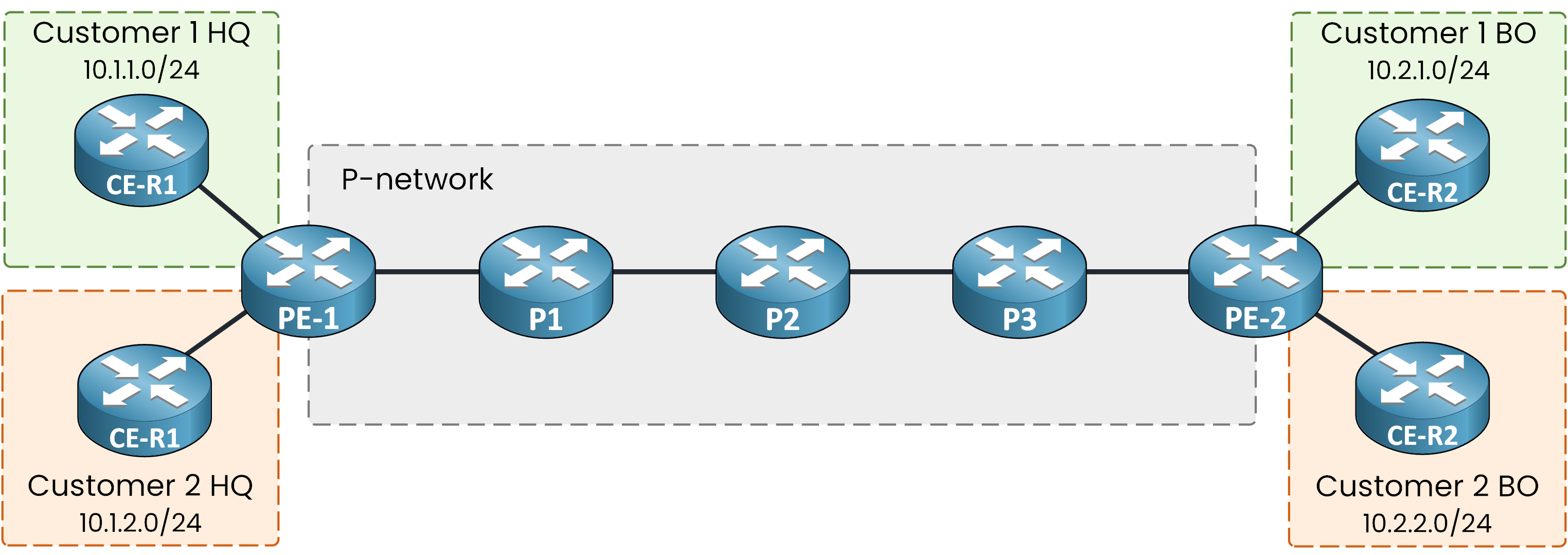
Figure 4 – Each customer site has a CE router
CE routers are neighbors of the PE: the customer's own routers connecting into the provider network.
Each customer connects two sites this way, HQ and BO.Quick recap of the three roles:
Role
Location
Knows the customer?
Runs MPLS?
P
Core
No
Yes, labels only
PE
Edge
Yes
Yes
CE
Customer site
It is the customer
No
Table 1 – P, PE and CE roles at a glance
Answer the question below
Which router type belongs to the customer?
You now know the three roles.
The full picture has two halves, and each half has a name.The P-Network
Where does the provider's network end, and where does the customer's network begin?
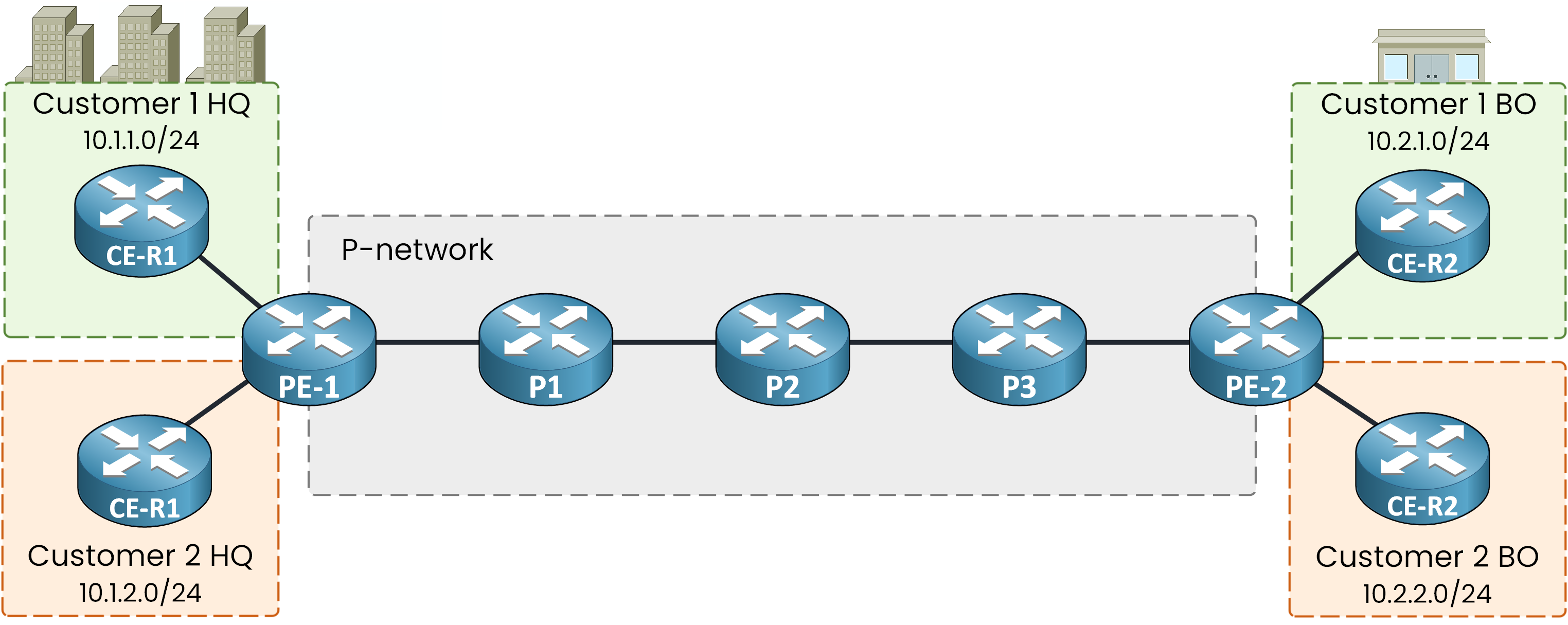
Figure 5 – PE-1 and PE-2 at the edges, P1 to P3 in the middle
PE-1, P1, P2, P3 and PE-2 together form the P-network.
Every router between the two customer edges
Owned entirely by the provider
The customer never sees inside it
For Customer 1, the routers P1, P2 and P3 do not exist.
The C-Network
What about the other half?
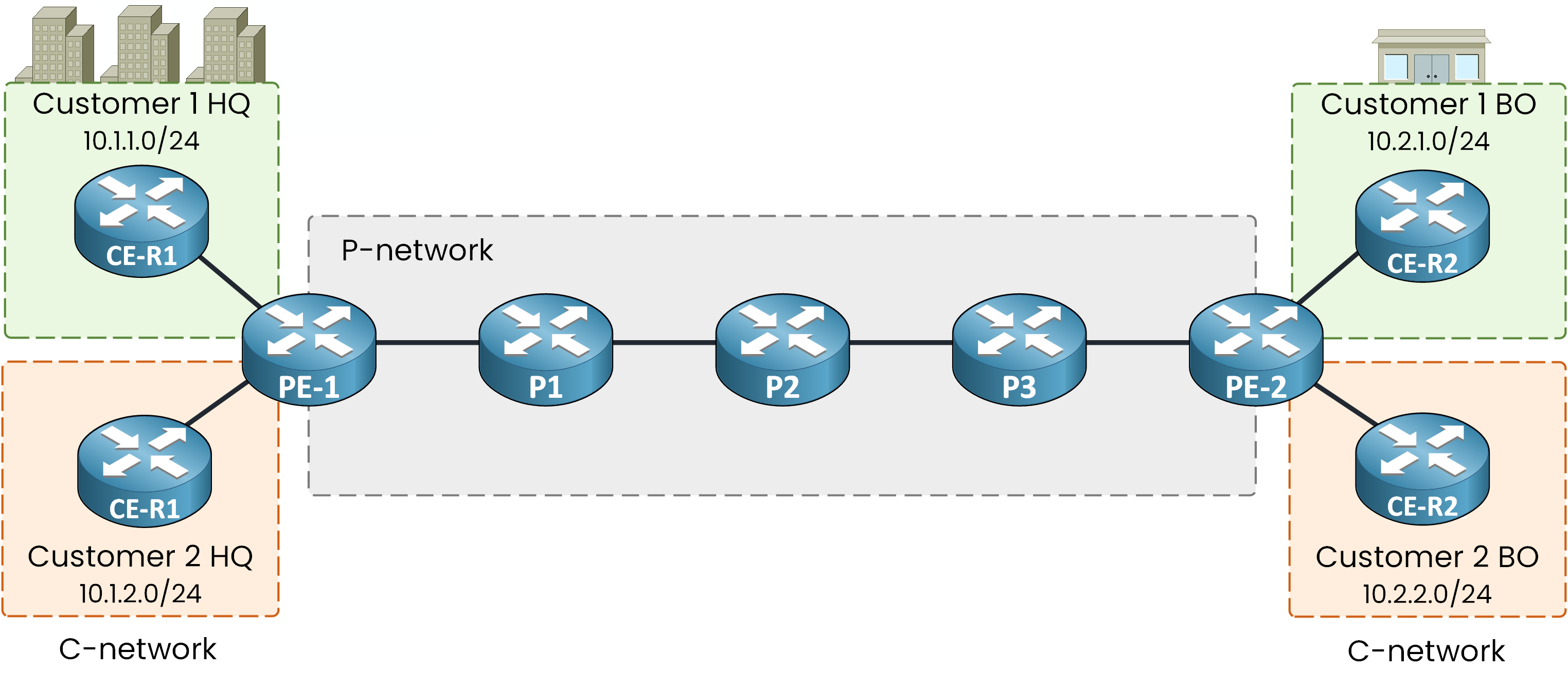
Figure 6 – The C-network on both sides of the domain
Everything that belongs to a customer forms the C-network.
It covers the CE routers and the LANs behind them.
Each customer has one site on each side of the domain, and every site uses private addresses.Network
Owner
Contains
P-network
Provider
P routers and PE routers
C-network
Customer
CE routers and the LANs behind them
Table 2 – P-network and C-network compared
Answer the question below
Which network contains both the P and the PE routers?
Now that the roles are in place, what does the MPLS Layer 3 VPN service actually deliver?
Shared Backbone, Private Traffic
Here is the benefit of sharing one MPLS backbone: each customer gets full isolation, at no extra cost to the provider.
Follow the two arrows below to see it in action.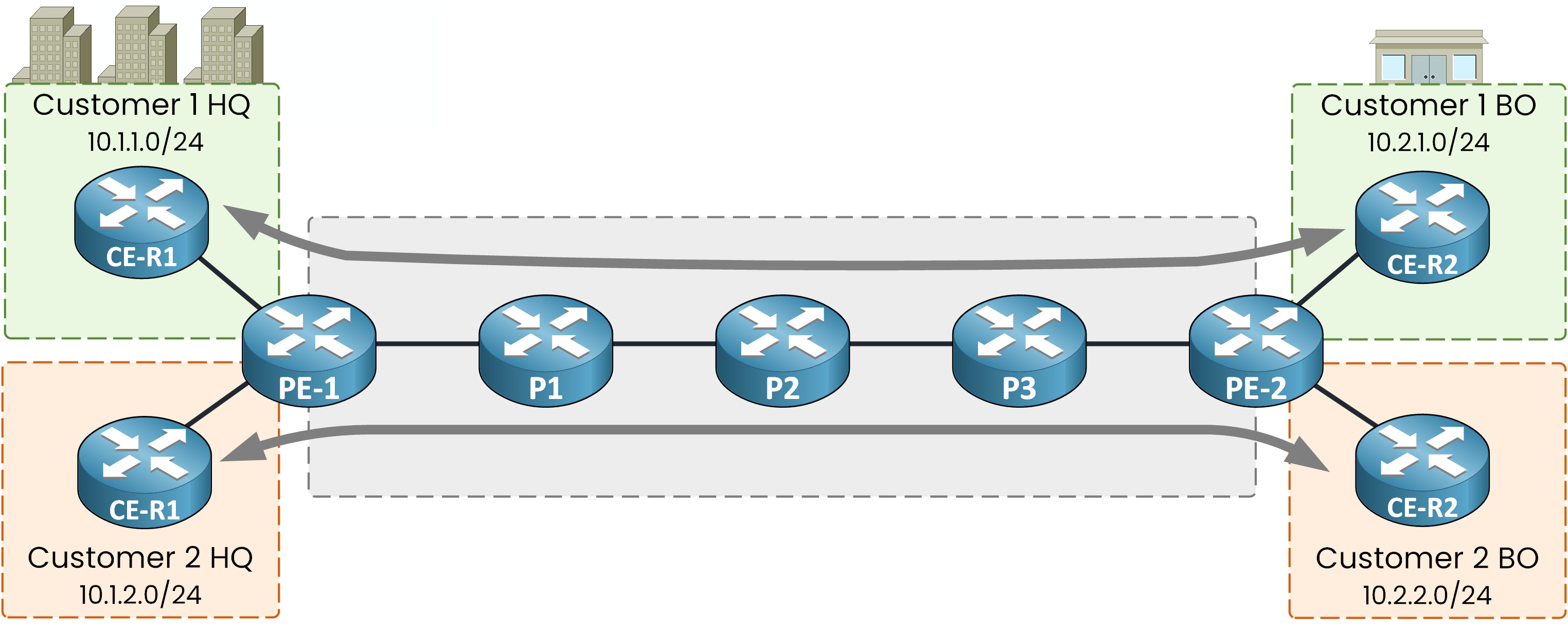
Figure 7 – Customer 1 reaches Customer 1, Customer 2 reaches Customer 2
Three things to notice:
Customer 1 HQ reaches Customer 1 BO
Customer 2 HQ reaches Customer 2 BO
No traffic ever crosses from one customer to the other
Both customers use the same five provider routers at the same time, and neither one can tell.
That is the benefit in one sentence: one shared backbone, zero interference between customers.Answer the question below
Customer 1 and Customer 2 traffic cross P2 at the same moment. Can either customer notice the other?
What the Customer Sees
Now put yourself inside Customer 1 HQ.
From there, the MPLS domain is invisible.
The two sites appear directly connected, as if a single cable ran between them.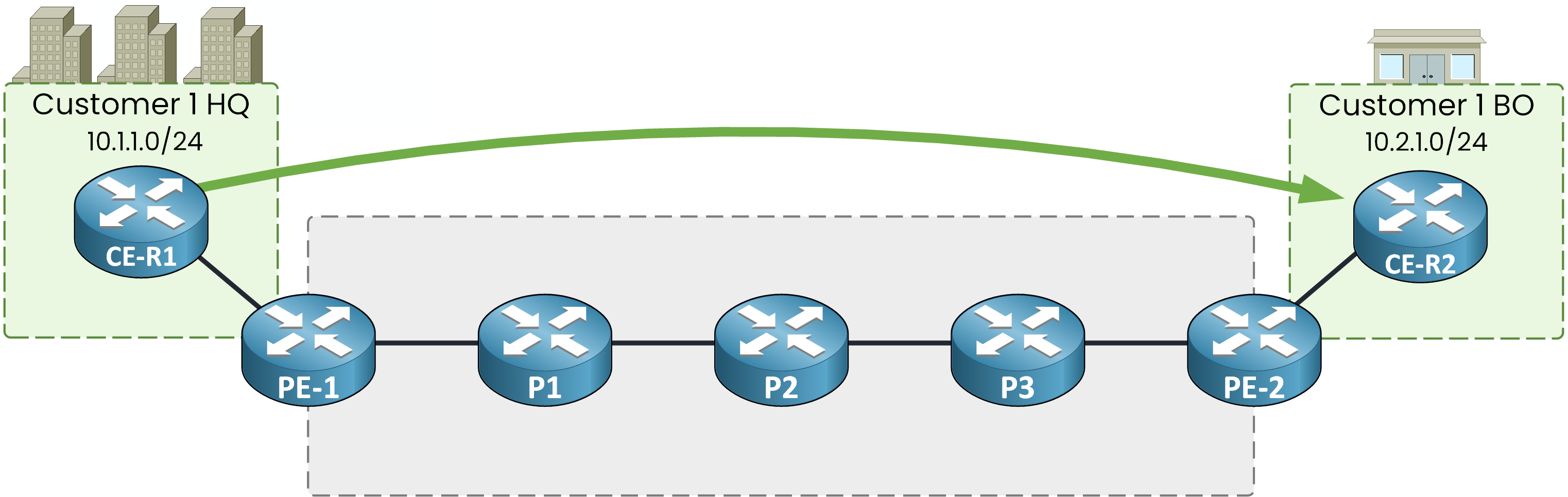
Figure 8 – From Customer 1's view, HQ and BO look directly connected
This is exactly what the provider sells: private connectivity between your sites, over a network shared with other companies.
If you work in a company with several offices, your sites are probably connected exactly like this.
Both customers could even use the same private addresses.
So how does the provider keep their routes apart?
That is the job of the next lesson.Answer the question below
Customer 2 misconfigures its CE router. Can that break Customer 1's connectivity?
Test what you just learned.
Place every router on the map correctly to earn your flag:Answer the question below
Enter the flag you got from completing the challenge.