Control Plane Policing (CoPP) is a Cisco IOS feature that protects the router CPU by controlling how much traffic is allowed to reach the control plane. The goal is to keep the device stable and manageable (SSH responsive, routing adjacencies stable, control protocols healthy) even when the router receives unexpected or excessive traffic.
Control Plane vs Data Plane
A router is divided into two main parts: the Control Plane and the Data Plane. These two planes do not have the same role, and that is exactly why CoPP is so important.
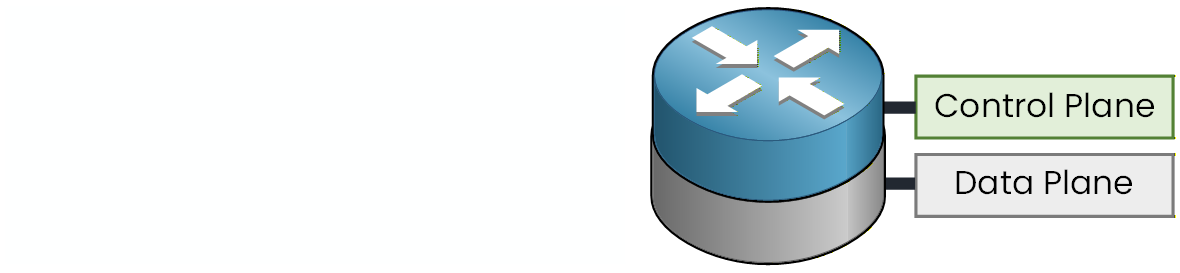
Figure 1 - Control Plane vs Data Plane
The Data Plane is responsible for forwarding transit traffic (packets that go through the router).
This is the normal job of the router: receive packets and forward them out the correct interface.
The Control Plane is responsible for “router brain” traffic: routing protocol packets, management traffic (SSH, SNMP), control traffic destined to the router itself, and anything that requires CPU processing.
So when you hear “protect the control plane,” it really means: protect the CPU, because if the CPU is overloaded, everything that depends on it becomes slow or unstable.
Answer the question below
Which plane is responsible for routing protocols and management traffic?
When the Control Plane is Overloaded
Now look at what happens when a malicious flow targets the router itself.
This is often called “host → router” traffic (traffic destined to the device, not passing through it).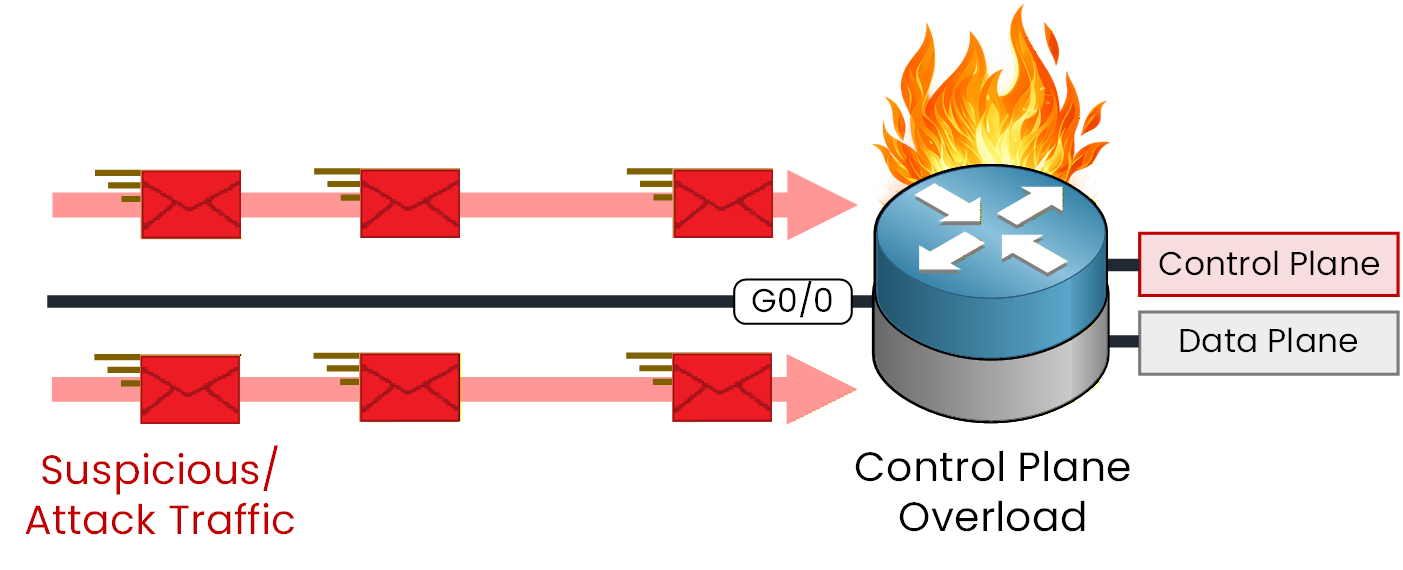
Figure 2 - Control Plane Overload
In this example, suspicious traffic floods the router interface and reaches the control plane.
Because the traffic is destined to the router, it is punted to the CPU. If the rate is high enough, the CPU gets overloaded.When this happens, the router struggles to process important tasks.
Even if the Data Plane continues forwarding traffic, the router becomes unstable from a control perspective:SSH access becomes slow or unusable
routing adjacencies can flap (OSPF/EIGRP/BGP instability)
control packets can be delayed or dropped
the device may become unreliable during the attack
This is exactly the type of situation CoPP is designed to mitigate.
Answer the question below
When malicious traffic is punted to the control plane at a very high rate, which component becomes overloaded?
How CoPP Protects the Control Plane
CoPP acts like a protection shield placed in front of the control plane. Instead of allowing any traffic to reach the CPU at any rate, CoPP forces the router to classify control-plane traffic and apply policing.
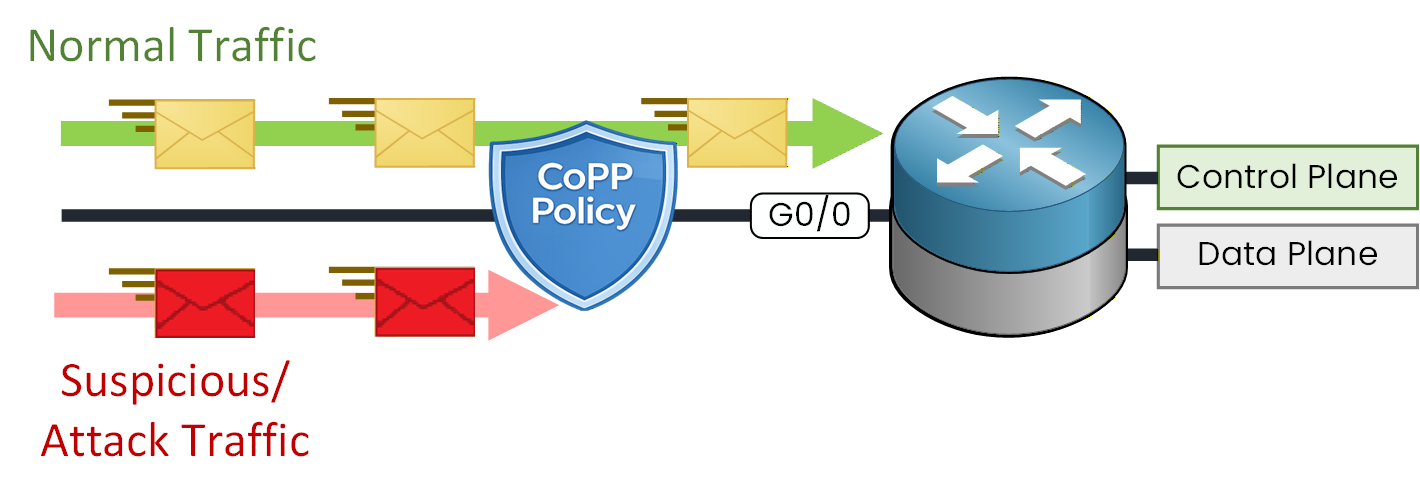
Figure 3 - CoPP Protecting the Control Plane
In this example, a CoPP policy is applied to detect and limit suspicious traffic before it can overload the CPU.
The principle is:legitimate traffic is allowed to reach the control plane (within a configured rate)
unwanted traffic is rate-limited or dropped, so it cannot consume all CPU resources
This means the Control Plane stays protected, and the router can keep making the correct decisions:
routing remains stable
management access stays usable
the router continues to operate normally even under attack attempts
Answer the question below
What mechanism does CoPP use to limit how much traffic reaches the CPU?
In this section, you will build a basic CoPP policy.
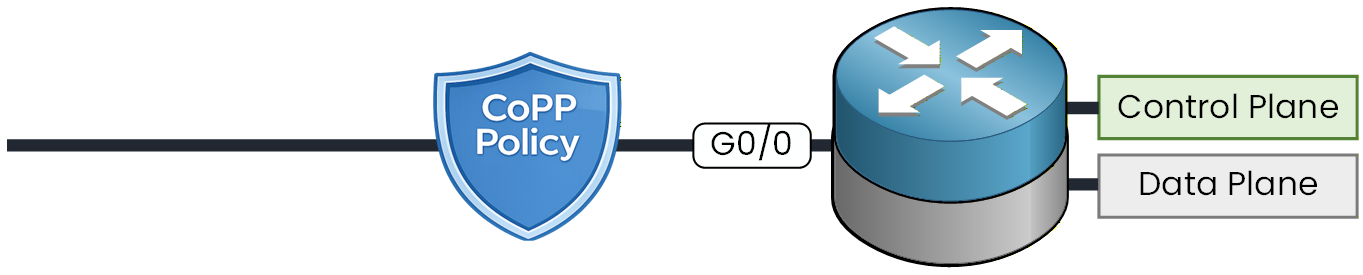
Figure 4 - CoPP Policy Configuration
The idea is always the same:
identify the control-plane traffic you want to protect (management, routing protocols, etc.)
match that traffic with ACLs
group ACLs into classes (class-map)
apply policing per class (policy-map)
attach the policy to the control plane (service-policy input)
Let's look at each step together!
Step 1 - Configuring an Access List for CoPP
First, you create ACLs. These ACLs are not used to block traffic like a security ACL on an interface.
Here, they are mainly used to classify traffic so CoPP can put packets into the right class.In this example, you build two categories:
MGMT: protocols used to manage the router (SSH, SNMP, NTP)
ROUTING: protocols that keep routing operational (OSPF, EIGRP, BGP)
R1# conf t
Enter configuration commands, one per line.  End with CNTL/Z.
R1(config)# ip access-list extended ACL-COPP-MGMT
R1(config-ext-nacl)# permit tcp any any eq 22
R1(config-ext-nacl)# permit udp any any eq 161
R1(config-ext-nacl)# permit udp any any eq 123
R1(config-ext-nacl)# permit udp any eq 123 any
R1(config-ext-nacl)# exit

R1(config)# ip access-list extended ACL-COPP-ROUTING
R1(config-ext-nacl)# permit ospf any any
R1(config-ext-nacl)# permit eigrp any any
R1(config-ext-nacl)# permit tcp any any eq 179
R1(config-ext-nacl)# permit tcp any eq 179 any
R1(config-ext-nacl)# exit
What you are matching here:
SSH uses TCP/22 (remote management access)
SNMP uses UDP/161 (monitoring and polling)
NTP uses UDP/123, and you include both directions to match requests and replies
OSPF and EIGRP are their own IP protocols (not TCP/UDP ports)
BGP uses TCP/179, and you match both directions (session traffic in/out)
Step 2 - Class Configuration for CoPP
Now you convert the ACLs into CoPP “classes”.
A class is simply a named group of traffic that will later receive a policing rate.R1(config)# class-map match-any CLASS-COPP-MGMT R1(config-cmap)# match access-group name ACL-COPP-MGMT R1(config-cmap)# exit R1(config)# class-map match-any CLASS-COPP-ROUTING R1(config-cmap)# match access-group name ACL-COPP-ROUTING R1(config-cmap)# exitHere,
match-anymeans: if a packet matches any line in the referenced ACL, it belongs to that class.Step 3 - Policy Configuration for CoPP
This is where you define the actual protection.
You create a policy-map and apply policing rates per class.Each class gets:
a CIR (Committed Information Rate) in bps
an action for traffic that stays within the rate (conform)
an action for traffic that exceeds the rate (exceed)
R1(config)# policy-map POLICY-COPP
R1(config-pmap)# class CLASS-COPP-ROUTING
R1(config-pmap-c)# police 64000 conform-action transmit exceed-action drop
R1(config-pmap-c-police)# exit
R1(config-pmap-c)# exit

R1(config-pmap)# class CLASS-COPP-MGMT
R1(config-pmap-c)# police 32000 conform-action transmit exceed-action drop
R1(config-pmap-c-police)# exit
R1(config-pmap-c)# exit

R1(config-pmap)# class class-default
R1(config-pmap-c)# police 8000 conform-action transmit exceed-action drop
R1(config-pmap-c-police)# exit
R1(config-pmap-c)# exit
R1(config-pmap)# exit
How to read this policy:
ROUTING is allowed up to 64 kbps to the CPU, anything above that is dropped
MGMT is allowed up to 32 kbps to the CPU, anything above that is dropped
class-default is everything not explicitly classified (other control-plane traffic), limited to 8 kbps
These values are a starting point for a lab. In real networks, the correct rates depend on your environment, and you tune them using the counters you observe.
Step 4 - Applying the Policy for CoPP
At this point you have defined the policy, but it is not active yet.
To enable CoPP, you attach the policy under the control-plane configuration.R1(config)# control-plane R1(config-cp)# service-policy input POLICY-COPP R1(config-cp)# endThis is the key concept: CoPP is typically applied as an input policy to the control plane, meaning traffic is policed before it reaches the CPU.
Verifying the Policy for CoPP
To verify CoPP, this is the main command you use.
It shows you counters per class and whether traffic is being dropped.R1# show policy-map control-plane input Control Plane Service-policy input: POLICY-COPP Class-map: CLASS-COPP-ROUTING (match-any) 0 packets, 0 bytes 5 minute offered rate 0000 bps, drop rate 0000 bps Match: access-group name ACL-COPP-ROUTING 0 packets, 0 bytes 5 minute rate 0 bps police: cir 64000 bps, bc 2000 bytes conformed 0 packets, 0 bytes; actions: transmit exceeded 0 packets, 0 bytes; actions: drop conformed 0000 bps, exceeded 0000 bps Class-map: CLASS-COPP-MGMT (match-any) 0 packets, 0 bytes 5 minute offered rate 0000 bps, drop rate 0000 bps Match: access-group name ACL-COPP-MGMT 0 packets, 0 bytes 5 minute rate 0 bps police: cir 32000 bps, bc 1500 bytes conformed 0 packets, 0 bytes; actions: transmit exceeded 0 packets, 0 bytes; actions: drop conformed 0000 bps, exceeded 0000 bps Class-map: class-default (match-any) 27 packets, 4626 bytes 5 minute offered rate 0000 bps, drop rate 0000 bps Match: any police: cir 8000 bps, bc 1500 bytes conformed 27 packets, 4626 bytes; actions: transmit exceeded 0 packets, 0 bytes; actions: drop conformed 0000 bps, exceeded 0000 bpsWhat you should look at in this output:
which class is receiving packets (packets/bytes counters increasing)
whether anything is being dropped (drop rate, exceeded counters)
whether the CIR you chose is realistic (if you see many exceeded drops on routing or management, you need to raise that class rate)
Answer the question below
If you see many exceeded packets and drops in CLASS-COPP-ROUTING, which value in your configuration is most likely too low?