Bidirectional Forwarding Detection (BFD) is a protocol defined in RFC 5880 that helps your routing protocol detect link failures much faster.
The topology below has three routers, all running OSPF with default timers.Without BFD
If the link between R1 and R2 goes down, OSPF waits up to 40 seconds before declaring the neighbor dead.
That is the dead timer.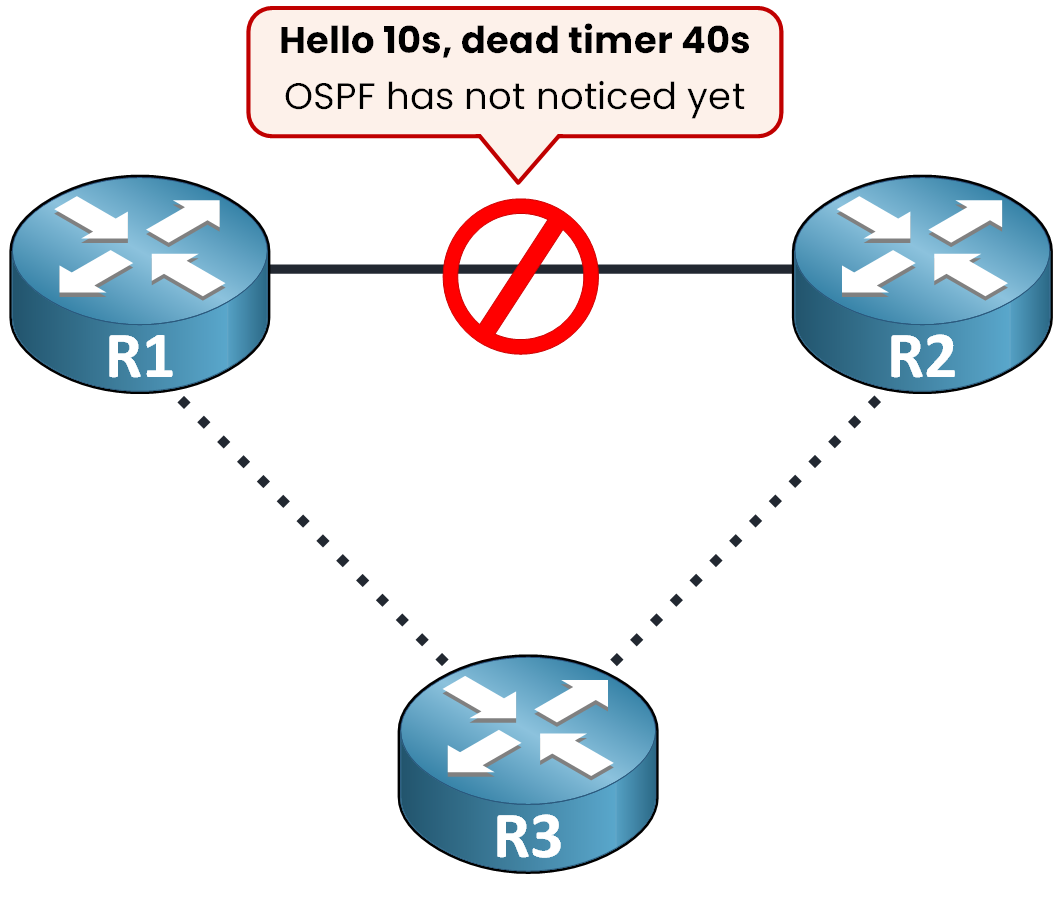
Figure 1 – The dead timer makes R1 wait 40 seconds
During those 40 seconds, OSPF simply hasn't noticed the neighbor is gone.
This is not efficient.R1 could reroute through R3 and converge right away.
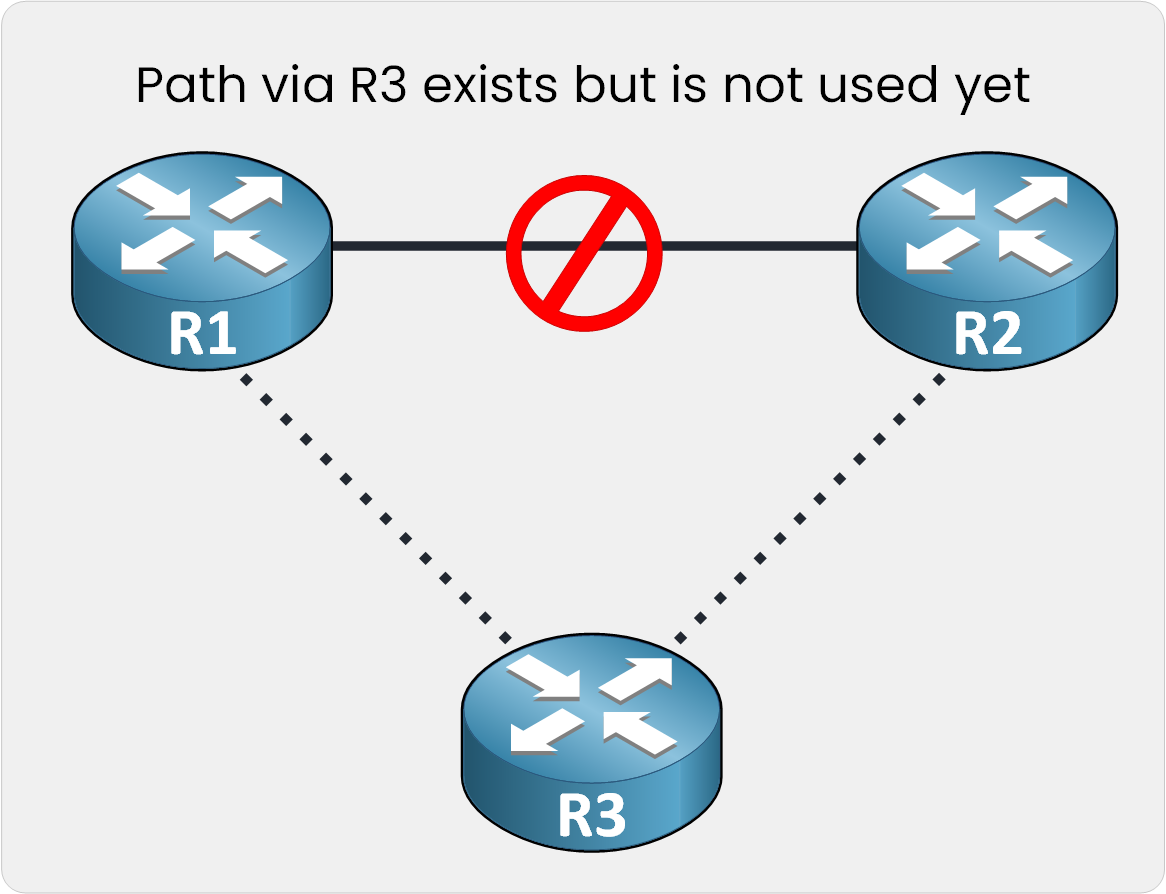
Figure 2 – The path through R3 stays unused
But the dead timer forces it to wait, so your traffic keeps going into the dead link.
With BFD
BFD detects a link failure in milliseconds instead of seconds.
With BFD running, the failure is caught almost instantly.
OSPF converges and reroutes through R3 right away.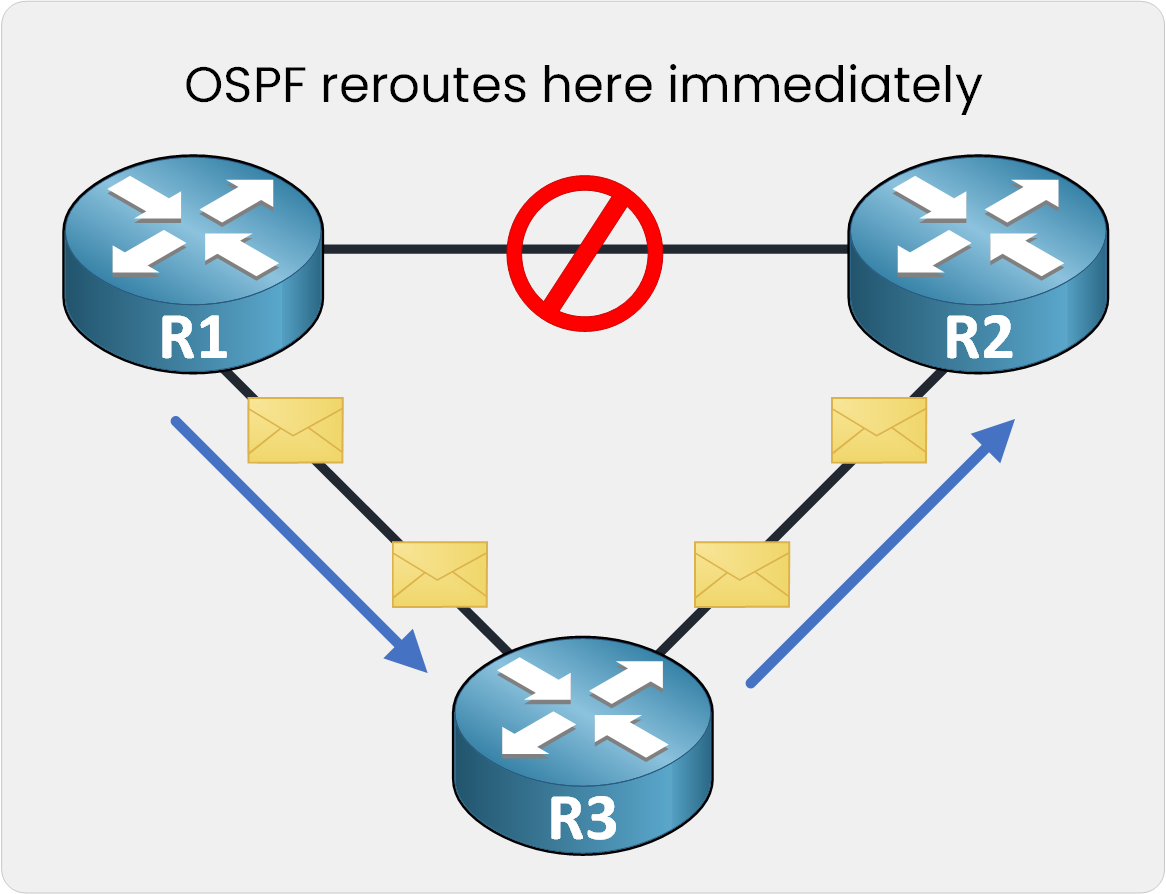
Figure 3 – OSPF reroutes as soon as BFD reports the failure
BFD detects failures independent of the routing protocol and the media type.
The same session works for any routing protocol, over any media.Answer the question below
Besides the routing protocol, what else does BFD detect failures independent of?
Answer the question below
Which RFC defines BFD?
BFD does not run once for your whole topology.
One Session per Link Pair
BFD runs as a separate session between each pair of directly connected routers.
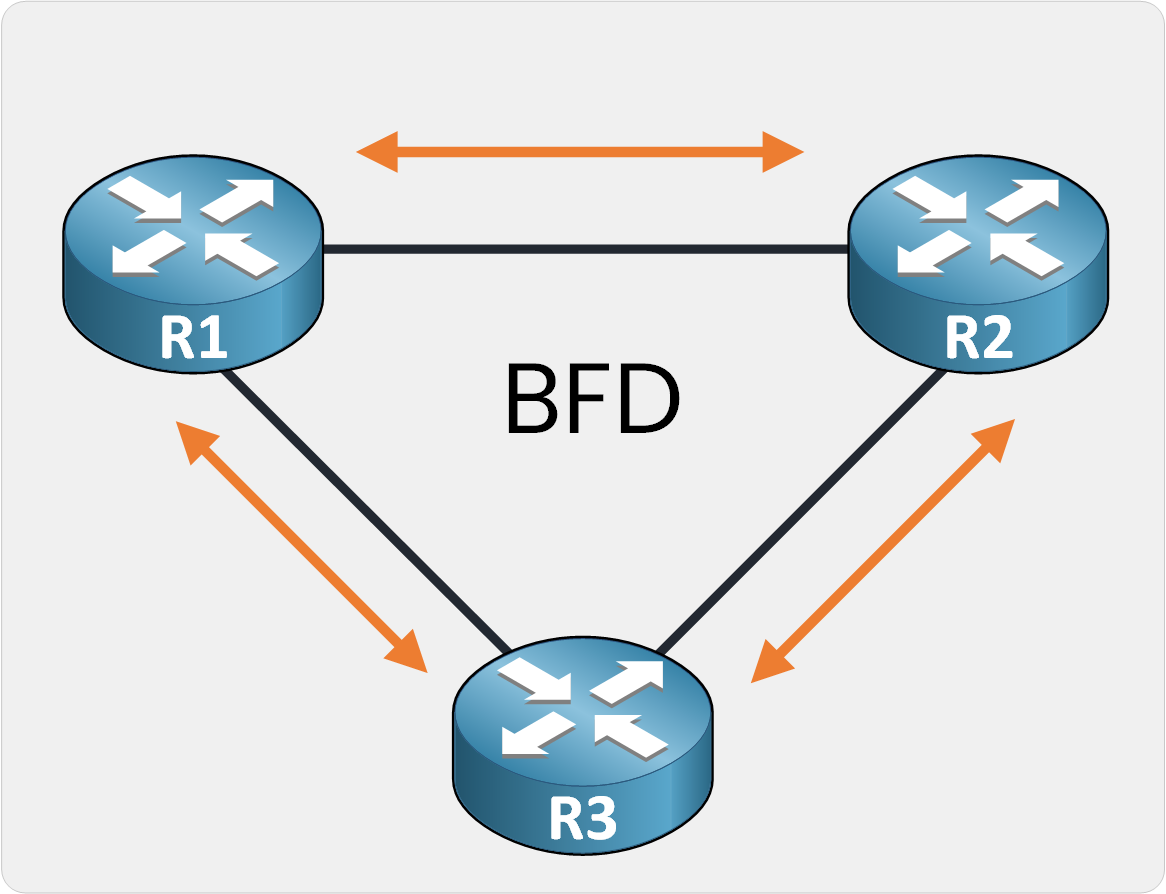
Figure 4 – One BFD session per link pair
R1 and R2 have their own session, R1 and R3 have theirs, and R2 and R3 have theirs.
Each session is independent and only concerns the two routers on that link.Answer the question below
Does BFD run one session for the whole topology, or one per link pair?
BFD Terminology
Every BFD session runs on three values:
Desired Min TX Interval: how fast your router would like to send packets
Required Min RX Interval: the fastest rate it can actually receive at
Detect Mult: how many consecutive missed packets it takes to declare the session down, typically 3
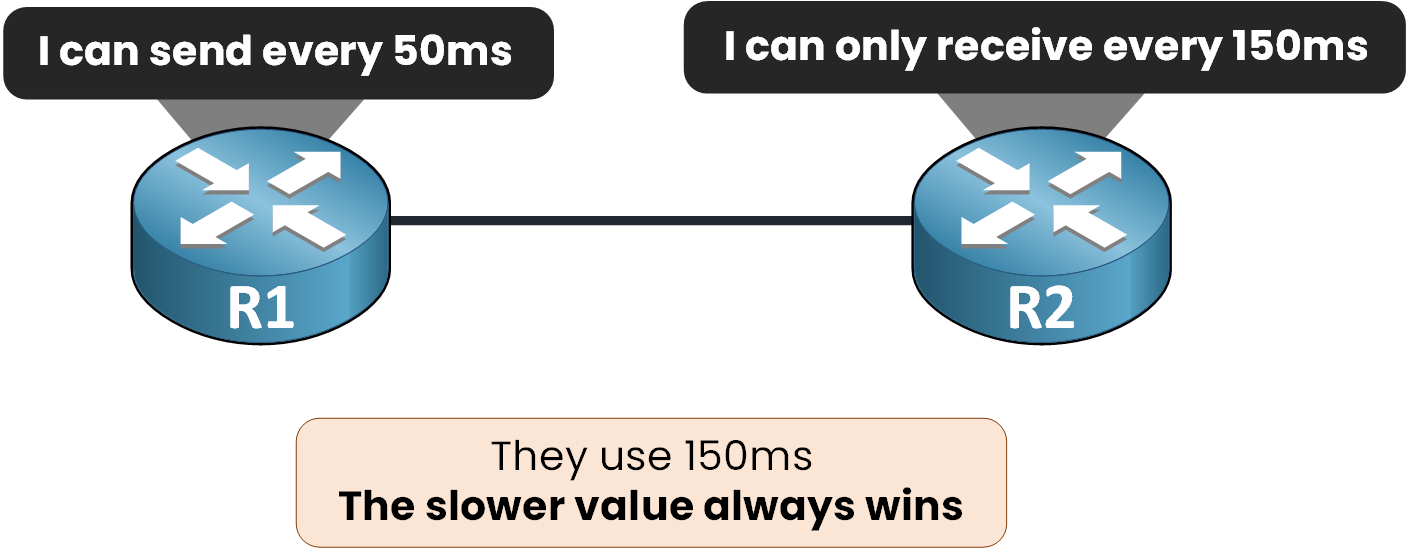
Figure 5 – The slower interval always wins
Your router's Desired Min TX is always compared against the neighbor's Required Min RX.
When R1 offers to send every 50ms but R2 can only receive every 150ms, the session settles at 150ms.
The slower value always wins.At a 150ms interval with a Detect Mult of 3, that's a 450ms detection time.
Still far faster than the 40-second dead timer you started with.Answer the question below
Which of the three terms says how fast your router wants to send BFD packets?
Answer the question below
When two routers disagree on the interval, which value wins, the faster or the slower one?
The theory is done: three values, one negotiation rule.
Time to type them in.The bfd interval Command
These three values map directly to one interface command.
Configure R1 with the values from Figure 5:R1(config)# interface GigabitEthernet0/0 R1(config-if)# bfd interval 50 min_rx 50 multiplier 3In order: Desired Min TX, Required Min RX, Detect Mult.
R2 gets the same command on its side with 150 instead of 50, exactly as in Figure 5.Answer the question below
In the bfd interval command, which of the three BFD values does the last number set?
Mandatory Prerequisites
The command you just used only works because two things are already enabled on your routers: CEF and IP routing.
Requirement
Why BFD needs it
CEF
BFD checks stay in the forwarding plane instead of going up to the CPU.
IP routing
BFD sessions run between routed interfaces.
Table 1 – What BFD requires on every router
Answer the question below
Which feature must be enabled on all participating routers before BFD can work?
Asynchronous Mode and Echo
On Cisco routers, BFD runs in asynchronous mode by default.
Both routers keep sending control packets to each other, like a fast hello.On top of it, Cisco also enables the echo function by default.
The router sends echo packets, and the neighbor loops them back in its forwarding plane, without processing them.If the echoes stop coming back, the path is dead.
You can turn it off with no bfd echo.Answer the question below
What is the default BFD operating mode on a Cisco router?
BFD detects the failure, so you attach it to the protocol that reroutes your traffic.
Which Protocols Support It
BFD over IPv4 and IPv6 is defined in RFC 5881.
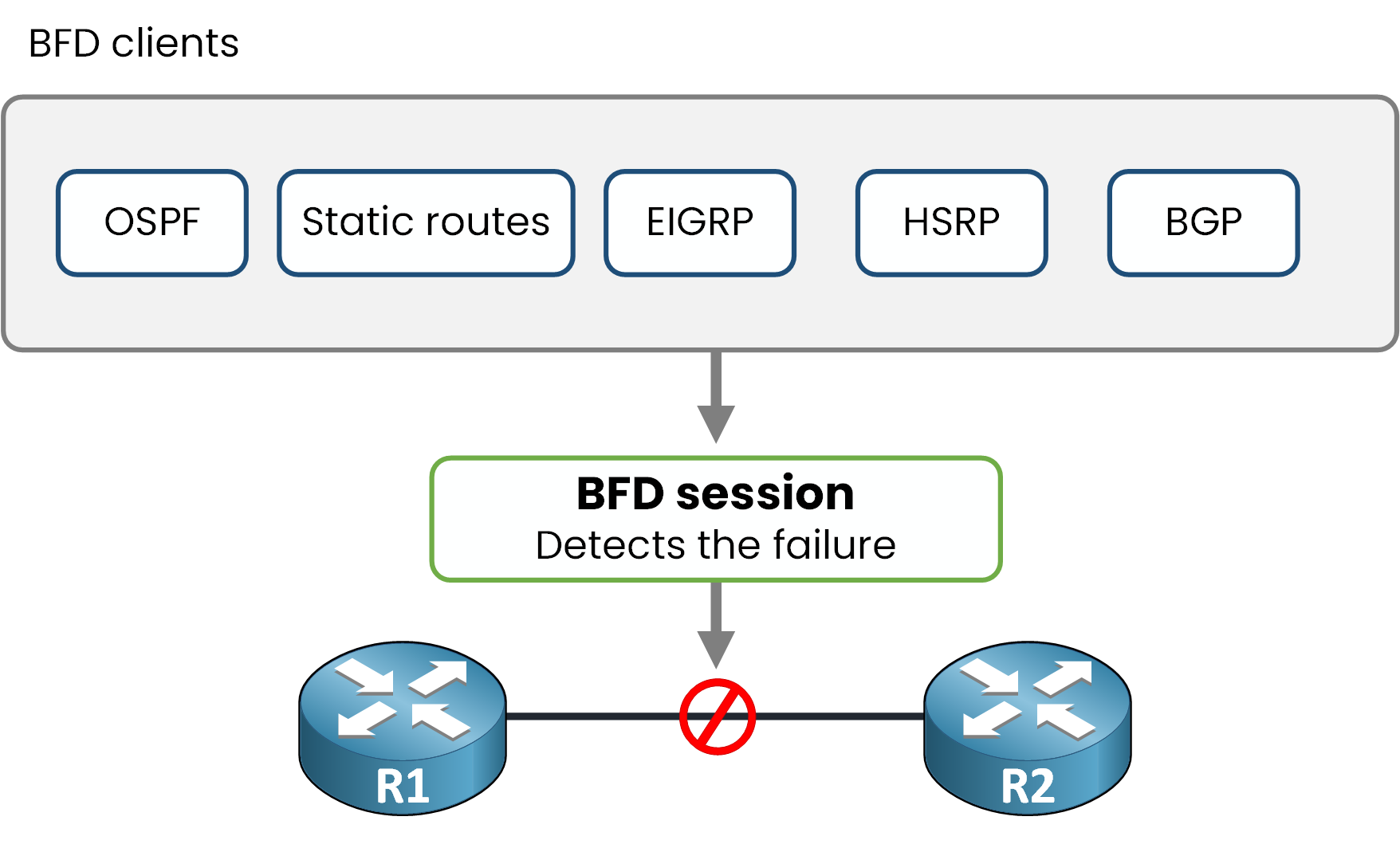
Figure 6 – Every client subscribes to the same session
On Cisco, you can attach BFD to:
OSPF
Static routes
EIGRP
HSRP
BGP
These are your most common BFD clients (IS-IS, MPLS LDP and VRRP can subscribe too).
You subscribe the protocol to an existing BFD session instead of retuning its own timers.Subscribing OSPF
For OSPF, one command under the process does it:
R1(config)# router ospf 1
R1(config-router)# bfd all-interfaces
OSPF is now a client: BFD reports failures straight to it, and the OSPF timers stay untouched.
Verifying the Session
Give R2 its own bfd interval (150ms, as in Figure 5) and bfd all-interfaces.
Then ask R1 about the session:R1# show bfd neighbors details NeighAddr LD/RD RH/RS State Int 10.0.12.2 1/1 Up Up Gi0/0 Session state is UP and using echo function with 150 ms interval. MinTxInt: 50000, MinRxInt: 50000, Multiplier: 3 Received MinRxInt: 150000, Received Multiplier: 3 Registered protocols: OSPFThere is Figure 5 on the wire: R1 asked for 50ms, R2 answered 150ms, and the session settled on 150ms.
The last line confirms OSPF subscribed to the session: from now on, a dead link tears the adjacency down in milliseconds.Answer the question below
R1 asked for 50ms. Which interval does the session actually use?
Answer the question below
Your OSPF adjacency drops with reason "BFD node down" but the interface is still up/up. BFD watches the forwarding ___, not the port.
One last case to know: BFD over a bundle of physical links.
A LAG (Link Aggregation Group) bundles several physical links into one logical interface.
A single BFD session over that logical interface can't tell you which member link actually failed.
Micro BFD, defined in RFC 7130, solves this.
It runs an independent BFD session on each member link.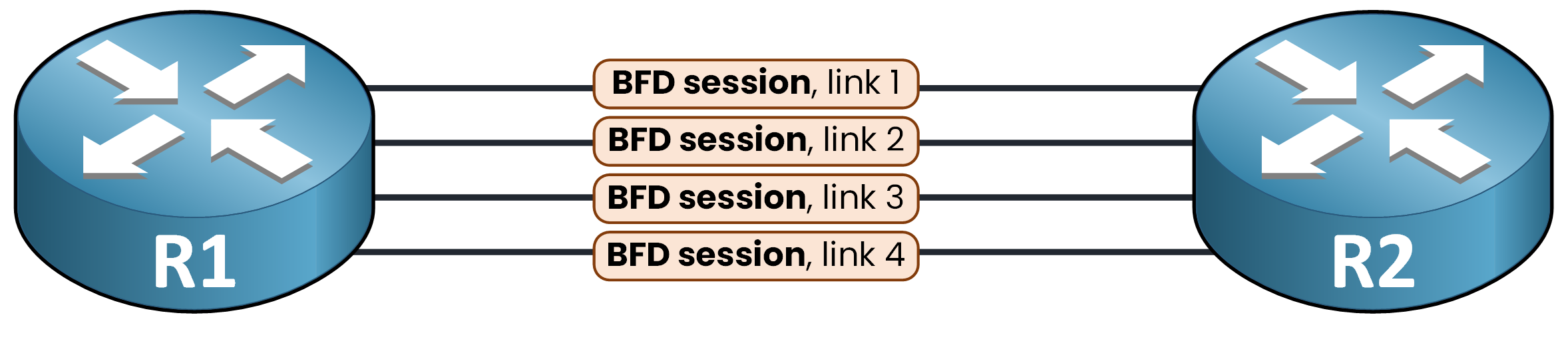
Figure 7 – One Micro BFD session per member link
If one link in your bundle fails, only that link is pulled out of the LAG's forwarding table.
The rest of your bundle keeps forwarding traffic without interruption.That is BFD end to end: one session per pair, three negotiated values, one command per protocol.
A 40-second blind spot, turned into a sub-second reroute.Answer the question below
Micro BFD runs one independent session per what?