BGP peer groups let several neighbors share one set of settings.
Take R1 in AS 65001.
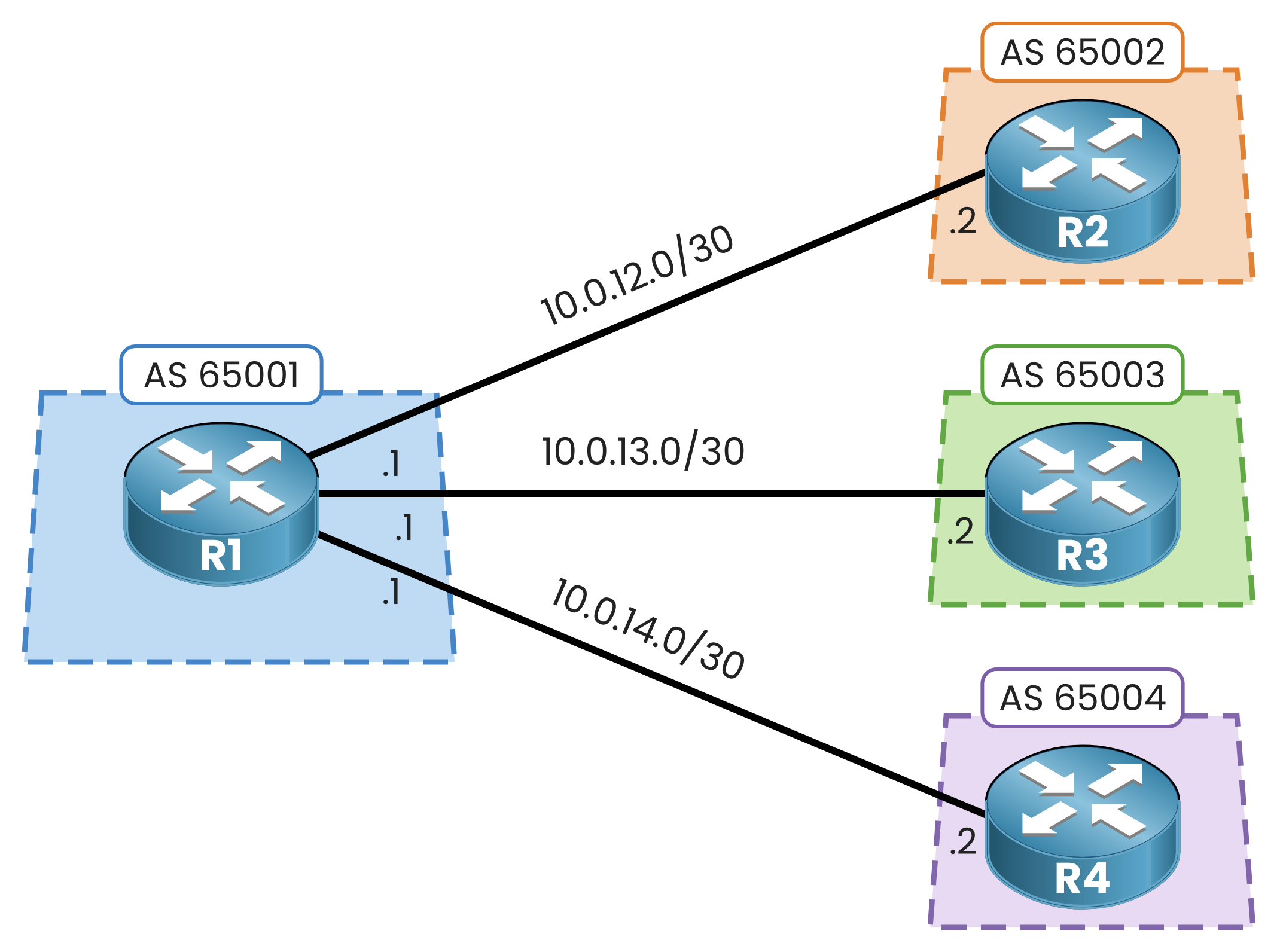
Figure 1 – R1 and its three eBGP customers
It connects three eBGP customers across different Autonomous Systems.
All three share one security baseline: MD5 password (PMN-BGP) and timers (10 30).Configure the Three Customers
Open R1 and paste the configuration for all three neighbors:
R1# configure terminal
R1(config)# router bgp 65001
R1(config-router)# neighbor 10.0.12.2 remote-as 65002
R1(config-router)# neighbor 10.0.12.2 password PMN-BGP
R1(config-router)# neighbor 10.0.12.2 timers 10 30
%BGP-5-ADJCHANGE: neighbor 10.0.12.2 Up

R1(config-router)# neighbor 10.0.13.2 remote-as 65003
R1(config-router)# neighbor 10.0.13.2 password PMN-BGP
R1(config-router)# neighbor 10.0.13.2 timers 10 30
%BGP-5-ADJCHANGE: neighbor 10.0.13.2 Up

R1(config-router)# neighbor 10.0.14.2 remote-as 65004
R1(config-router)# neighbor 10.0.14.2 password PMN-BGP
R1(config-router)# neighbor 10.0.14.2 timers 10 30
%BGP-5-ADJCHANGE: neighbor 10.0.14.2 Up
R1(config-router)# end
Spot the Problem
Your three sessions are up.
Now check your running config:
R1# show running-config | section router bgp
router bgp 65001
 bgp log-neighbor-changes
 neighbor 10.0.12.2 remote-as 65002
 neighbor 10.0.12.2 password PMN-BGP
 neighbor 10.0.12.2 timers 10 30
 neighbor 10.0.13.2 remote-as 65003
 neighbor 10.0.13.2 password PMN-BGP
 neighbor 10.0.13.2 timers 10 30
 neighbor 10.0.14.2 remote-as 65004
 neighbor 10.0.14.2 password PMN-BGP
 neighbor 10.0.14.2 timers 10 30
Count the lines: nine lines total.
Look at the duplicated lines.
passwordandtimersrepeat word for word.
Six out of nine lines are pure copy-paste.This design works, but it does not scale. Imagine doing this for 50 customers.
Changing a single password means 50 manual edits. Missing just one breaks that session.Answer the question below
How many of the nine lines are identical from one customer to the next?
Instead of repeating parameters neighbor by neighbor, you attach them to a single group name.
Neighbors join the group and inherit all baseline settings automatically.What Happens Behind the Scenes
IOS sends BGP updates through an update group: a set of neighbors that share the same outbound policy.
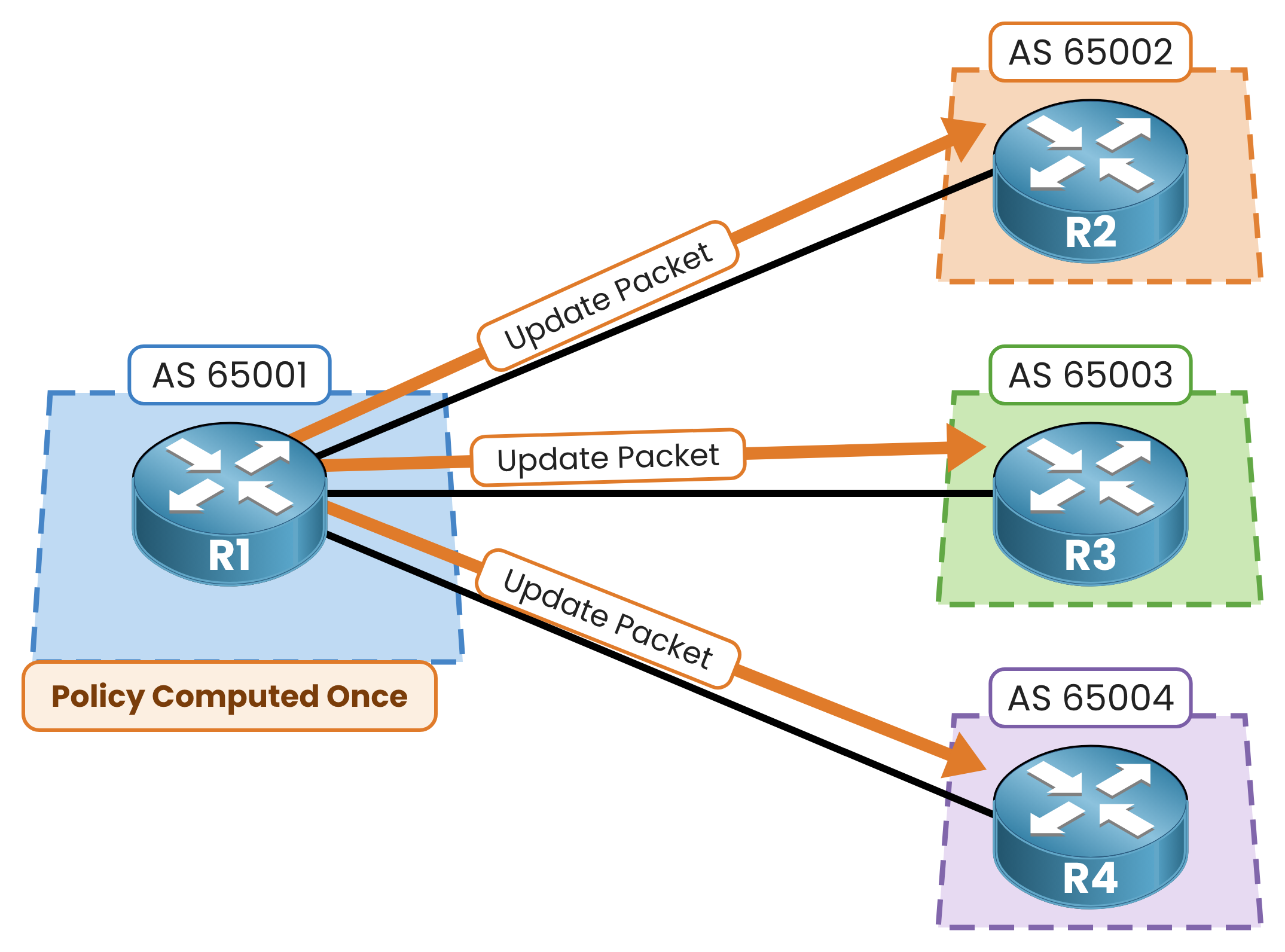
Figure 2 – BGP update group: one update, three copies
The router builds the update once and copies it to every member.
IOS builds update groups on its own, with or without a peer group.
The real job of a peer group is to keep your configuration short and consistent.Answer the question below
Does IOS need a peer group to build update groups?
Check the CLI Syntax
Ask IOS what parameter it expects after neighbor:
R1# configure terminal
R1(config)# router bgp 65001
R1(config-router)# neighbor ?
  A.B.C.D     Neighbor address
  WORD        Neighbor tag
  X:X:X:X::X  Neighbor IPv6 address
That
WORDoption represents your group name.
You apply standard BGP settings directly to this tag instead of targeting individual IP addresses.Keep These Two Rules in Mind
Before building your group, keep Cisco's two core constraints in mind:
Rule 1 (Session Type): Members must share the same session type, strictly all iBGP or all eBGP.
Internal and external updates follow different rules, so they cannot share an update group.
Rule 2 (Outbound Policy): All members must share the exact same outbound policy, like route maps or prefix filters.
Inbound policies can still differ per neighbor.
Do not confuse peer groups with peer templates, a separate and more flexible IOS feature.
Answer the question below
Peer group members must be all iBGP or all what?
Answer the question below
Can members of one peer group have different outbound route-maps?
You clean up R1 and rebuild the setup around a peer group named CUSTOMERS.
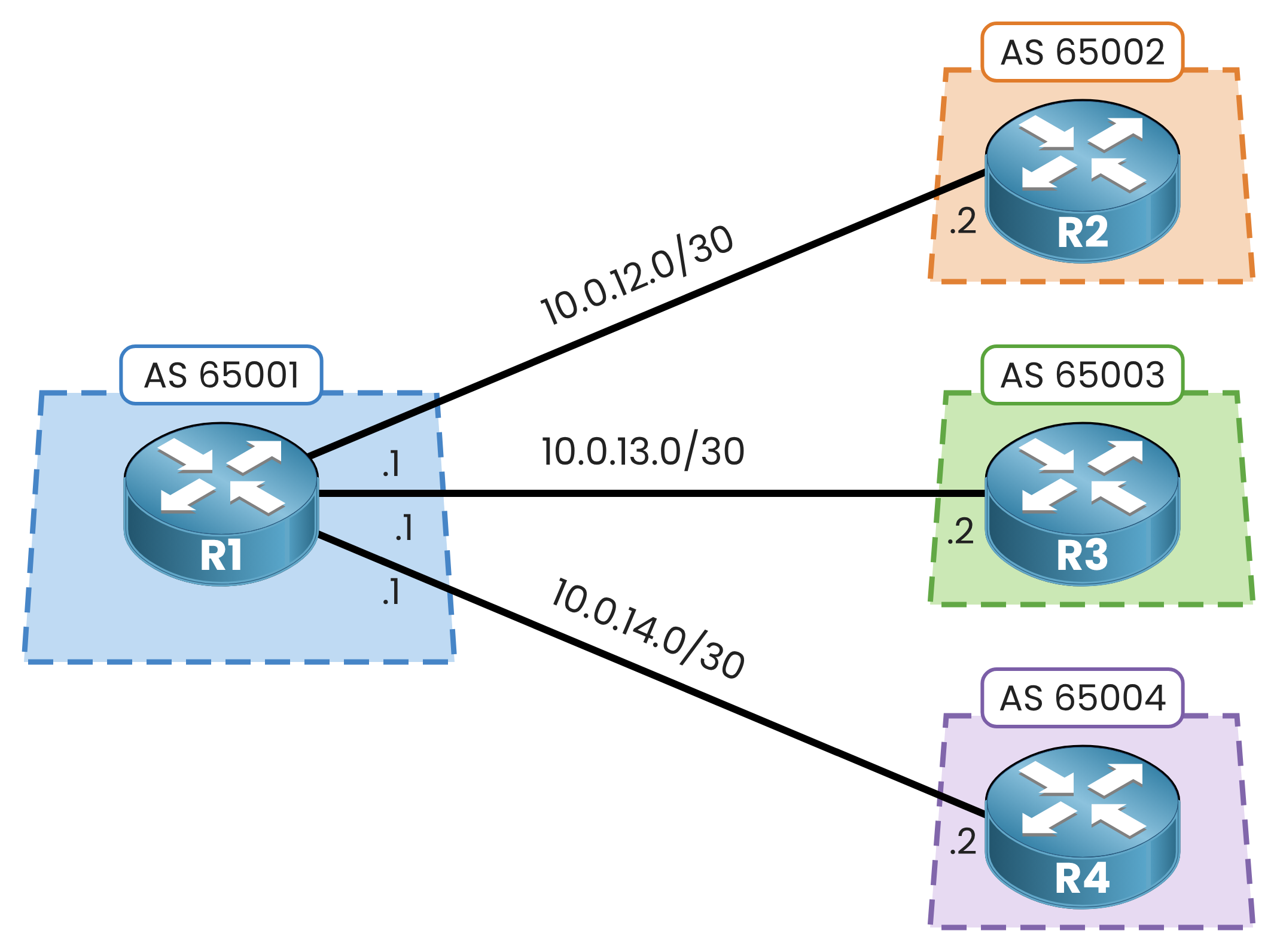
Figure 3 – R1 rebuilds the same three sessions around CUSTOMERS
Step 1 - Wipe the Old Configuration
Remove the three static neighbors:
R1(config-router)# no neighbor 10.0.12.2
%BGP-5-ADJCHANGE: neighbor 10.0.12.2 Down Neighbor deleted

R1(config-router)# no neighbor 10.0.13.2
%BGP-5-ADJCHANGE: neighbor 10.0.13.2 Down Neighbor deleted

R1(config-router)# no neighbor 10.0.14.2
%BGP-5-ADJCHANGE: neighbor 10.0.14.2 Down Neighbor deleted
Step 2 - Create the Peer Group
Declare your group name and apply the shared settings:
R1(config-router)# neighbor CUSTOMERS peer-group
R1(config-router)# neighbor CUSTOMERS password PMN-BGP
R1(config-router)# neighbor CUSTOMERS timers 10 30
Nothing happens on the wire yet.
Without members, the peer group is just an empty container.
Answer the question below
Which keyword creates the peer group itself?
Step 3 - Attach the Customers
Bind each customer to its AS, then assign it to CUSTOMERS:
R1(config-router)# neighbor 10.0.12.2 remote-as 65002
R1(config-router)# neighbor 10.0.12.2 peer-group CUSTOMERS
%BGP-5-ADJCHANGE: neighbor 10.0.12.2 Up

R1(config-router)# neighbor 10.0.13.2 remote-as 65003
R1(config-router)# neighbor 10.0.13.2 peer-group CUSTOMERS
%BGP-5-ADJCHANGE: neighbor 10.0.13.2 Up

R1(config-router)# neighbor 10.0.14.2 remote-as 65004
R1(config-router)# neighbor 10.0.14.2 peer-group CUSTOMERS
%BGP-5-ADJCHANGE: neighbor 10.0.14.2 Up

R1(config-router)# end
All three sessions come right back up.
You did not type a single
passwordortimerscommand for individual neighbors.
Only unique parameters (likeremote-as) stay on each neighbor.Answer the question below
Which keyword adds an existing neighbor to the CUSTOMERS group?
Inspect how IOS sees your new group:
R1# show ip bgp peer-group CUSTOMERS
BGP peer-group is CUSTOMERS
  BGP version 4
  Neighbor sessions: 0 active, is not multisession capable (disabled)
  Do log neighbor state changes (via global configuration)
  Default minimum time between advertisement runs is 30 seconds

 For address family: IPv4 Unicast
  BGP neighbor is CUSTOMERS, peer-group external, members:
  10.0.12.2 10.0.13.2 10.0.14.2
  Index 0, Advertise bit 0
  Update messages formatted 0, replicated 0
  Number of NLRIs in the update sent: max 0, min 0
External group, three members.
Now look at your clean running config:
R1# show running-config | section router bgp
router bgp 65001
 bgp log-neighbor-changes
 neighbor CUSTOMERS peer-group
 neighbor CUSTOMERS password PMN-BGP
 neighbor CUSTOMERS timers 10 30
 neighbor 10.0.12.2 remote-as 65002
 neighbor 10.0.12.2 peer-group CUSTOMERS
 neighbor 10.0.13.2 remote-as 65003
 neighbor 10.0.13.2 peer-group CUSTOMERS
 neighbor 10.0.14.2 remote-as 65004
 neighbor 10.0.14.2 peer-group CUSTOMERS
The Peer Group Benefit
With three customers, both configs take nine lines. Now scale to 10:
With 10 customers, traditional config takes 30 lines and 10 manual edits to update a password.
With a peer group, 10 customers take 23 lines, and updating the password takes one single edit under CUSTOMERS.Answer the question below
How many lines does R1 need to add a fourth customer to CUSTOMERS?