SVI InterVLAN Routing is a method that allows Layer 3 switches to route traffic between VLANs without relying on an external router.
Before going deeper, you might wonder: what exactly is a Layer 3 switch?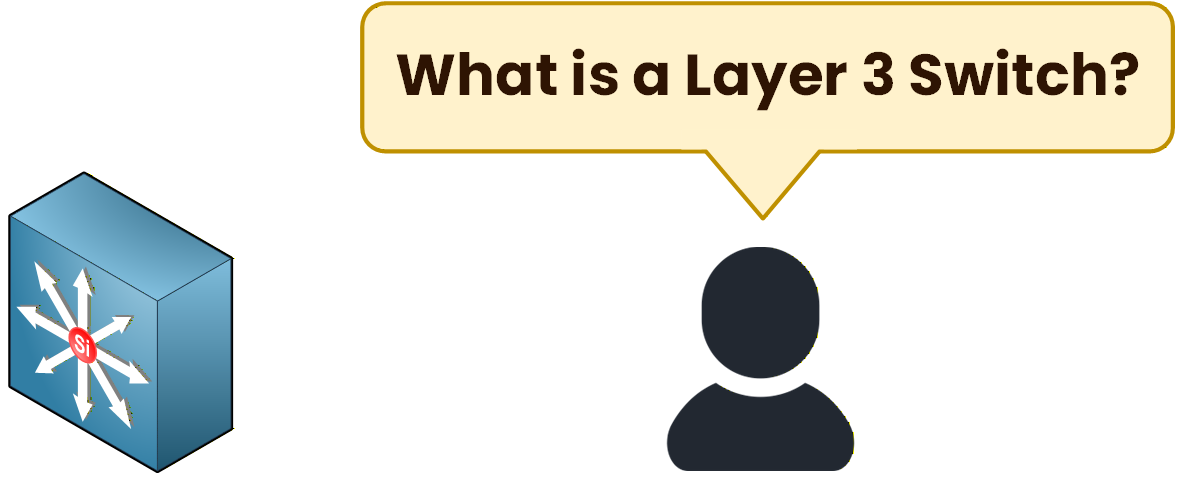
Figure 1 – Layer 3 switch concept
Layer 3 Switch Concept
A Layer 3 switch looks like a standard switch, but it can also perform routing.
It handles:Layer 2 switching for forwarding frames.
Layer 3 routing, directly in hardware using ASICs.
Because routing happens in hardware instead of software (like on a router), the performance is significantly higher.
This is why modern networks rely on Layer 3 switches to route traffic between VLANs efficiently.To achieve this routing capability, the switch uses SVIs.
What is an SVI?
An SVI (Switched Virtual Interface) is a virtual Layer 3 interface created for a specific VLAN on a Layer 3 switch.
Each VLAN has its own SVI, and that SVI becomes the default gateway for every device inside that VLAN.Let's look at the topology together:
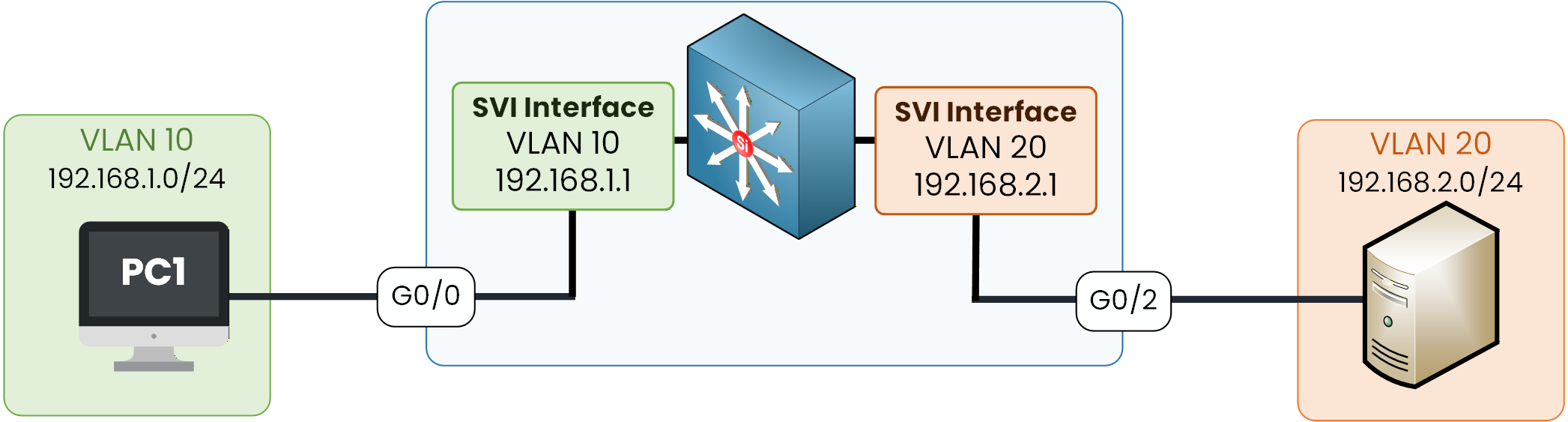
Figure 2 – SVI routing topology
In this setup:
A Layer 3 switch connects devices in VLAN 10 and VLAN 20
Each VLAN has its own SVI, acting as the default gateway:
SVI for VLAN 10 → 192.168.1.1
SVI for VLAN 20 → 192.168.2.1
These SVI interfaces serve as the Layer 3 gateways, allowing the switch to route traffic internally between VLAN 10 and VLAN 20 without using any external router.
This is the modern and recommended method for inter-VLAN communication in enterprise networks.
Answer the question below
Which device type performs Layer 3 routing in this method?
Now that you understand what an SVI is, let's walk through the configuration together.
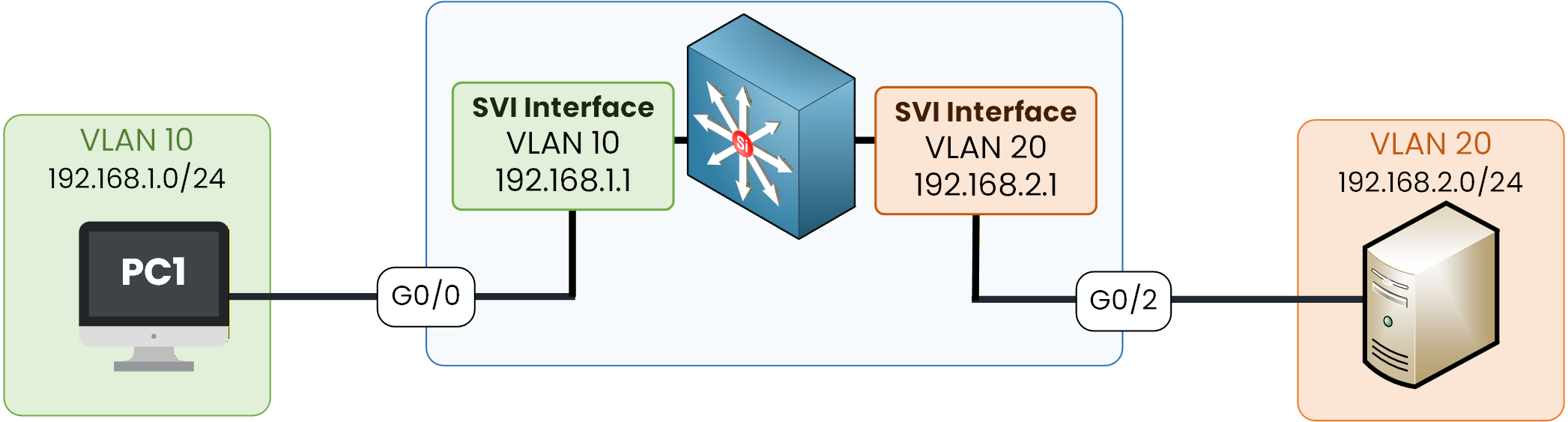
Figure 3 – SVI routing topology
Step 1 — Create VLANs on the Layer 3 Switch
We start by creating the VLANs on the Layer 3 switch:
L3# configure terminal
L3(config)# vlan 10
L3(config-vlan)# name Sales
L3(config-vlan)# exit

L3(config)# vlan 20
L3(config-vlan)# name Tech
Step 2 — Assign Access Ports to VLANs
Each connected device must be placed in the correct VLAN.
Assign G0/0 to VLAN 10:
L3(config)# interface GigabitEthernet0/0
L3(config-if)# switchport mode access
L3(config-if)# switchport access vlan 10
L3(config-if)# exit
Assign G0/2 to VLAN 20:
L3(config)# interface GigabitEthernet0/2
L3(config-if)# switchport mode access
L3(config-if)# switchport access vlan 20
L3(config-if)# exit
Step 3 — Configure SVIs for Each VLAN
Each VLAN now needs an SVI.
This SVI will serve as the default gateway for the hosts inside that VLAN.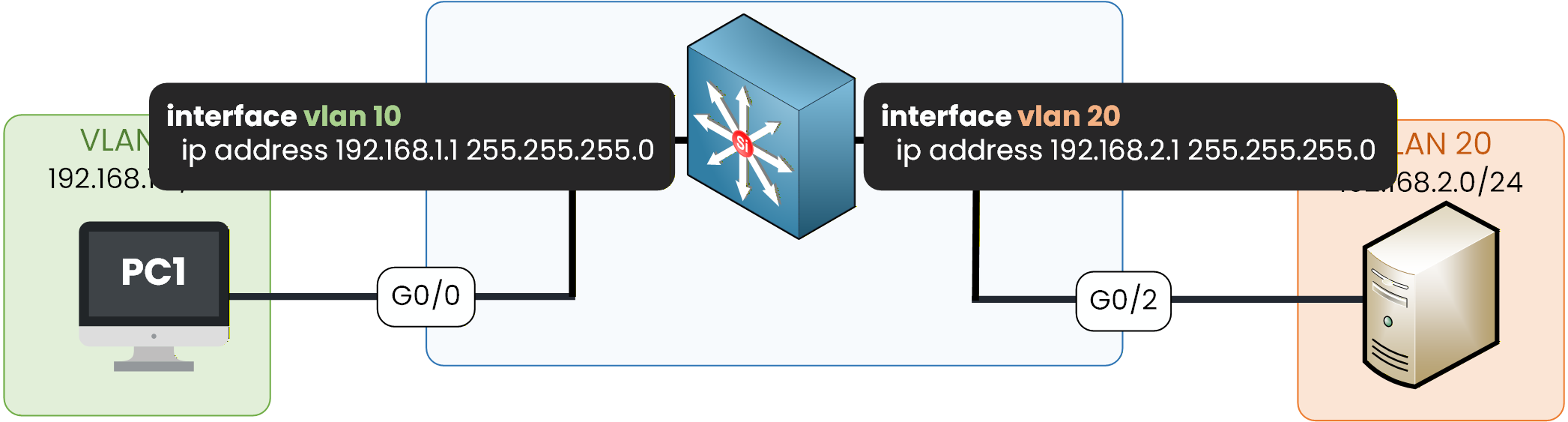
Figure 4 – SVI interface configuration
SVI for VLAN 10:
L3(config)# interface vlan 10
L3(config-if)# ip address 192.168.1.1 255.255.255.0
L3(config-if)# no shutdown
%LINK-5-CHANGED: Interface Vlan10, changed state to up
%LINEPROTO-5-UPDOWN: Line protocol on Interface Vlan10, changed state to up
L3(config-if)# exit
SVI for VLAN 20:
L3(config)# interface vlan 20
L3(config-if)# ip address 192.168.2.1 255.255.255.0
L3(config-if)# no shutdown
%LINK-5-CHANGED: Interface Vlan20, changed state to up
%LINEPROTO-5-UPDOWN: Line protocol on Interface Vlan20, changed state to up
L3(config-if)# exit
Step 4 - Activate IP Routing
By default, a Layer 3 switch does not route traffic.
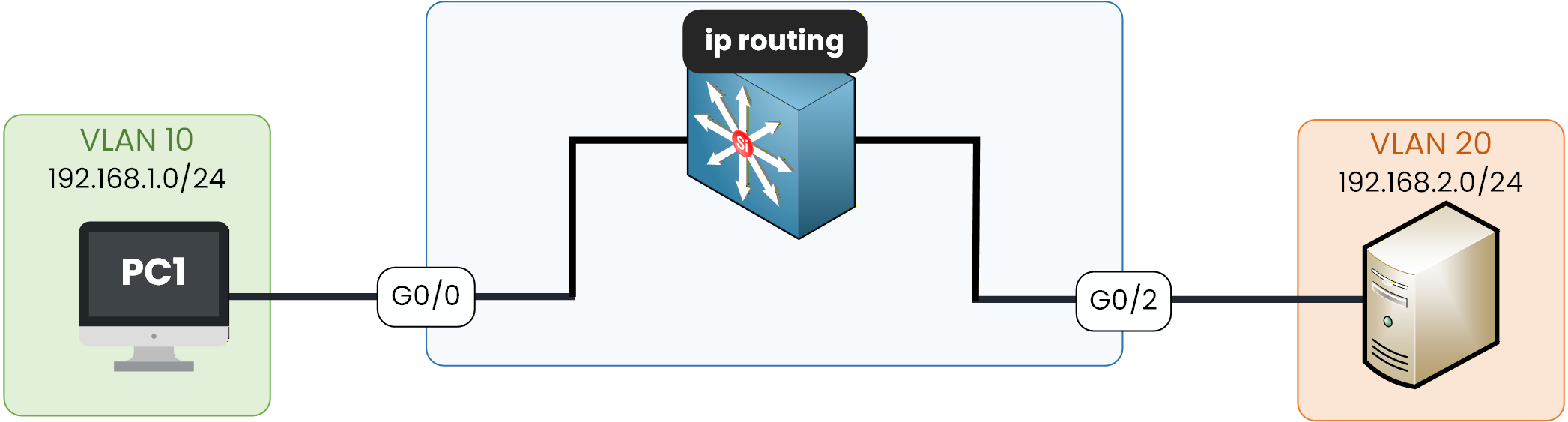
Figure 5 – Enabling IP routing
We must explicitly enable routing:
L3(config)# ip routingOnce this command is activated, the switch is able to route traffic internally between VLAN 10 and VLAN 20 using the SVIs you just configured.
Answer the question below
What IOS command creates the gateway for VLAN 30?
Now that all SVIs are configured and IP routing is enabled, let's verify that InterVLAN Routing actually works.
We do this by testing the communication between two devices located in different VLANs:PC in VLAN 10 → 192.168.1.10
PC in VLAN 20 → 192.168.2.10
If these two devices can reach each other, it means the Layer 3 switch is successfully routing traffic internally using the SVIs.
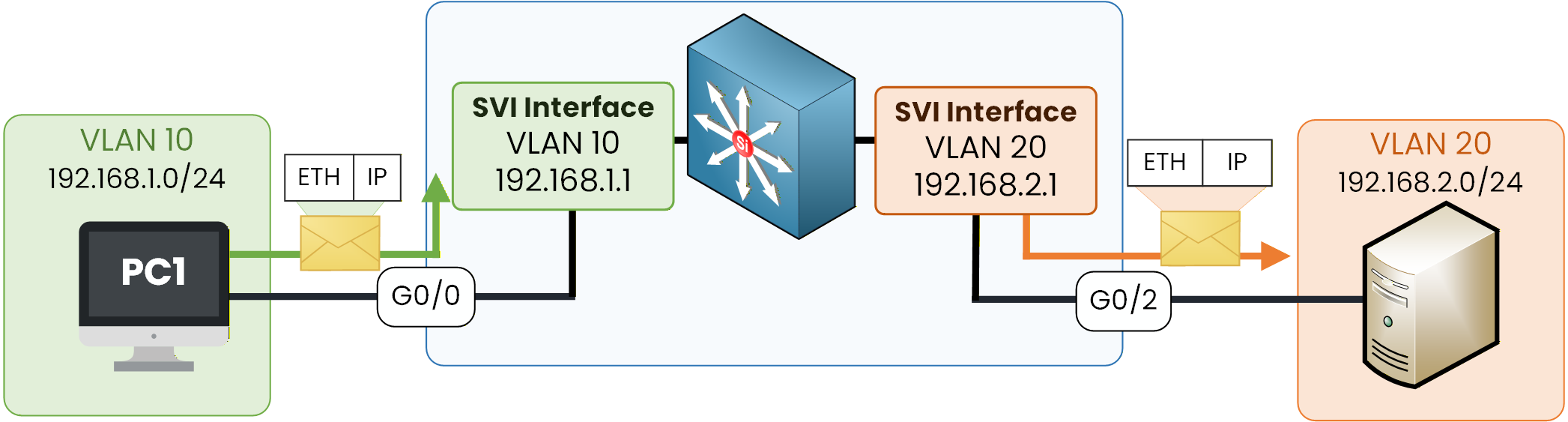
Figure 6 – SVI packet flow
Here is the ping test from the PC in VLAN 10:
PC1> ping 192.168.2.10

Pinging 192.168.2.10 with 32 bytes of data:

Reply from 192.168.2.10: bytes=32 time<1ms TTL=64
Reply from 192.168.2.10: bytes=32 time<1ms TTL=64
Reply from 192.168.2.10: bytes=32 time<1ms TTL=64
Reply from 192.168.2.10: bytes=32 time<1ms TTL=64

Ping statistics for 192.168.2.10:
    Packets: Sent = 4, Received = 4, Lost = 0 (0% loss),
Approximate round trip times in milli-seconds:
    Minimum = <1ms, Maximum = <1ms, Average = <1ms
This successful ping confirms that:
The PC in VLAN 10 can reach the device in VLAN 20
The Layer 3 switch is routing traffic between the two VLANs
Both SVIs (192.168.1.1 and 192.168.2.1) are functioning as default gateways
No external router is needed: routing happens internally on the switch
With this result, you can be confident that SVI InterVLAN Routing is fully operational on your Layer 3 switch.
One SVI per VLAN, ip routing, and the switch becomes the gateway. Let's continue with the SVI InterVLAN Routing lab, where you'll configure it yourself on the Layer 3 switch and ping across the two VLANs.
Answer the question below
A successful ping between VLANs confirms that InterVLAN routing is working. True or false?